.svg)
Mar 10, 2026
Why You Shouldn't Use Notion as Your Client Portal
By
Sam Chlebowski

Notion is one of the most flexible tools out there.
Teams use it for documentation, project management, internal wikis, knowledge bases, and even lightweight CRMs. Because of that flexibility, it’s easy to assume it can handle just about anything.
Including client portals.
In fact, if you search online, you’ll find plenty of tutorials showing how to build a “client portal” in Notion using shared pages, dashboards, or databases.
And technically, that works.
But there’s an important difference between something that can be turned into a client portal and software that was actually designed to function as one.
Notion falls into the first category.
While it can work for simple setups or a small number of clients, teams often start running into problems once they try to use it as a real client-facing workspace.
And those problems usually show up in the exact areas a client portal is supposed to make easier.
Does Notion Have a Client Portal?
Not exactly. Notion doesn’t have a built-in client portal feature. That said, many teams still try to use it as one.
For example, a common setup looks something like this:
- A client portal template page
- Sections for tasks, files, updates, and meeting notes
- A duplicate of that page for each client
- Access shared via Notion’s page-level permissions
From the client’s perspective, it can feel like a portal: they open a link and see a workspace with everything related to their project.
But under the hood, it’s still just a shared page inside a workspace, not a dedicated client portal system.
So while it’s possible to create a portal-like experience, it requires manual setup and ongoing maintenance to make it work reliably.
And as your client base grows, those workarounds tend to become harder to manage.
Why Tools Like Notion Were Never Built to Be Client Portals

Client portals exist to do three important jobs:
- Collect client information in a streamlined way
- Enable structured collaboration
- Keep clients moving forward through tasks, milestones, and requests
Those three functions are what make client onboarding and delivery scalable.
Notion is built as a flexible workspace for documentation and internal collaboration. Pages, databases, and templates make it incredibly powerful for organizing internal knowledge and managing projects.
But those same building blocks aren’t designed to guide external users through structured workflows.
There are no built-in systems for client accountability, structured onboarding flows, or secure separation between multiple client workspaces.
Because of that, teams often end up trying to adapt Notion into something it wasn’t originally built to be.
Let’s look at the three most common ways teams try to use Notion as a client portal:
Option 1: Sharing a Client Dashboard Page
The most common approach is creating a client dashboard page and sharing it with the client.
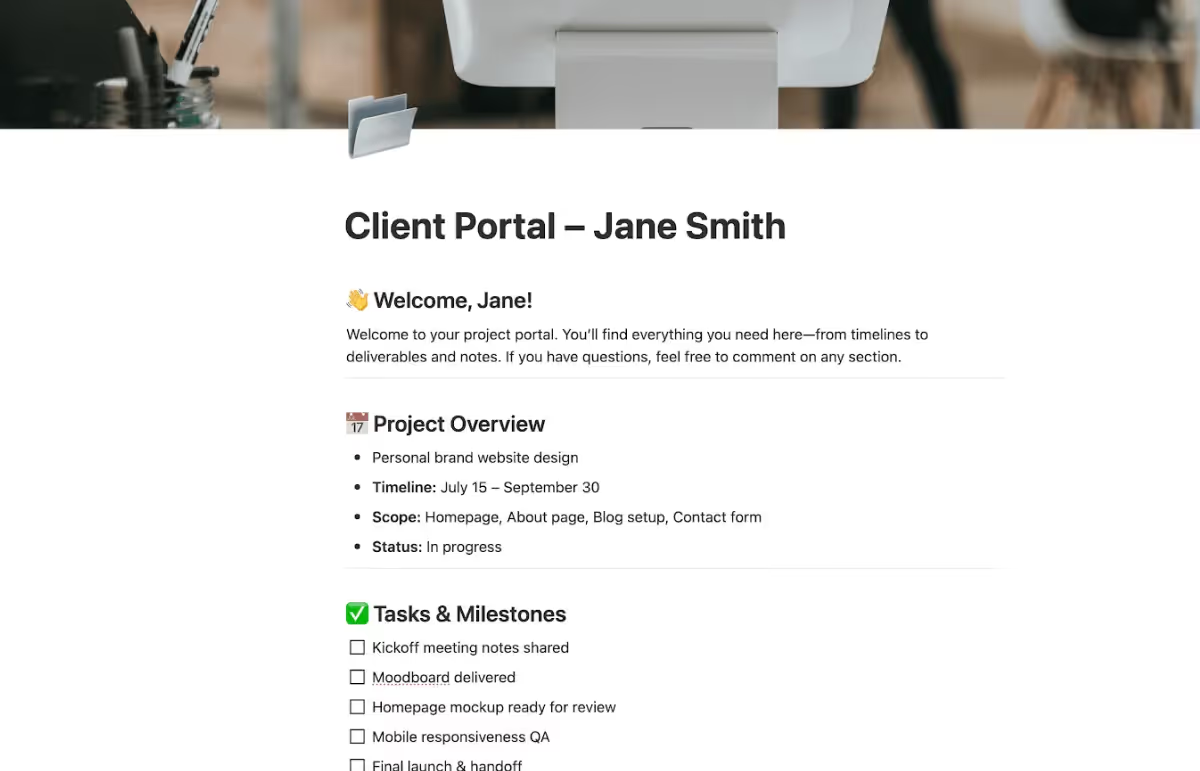
The challenge is that this system relies heavily on manual structure and maintenance.
Teams have to duplicate templates for every client, manage permissions, and maintain each portal page individually. As the number of clients grows, these pages can quickly become difficult to keep organized.
It also lacks many of the workflow features teams expect from a true client portal, like automated reminders, structured file requests, or guided onboarding steps.
Option 2: Building a Client Portal with Databases
A more advanced setup involves building a central client database that connects projects, tasks, and documents. Each client page acts as a mini-portal with filtered views of related information.
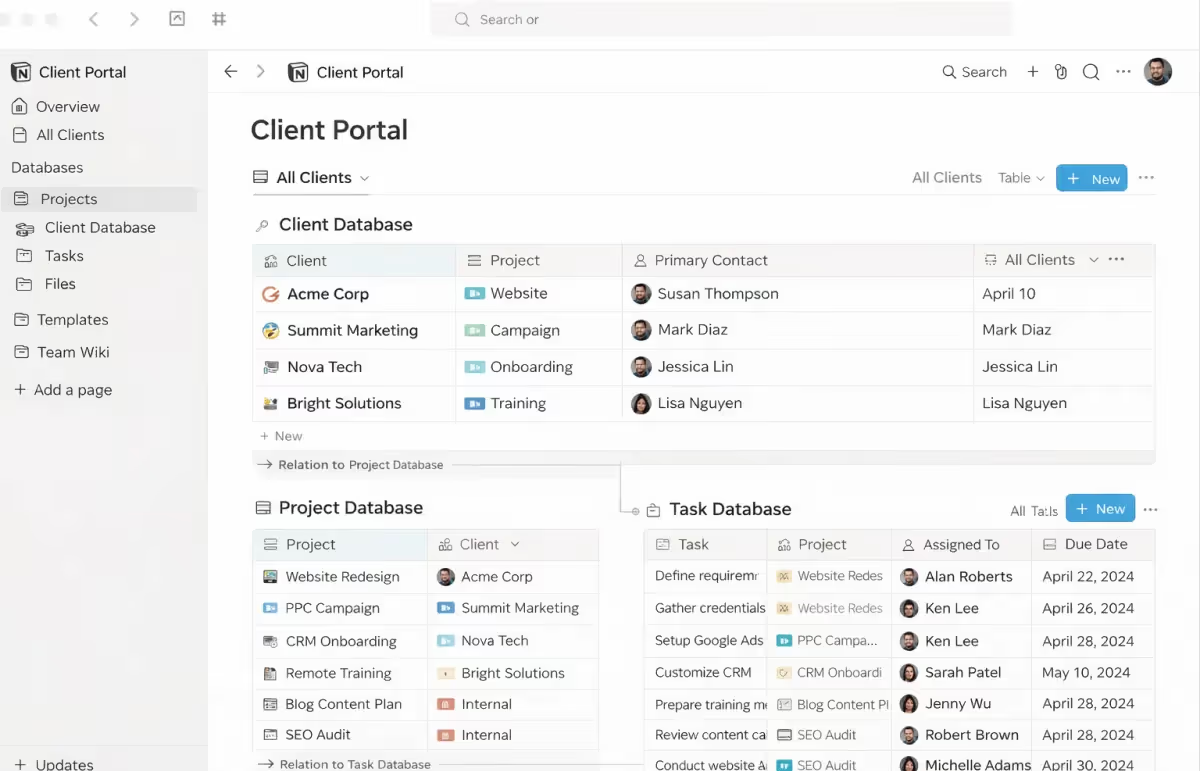
This approach is more structured than simple shared pages and can work well for internal project management.
But it still relies heavily on custom configuration.
Teams often need to create relationships between multiple databases, maintain filters for each client, and manually manage how information is displayed.
From the client’s perspective, this can also become confusing to navigate.
And while the system can technically scale, maintaining it often requires ongoing adjustments as projects and workflows evolve.
Option 3: Turning Notion Pages into a Branded Portal
Some teams use tools like Super or other frontend layers that turn Notion pages into a branded website.

This allows teams to:
- Add a custom domain
- Remove visible Notion branding
- Create a more polished client-facing interface
At first glance, this can make the portal feel more professional, but it introduces another trade-off.
When Notion pages are displayed through a frontend layer, many of Notion’s collaborative features become harder to use. Editing, commenting, and real-time interaction may require switching back into the Notion workspace itself.
In other words, the portal starts to behave more like a static website than a collaborative workspace.
This creates a tension between branding and functionality, which means that teams often end up sacrificing one to preserve the other.
Summary: Where Notion Client Portals Fall Short vs LaunchBay
Why Notion Portals Don't Work for Fast-Moving Agencies and Software Companies
1. Notion Portals Hurt the Client Experience ❌
A client portal is often one of the first systems your clients interact with after signing a contract. And when that experience feels confusing, it can create frustration early in the relationship.
Notion portals often introduce friction in ways teams don’t expect.
For example:
- Clients need to create a Notion account to access their portal
For many clients, this is an unnecessary step just to view project updates or complete onboarding tasks. - Clients can accidentally edit or delete important information.
Because shared pages are editable by default, clients may modify or remove form responses, task fields, or other structured data your team relies on. - Missing information creates extra follow-ups.
When fields disappear or pages change unexpectedly, teams often have to re-request information or manually fix the workflow.
This was exactly the challenge faced by Nutrislice before switching to LaunchBay.
Their team found that clients frequently had trouble accessing their Notion portals and occasionally removed information unintentionally while navigating shared pages.
As Lauren Hammonds, Senior Graphic Designer at Nutrislice, explained:
“Clients could accidentally delete fields or get lost once the briefs became really detailed. It created confusion and slowed down onboarding.”
The result? Lower client satisfaction and higher churn risk.
2. Setting Up a Notion Client Portal Can Take Weeks ❌
Notion offers many ways to build a client portal but that flexibility comes with complexity.
Each approach requires significant setup to make it work properly for both your team and your clients. You often need to configure databases, create filtered views, manage permissions, and build templates just to replicate the basic structure of a portal.
Even then, Notion doesn’t automatically sync the client-facing workspace with your internal workflows.
To keep internal notes private while showing clients the right information, teams often end up creating duplicate views or maintaining separate pages for internal and external use. As projects evolve, those views need to be updated and maintained manually.
What looks like a simple setup at first can quickly turn into a complex system of pages, filters, and workarounds.
3. Notion Portals Don’t Scale ❌
Notion portals might appear highly customizable - and in many ways, they are. But behind the scenes, they often require a surprising amount of manual work to keep running.
The biggest issue is that many of the workflows needed for client onboarding simply aren’t automated.
Teams often end up managing multiple versions of the same information just to separate internal and client-facing views. For example:
- Duplicate databases or views for internal vs client access
To keep internal notes private while showing clients the right information, teams need to maintain separate views or duplicated pages. - Manual updates across multiple places
When information changes, teams may need to update both internal and client-facing views to keep everything aligned. - Manual follow-ups and reminders
Notion doesn’t provide built-in client reminders or task automation, so teams usually rely on email or external tools to keep clients moving.
Individually these steps seem manageable. But as the number of clients grows, they create more coordination work for your team.
🔗 Related article: How to Improve Your Client Onboarding Process
Why Software Companies Shouldn’t Use Notion as a Client Portal
For software companies, onboarding is where retention is earned or lost.
The faster customers reach their first real outcome with your product, the more likely they are to stay. That’s why onboarding usually follows a clear activation process with defined steps, milestones, and responsibilities.
Notion isn’t designed around that type of workflow.
While it works well for documentation and internal collaboration, software onboarding typically involves collecting credentials, guiding setup steps, and tracking progress toward activation.
When Notion is used as the client-facing environment, those processes often end up scattered across pages and databases. Instead of moving through a structured onboarding flow, clients interact with a set of documents that still require manual coordination from the team.
For companies focused on activation speed, that extra friction can slow down the path to value.
Why Agencies Shouldn’t Use Notion as a Client Portal
Agencies often turn to Notion because it’s flexible and easy to customize.
But client delivery rarely fails because of a lack of flexibility. It usually breaks down when there isn’t enough structure.
Agency projects depend on collecting assets, coordinating feedback, managing approvals, and keeping clients accountable for tasks that move work forward.
Notion can store this information, but it doesn’t actively manage the process. Clients often see a collection of pages rather than a clear sequence of actions.
As a result, teams still end up chasing files, reminders, and approvals outside the portal.
For agencies managing multiple clients, that extra coordination can quickly become a real bottleneck.
What a Real Client Portal Needs to Support
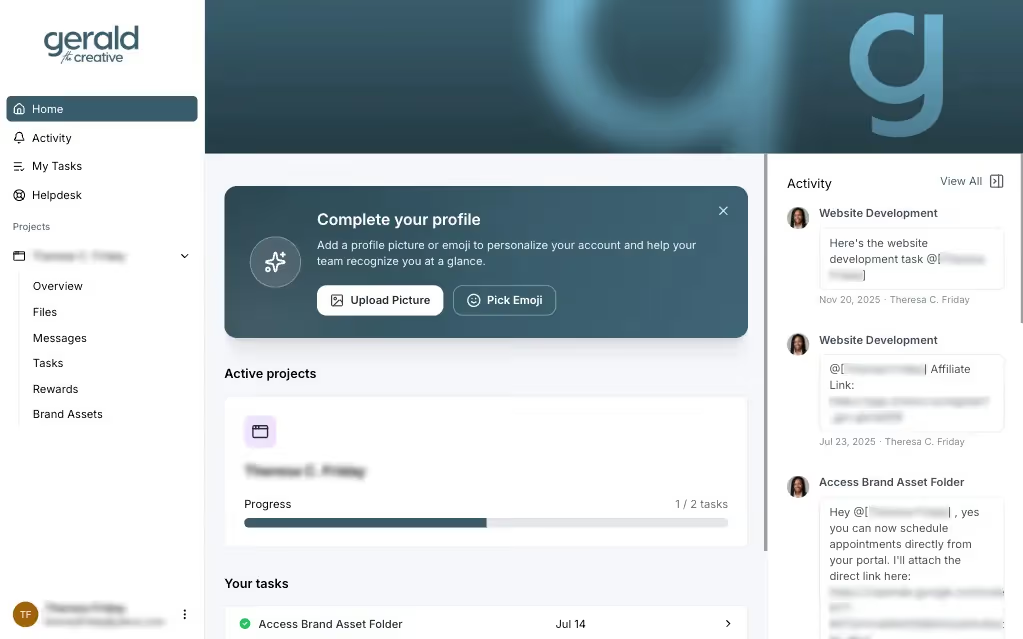
When teams first look for a client portal, the goal often sounds simple: give clients a place to check updates.
But that’s only a small part of the job.
A true client portal acts as the operating layer between your team and your clients. It’s where information is collected, tasks are completed, approvals happen, and progress becomes visible to everyone involved.
In practice, that means the portal needs to support the entire flow of client work, not just store documents.
That typically includes things like:
- Guiding clients through onboarding steps and milestones
- Collecting forms, files, and credentials at the right moment
- Keeping clients accountable for tasks that move projects forward
- Sending reminders automatically instead of relying on manual follow-ups
- Connecting with the internal systems your team already uses
- Presenting a branded, professional environment clients can easily navigate
Tools like Notion can help organize information, but they weren’t designed to manage the full execution process across multiple clients and projects.
LaunchBay brings client communication, tasks, and file collection into one structured workspace. It connects with the tools your team already uses internally while giving clients a clear place to collaborate, complete tasks, and move projects forward.
That’s the difference between patching together workflows and running client delivery on purpose-built infrastructure.
Onboard Smarter and Scale Faster with LaunchBay
If you’re a B2B business trying to scale onboarding, shared pages and manual systems won’t cut it.
To make onboarding scalable, you need the right tool behind it. And in 2026, that system is a client onboarding platform.
LaunchBay is a client onboarding software built specifically for B2B software and service businesses. It helps you replace scattered emails, spreadsheets, and manual follow-ups with one centralized workspace—automating the busywork so your team can focus on delivering value.
Here’s why B2B teams choose LaunchBay:
✅ Centralized client experience — keep all files, forms, and messages in one branded portal.
✅ Built for both clients and internal teams — clearly manage client-owned tasks alongside internal work in a single system.
✅ Automated follow-ups & reminders — never chase a client for missing info again.
✅ Templates for repeatable success — standardize your workflows while personalizing the client experience.
✅ Real-time visibility — see exactly where every client stands and where delays occur.
✅ White-labeled & secure — your brand stays front and center, with enterprise-grade protection.
Ready to fix your B2B client onboarding?


Take command of every customer onboarding.
One platform to run, monitor, and manage every customer onboarding, with full visibility into every account.
Ready to stop wondering where things stand?