.svg)


Build your onboarding once.
Run it every time
Bring your A-game. Every time.
Capture every stage and task
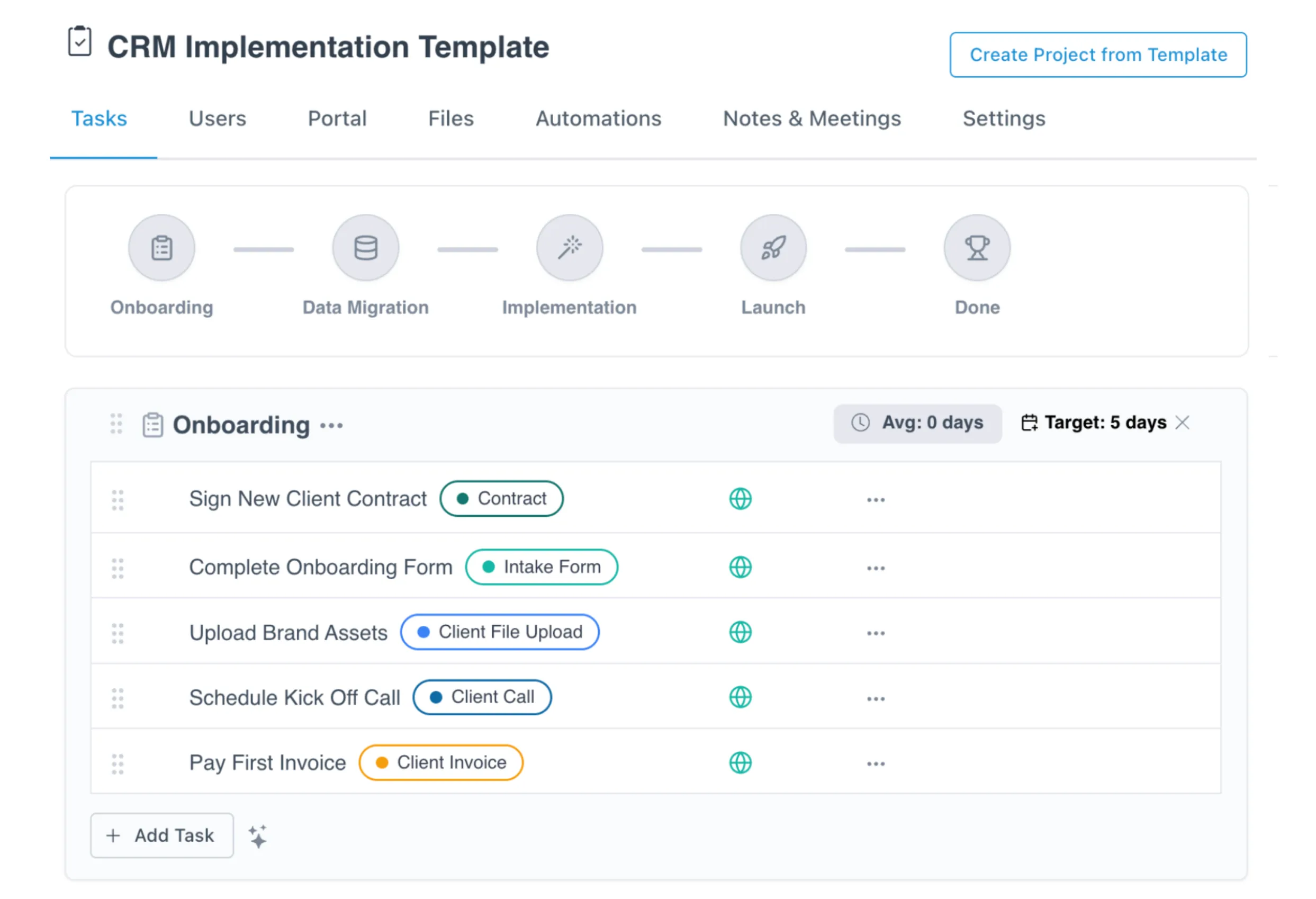
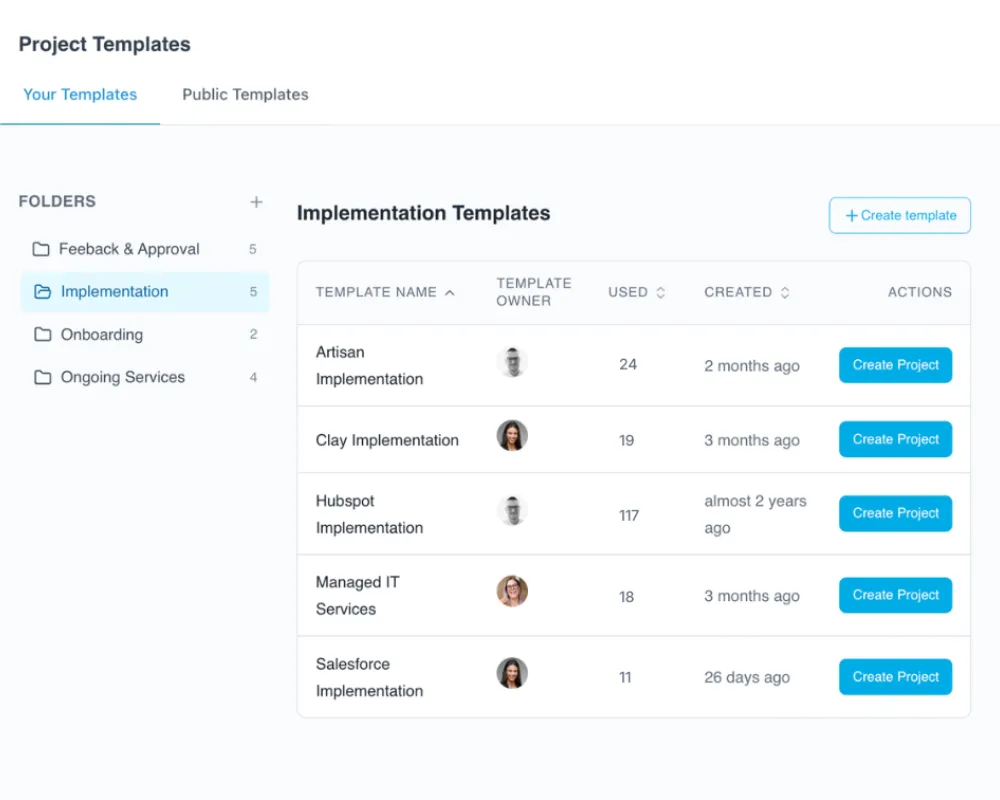
Map your full onboarding into one template, from intake forms to kickoff to launch, so nothing gets rebuilt from scratch each time.
Customer and team work in one template
Assign tasks to your team and your customer in the same template, so the whole process runs from one place.
Refine your playbook as you learn
Adjust the template as you find what works, then every new customer runs on the improved version.
Automations built into the template
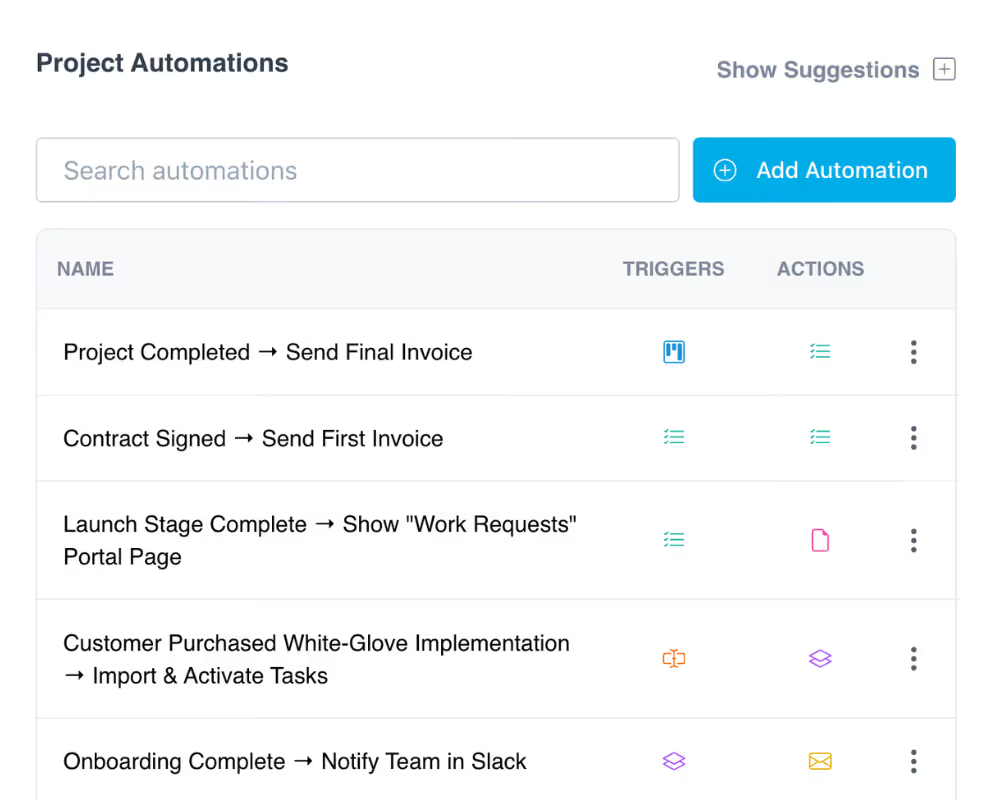
Due dates, reminders, and stage triggers live in the template, so they fire on every project without anyone setting them up again.
Every project starts the same proven way
Spin up a new project from the template and it lands with the right tasks, portal, and resources already in place.
Build a template fast with AI
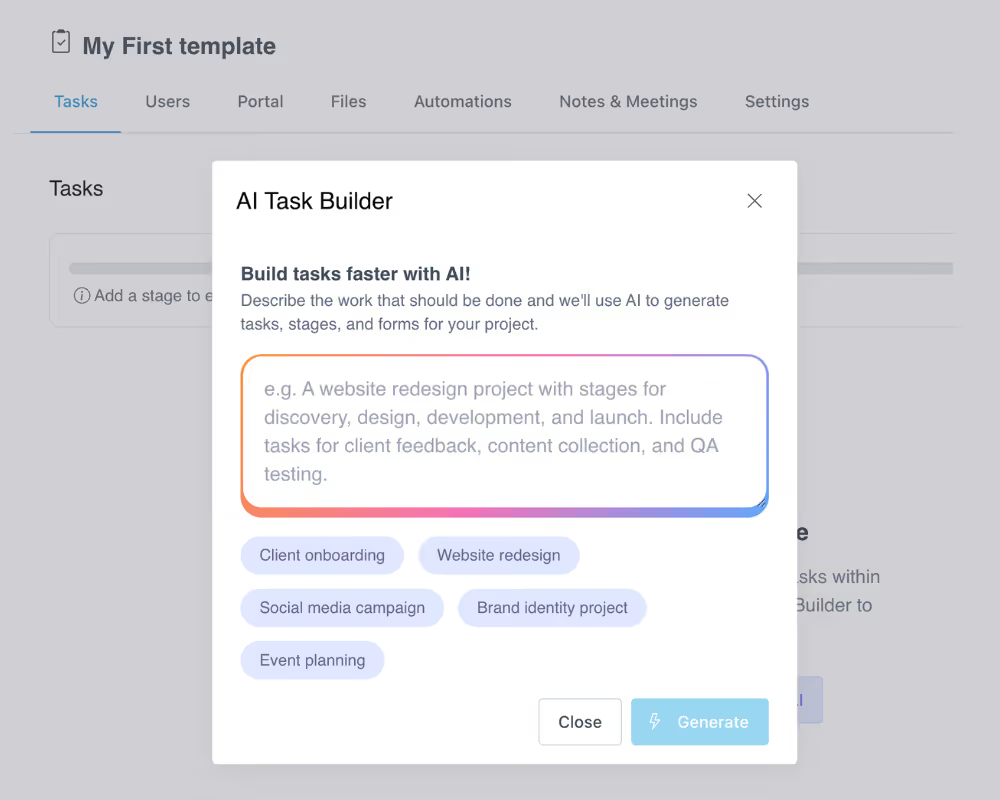
Describe your process or paste in existing docs, and LaunchBay's AI builds the tasks, stages, and forms for you.
How teams use LaunchBay project templates
From signed contract to active project in minutes
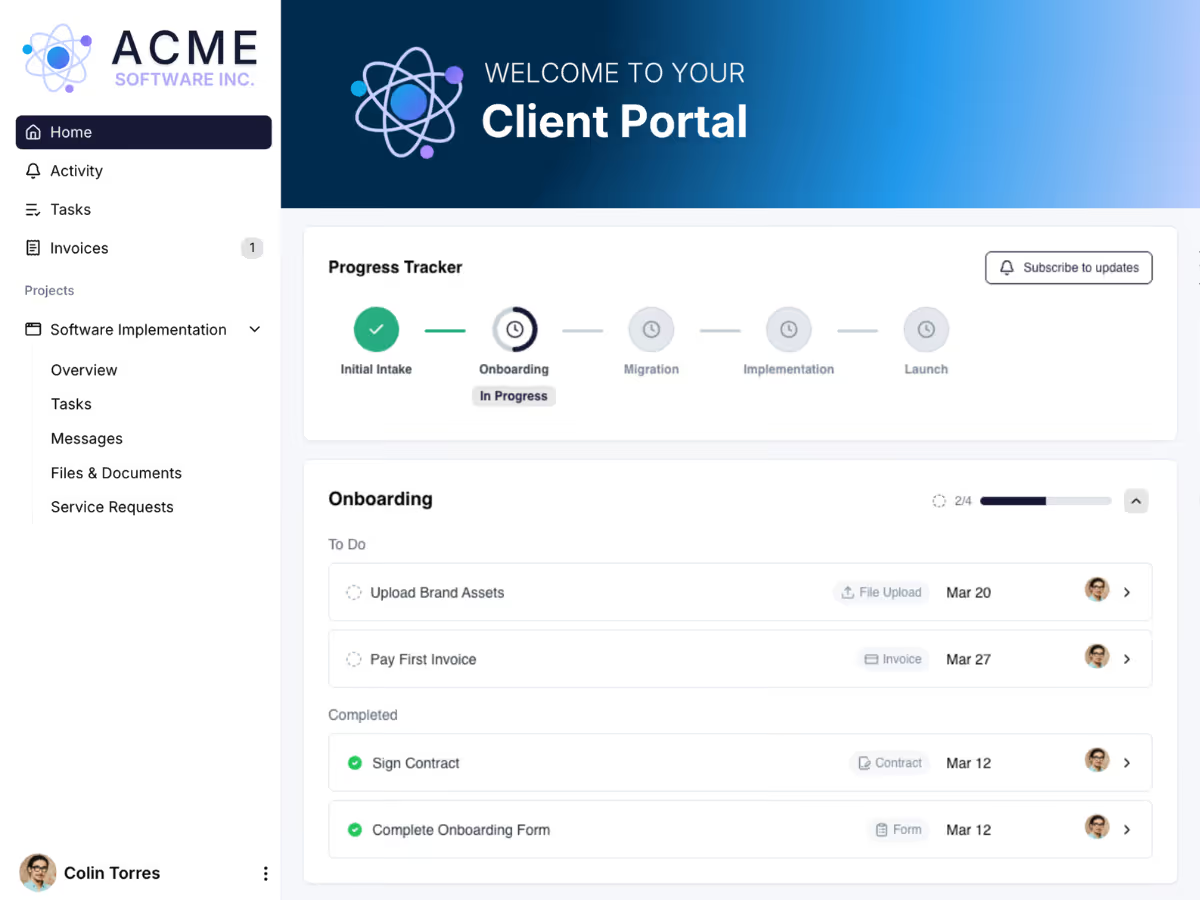
The moment a deal closes, your template does the heavy lifting. Customer intake forms, asset requests, contracts, and kickoff tasks are automatically sent to customers, with due dates and automated follow-ups to ensure the data your team needs is submitted on time, every time.
Migrate your process to LaunchBay in days, not weeks
Paste in your existing process documentation, describe your workflow, or select from common project types, and LaunchBay instantly generates all the tasks, stages, and forms you need.
A template for every service or product you offer
Templates are not just for onboarding. Use them across every service and product you sell, from software implementation projects to creative deliverable workflows with feedback and revision rounds, campaign launches, and ongoing retainer work.
Take on more customers, keep the same quality
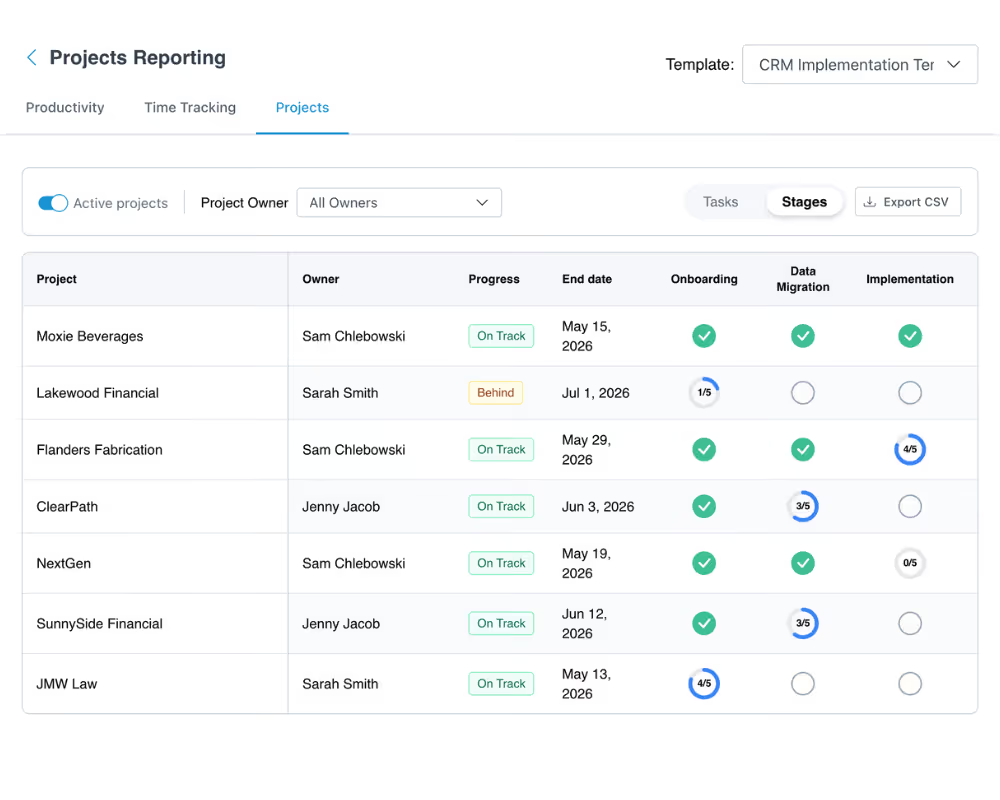
The best customer experiences aren't accidental. They come from a defined process run consistently. One process means every customer gets the same structured intake and the same consistent experience, no matter who on your team is running the project.
Keep exploring LaunchBay's features
Automations
Connect automations to your templates to activate tasks, trigger reminders, and send notifications at exactly the right time in the workflow.
Client Portals
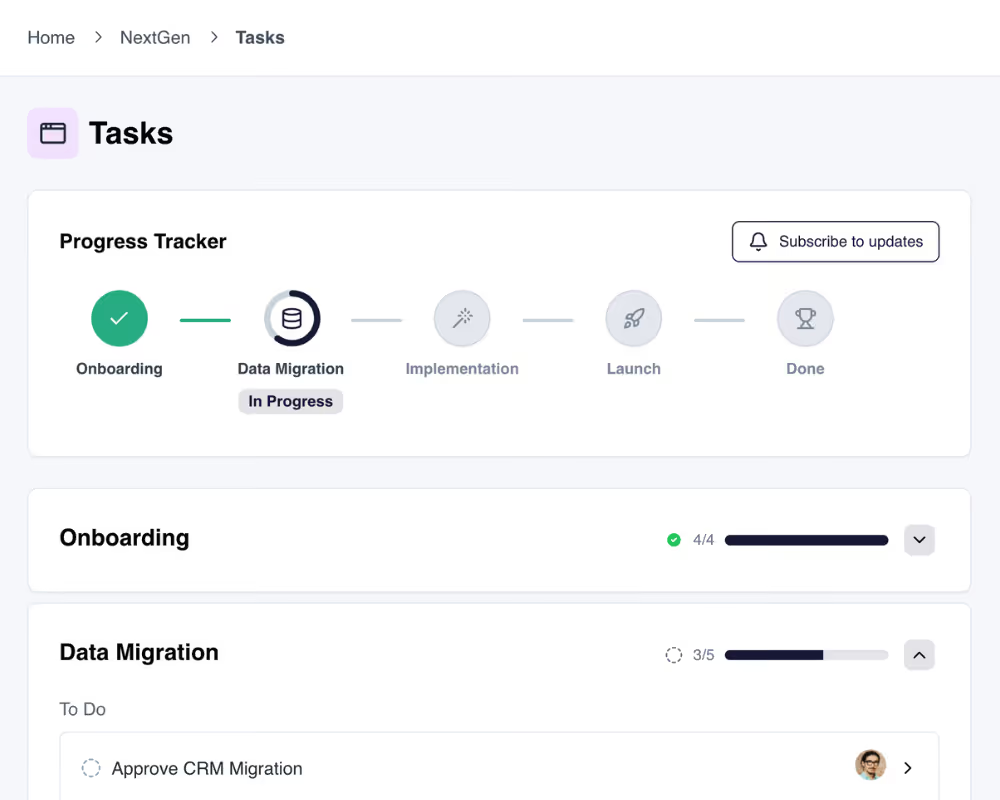
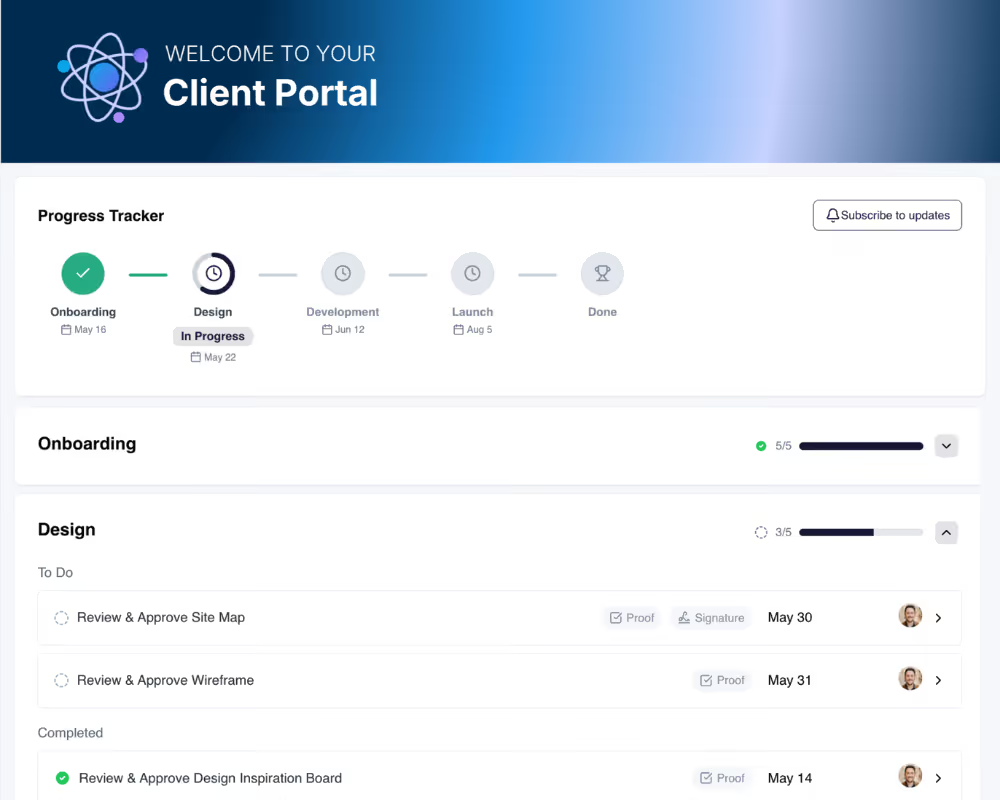
Projects created from templates are accessible in branded, loginless portals where clients see their progress, complete tasks, and track what's next.
Client Tasks
Build client-facing tasks into your templates with forms, file uploads, contracts, approvals, and payments so clients always know exactly what they need to do.