.svg)
Apr 9, 2026
Native HubSpot Integration, Redesigned Client Portals, and More!
By
Sam Chlebowski
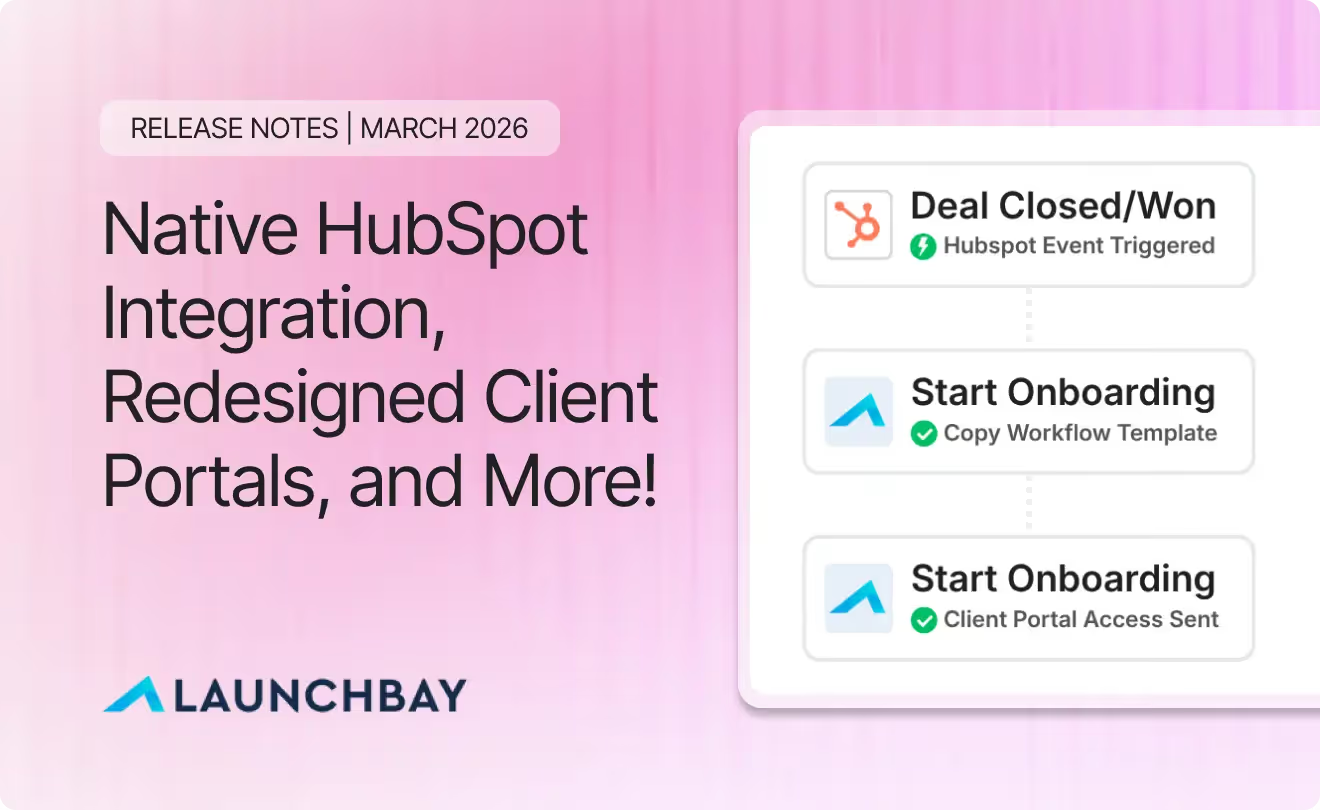
As LaunchBay continues to grow, the March release delivers some of the most requested features to date, along with design improvements that make every part of the platform feel more polished, flexible, and connected.
This month brings a native integration with HubSpot, a complete redesign of client portals, powerful new filtering capabilities, and a set of quality-of-life improvements across the board.
Here's what's included in the March 2026 release:
- Native HubSpot Integration: Connect LaunchBay directly to HubSpot and trigger project creation automatically from your CRM workflows
- Redesigned Client Portals: A completely refreshed client experience with deeper branding, updated UI/UX, and smarter visual cues
- Saved Filters: Create, name, and reuse custom filter views in the Projects Dashboard
- Smarter Contract Role Assignment: Clients are now automatically assigned to the "Client" contract role when projects are created from templates or automations
- Additional Improvements and Quality-of-Life Updates:Template folders, Zapier stage selection, activity feed tooltips, and more
Below, we'll walk through each update in detail.
Native HubSpot Integration
One of the most requested features from our users is here. You can now connect LaunchBay directly to HubSpot and use the "Create Project" action within your HubSpot workflows.
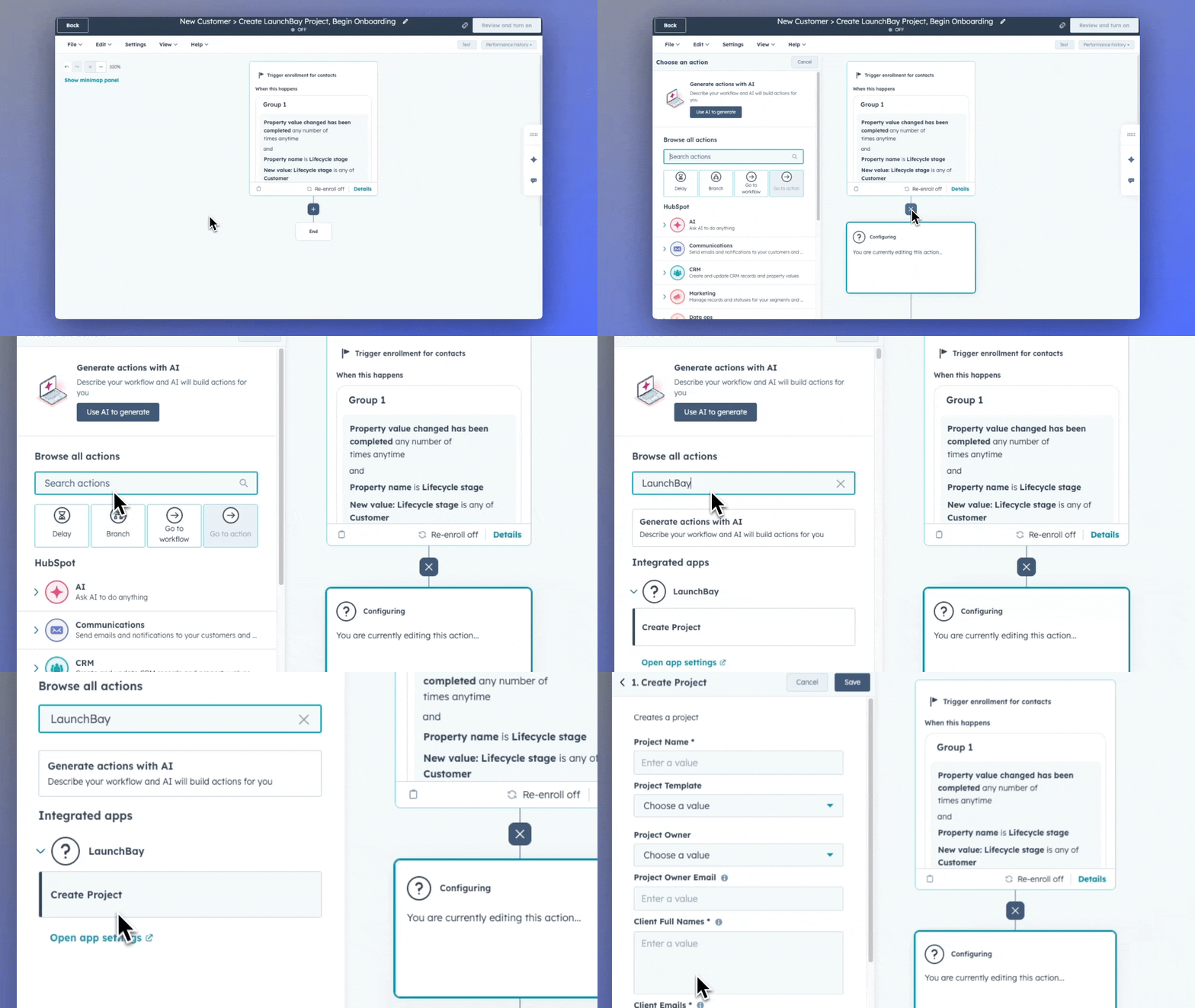
This means you can automatically kick off projects in LaunchBay based on HubSpot triggers like deal stage changes, form submissions, or lifecycle stage updates. No Zapier required.
The integration is designed to fit directly into how your team already works inside HubSpot, making it faster and easier to move from closed deal to active project without any manual steps in between.
For detailed setup instructions, visit our HubSpot Integration help article.
Redesigned Client Portals
We've completely redesigned client portals to feel like a true extension of your brand at every touchpoint, while making sure clients always know what to do and where projects stand.
Your branding now flows through to nearly every button, progress indicator, and interactive element in the portal. We've also refreshed the UI/UX of key pages including Home, Tasks, Messages, and Files to create a more modern, intuitive experience for your clients.
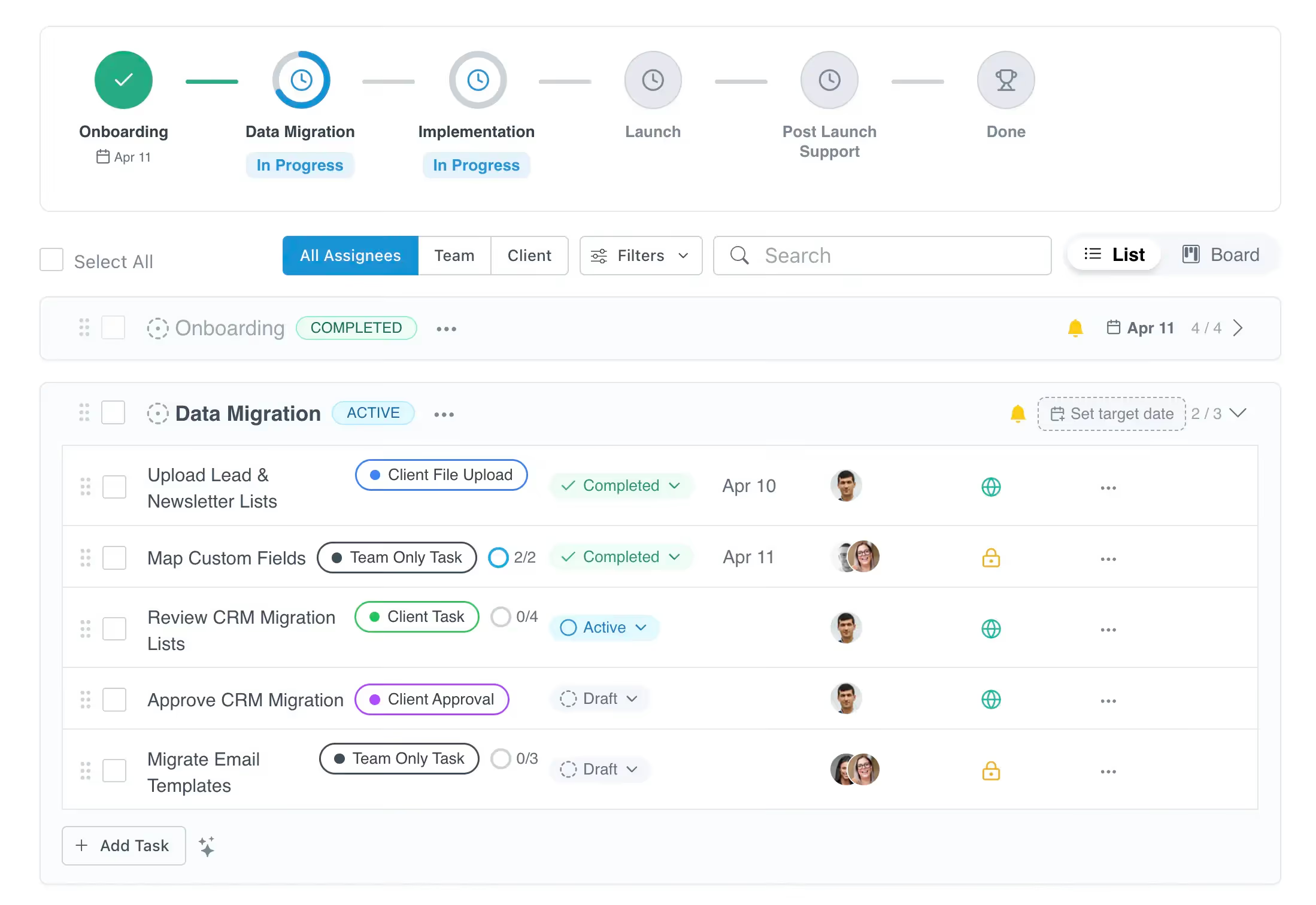
Redesigned Progress Tracker with Stage Icons
Icons are now automatically added to the project progress tracker. AI determines the icon based on each stage's name, giving clients a more visual, personalized experience as they move through your process.

Redesigned Task Listing
The task listing UI has been updated for a more modern look and feel. These improvements are reflected both in client portals and on the admin side in projects and templates, keeping the experience consistent across the platform.
Saved Filters
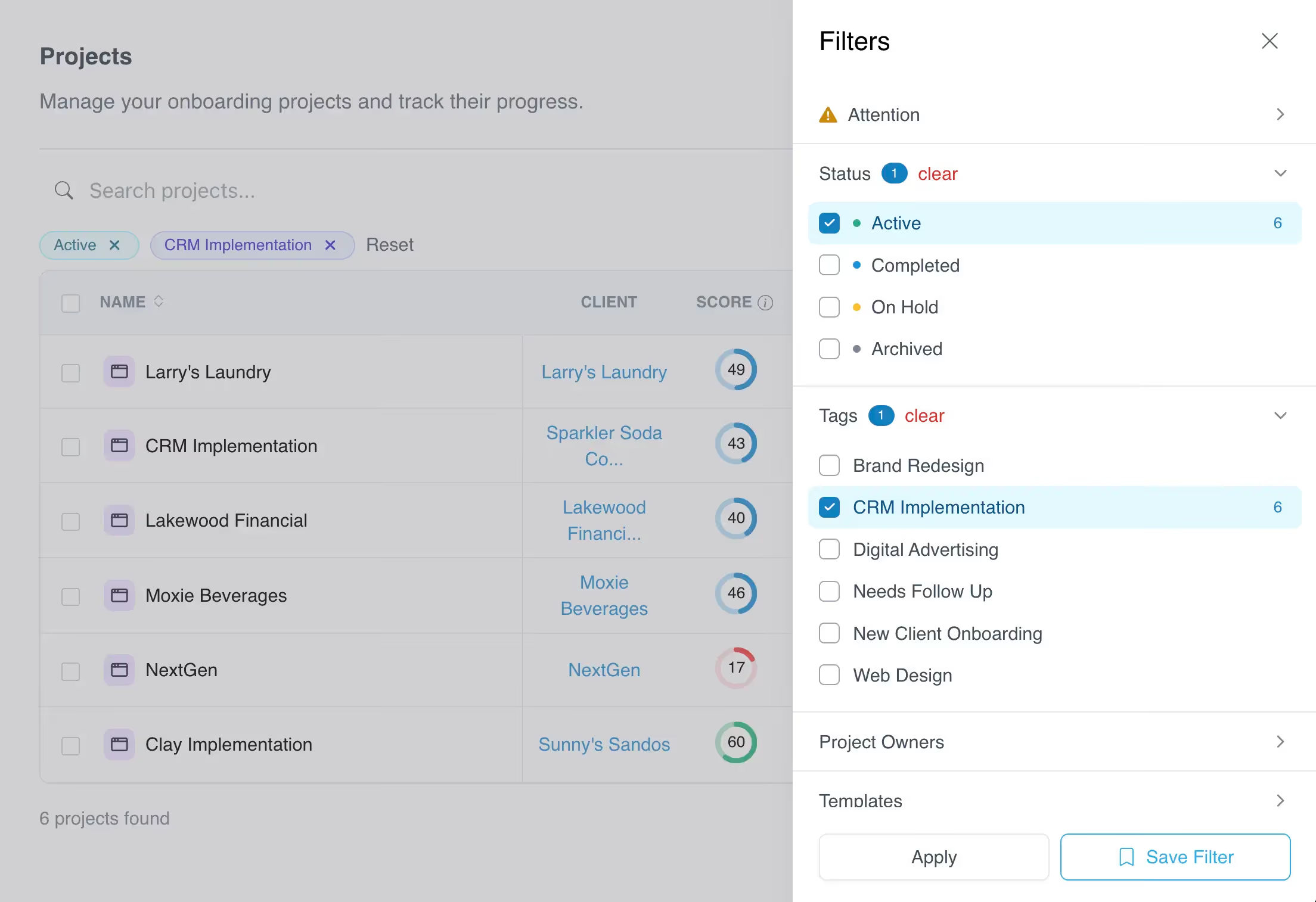
Another highly requested feature from our users. In the Projects Dashboard, you can now create and save custom filters, named however you'd like, so you and your team can quickly re-apply your most important views each time you log in.
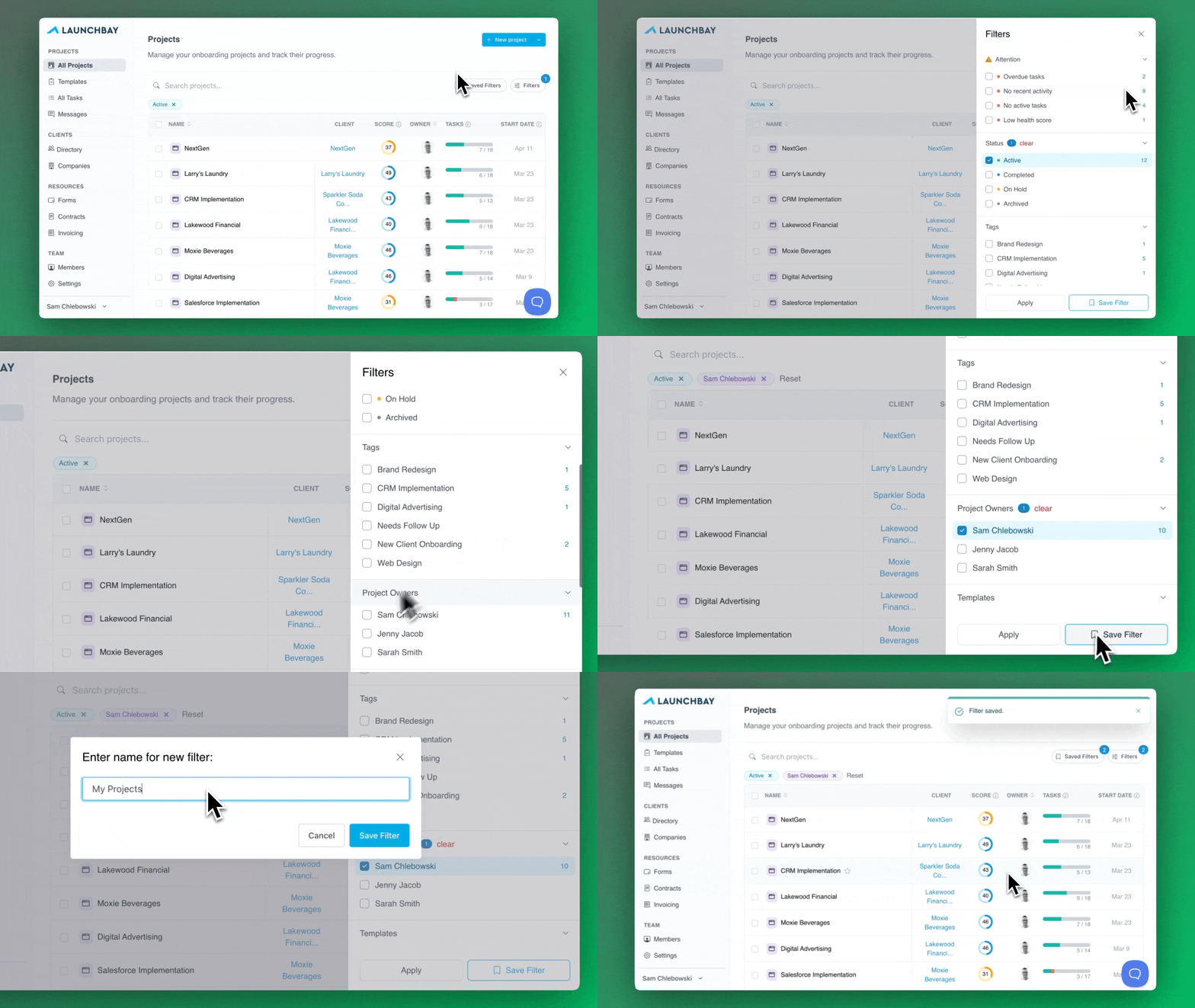
Whether you're filtering by template, status, tag, or team member, Saved Filters let you build the exact view you need and get back to it in one click.
Improved Filter Sidebar
The filter sidebar has been completely redesigned with a refreshed UI and expanded options for building more precise filter criteria. Finding the right set of projects is now faster and more flexible than ever.
Revamped Tag Interface with More Colors
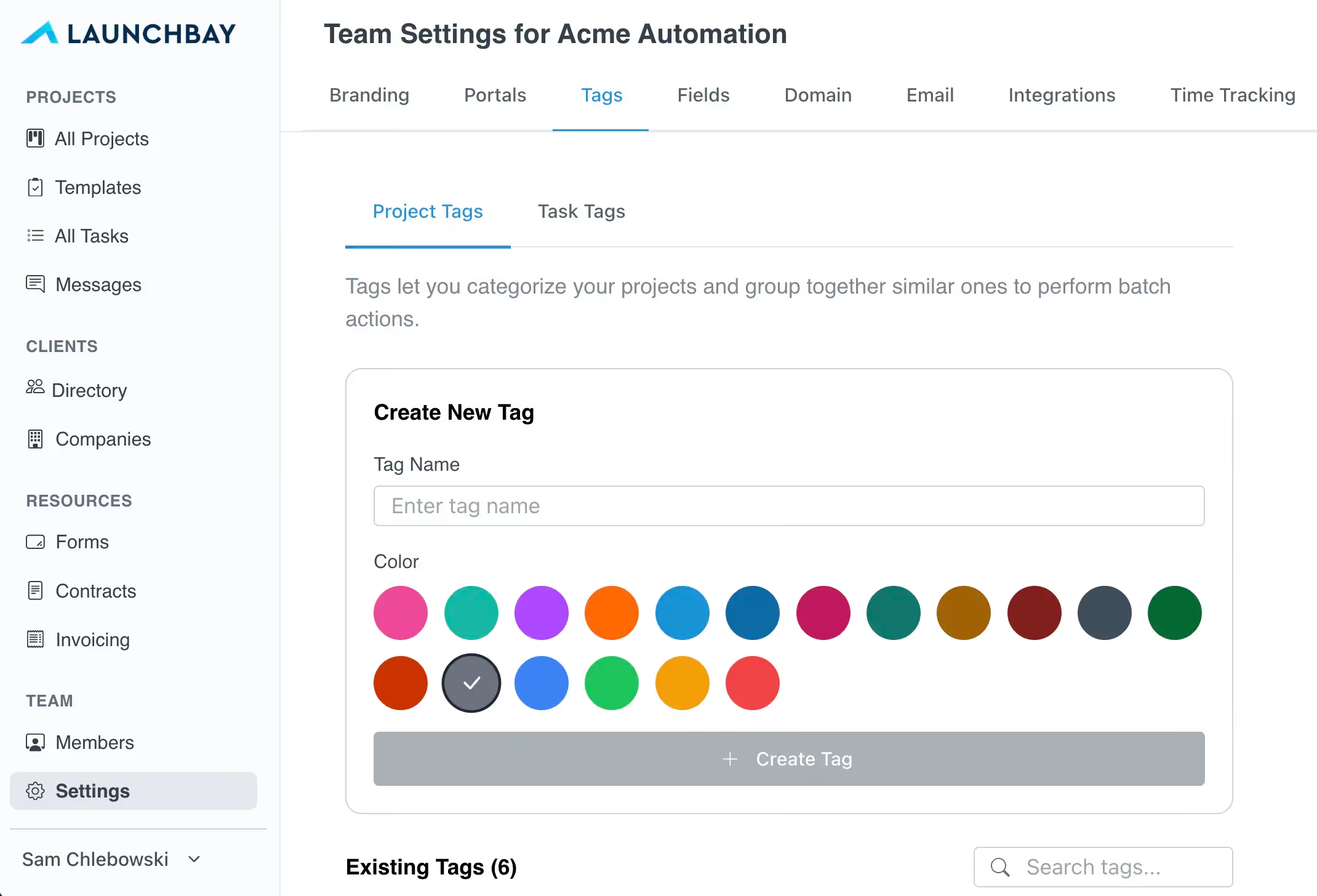
Project tags and task tags now support a wider range of colors for better customizability and a more personalized experience. With Saved Filters making project tags more central to how teams navigate work, we wanted to give you more flexibility to create tags that are visually distinct and easy to scan at a glance.
Smarter Contract Role Assignment
Clients are now automatically assigned to the "Client" contract role when creating projects from templates or via automated project creation, such as workflows triggered from HubSpot or Zapier.
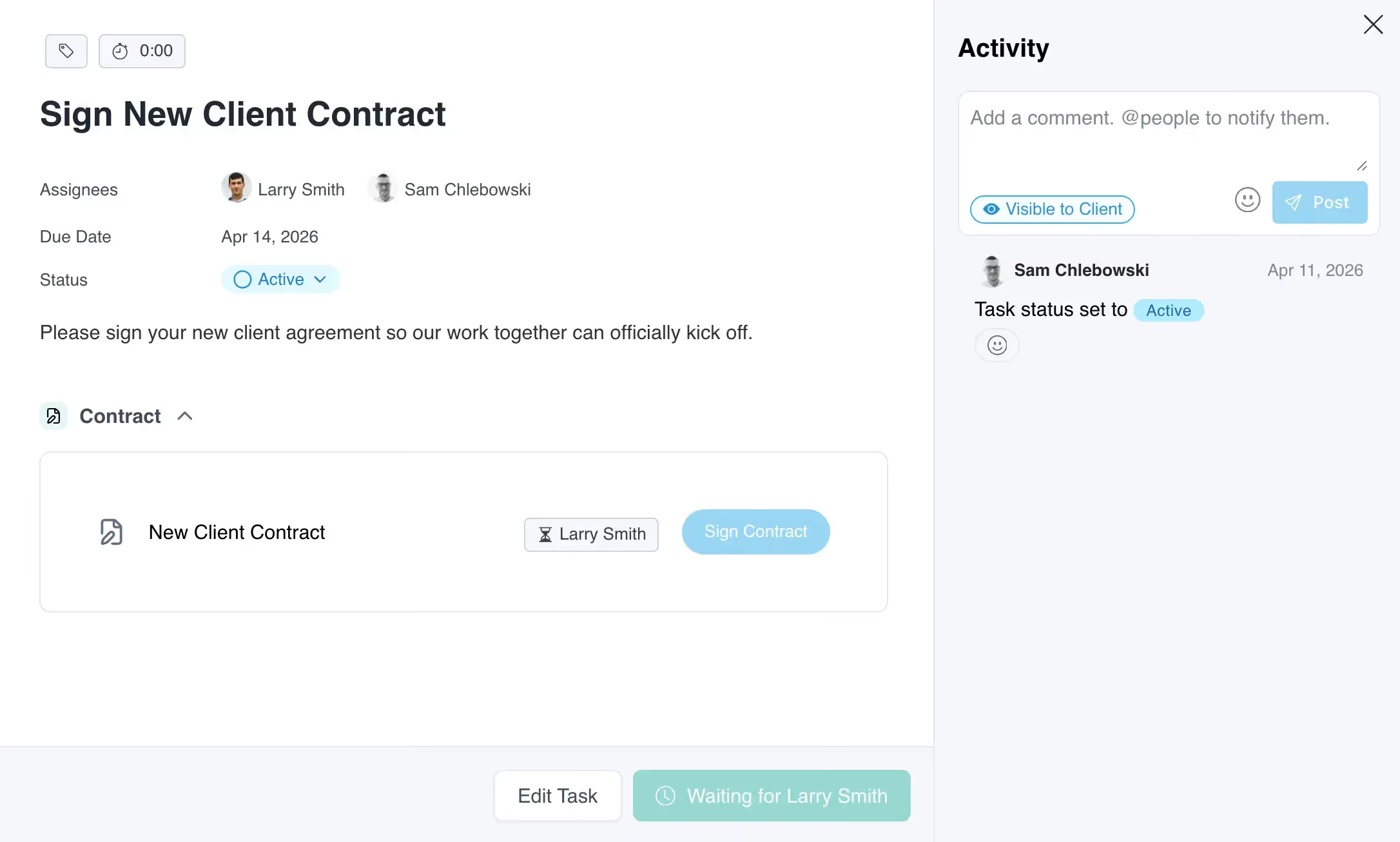
This eliminates the manual step of assigning clients to contract roles each time a project is created, whether you're building projects from templates manually or automating them through your CRM. Other custom role names are not auto-assigned, giving you full control over how additional roles are managed.
Additional Improvements and Quality-of-Life Updates
March also includes a set of smaller improvements designed to make LaunchBay smoother and more efficient day to day.
- Project Template Folders: As part of a complete redesign of the Templates page, you can now create custom folders and organize project templates by your team's naming conventions or processes. This makes it easier to find the right template as your library grows.
- Tooltips in the Activity Feed: Hovering over a timestamp in the task activity feed now shows the full date and time. Available in both admin views and the client-facing activity feed in portals.
- Specify Stages When Creating Tasks with Zapier: For Zapier workflows that automatically create tasks in LaunchBay projects, the "Create Task" action now allows you to specify which stage that task will be added to each time your workflow is triggered.
- Unassigned Task Notifications: To help ensure important tasks don't get overlooked, the admin backend now displays an "active task(s) with no assignee" notification on any stage where unassigned tasks exist.
Looking Ahead
That's a wrap for LaunchBay's March 2026 release notes!
As always, thank you for building with LaunchBay. We're excited to keep shipping improvements that help you move faster, stay aligned, and deliver exceptional client experiences.
If you have feedback or questions about this release, we'd love to hear from you. To stay up to date on the new features and improvements we ship every week, visit the LaunchBay Changelog.


Get back to the work you're best at.
LaunchBay's AI-powered client portal handles the collecting, reminding, and following up, so your team spends less time chasing clients and more time delivering.
Ready to stop chasing?