.svg)


Client portal software for consultants & consulting firms

Everything consulting firms need to run engagements without burning billable hours.
Loginless client access
Clients click a magic link from any notification and land directly in their portal. No new account, no password, no app to download. The senior leaders you're advising will actually log in, complete tasks, and approve work, instead of replying "can you just send it over email?"
Branded client portals
Add your logo, brand colors, custom domain, favicon, and header image. Remove every trace of LaunchBay branding so the portal looks and feels like a natural extension of your firm. The client experience matches the polish of the work you deliver.
Every engagement's health at a glance
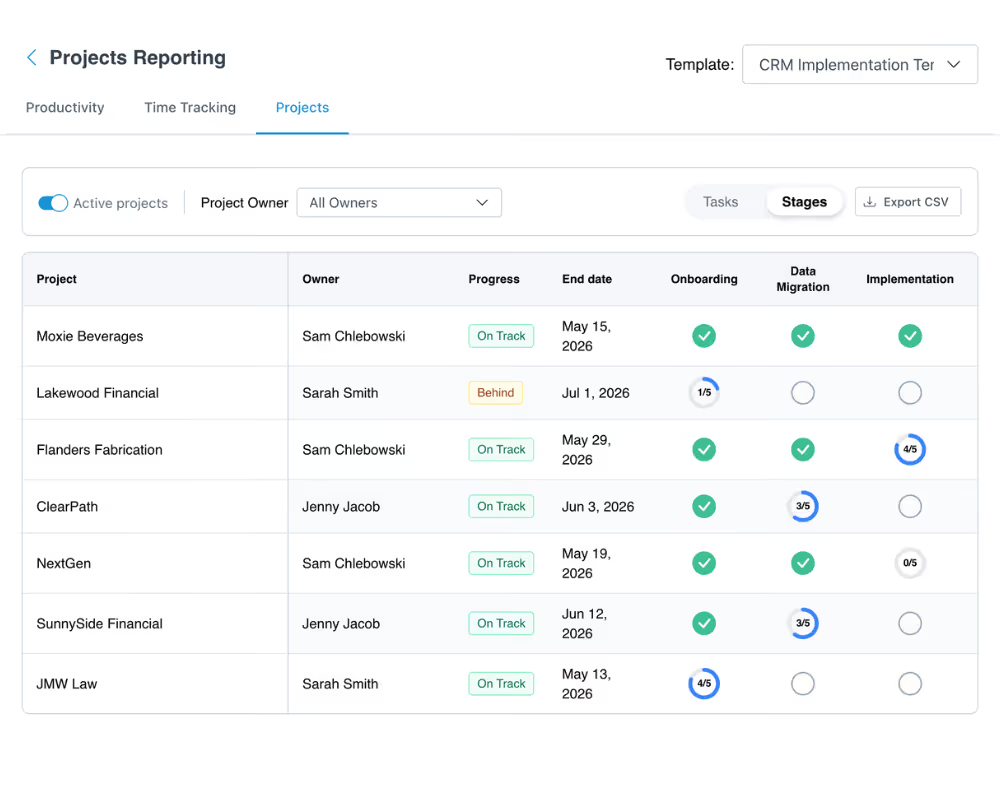
See the status of every client engagement in one dashboard, with health scores that flag stalled and at-risk work before a partner has to ask. You never have to open each project to know where it stands.
Milestone & retainer billing
Send invoices tied to engagement milestones, monthly retainers, or completed deliverables and collect payment in the same portal where the work lives. No separate billing tool, no chasing finance teams, no awkward "just following up on that invoice" emails.
Strategy sign-off
Share strategy decks, findings reports, financial models, and recommendations inside the portal. Clients annotate, leave feedback, and sign off. Every approval is timestamped, so when a stakeholder asks "who approved this?" the answer is one click away.
Embedded eSignatures
Send engagement letters, statements of work, NDAs, and amendments through the portal and collect signatures without DocuSign. Every signed document stays organized in one searchable place, so when a client asks for a copy six months later, you find it in seconds.
How consulting firms use LaunchBay to deliver results
Give every client a polished, professional portal experience
Clients access a secure, branded portal where they can upload documents, view deadlines, complete tasks, and track project progress.
No login required. No learning curve. Just a clean experience that builds trust from the first engagement.

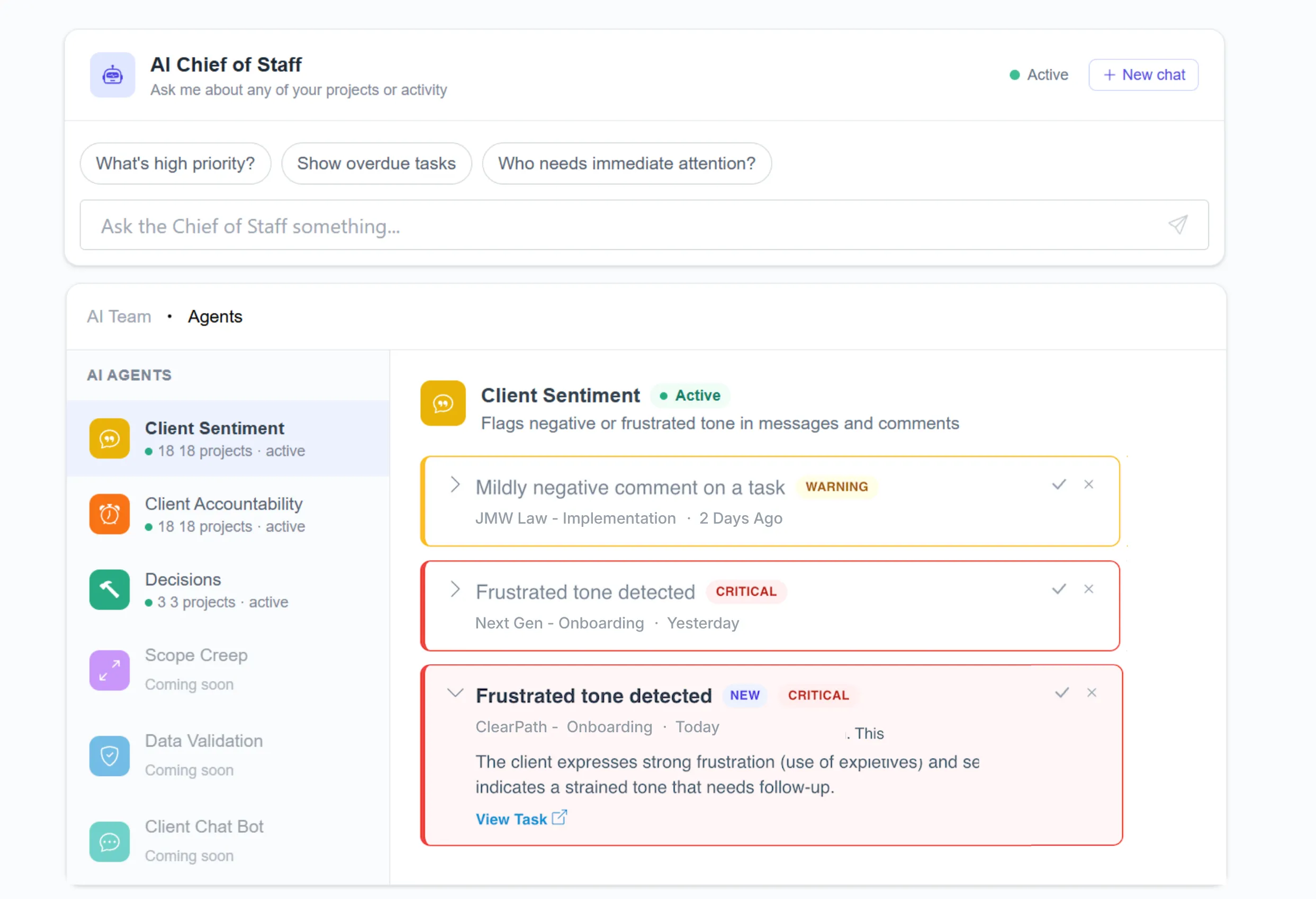
LaunchAI Agents catch at-risk engagements before they turn into lost revenue
Engagements rarely fail loudly. They go quiet.
LaunchAI Agents watch the tone across every client conversation and flags the ones losing momentum. It drafts the next move so a team member can step in early and turn at-risk engagements into long-term clients.
Collect every document without sending a single follow-up
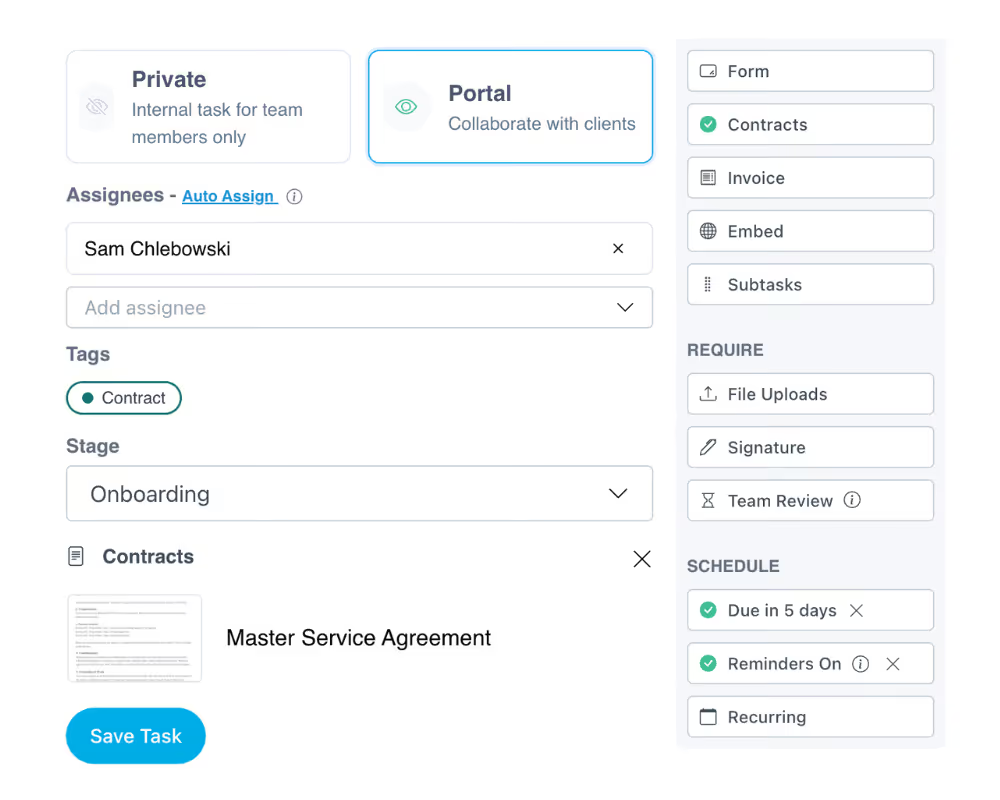
Automatically request signed agreements, project questionnaires, brand guidelines, and supporting files through one organized portal.
No more chasing clients over email or tracking what came in on a spreadsheet.
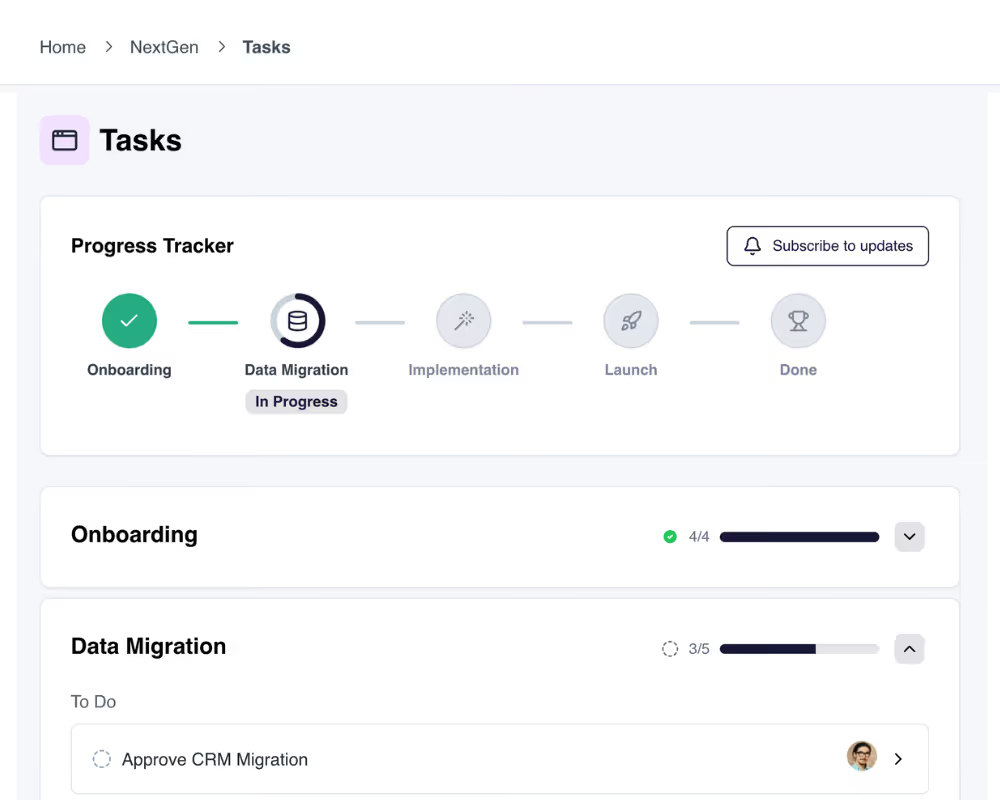
Give clients real-time project visibility inside their portal
Clients see a progress tracker, activity feed, and task list inside their portal. They always know what's been completed, what's in progress, and what they need to do next.
Your team spends less time on status updates and more time on delivery.
Visibility into where every engagement stands
When you're running a dozen engagements at once, you can't open each project to check its status.
LaunchBay scores every engagement and flags what's stalled or behind, giving you full visibility across all of them at once.