Reporting Software for Teams Running Client Work at Scale

See project health, track time, measure automation ROI, and spot at-risk accounts before they become problems. No spreadsheets. No separate reporting tool.
Powering 20,000+ client projects every month
LaunchBayClient Reporting Software for Teams

Client reporting that gives your team the full picture

See every project's status at a glance

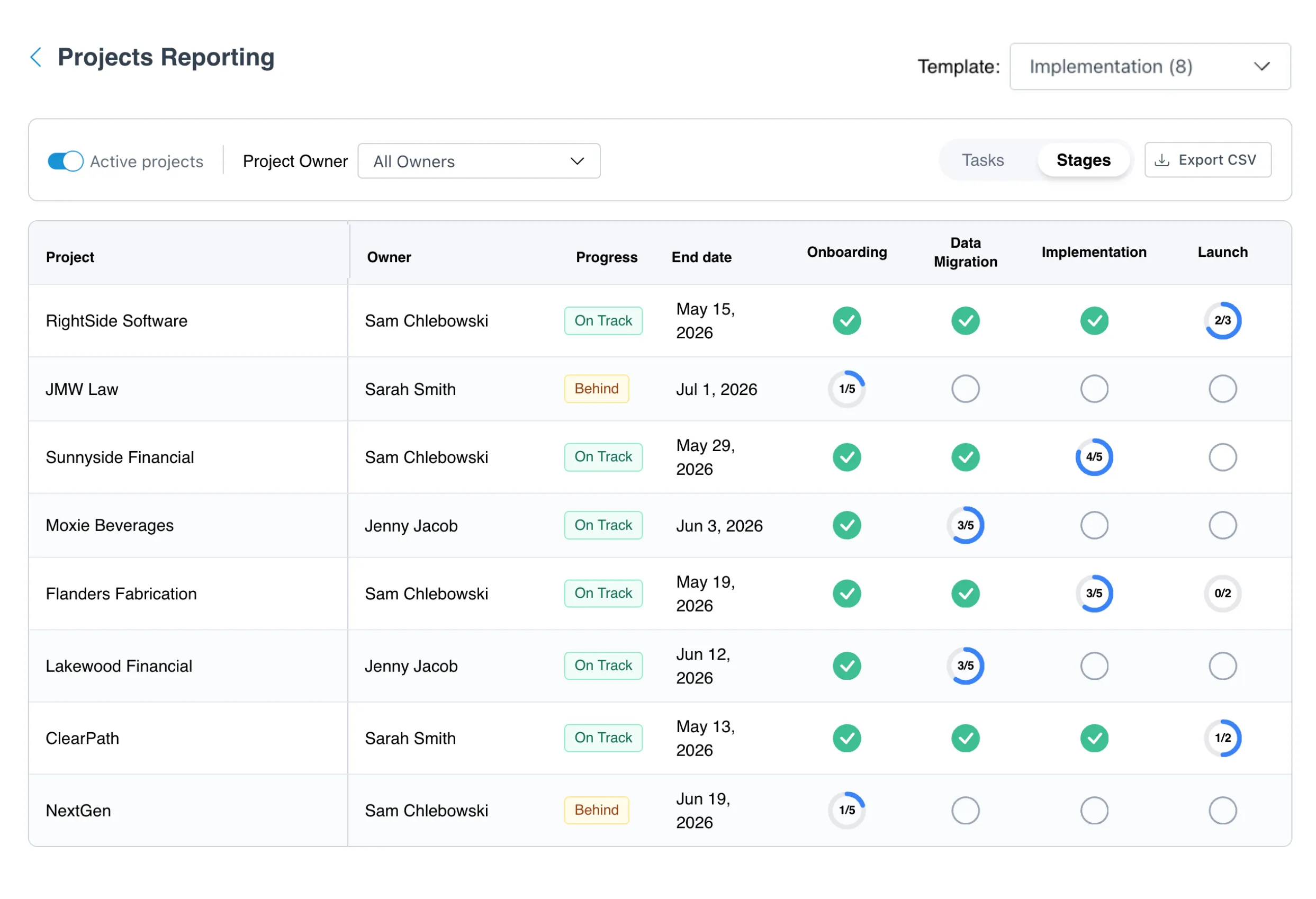
A matrix-style view shows every project built from the same template, side by side. See task completion status and spot bottlenecks without opening a single project.

Catch at-risk clients before they churn

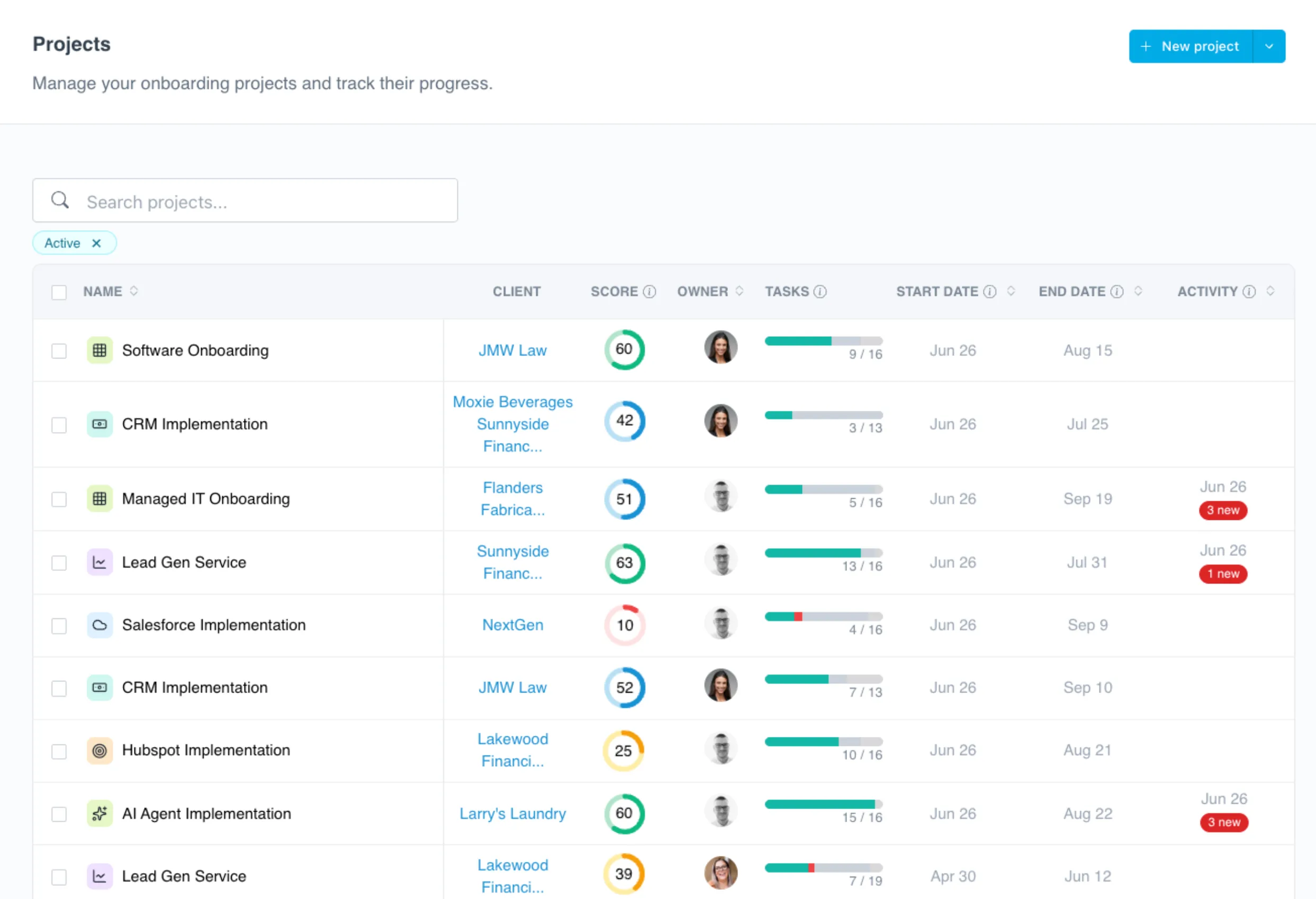
Health scores update automatically based on task completion, client engagement, and portal activity. When a project goes quiet, you know immediately, not after the client escalates.

Track engagement, not just status

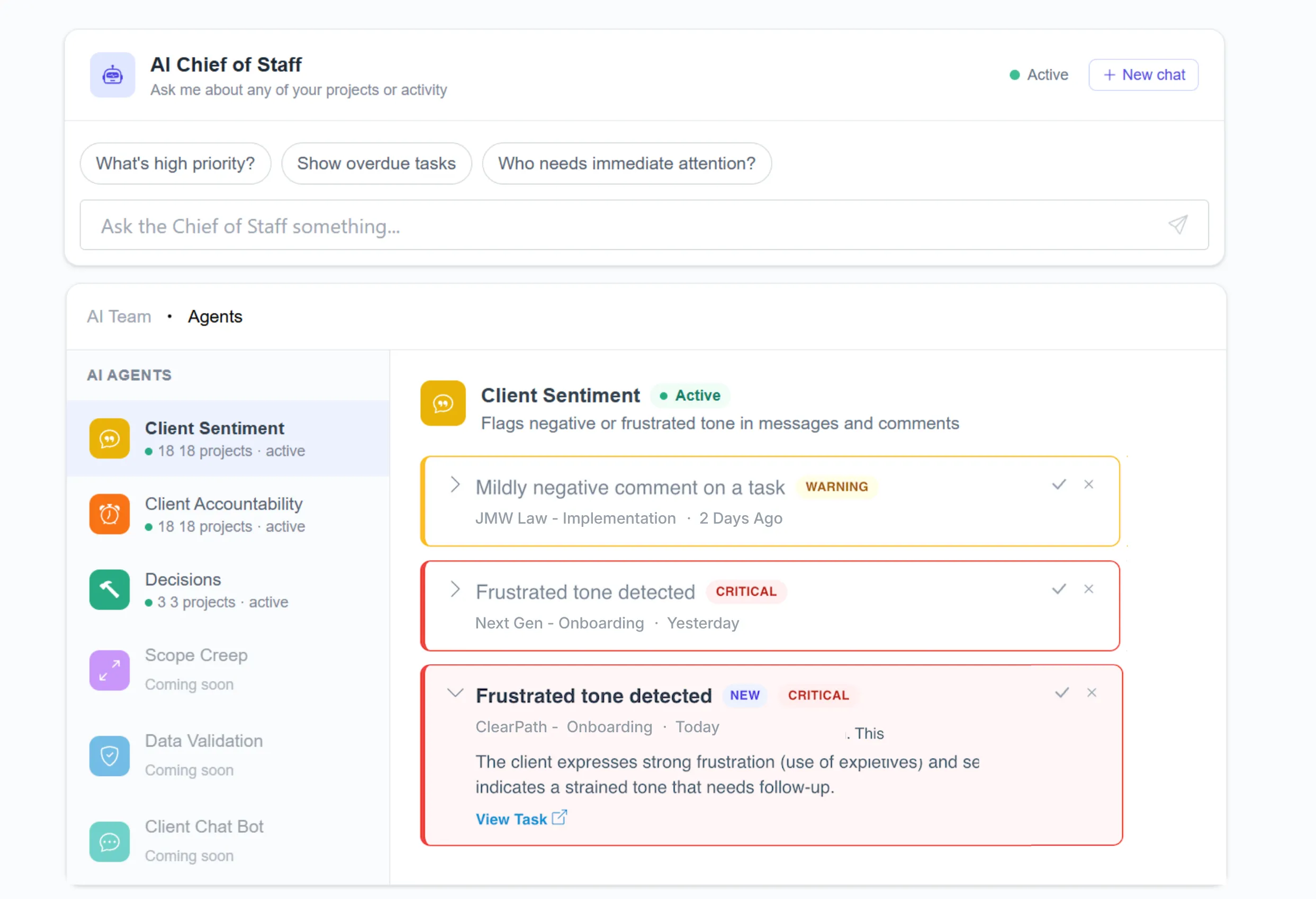
See when clients last logged in, which emails they've opened, and what actions they've taken. Know who's engaged and who needs a nudge before things go quiet.

Keep clients and teams updated automatically

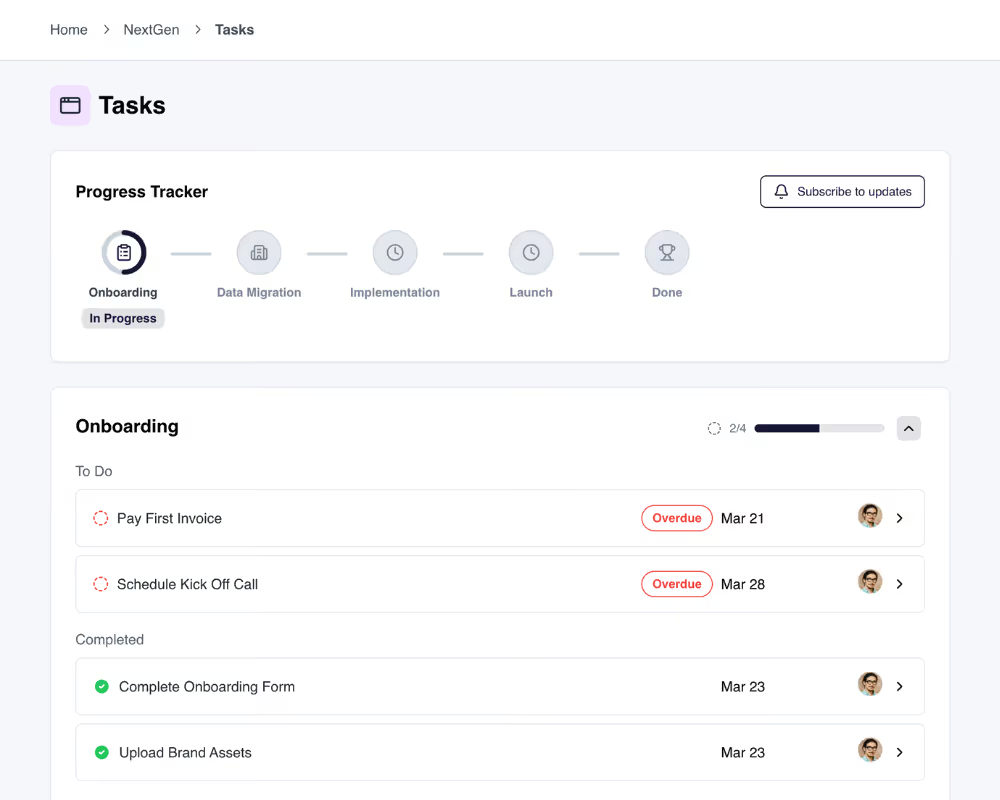
Clients see a real-time progress tracker inside their portal so they always know where things stand. For your team, connect your Slack workspace to get notified when project stages are completed.

Quantify the impact of your process

Track tasks completed, automations triggered, emails eliminated, and estimated hours and dollars saved. All calculated automatically from your project activity.

Every client. Every project. One place to look.

The client directory gives you a complete record for every client. Projects, invoices, contracts, files, and recent activity, all in one place.

How teams use LaunchBay's reporting

Project progress across every client, at a glance

A matrix-style view shows task completion status across every project built from the same template. Spot bottlenecks and delays across your entire client base without opening a single project.

Try LaunchBay for Free

Health scores that flag risk early

Automated health scores surface at-risk projects based on task completion rates, client portal activity, and engagement. Your team can step in before a delay becomes a bigger problem.

Try LaunchBay for Free

Put real numbers behind your team's output

Track tasks completed, automations triggered, emails eliminated, and estimated hours and dollars saved. All calculated automatically so you can quantify the value of your process, not just the output.

Try LaunchBay for Free

More from LaunchBay

Client Management (CRM)

Keep a complete record of every client and company relationship. View projects, invoices, contracts, and activity all in one place.

Learn more

Project Management

Manage client projects from contract to delivery. Automate tasks, track progress, and keep your team and clients aligned in one workspace.

Learn more

Time Tracking

Log hours directly on tasks with no third-party tool needed. Track billable vs. non-billable work by category and export reports for client billing.

Learn more

Frequently Asked Questions (FAQs)

What reporting tools does LaunchBay include?
LaunchBay includes four built-in reporting views: Project Progress, Project Health Scores, Productivity Reporting, and Time Tracking. Together they give your team a complete picture of project status, client engagement, and operational impact, all without a separate tool.
What is Project Progress Reporting and how does it work?
Project Progress Reporting gives you a matrix-style view of every project built from the same workflow template, side by side. Each row is a project, each column is a task, and each cell shows whether that task is complete, active, or in draft. You can toggle between task view and stage view, and export the full matrix to CSV at any time.
What are Project Health Scores and how are they calculated?
Health Scores are automatically calculated indicators that reflect the overall status of a project. They're based on task completion rate, client portal logins and activity, active message threads, and recent stage and task updates. Scores are color-coded (green, yellow, red) and visible directly on your Projects Dashboard so you can spot at-risk accounts at a glance.
How does Productivity Reporting work?
The Productivity Report gives you an at-a-glance view of tasks completed, automation runs triggered, emails eliminated, and estimated hours and dollars saved, all calculated automatically from your project and task activity. It's designed to help you quantify the operational impact of your process and demonstrate ROI to stakeholders.
How does Time Tracking work in LaunchBay?
Team members log time directly on tasks from either the global Tasks page or within a project's task list. Each entry includes time worked, a time category (like Design, Admin, or Development), and optional notes. Time logs appear in the Reporting tab under Time Tracking, where you can filter by project or date range and export for client billing or resource planning.
Can I export reporting data from LaunchBay?
Yes. You can export Project Progress data to CSV directly from the reporting view. The export includes the full task matrix for your selected template, which you can open in Excel, Google Sheets, or any other spreadsheet tool for further analysis or client reporting.
Does LaunchBay replace my existing reporting or analytics tools?
For client project reporting, yes. LaunchBay's built-in reporting covers project progress, health scores, time tracking, and productivity metrics without needing a separate tool. It's not designed to replace business intelligence platforms or financial reporting software, but for teams that want visibility into how client work is progressing and where time is being spent, it handles that entirely.

Take command of every customer onboarding.

One platform to run, monitor, and unblock every customer onboarding. Replace scattered tools with one branded portal for onboarding clients, coordinating work, and delivering a better client experience.