.svg)


Automatically show every customer their onboarding progress
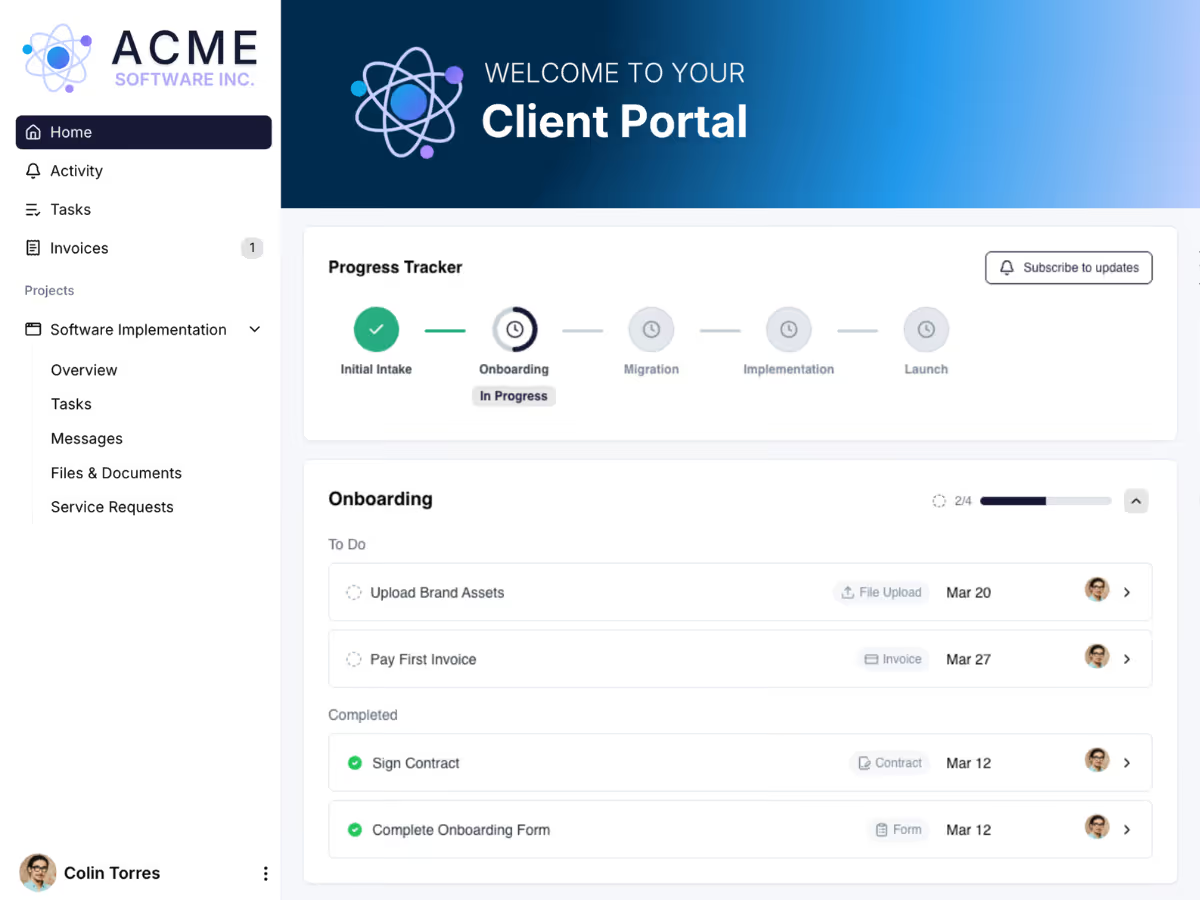
A progress tracker built for the way you onboard customers
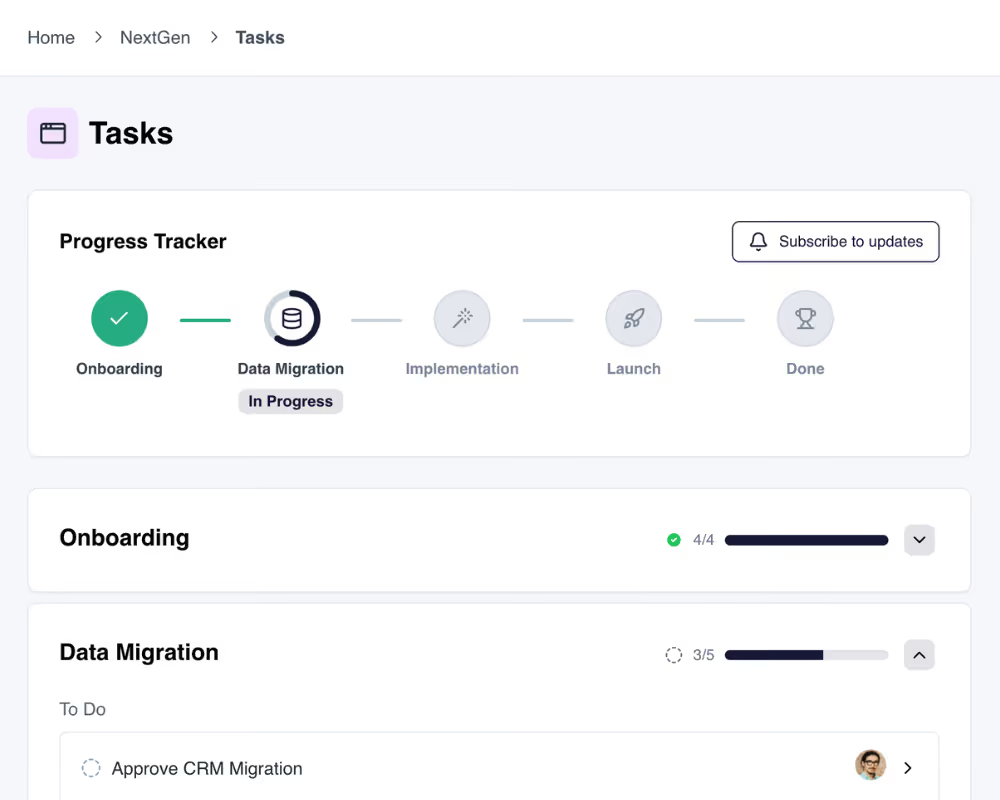
Every onboarding is a set of stages. The tracker makes those stages visible, keeps them current, and shows each customer exactly where they are.
Stages you define
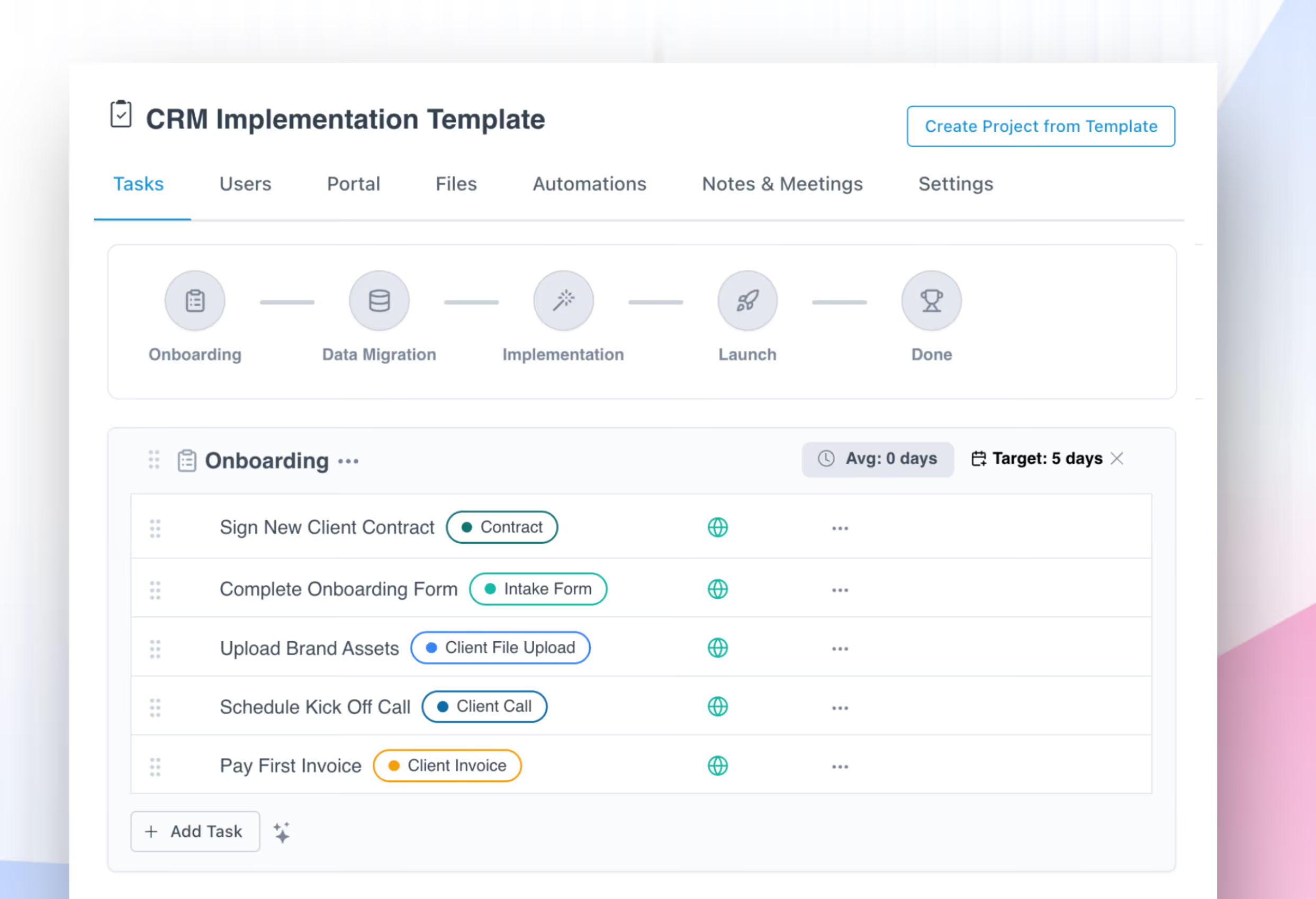
Name and order the stages to match how you actually onboard. Intake, migration, training, launch, whatever your process is. Add or change stages anytime, and the tracker updates automatically.
Updates as work completes
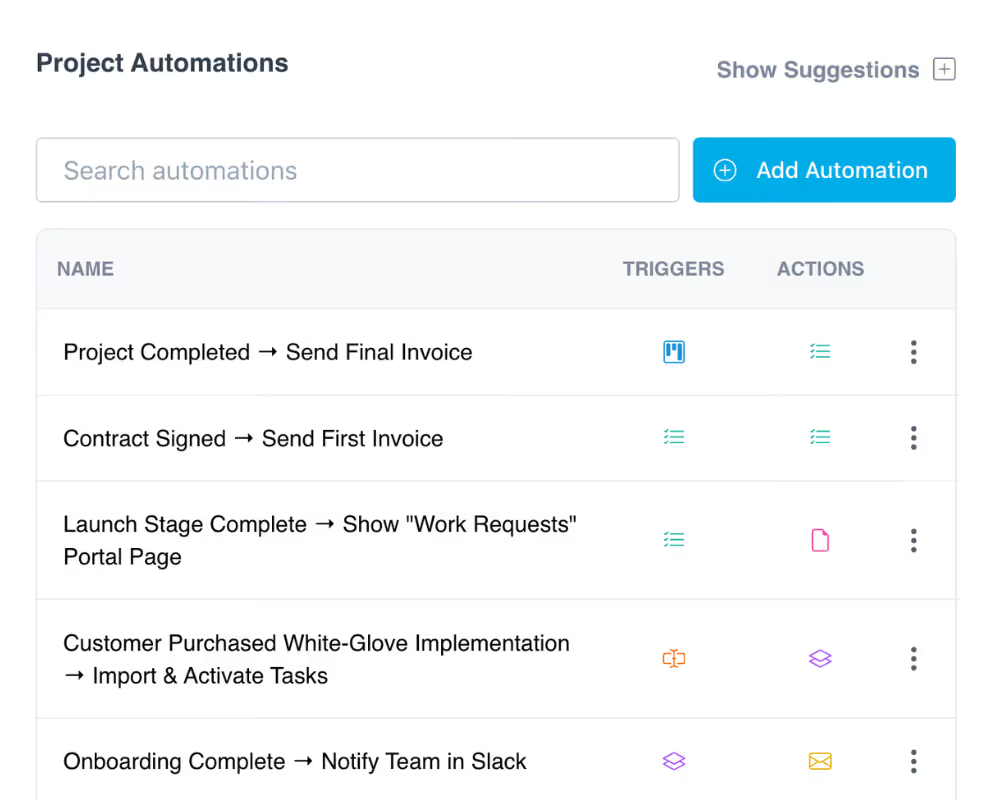
No more "what do you need from me?" messages. The tracker advances on its own as tasks get done so your customer always sees the current stage in real time.
Customers subscribe to updates
Each customer can subscribe to stay informed as stages progress. They hear about progress without your team writing a single status email.
The same tracker every time
Build the tracker once as a template. Every similar onboarding starts with the same stages, so you are never rebuilding it from scratch.
What happened and what is next
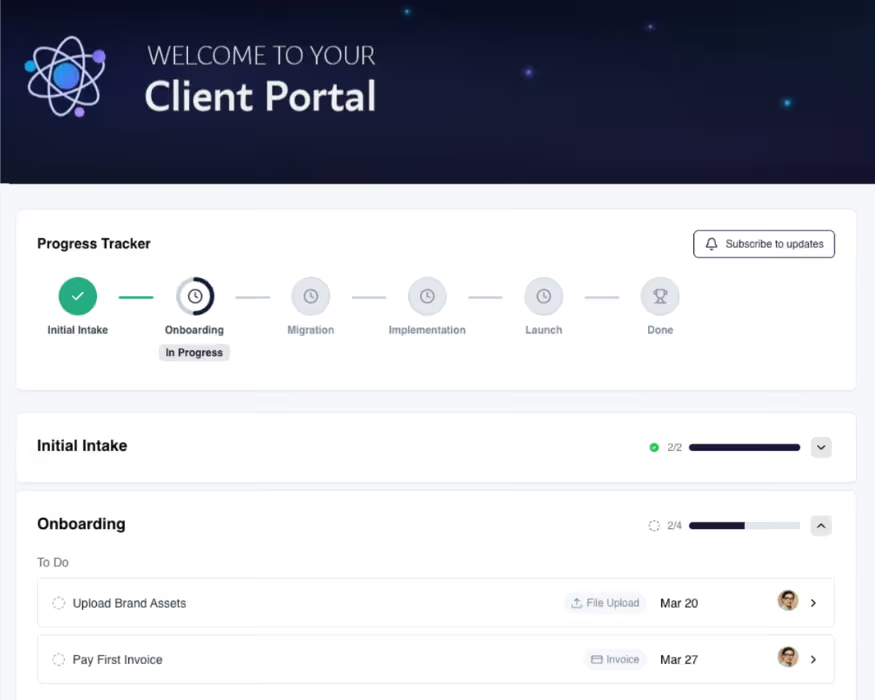
The tracker shows completed stages, the stage in progress now, and what is still ahead. Full visibility into where the onboarding stands, at a glance.
Branded to you
The tracker lives in a portal with your logo and colors, with no login for the customer. One link and they see their progress.
Built around your process
Define your own stages, reorder them, and add tasks under each one. The tracker shapes itself to how you work and the dynamic requirements of each project. Save your work as a template and reuse it for similar projects.
.avif)
Customers always know where things stand
The tracker gives each customer a clear view of their progress. They see the stage they are in, what came before, and what is upcoming, so they stop emailing your team to ask.
See every customer's tracker in one view
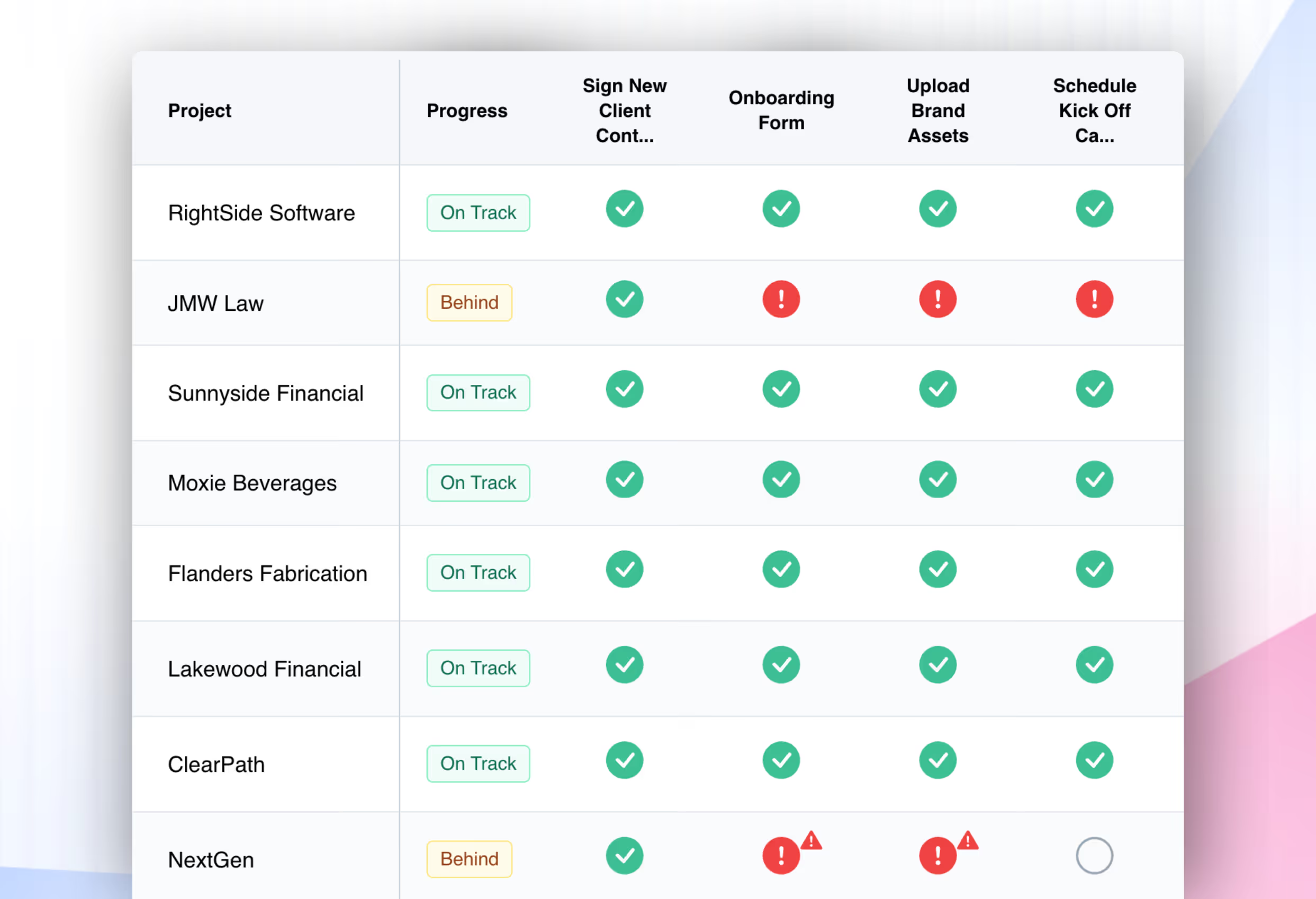
The customer sees their own progress in the portal. Your team sees every account's progress in one view. Every onboarding, the exact stage it's in, and the precise task due. Your team can tell at a glance which accounts are progressing and which have stalled.
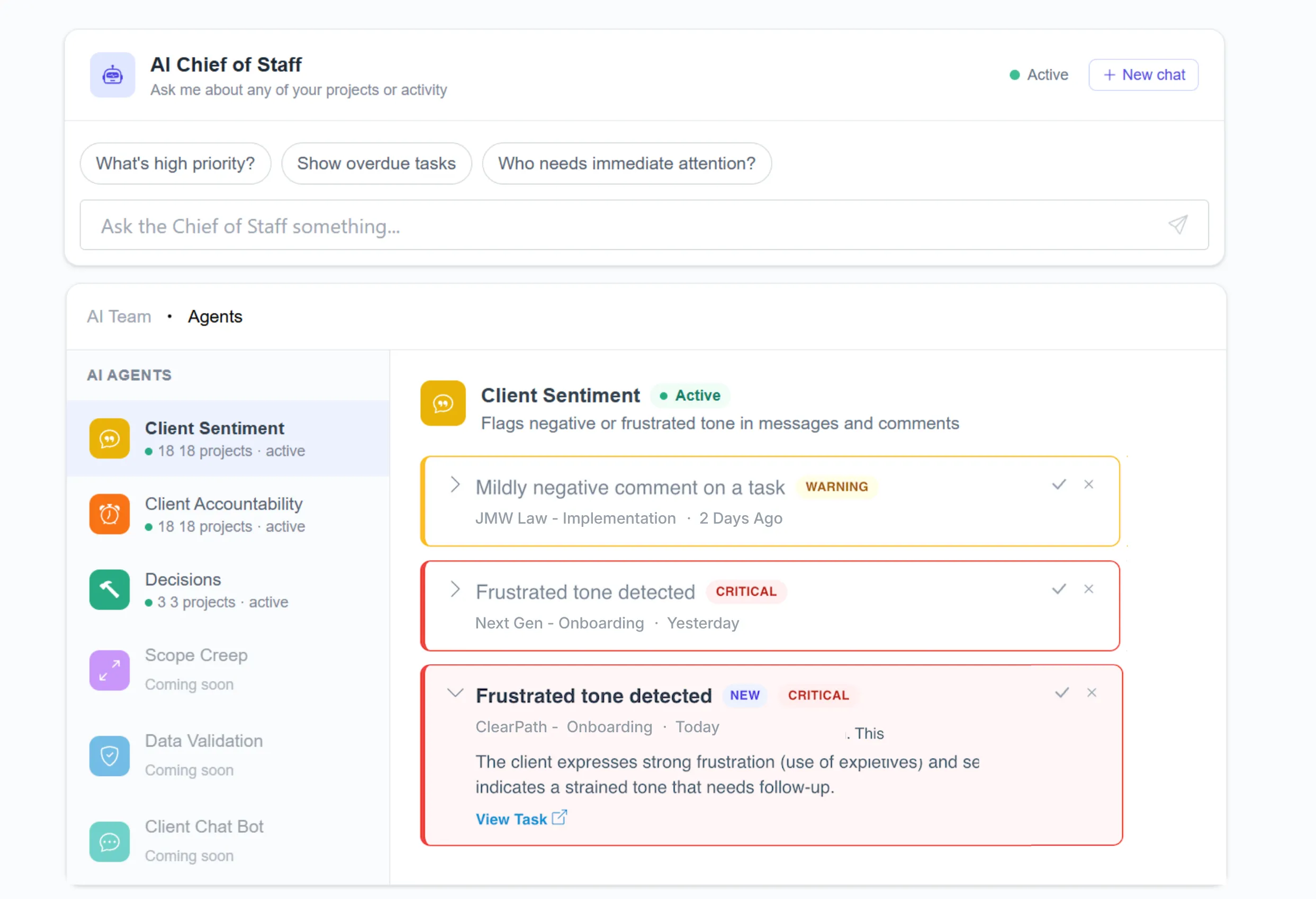
AI Agents surface risk before it becomes churn
Real-time signals from task completion, engagement, and customer tone tell you which onboardings need attention before a customer goes quiet. Customers don't churn because the work is bad. They churn because they couldn't see it.
Customers expect to see progress. Give it to them automatically.
Customers do not wait for a weekly update. They want to know where their onboarding stands right now. When the tracker shows it in real time, they ask fewer questions, trust the process, and are more likely to refer you.
Keep exploring LaunchBay's features
Client Portals
Branded, loginless portals give every customer a live window into their project.
File Sharing
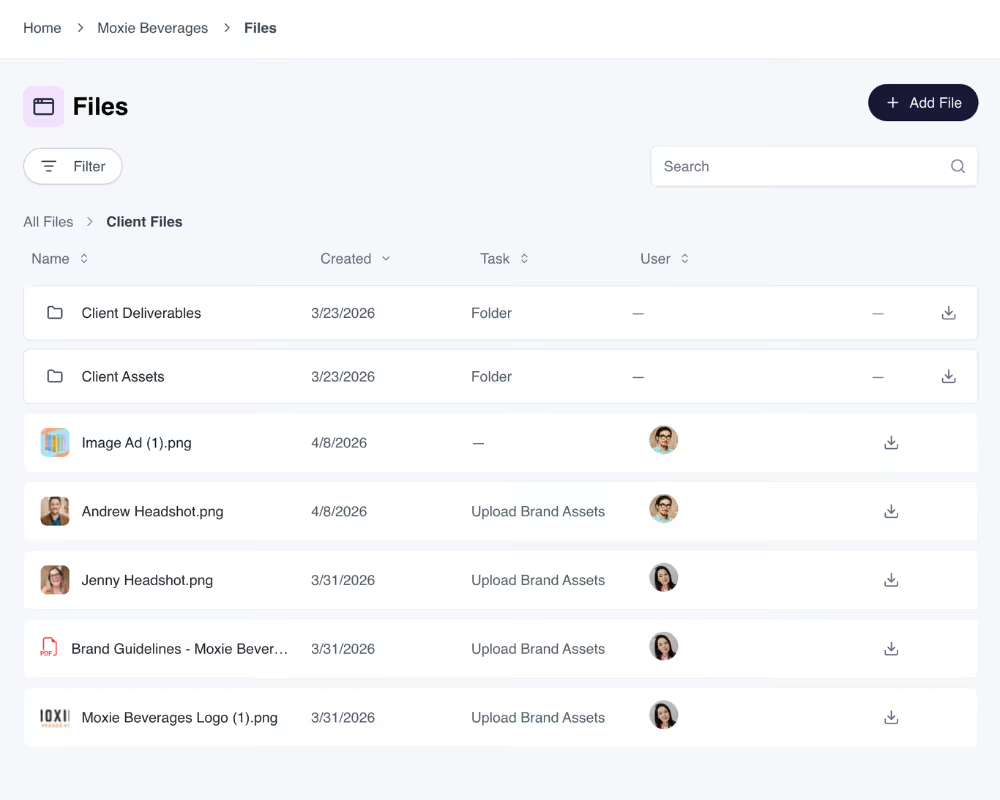
Collect, share, and manage customer files in one organized portal so nothing gets lost.
Frequently Asked Questions (FAQs)


Get back to the work you're best at.
LaunchBay's AI-powered client portal handles the collecting, reminding, and following up, so your team spends less time chasing clients and more time delivering.
Ready to stop chasing?