.svg)


How LaunchBay Works
LaunchBay turns customer onboarding into a system: structured intake, a shared portal, automations that handle the follow-up, and visibility across every account.
.avif)


.avif)

.avif)

.svg)



The 4-step LaunchBay system
01.


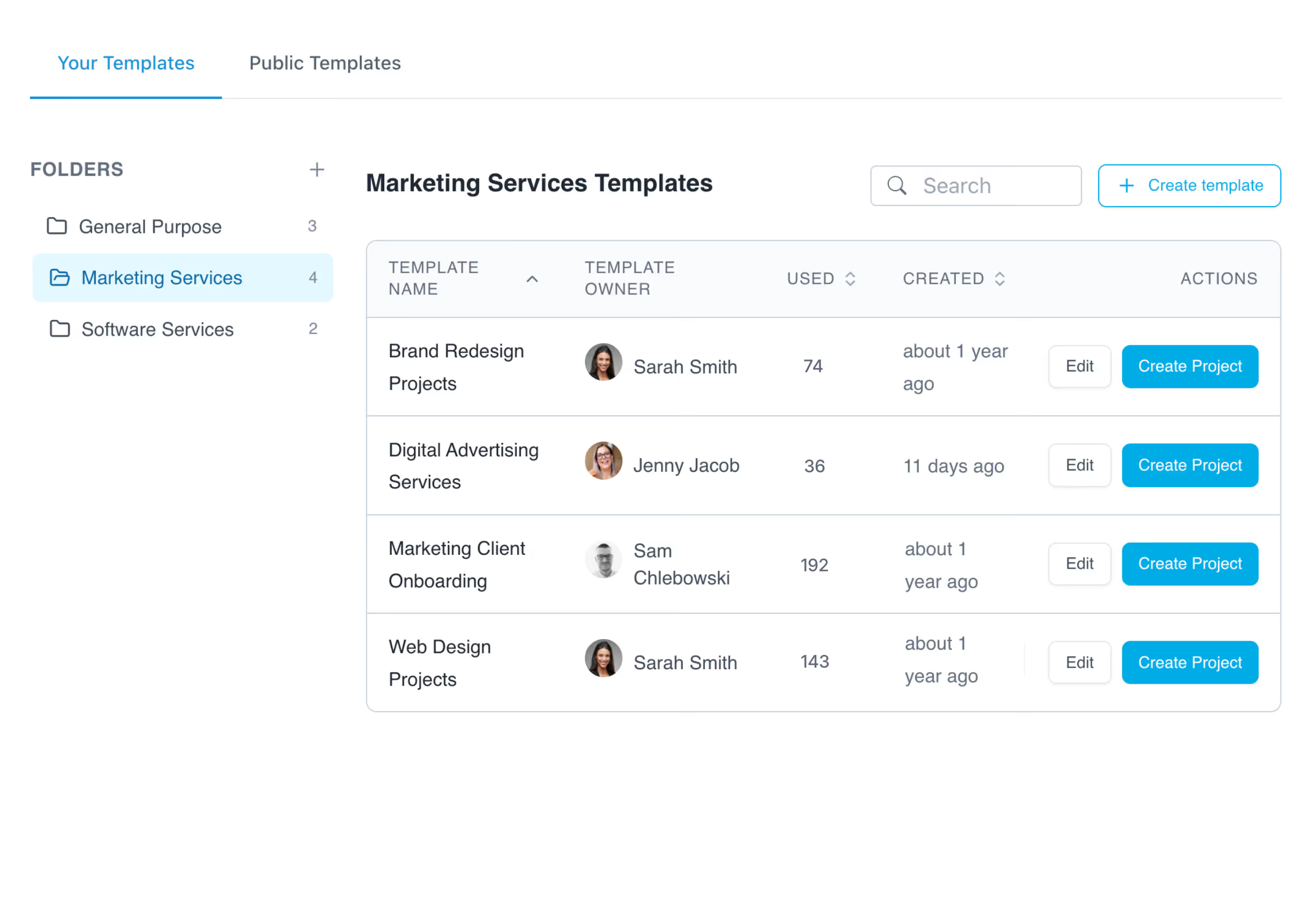
Build your playbook
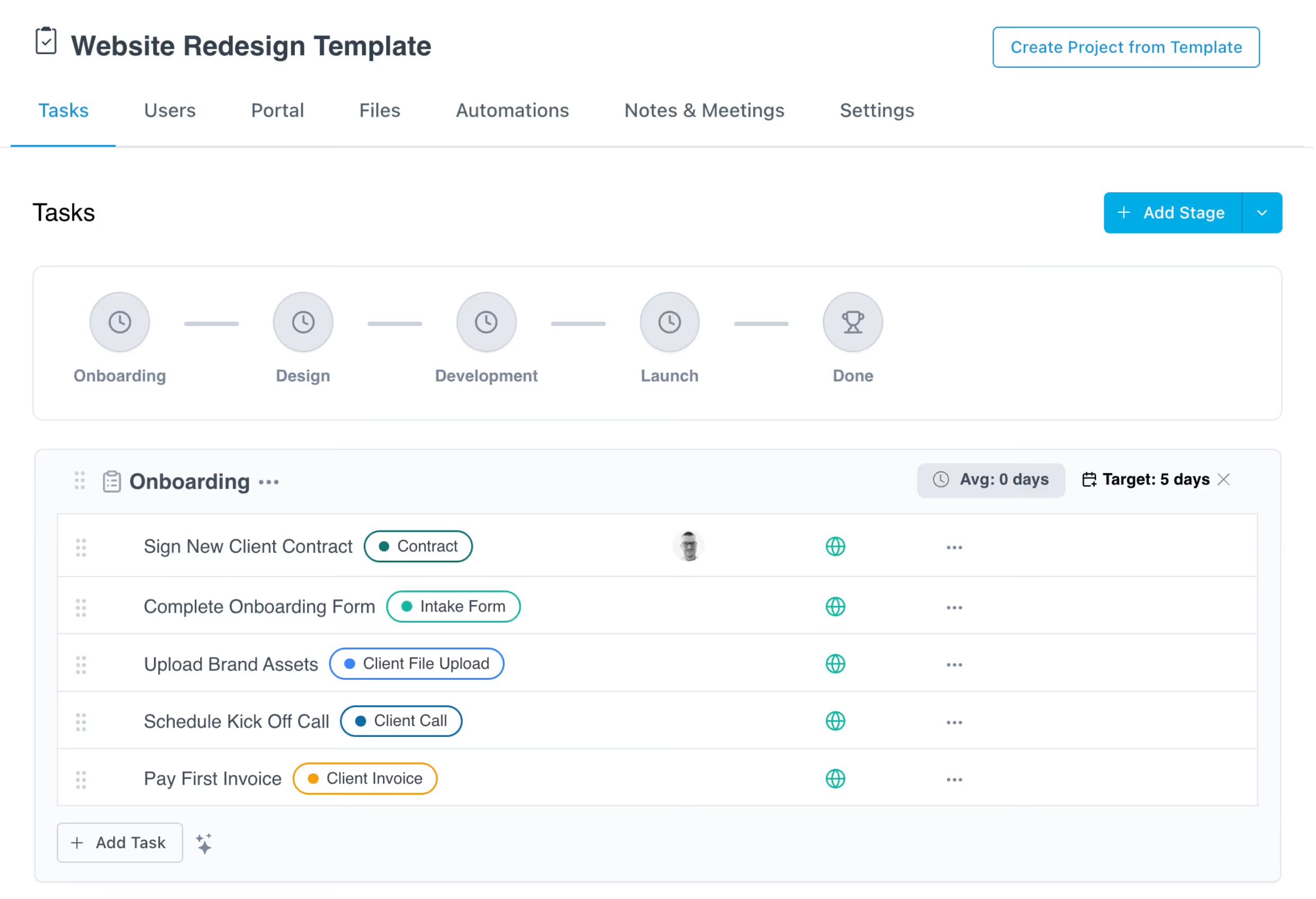
Start every onboarding with a structure you trust. Templates define the stages, tasks, forms, and documents each project needs, and who owns what by when. Build it once and every new customer starts with the same clear plan.
Learn More →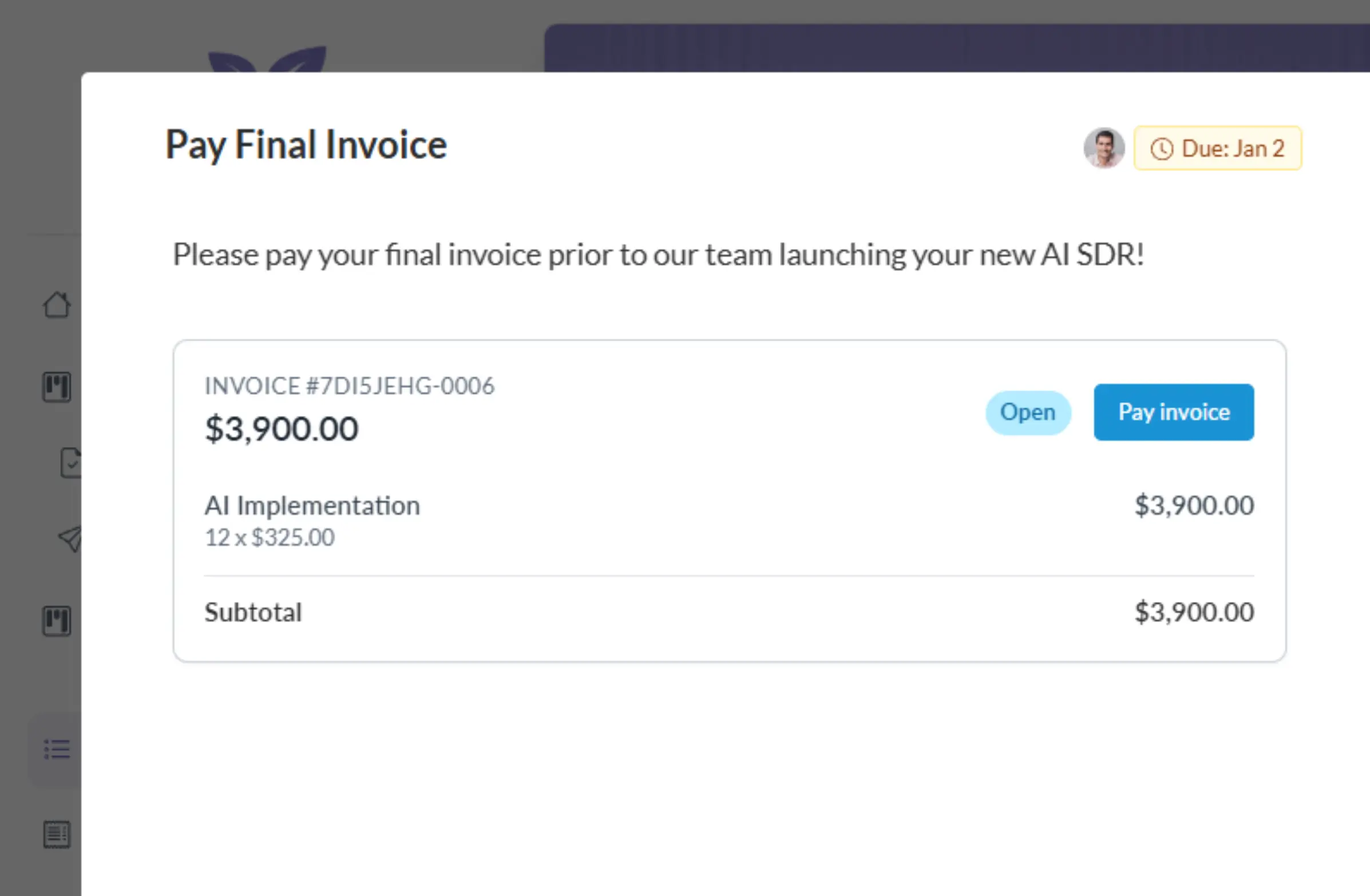

02.
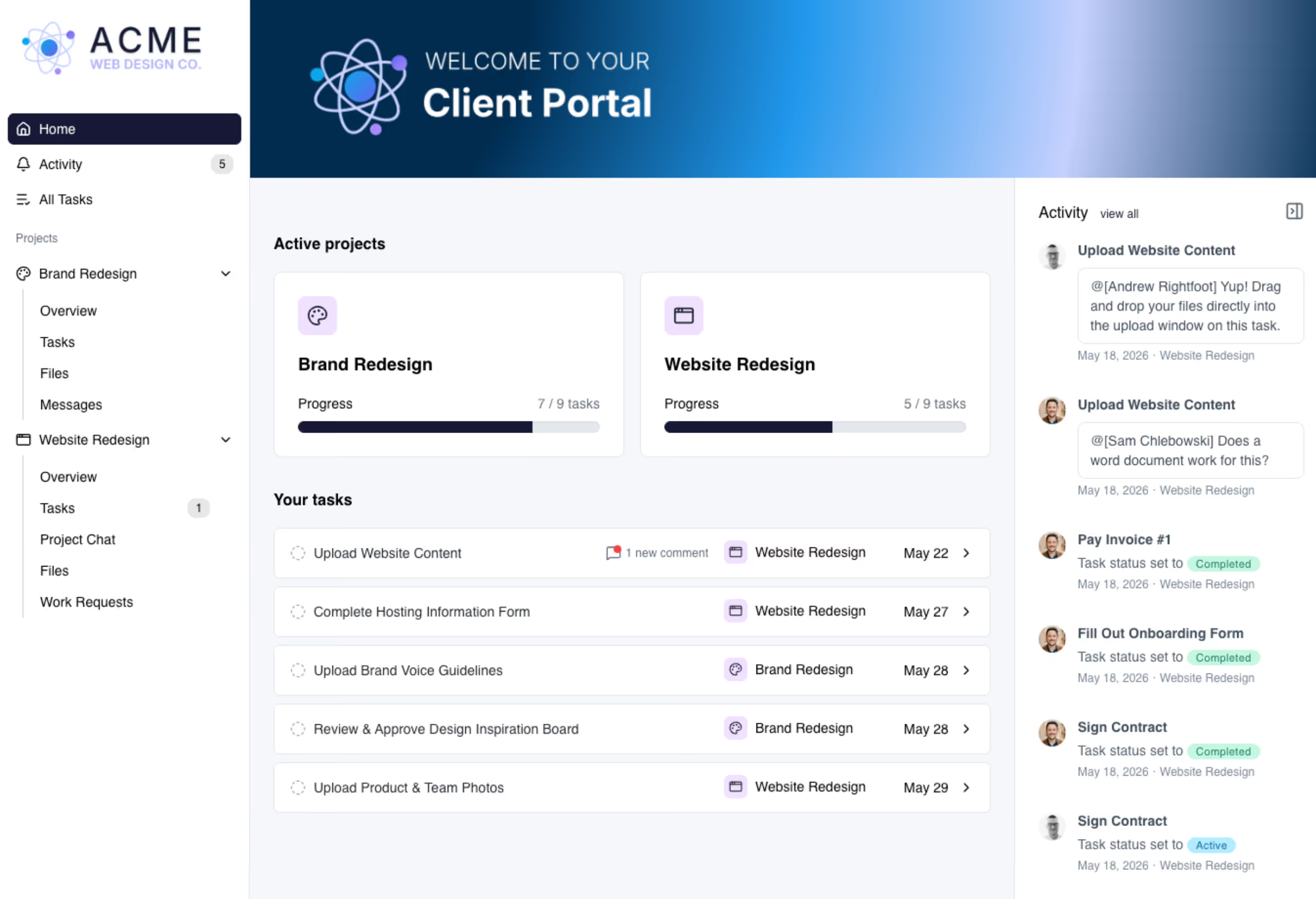
Launch every project the same way
The moment a deal closes, a project spins up from your template. Your customer gets a welcome email, and lands in a branded portal with their tasks, deadlines, and files. Work starts immediately instead of waiting for the handoff.
Learn More →03.
Automations that run the process
Reminders, follow-ups, and stage changes run on rules you set once. When a form sits untouched or a document is overdue, LaunchBay nudges the right person automatically, and you're alerted the moment anything stalls.
Learn More →04.
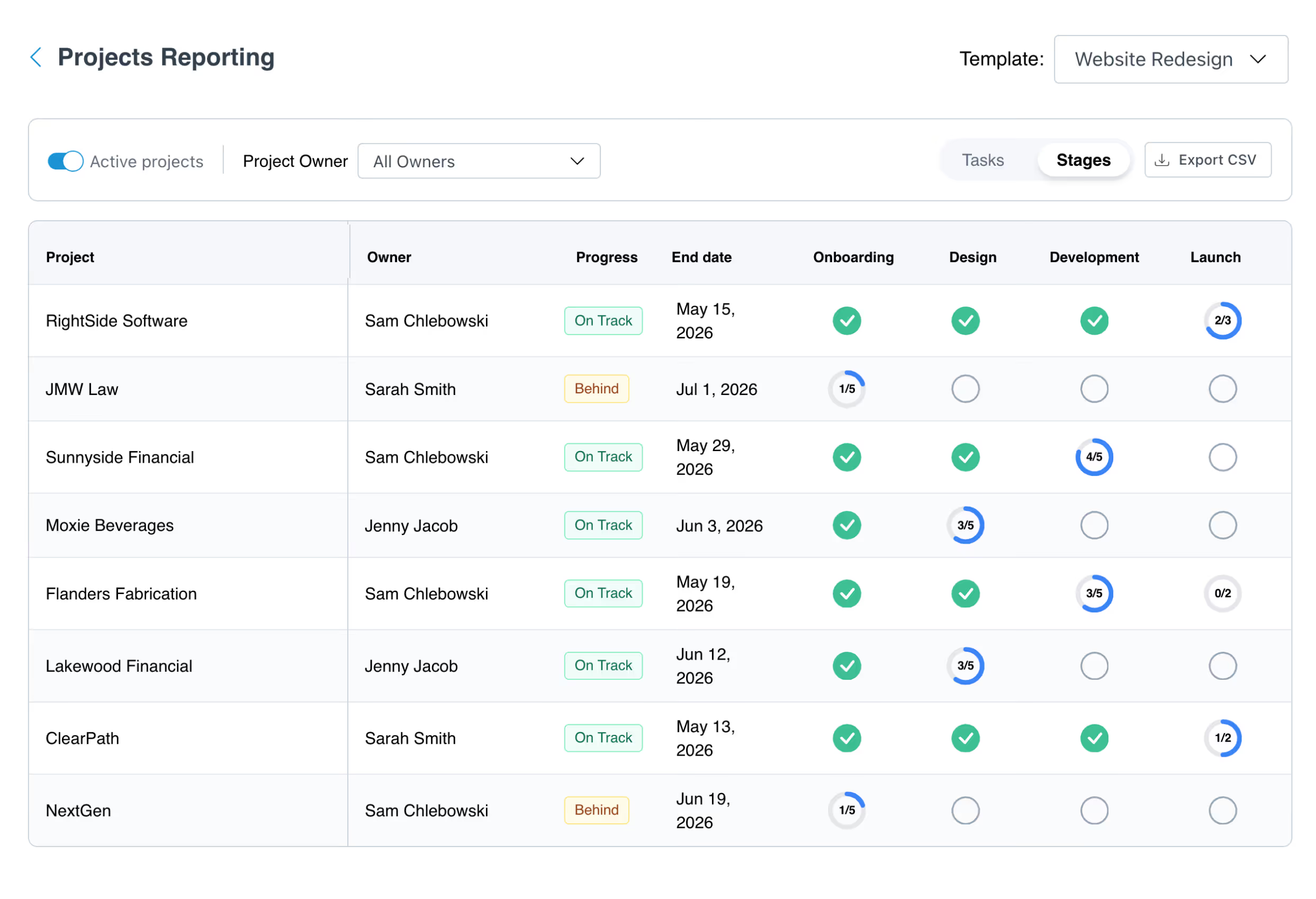
See where every onboarding stands
Project reporting shows health across every account: what's complete, what's pending, and what's holding a launch up, down to the task. At-risk accounts get flagged before they go quiet, and AI Agents surface overdue items, poor sentiment, and decisions as they happen.
Learn More →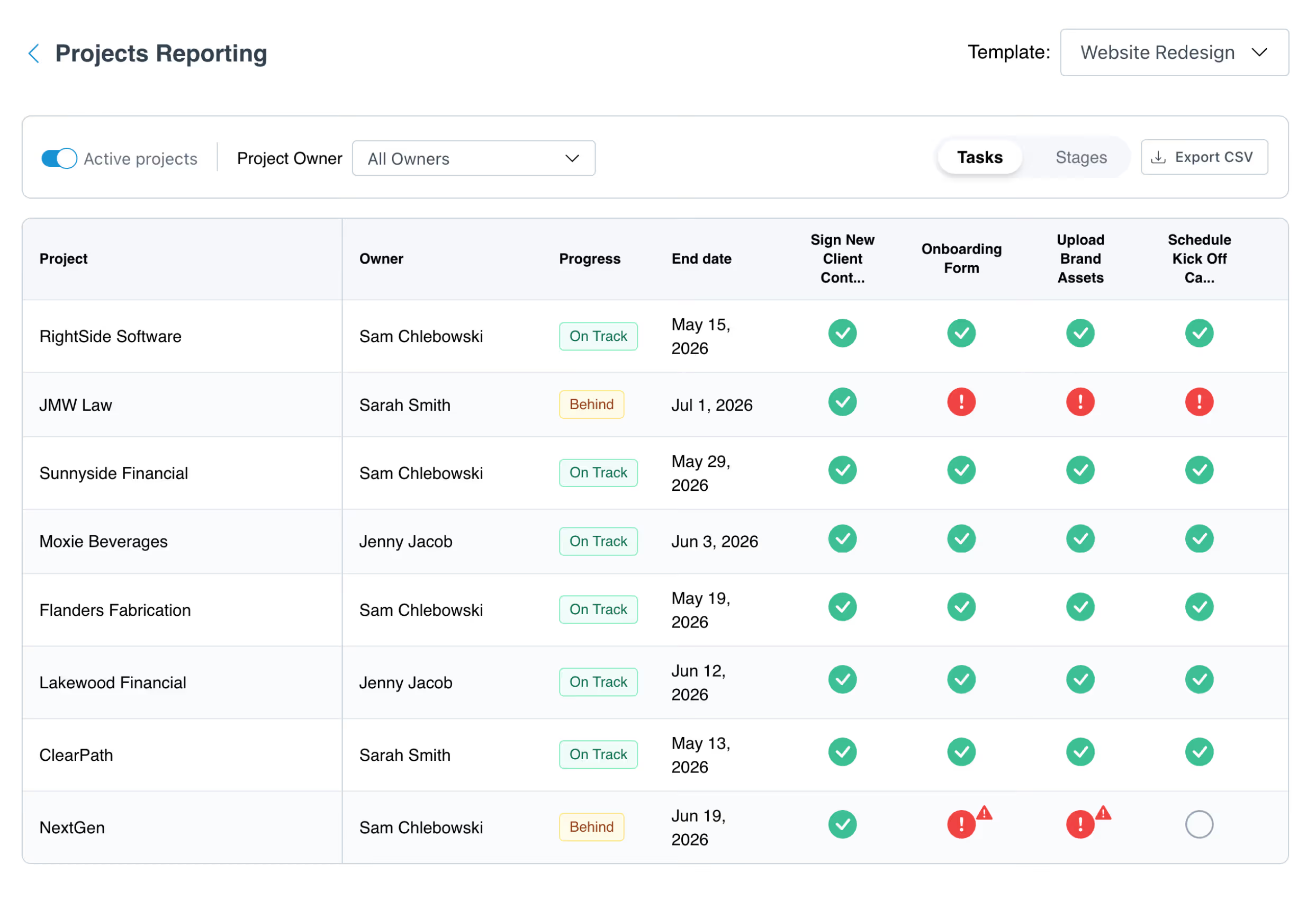
See how LaunchBay Works
This video shows how teams run customer onboarding in LaunchBay: templates that launch every project the same way, a branded portal customers actually use, and reporting that shows where everything stands.

.webp)

A better way to run customer onboarding