.svg)


Stop chasing clients for information.
collection of client contracts, files, and forms
saved per week on follow-ups and client requests
manual follow-ups to request intake information
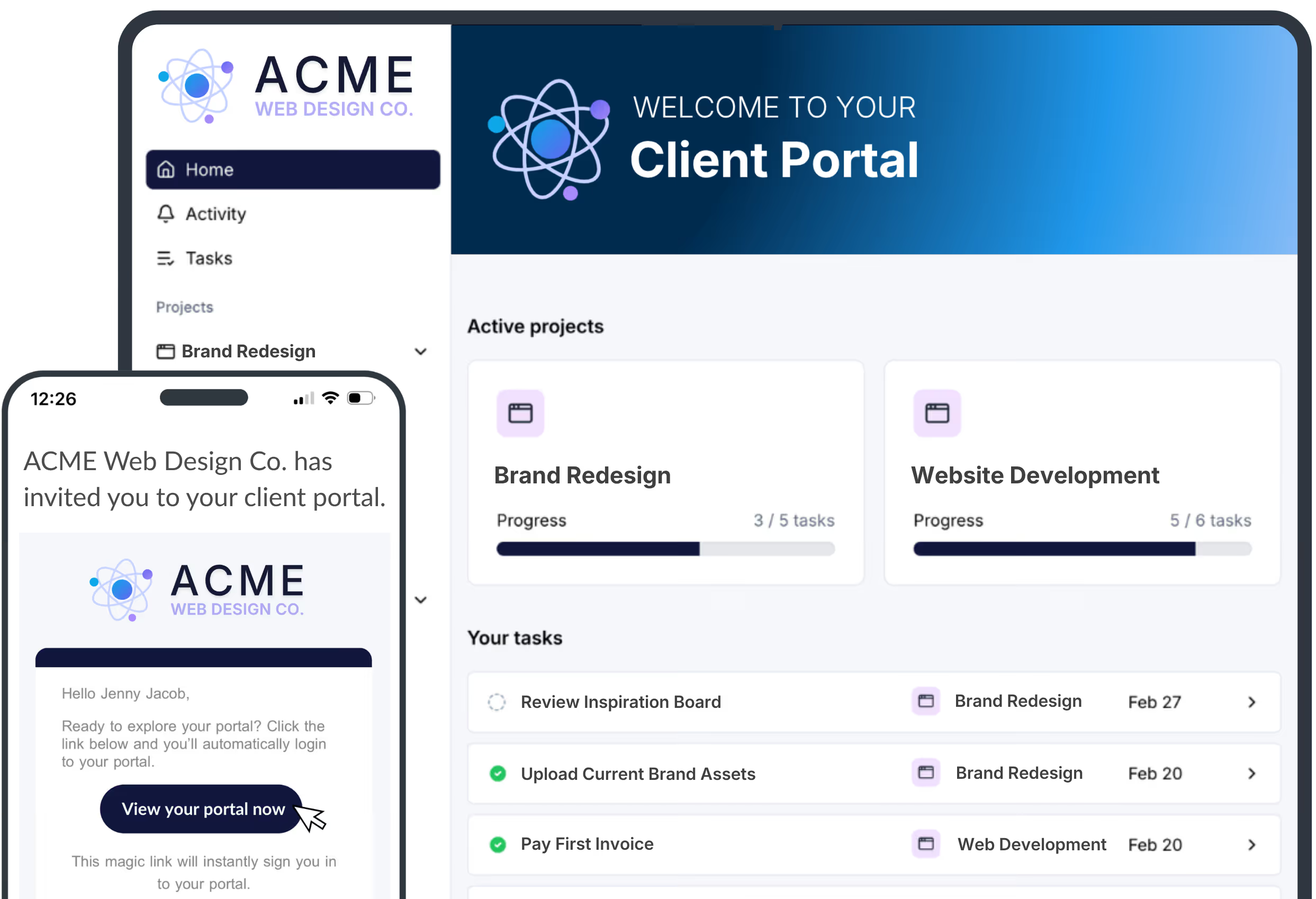
Get the information you need from
clients in hours, not weeks.
Eliminate intake and onboarding friction
Clients click a link and they're immediately providing what you need. No password, no account, no friction. LaunchBay's loginless portals result in 3x higher completion rates than traditional tools.
Simplify complex tasks with multiple stakeholders
Some requests require more than one person to complete. LaunchBay lets you specify who completes each step and in what order; so contracts get signed before files get uploaded, and nothing moves forward until it should.
Pre-populate and autofill client information
Stop entering the same information twice. Pre-fill forms, contracts, and tasks with existing client data, and pass information automatically from one task to the next. Connects with your CRM and existing tools so data flows automatically.
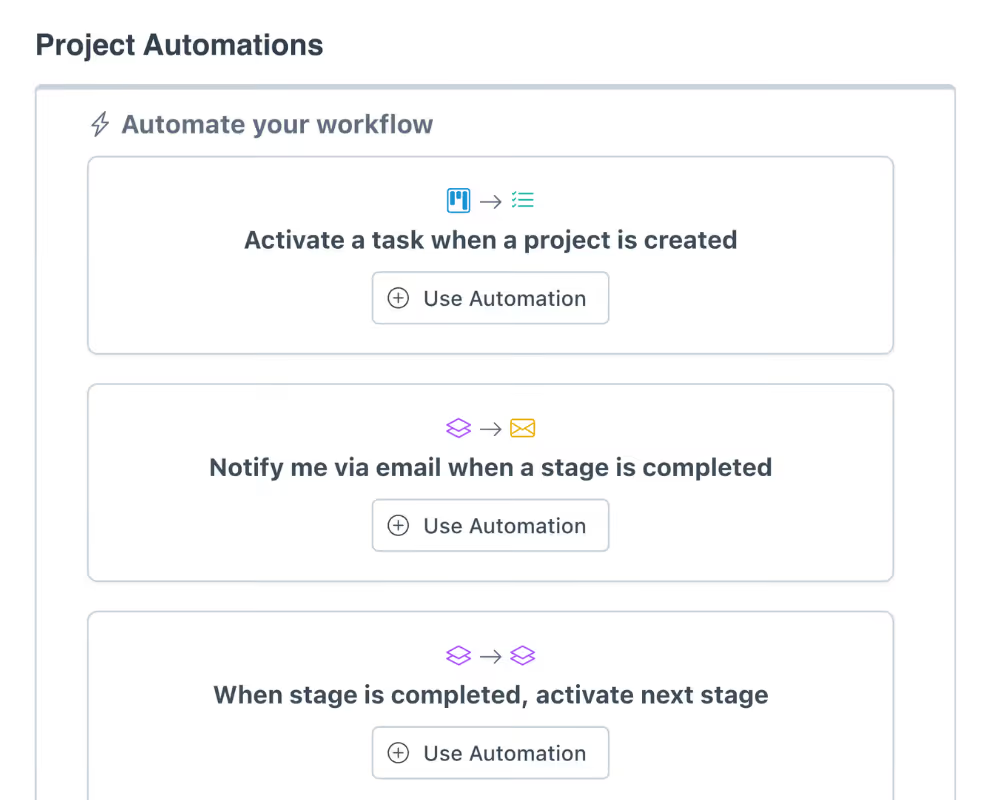
Repeatable, automated workflows
Build your intake or onboarding process once: tasks, forms, document requests, due dates. Every new client gets the same structured, polished experience without your team rebuilding anything.
AI-powered structuring, validation, and routing
Clients providing incomplete or incorrect information is one of the biggest reasons intake processes stall. LaunchBay's AI automatically validates responses, flags issues, and sends them back for correction before they reach your team.
Request, assign, and track work in one place
Manage client requests, assign work to team members, and collaborate in the same workspace clients use to submit information. Built-in reporting shows you exactly where each project stands and where things are stalled.
Say goodbye to your clunky, manual intake process.
Automated reminders handle the follow-up for you.
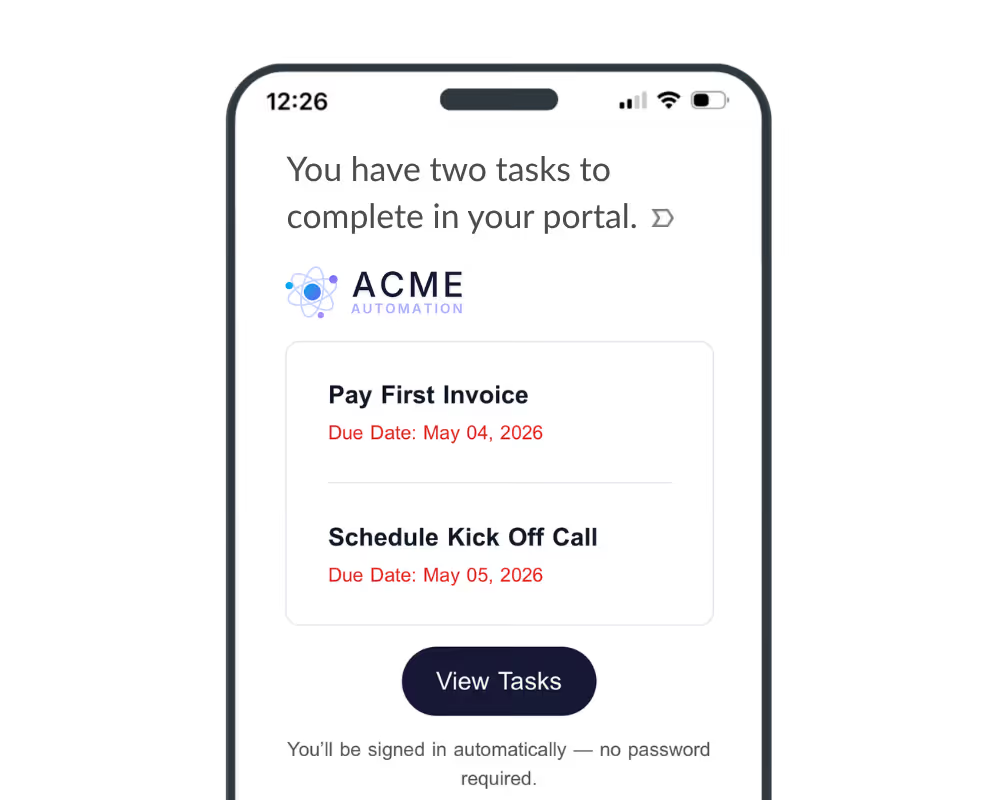
No more begging clients to send something or checking in manually. LaunchBay automatically reminds clients what they still need to complete and sends them straight back to their portal to do it.
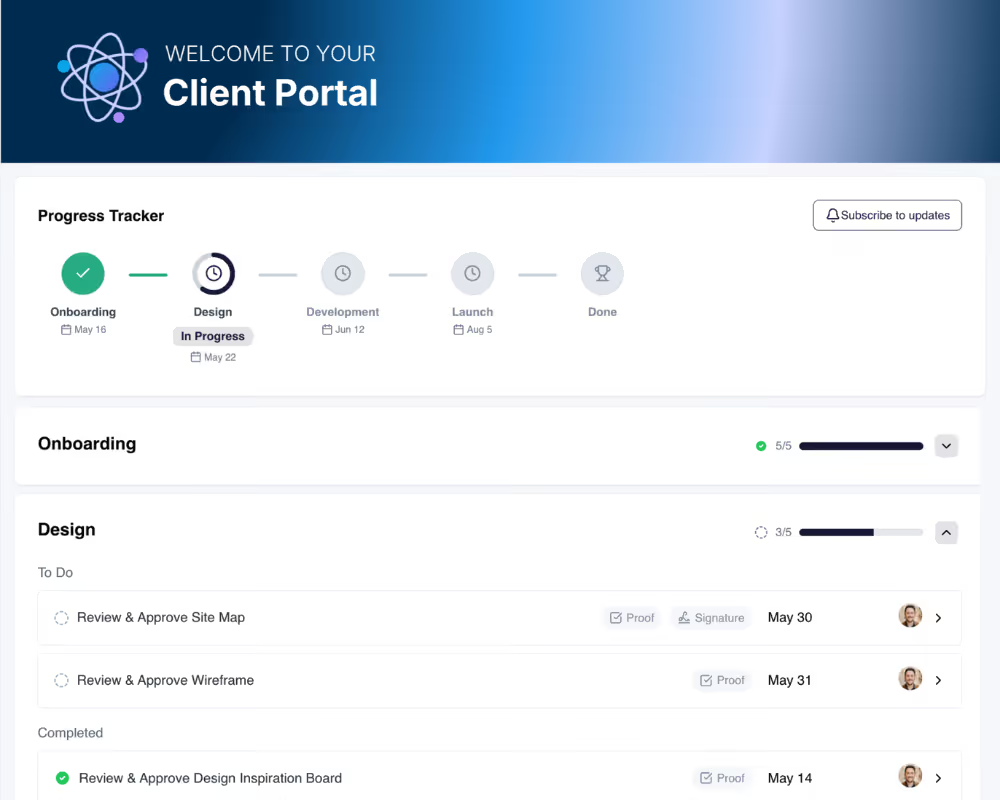
Bring on a new client, the portal is ready.
Connect LaunchBay to your CRM and automatically spin up a branded portal the moment a deal closes. Clients land in a workspace ready to provide the forms, files, and signatures you need. No manual setup. No scattered emails. No delays.
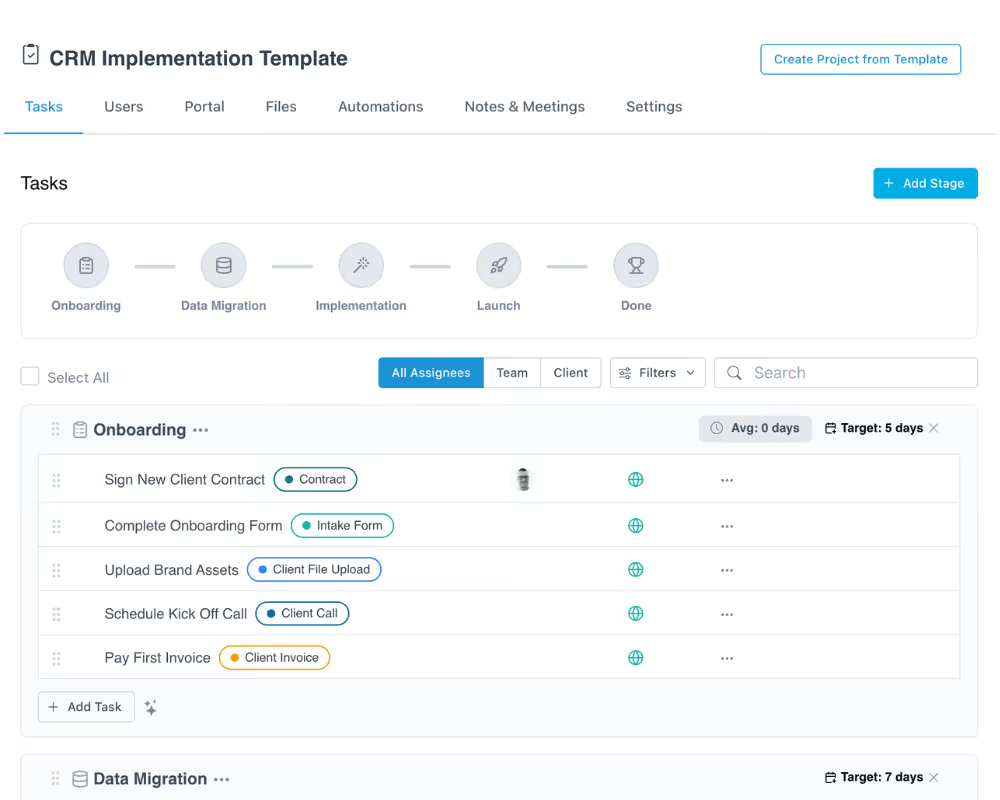
Structured, repeatable workflows for intake and delivery.
Stop running your client process through manual emails, disjointed tools, and duct-taped integrations. LaunchBay centralizes everything in one platform: requests, tasks, files, and communication, all in one place your whole team works from.
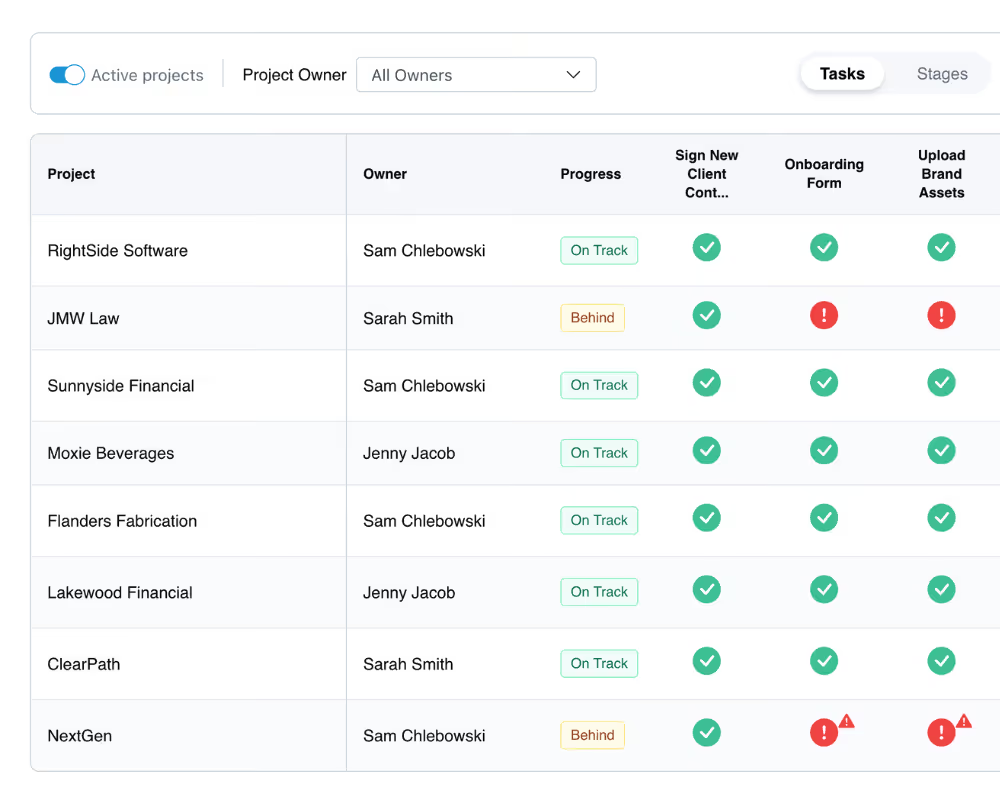
See the status of every project at a glance.
See exactly where every client stands across your book of business before delays become problems. Spot bottlenecks, identify who's holding up progress, and take action before a project falls behind.
One platform for client intake, document collection, and signatures
Client Onboarding
Build a structured onboarding workflow once and run it for every client. Tasks, forms, and document requests are assigned automatically so clients always know what to do next.
Document Collection
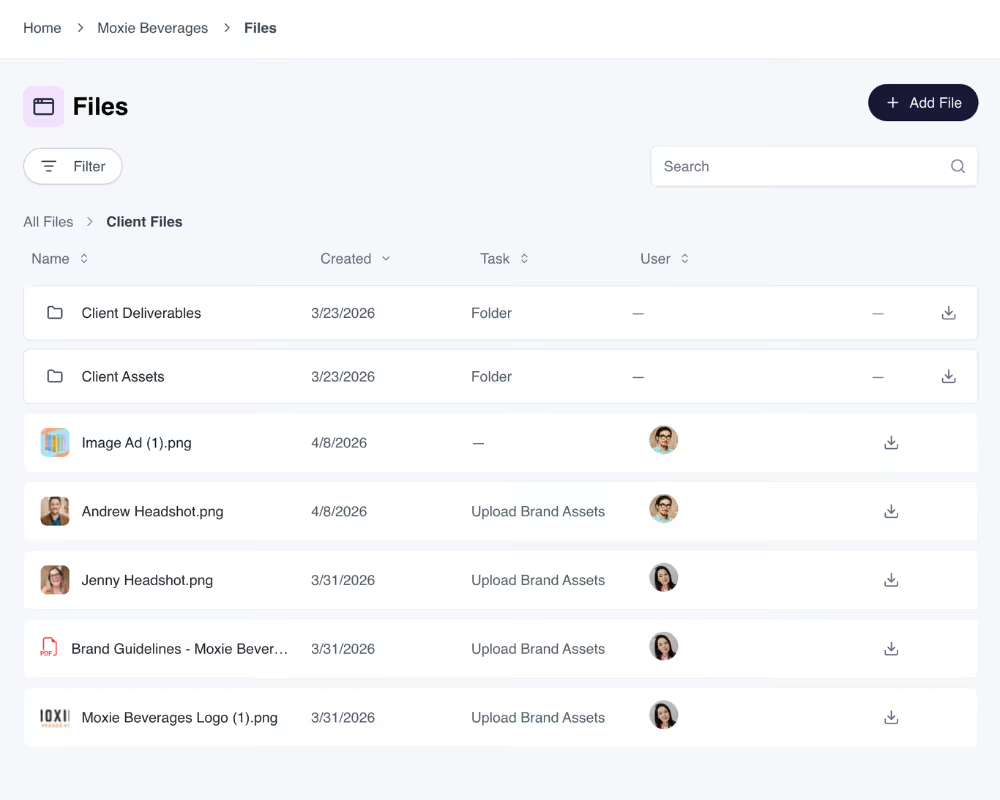
Request files, contracts, and supporting documents directly inside the client portal. Clients upload in one place. Your team sees exactly what's been received and what's still outstanding.
eSignatures
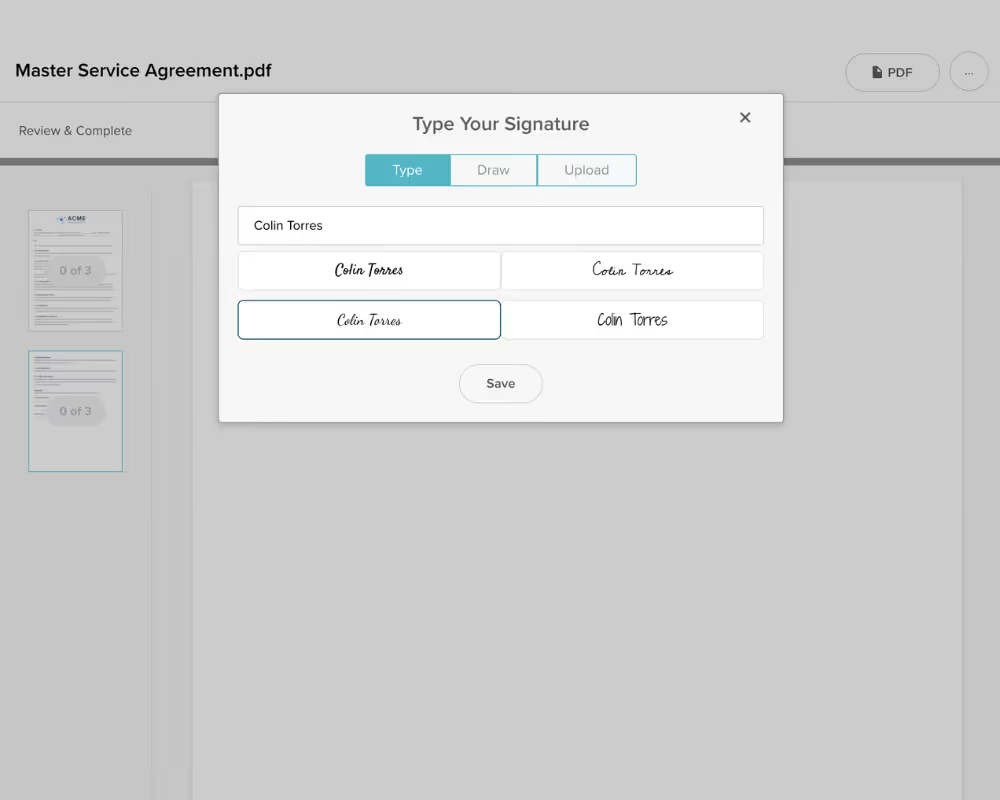
Send agreements, SOWs, and proposals for signature without leaving LaunchBay. Clients sign directly in their portal. No DocuSign account, no extra tool, no additional link to send.

“Before LaunchBay, we would spend 4+ hours per client tracking down onboarding information. Now, with automated follow-ups doing the heavy lifting, that entire process takes just 15 minutes.”
Lloyd Bookkin
Head of Customer Success
client onboarding
saved per client
manual follow-ups