.svg)


Automate onboarding. Streamline implementation. Launch new customers faster.
Stop churn before it starts. LaunchBay automates the critical handoffs between sales, onboarding, and delivery so customers experience value faster.
Customers experience meaningful progress and activation sooner.
Automated workflows prevent stalls and keep onboarding moving toward launch.
By eliminating manual follow-up emails and project management busywork.
Automations that connect all your tools and keep onboarding moving
LaunchBay connects your CRM, billing, forms, and delivery tools into a single automated workflow that coordinates onboarding from deal close through activation and delivery.
Learn more about integrations →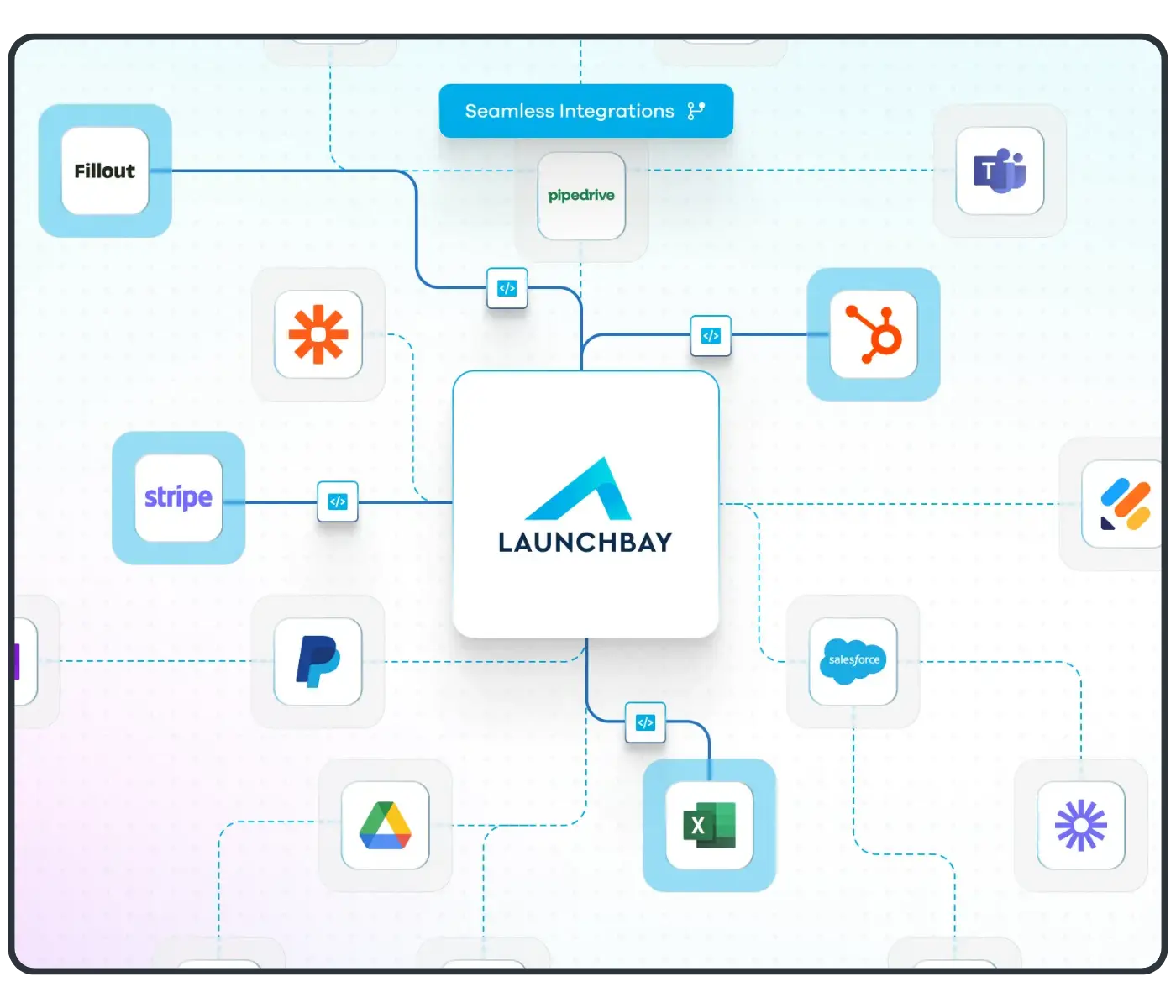
Automations that run onboarding for you
LaunchBay automations trigger onboarding and implementation automatically from real business events so work moves forward without manual coordination and customers reach value sooner.
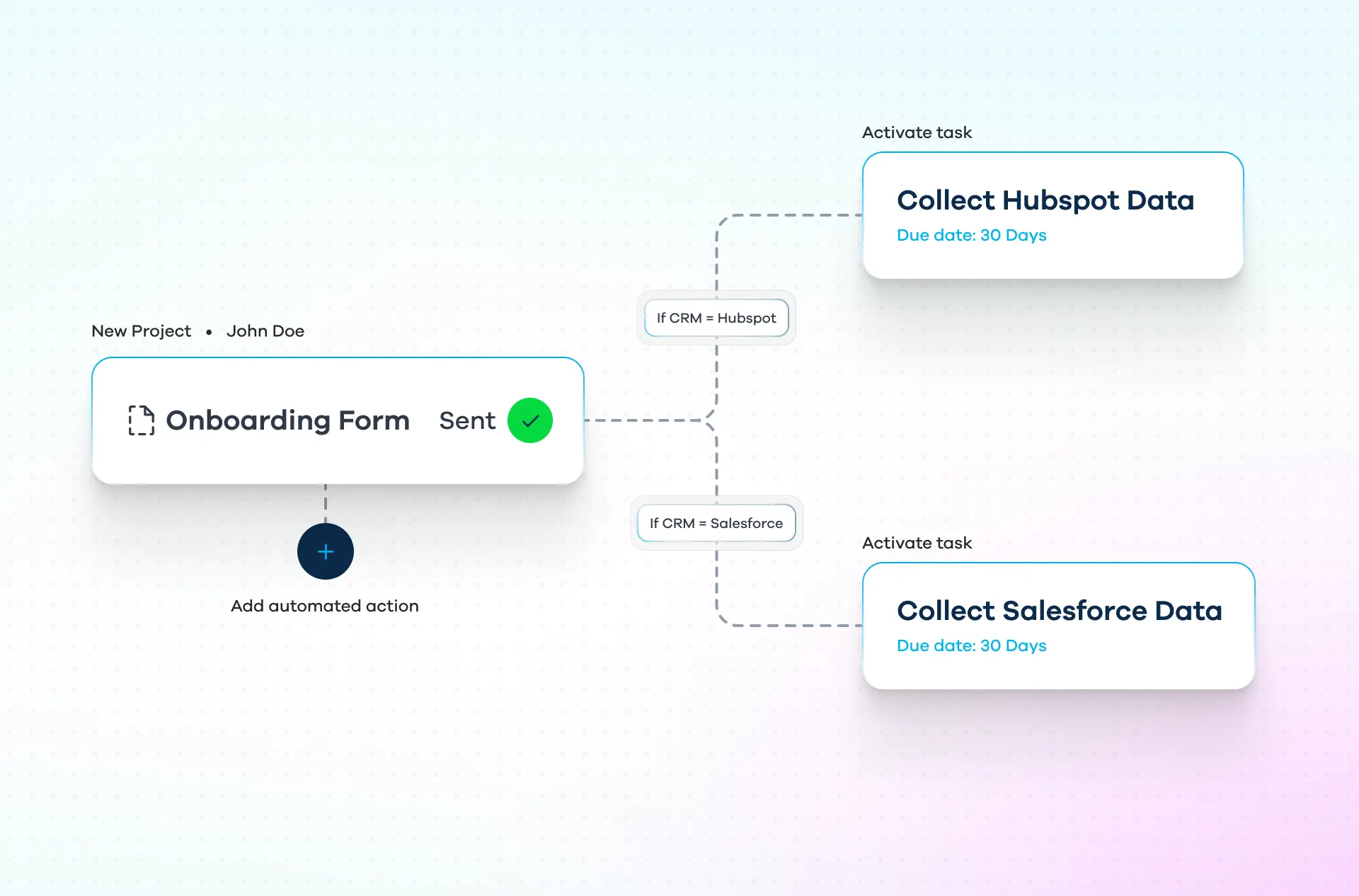
Automatically kick off onboarding the moment a deal is closed
When a deal is marked Closed/Won in your CRM, LaunchBay automatically creates the onboarding project and invites the client into a white-labeled, loginless portal. Onboarding starts immediately with no manual setup, handoffs, or delays so customers see progress from day one.

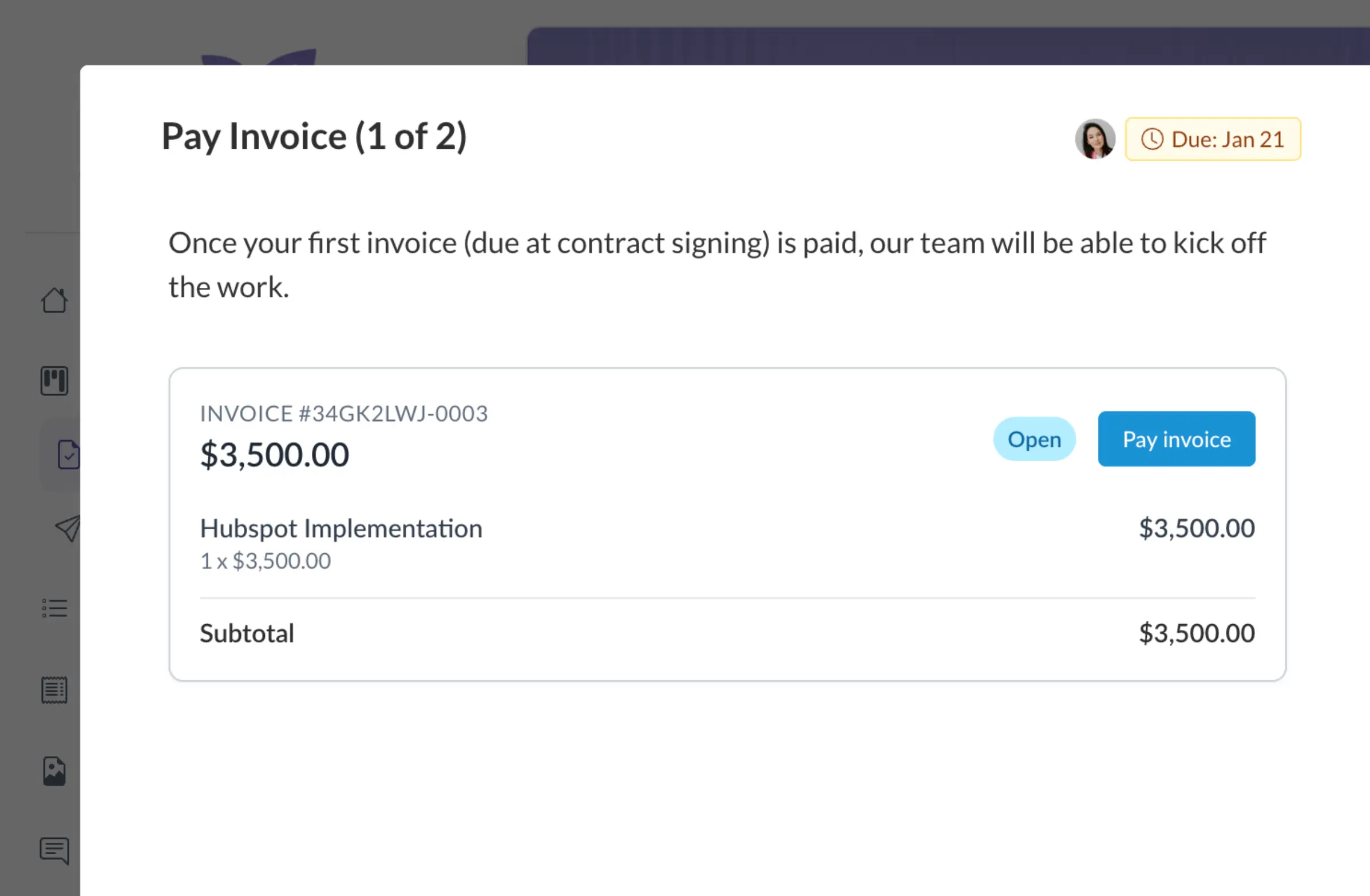
Automatically send invoices when contracts are signed
The moment a contract is signed, LaunchBay sends the invoice automatically, payable directly inside the client portal. Work moves forward only after payment is complete, keeping projects profitable, timelines predictable, and launches on track.
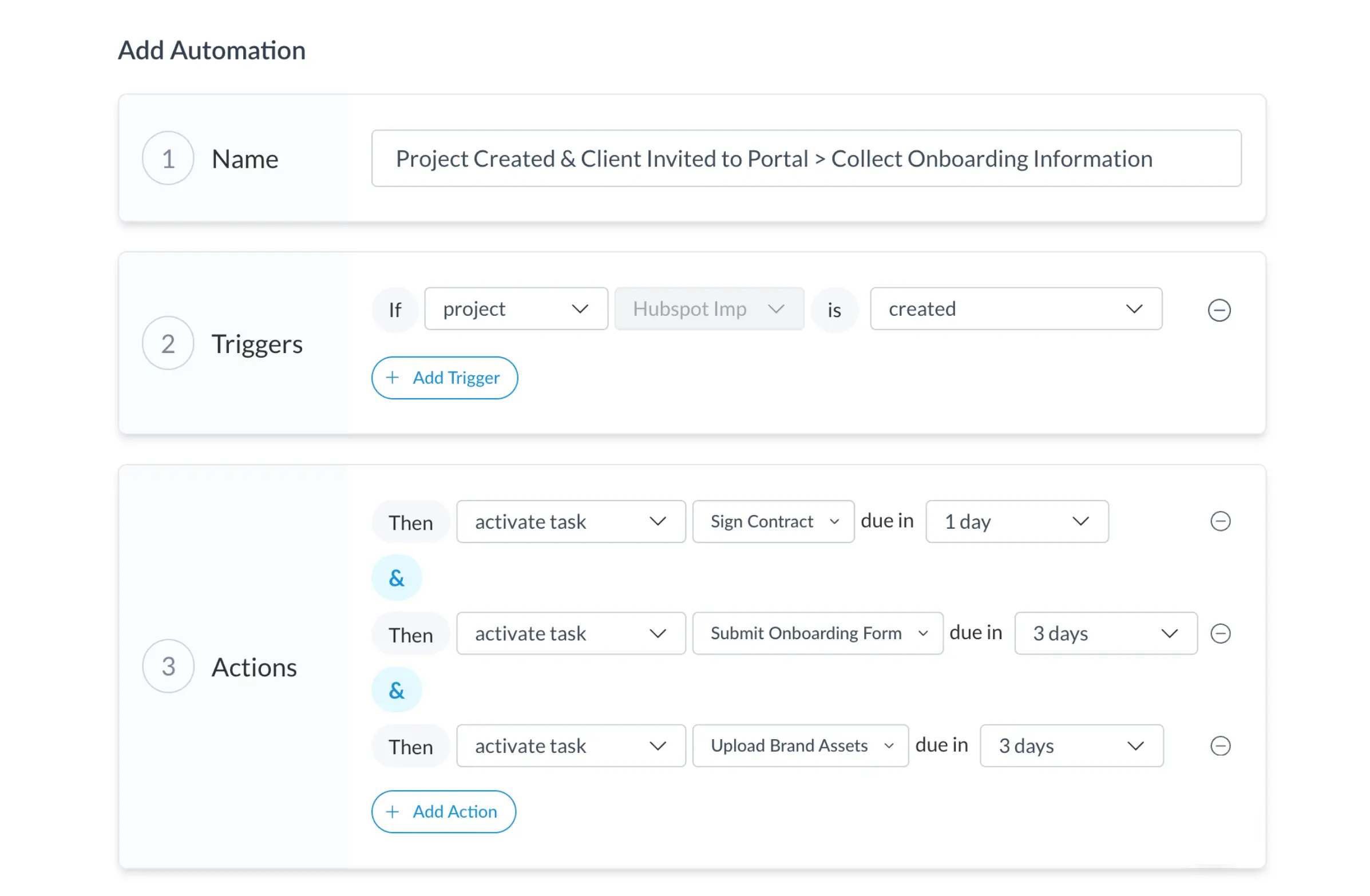
Collect onboarding information without follow-ups
LaunchBay automates the collection of files, forms, feedback, and approvals inside a single client-facing portal. Requests trigger automatically, progress stays visible in real time, and onboarding moves forward without manual chasing or back-and-forth.
Reveal the right client portal resources at each stage
LaunchBay automations can dynamically show or hide portal tabs as onboarding progresses. Clients only see what matters next, reducing confusion, preventing overwhelm, and keeping onboarding focused and moving forward.
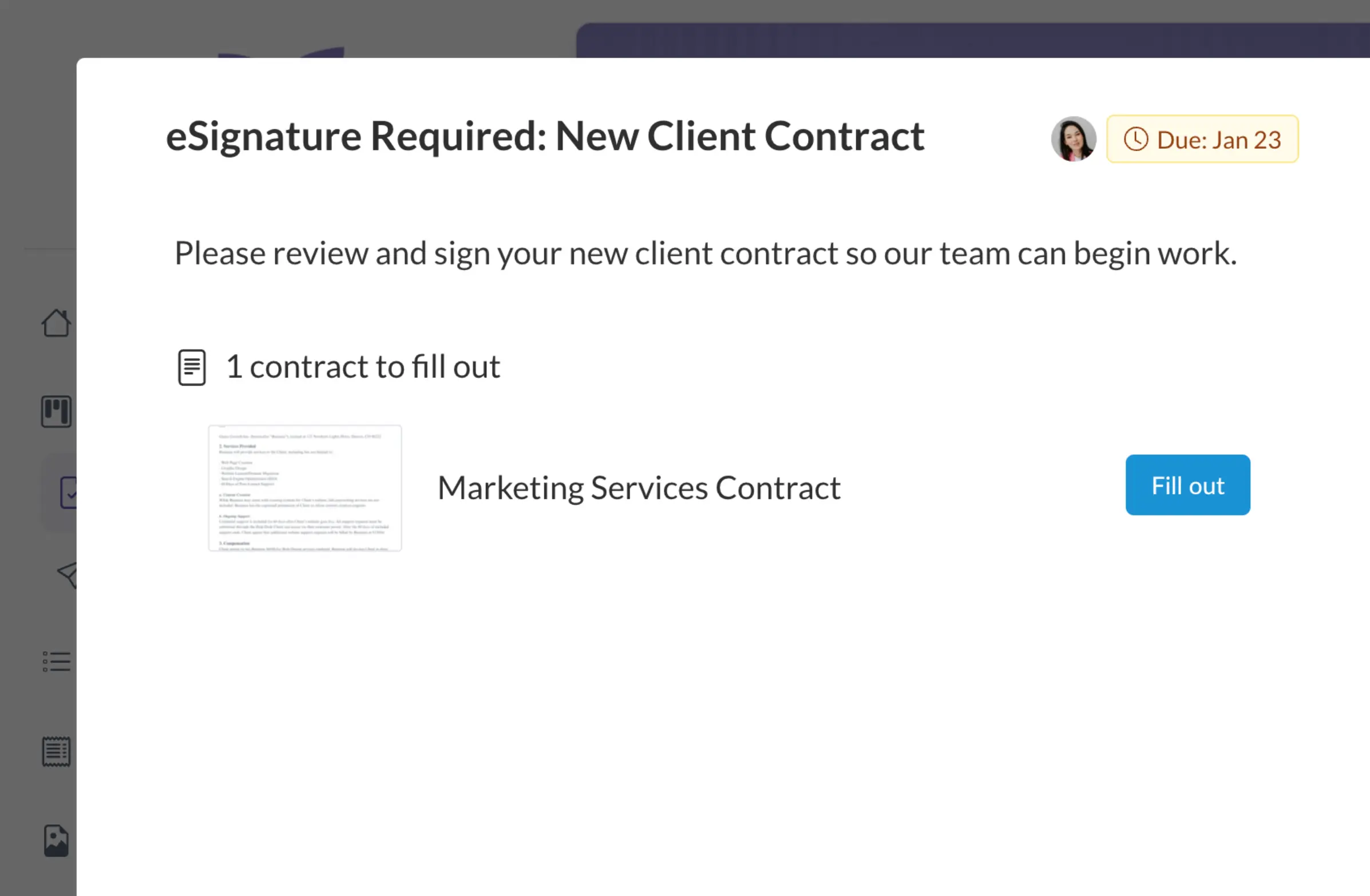
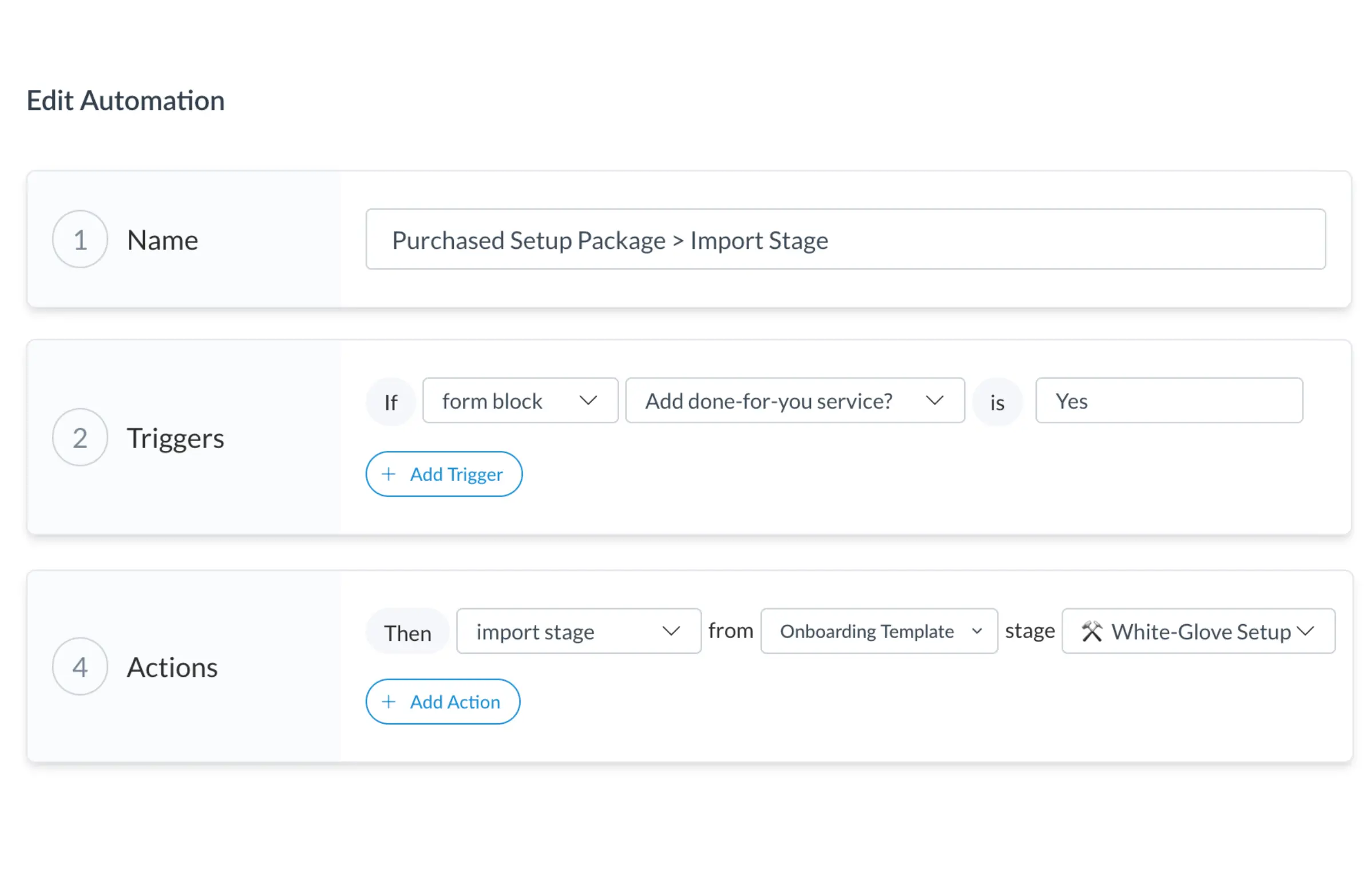
Automatically activate upsells and add-on services
When a client opts into an additional service, LaunchBay automatically adds the right tasks, approvals, and client actions to the existing workflow. Expansion work moves from agreement to execution without new projects, manual setup, or disconnected processes.
.svg)

Reviewers Agree: LaunchBay Delivers




Frequently Asked Questions (FAQs)


Take command of every customer onboarding.
One platform to run, monitor, and manage every customer onboarding, with full visibility into every account.
Ready to stop wondering where things stand?