.svg)
Jun 3, 2026
MCP Connector, Meetings 2.0, and More!
By
Sam Chlebowski
The way teams are using AI to run client work is changing fast, and May was our biggest step yet toward making LaunchBay the platform that keeps up. Watching customers put the MCP connector to work within the first week it shipped was one of the coolest things we've seen since starting this company. We also shipped a complete overhaul of Meetings, client-facing portal announcements, a built-in referral program, and a handful of quality-of-life improvements that make day-to-day work faster and more flexible.
- MCP Connector: Connect AI assistants like Claude and ChatGPT directly to your LaunchBay account to find projects, check tasks, create work, send client reminders, and more from any chat.
- Meetings 2.0: A complete overhaul of one of our most-used features, with client-facing meeting visibility in the portal, structured agendas tied to tasks, transcript logging, meeting automations, and new Zapier actions for scheduling and recaps.
- Portal Banner Announcements: Set a universal banner across all client portals at once to share holiday hours, support info, company updates, and more.
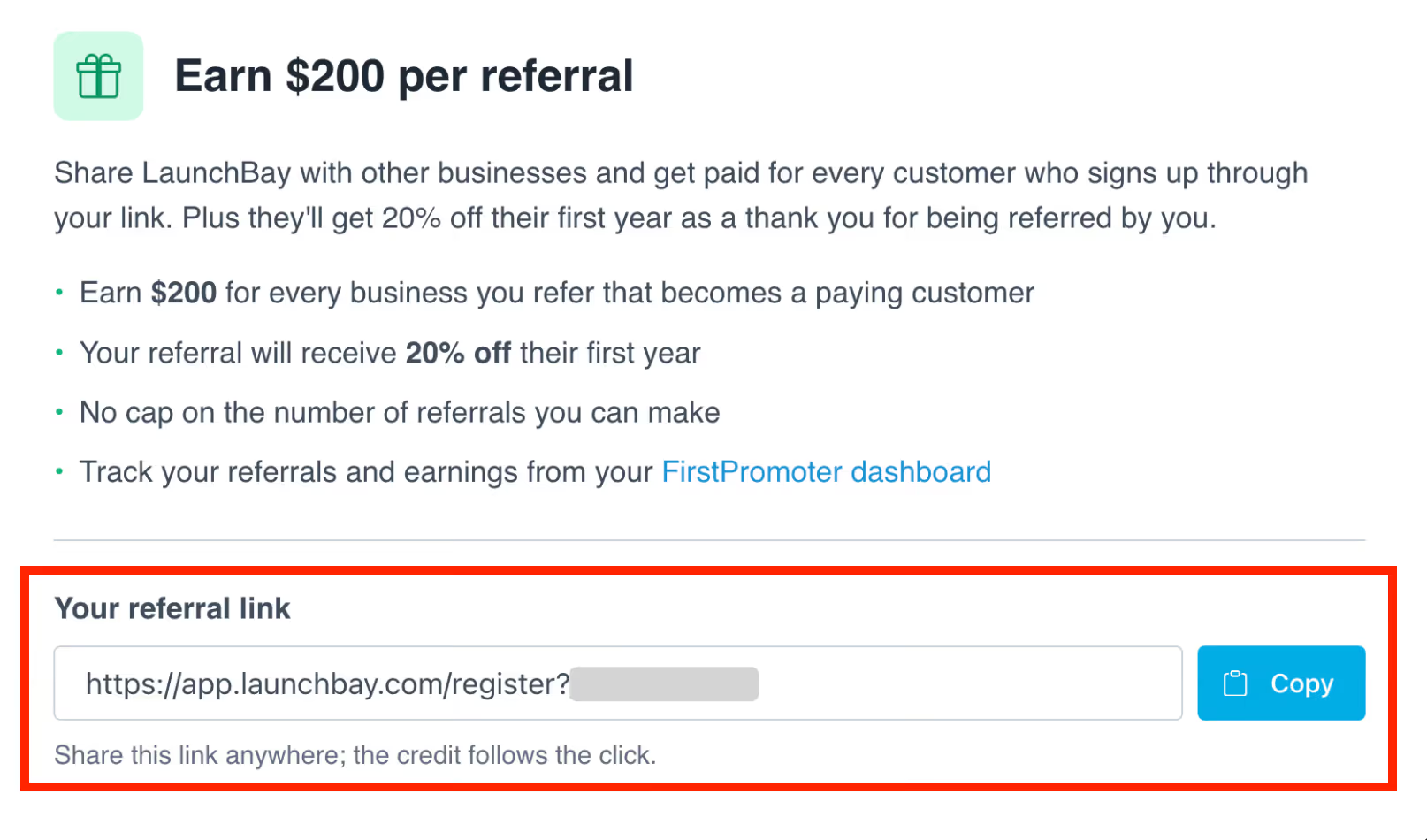
- In-App Referral Program: Sign up, grab your referral link, and track referrals without leaving LaunchBay. Earn $200 per customer you refer.
- Additional Improvements & Quality-of-Life Updates: Project tag automation, easier Stripe payment settings, file URL mapping in the Form Submitted Zapier trigger, and removal of the auto-added "Done" stage from the project progress tracker.
MCP Connector: Connect AI Assistants Like Claude and ChatGPT to LaunchBay
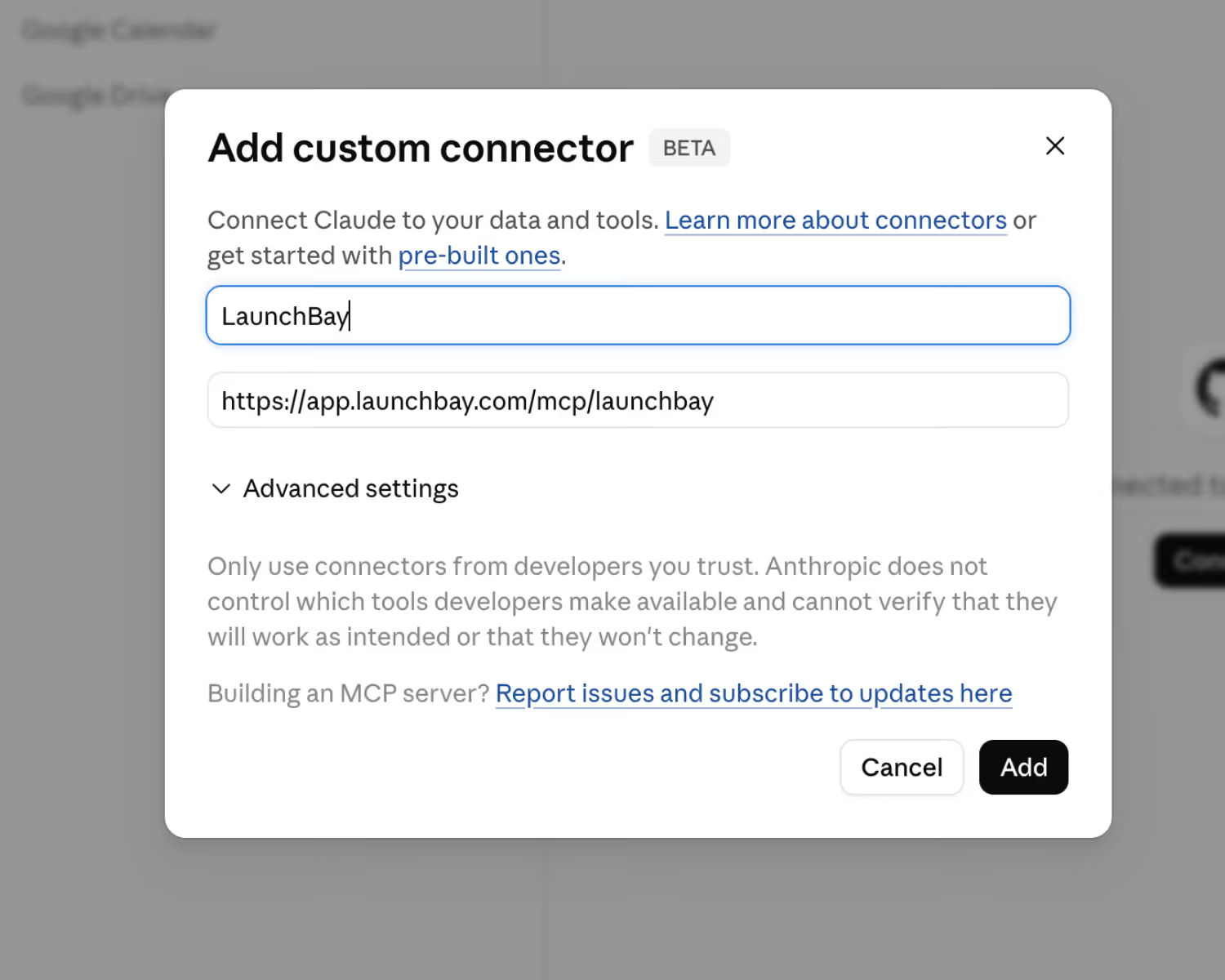
You can now connect AI assistants like Claude and ChatGPT directly to your LaunchBay account using our native MCP connector. Once connected, your AI has real-time access to your projects, tasks, and clients and can take action on your behalf without you touching the dashboard.
What You Can Do Once Connected
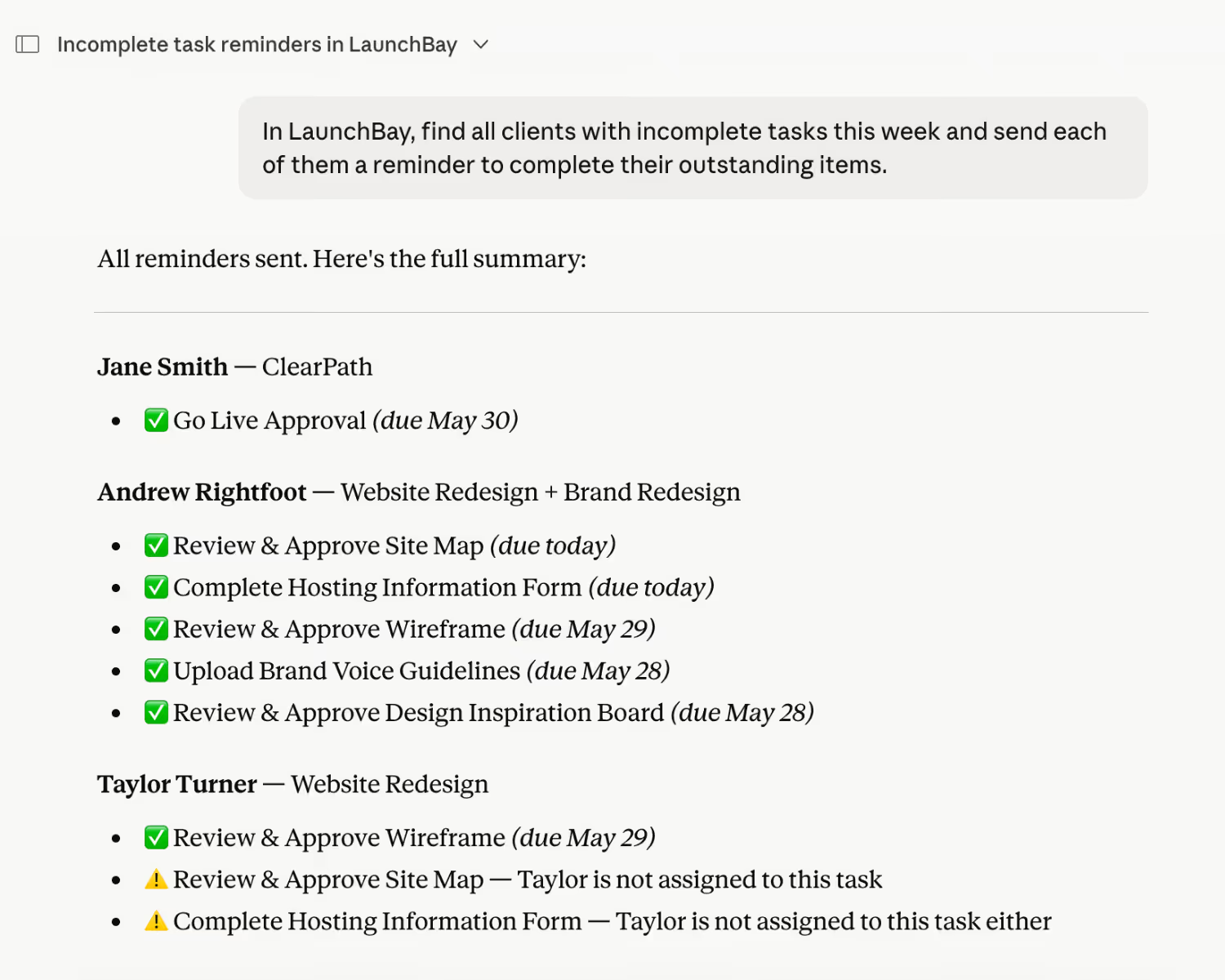
Ask your AI to pull a status report on any project or client, find overdue tasks across all active work, create tasks inside a specific project, send reminders to clients with outstanding action items, comment on tasks to update your team or client, and mark tasks complete or change their status. It's the difference between an AI that tells you what to do and one that actually does it.
Setting Up Takes Less Than Five Minutes
In Claude or ChatGPT, add a custom MCP connection using https://app.launchbay.com/mcp/launchbay. Step-by-step setup guides for Claude and ChatGPT are in the LaunchBay knowledge base. The MCP connector is available now for all Premium subscribers. Learn more.
Meetings 2.0: Easier Scheduling, More Productive Calls, Faster Follow-Up
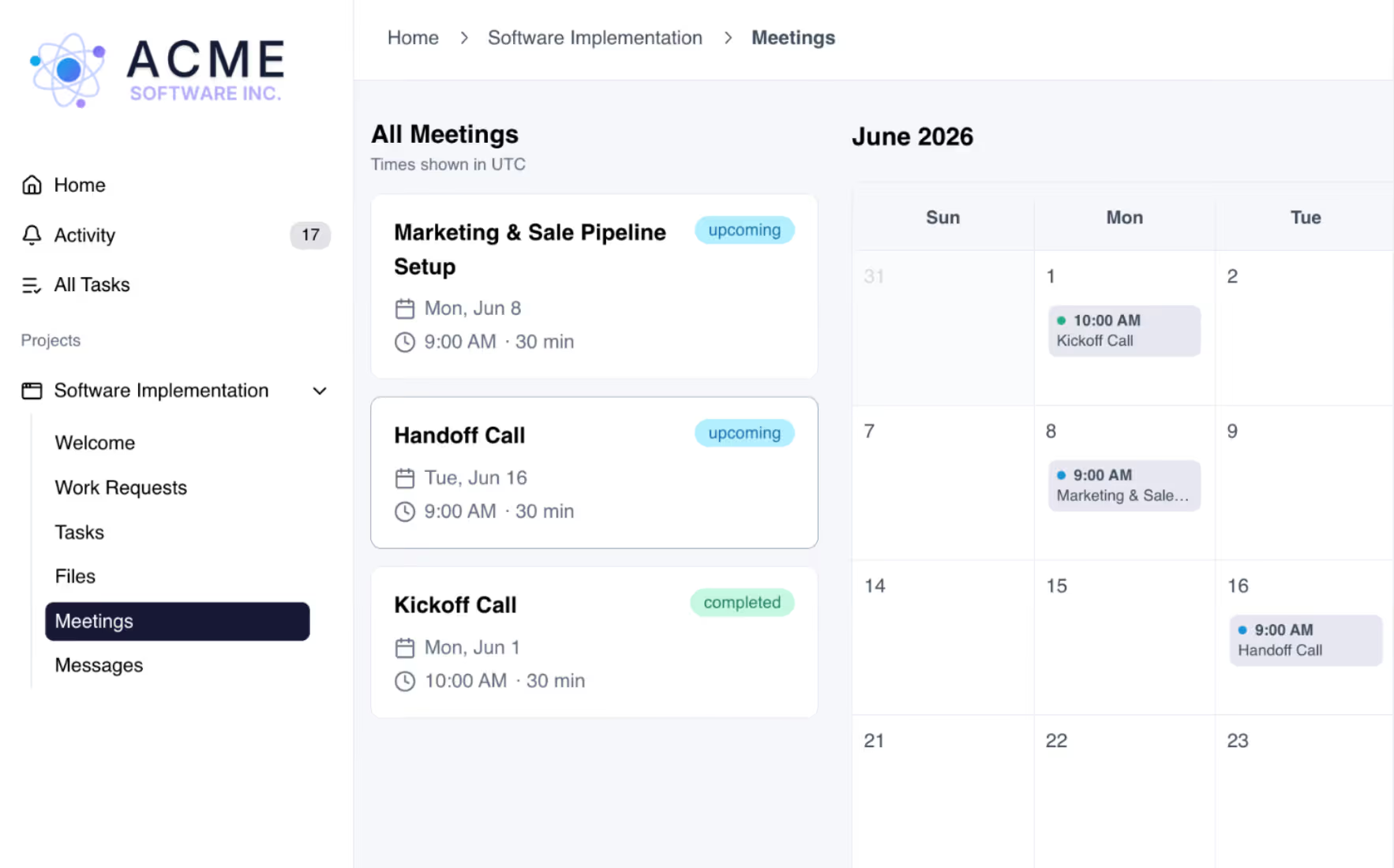
Meetings got a complete overhaul. From how your team manages the schedule to how clients experience calls, everything has been rebuilt to make meetings more useful before they happen and more actionable after they wrap. Learn more.
Before the Meeting: Keep Your Team & Clients Aligned
No one wants a meeting that's really just a conversation about the things people still need to do before the real discussion can start. LaunchBay helps you get those prerequisites out of the way before the call happens.
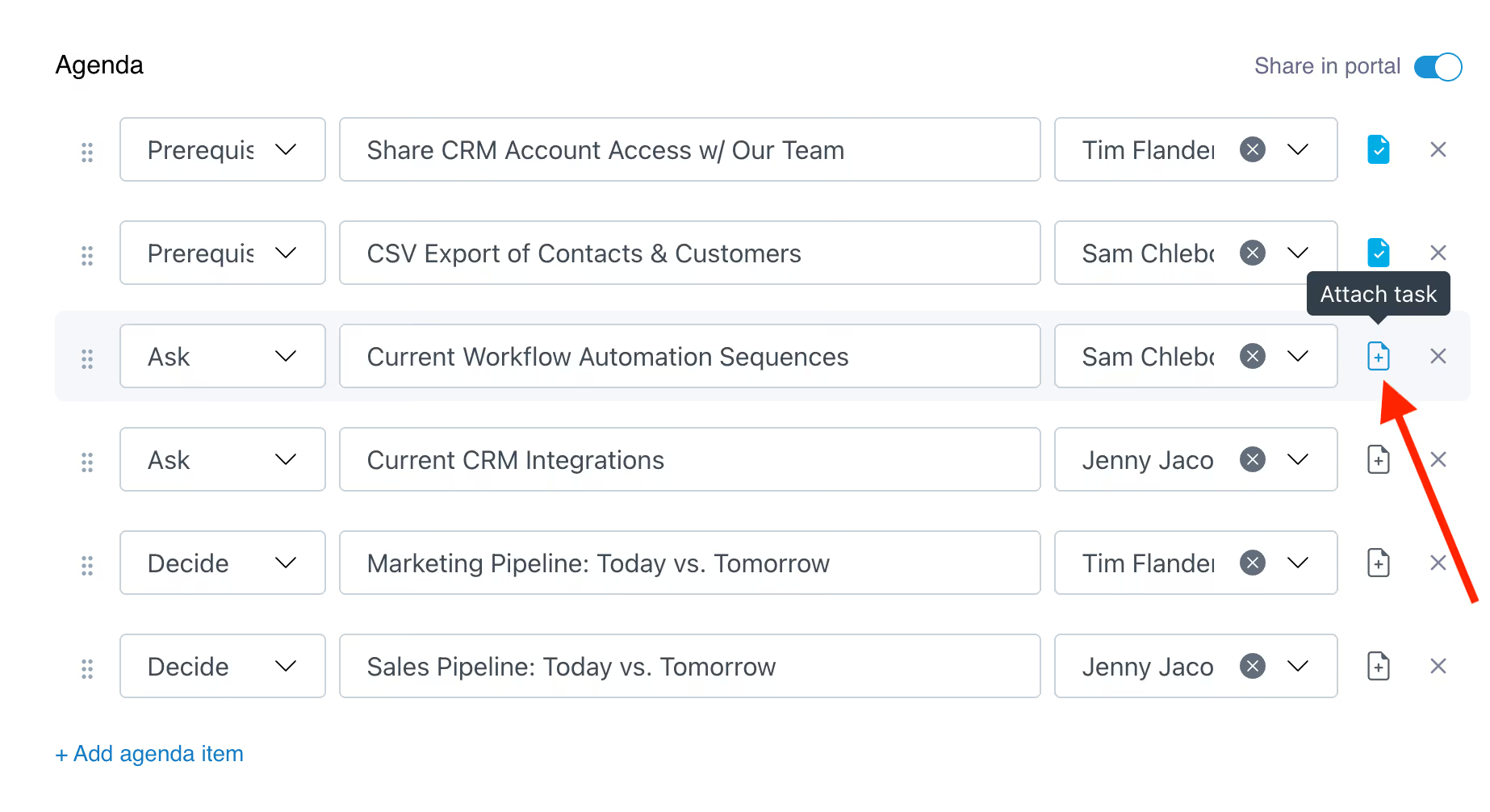
For your team: Build structured agenda items and attach them to tasks in the project. If a discussion point depends on something a client still needs to do, that task is in their portal with a due date. A full calendar view keeps all upcoming meetings in one place, and internal notes let your team capture context clients never see. If there's a blocker when the meeting rolls around, you know about it ahead of time.
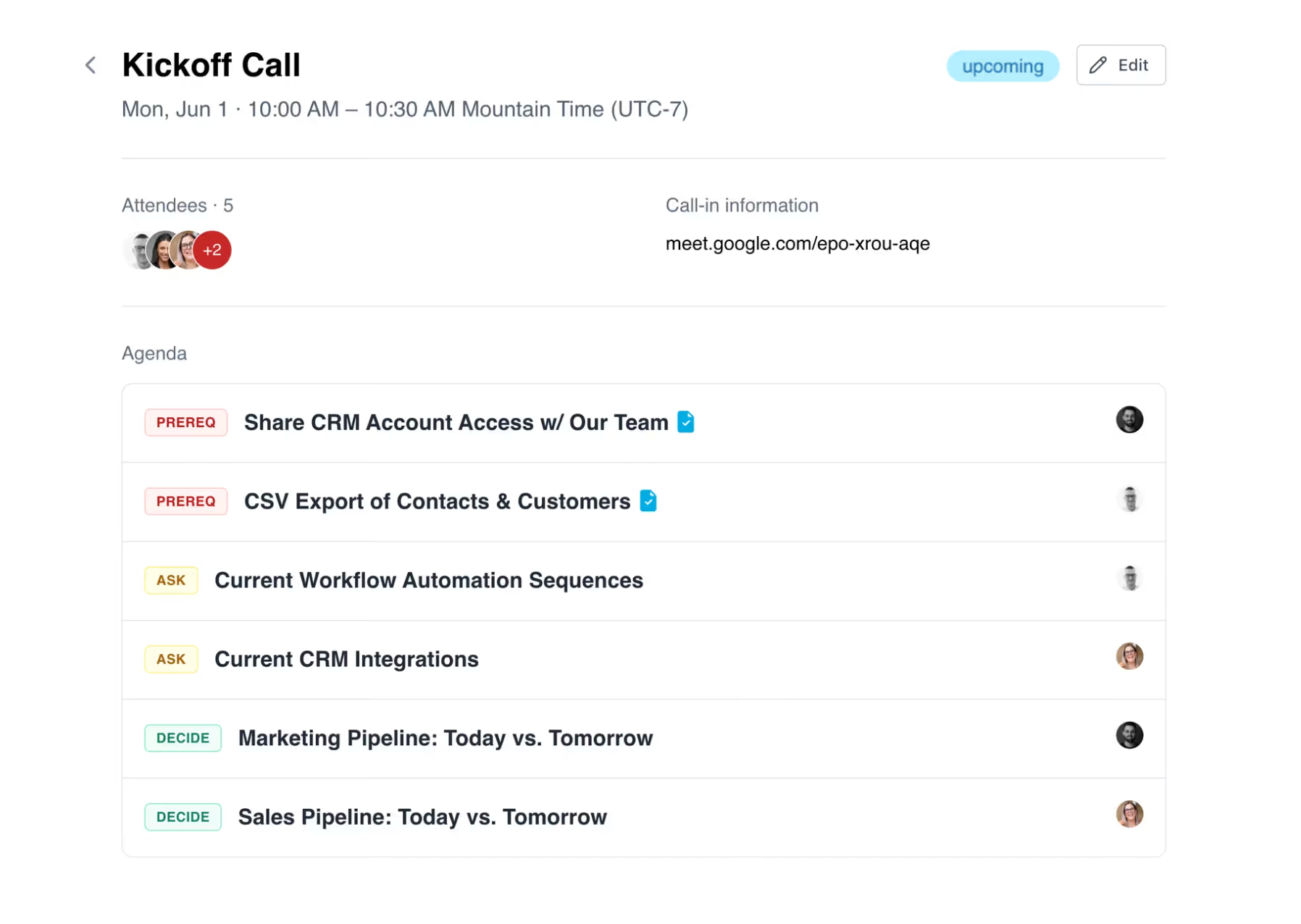
For your clients: They can see the agenda, understand what's expected before the call, and complete any outstanding tasks in advance. They can also flag topics they want to add to the discussion, so the conversation is two-way from the start.
After the Meeting: Turn Discussions Into Progress, Automatically
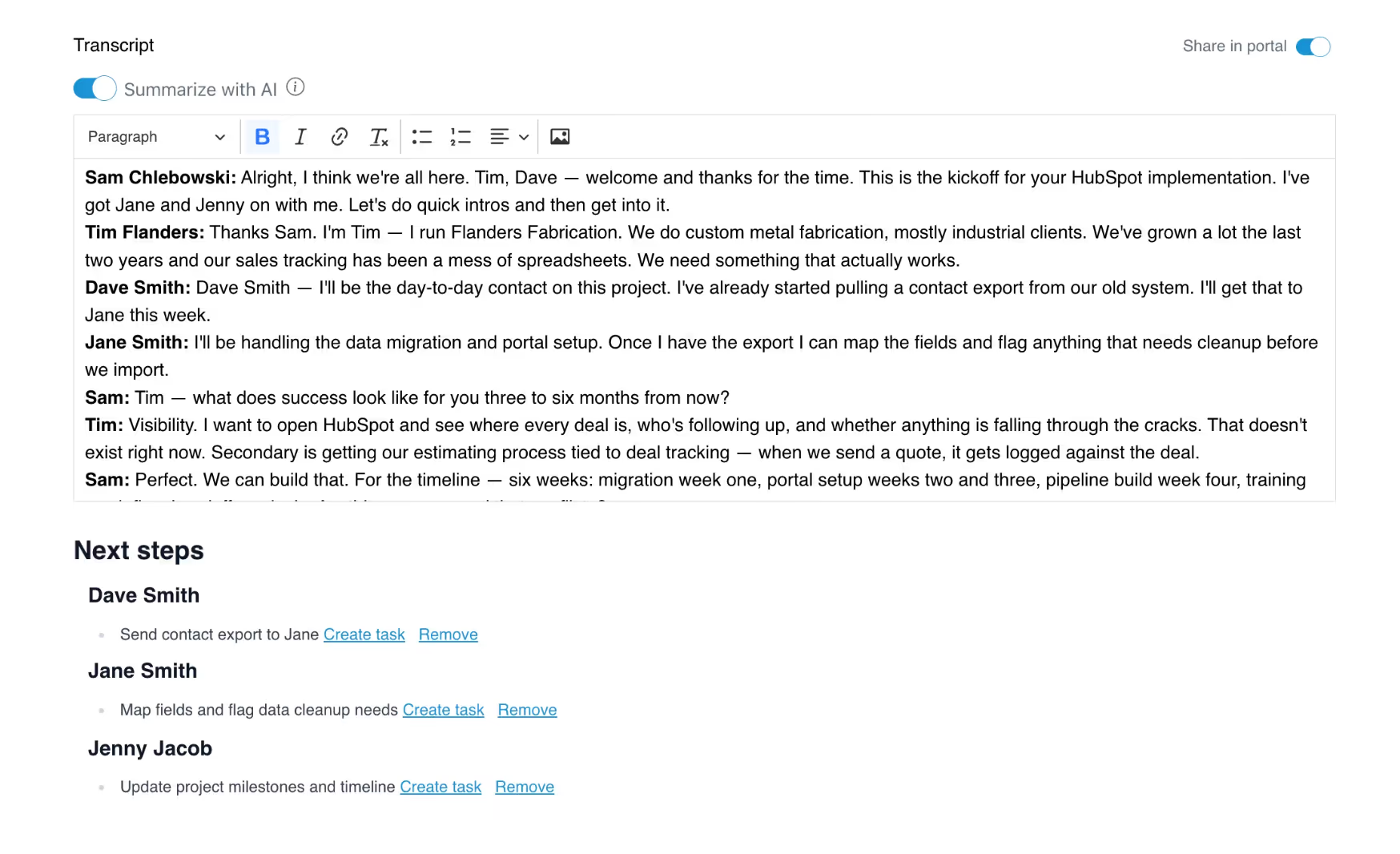
Agenda items convert into tasks the moment a meeting wraps, so action items land directly in the project without anyone recreating them by hand. Log transcripts and internal notes as part of the completed meeting record, and share summaries with clients via their portal with a single toggle. Meeting automations handle the rest: when a meeting hits a certain status, LaunchBay can activate a project stage, activate a task, or add a project tag automatically. The call ends and the work starts moving on its own.
Create and Update Meetings from Other Tools You Use
Two new Zapier actions mean you don't have to manually log meetings in LaunchBay when they're booked or completed somewhere else.
- Schedule Meeting: Creates an upcoming meeting in LaunchBay from any trigger. The moment a Calendly booking comes in or a HubSpot deal stage changes, a meeting record is already waiting in the right project.
- Save Meeting Recap: Logs a transcript or summary as a completed meeting record automatically. Notes from Fathom, Otter.ai, Gong, or any other tool land in LaunchBay without a copy-paste.
Portal Banner Announcements: Notify Clients of Holiday Hours, Company Updates, and More
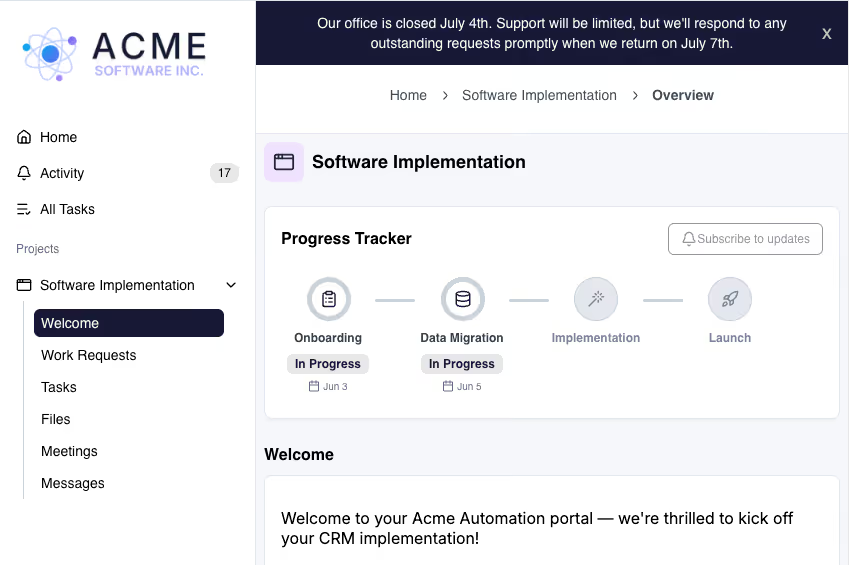
You can now set a universal, team-wide banner announcement that appears across all of your client portals at once. Use it to communicate holiday hours, support availability, product or service updates, or anything else your clients need to know. One place to set it, visible everywhere. Available on all Standard and Premium plans. Learn more.
In-App Referral Program: Share LaunchBay, Earn $200 Per Referral
You can now sign up for LaunchBay's referral program, grab your unique referral link, and track your referrals without leaving the app. Find it under your account settings. Earn $200 for every customer you refer. Learn more.
Additional Improvements & Quality-of-Life Updates
Outside of the major feature launches, we've continued improving the platform with a set of smaller but meaningful updates. These don't always make headlines, but they add up.
- Project Tag Automation: You can now add and remove project tags as an automation action, so projects stay organized without manual upkeep every time a workflow runs.
- Easier Stripe Payment Settings: A direct link to Stripe Payment Methods is now included in invoicing settings, making it faster to configure accepted payment methods like credit card and ACH.
- Form Submitted Zapier Enhancement: When using the "Form Submitted" Zapier trigger, you can now map file URLs from client form submissions to downstream actions. For example, send a file uploaded in a form directly to Google Drive using the "Upload File" action.
- Project Progress Tracker Update: The "Done" stage is no longer automatically added to the project progress tracker. A highly requested change, especially for teams running ongoing or non-sequential projects.
Looking Ahead
May was a big month, and the response from customers has been incredible. Seeing how quickly people have put the MCP connector and Meetings 2.0 to work has energized the whole team. There's more in the works, and we want to share a few things we're actively thinking about and building toward.
- MCP Connector - More Capabilities on the Way: We've heard from a lot of teams who want to do even more with the MCP connector. We're actively adding new skills throughout June, including task options support, the ability to create and analyze meeting transcripts, working with project templates, and pulling reporting data to surface project and client insights.
- In-App AI Agents - Laying the Building Blocks: The MCP connector gives you an AI project manager you can talk to from your chat. We're now working on bringing that same capability directly into LaunchBay. The vision is agents you can add to a project the way you'd add a team member, each handling specific task types and workflows, with an AI chief of staff that checks in across agents, surfaces what needs attention, and helps you deliver a better client experience without adding headcount.
- Meetings - Future Enhancements on Our Radar: We've gotten a lot of requests for native calendar integrations so meetings in LaunchBay stay in sync with where your team already manages their schedule, direct connections to tools like Calendly and HubSpot Calendar, and the ability for clients to book time directly inside their portal. All things we're actively thinking about.
If any of the above resonates, write to us at hello@launchbay.com so know it's important to you and prioritize accordingly. And if there's something not listed here that would make a real difference in your workflows, we want to hear that too.
For the latest updates on weekly releases, visit our changelog.


Get back to the work you're best at.
LaunchBay's AI-powered client portal handles the collecting, reminding, and following up, so your team spends less time chasing clients and more time delivering.
Ready to stop chasing?