Oct 12, 2026
SuiteDash Client Portal Review: We Had Claude Build a Real Agency Onboarding in It
By
Zack Garbow
We put SuiteDash through the same test as six other client portal tools: build a real 10-week website redesign onboarding for a dental practice client. SuiteDash has the broadest built-in toolkit of any competitor we tested, with e-signatures, invoicing, forms, and appointments all native. The client experience undid a lot of that breadth.
This review is part of our Best Client Portal Software series, where we had Claude (Opus 5.5) build the same agency onboarding project in seven tools and graded each one on the same nine categories. See the full roundup and scorecard there.
SuiteDash's Client Portal Scorecard
SuiteDash covered 9 of the 20 required capabilities natively, more than most competitors we tested. It landed a C overall: a very broad toolkit where the client's journey is fragmented across modules and the build itself is slow.
What We Built, and What SuiteDash Got Right
We built both task templates, all four forms (46 fields in the onboarding form alone), the Brightside Dental client record, a live project, two draft invoices, and a draft agreement, then walked through the result as the client. Three things stood out as genuinely good:
Where SuiteDash Breaks Down
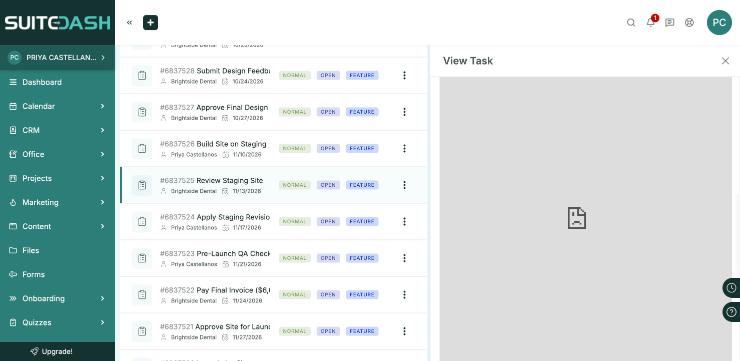
Almost every client step sends the client somewhere else: forms live in one module, uploads in Files, invoices under Office, contracts under Documents, and none of them link back to the task that mentions them. Tasks can't contain forms, invoices, or documents at all. The result for the client is a single flat list of all 20 of her tasks in date-jumbled order, with no stage names or stage list visible anywhere, just a bare progress donut.
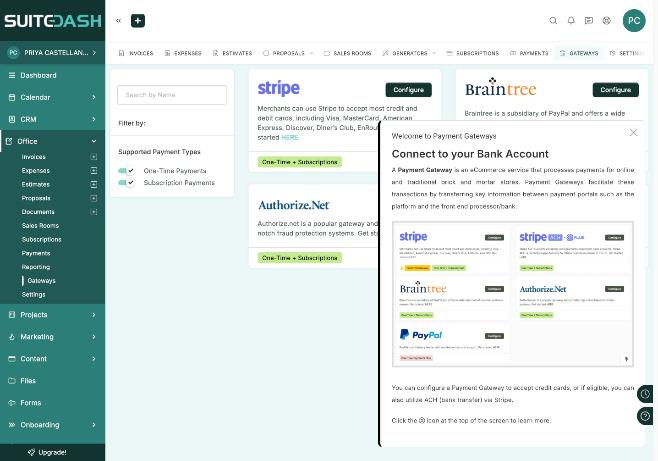
Online payments need a gateway connected with API keys, which isn't set up by default, so the two draft invoices we built had online payment switched on but nowhere to actually process one.
There's no signing order control anywhere in the product, despite SuiteDash's own marketing claiming sequential signing, and no passwordless access: the client has to set a password, or sign in with Google or Microsoft. On first login, the client's notification bell showed 20 unread notifications at once, including invoices for care work months away. Build time ran 3.5 to 4 hours of active work, and we estimate 6 to 10 hours for a first-time admin building the full spec, mostly spent on the 46-field onboarding form and a form builder that renders roughly 27 fields at a time and froze after file-upload fields.
A Few Stranger Findings
A handful of details that didn't affect the grade but are worth knowing before you build in SuiteDash:
Our Verdict on SuiteDash
SuiteDash can technically host this onboarding: nine capabilities are native, and its template engine, approvals, and permission model are stronger than the interface first suggests. But almost every client step sends the client somewhere else, she sees a flat, date-jumbled task list with no visible stages, and proofing, signing order, and magic-link access simply don't exist. The build itself is slow and fiddly, with key features like conditional logic sitting behind unlabeled icons. For an agency willing to invest real setup time and accept a utilitarian client experience, it works. For a guided, stage-based client journey like this one, it's capable parts in a disjointed whole.
.svg)

SuiteDash bundles the most tools of any competitor here, but that breadth came with the longest build time and a client-facing task list that buried the real first step seven spots down.
Head-to-head: LaunchBay vs. SuiteDash →How SuiteDash Compares
SuiteDash finished 3rd of 7 in our full roundup. Here's how it stacks up against the tool that finished 1st.
See the full 7-tool scorecard for how every tool compares, or the LaunchBay vs. SuiteDash page for a deeper head-to-head.


Get back to the work you're best at.
LaunchBay's AI-powered client portal handles the collecting, reminding, and following up, so your team spends less time chasing clients and more time delivering.
Ready to stop chasing?