Oct 13, 2026
Sydnee Client Portal Review: We Had Claude Build a Real Agency Onboarding in It
By
Zack Garbow
We put Sydnee through the same test as six other client portal tools: build a real 10-week website redesign onboarding for a dental practice client. Sydnee handled all 6 required conditional form rules without friction and had the cleanest mobile client experience of any tool we tested. It also can't collect a signature, a deposit, or a payment of any kind.
This review is part of our Best Client Portal Software series, where we had Claude (Opus 5.5) build the same agency onboarding project in seven tools and graded each one on the same nine categories. See the full roundup and scorecard there.
Sydnee's Client Portal Scorecard
Sydnee covered 8 of the 20 required capabilities natively. It landed a C overall: a tidy, affordable portal for tasks, forms, and files, with the best mobile experience in the test, but not built to collect a signature or a payment.
What We Built, and What Sydnee Got Right
We built both task templates, all 6 required conditional form rules across 4 forms, and two boards: the main onboarding template and a reusable monthly care board, then invited the client and walked through the result as Dana. Build time ran about 1.75 hours, among the fastest in the test, mostly because inserting a template takes one click and keeps every section intact.
Three things stood out as genuinely good:
Where Sydnee Breaks Down
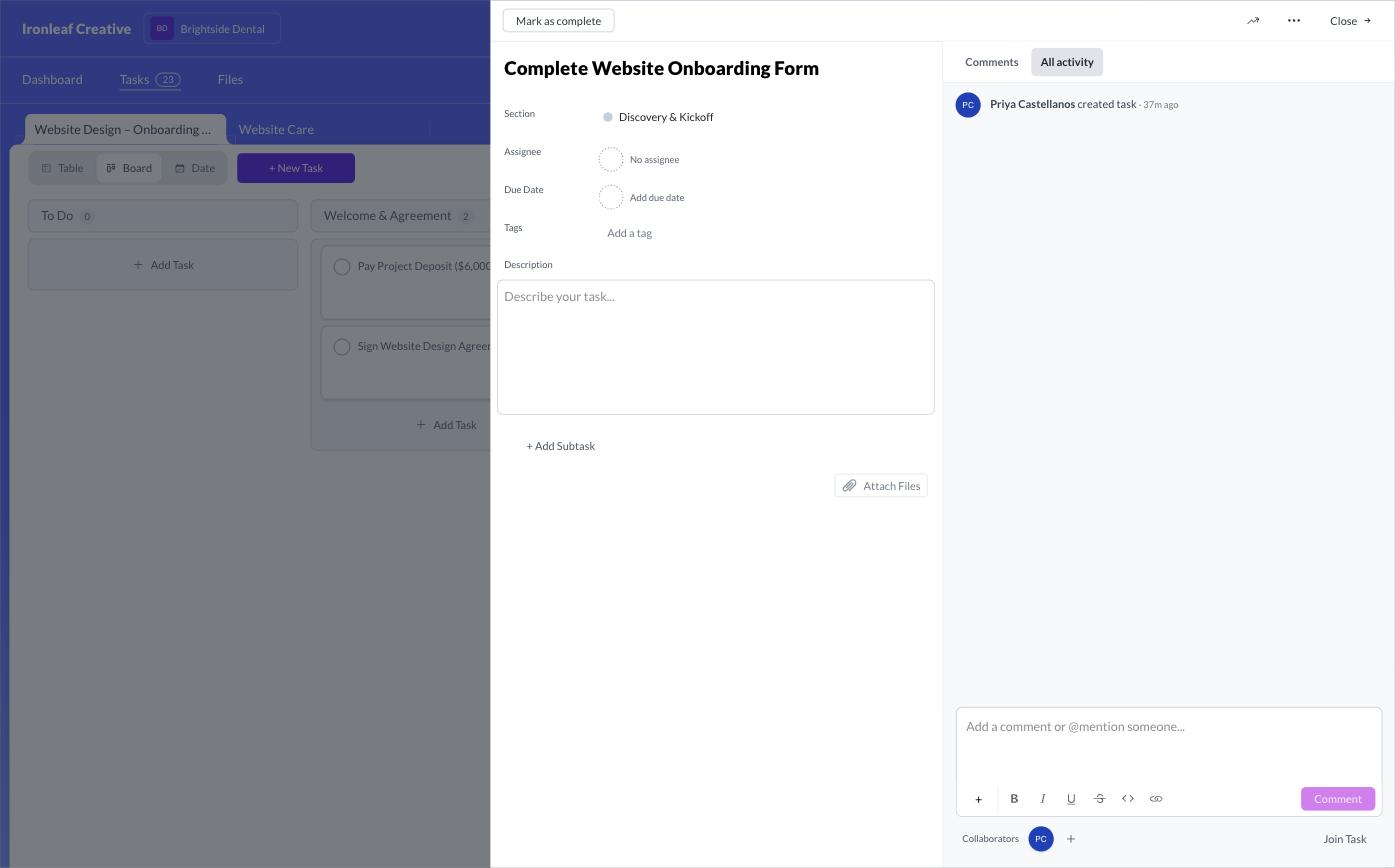
Sydnee has no contracts, no signing order, and no invoicing or payments anywhere in the product, not even behind a paid tier. For a $12,000 project with a 50% deposit, that's the core of the client relationship with nothing behind it. Forms also aren't linked to the tasks that reference them: Sydnee can't attach a form to a task, so Dana's "Complete Website Onboarding Form" task opens to find no form at all, "Schedule Kickoff Call" has no scheduler, and "Pay Project Deposit" has no payment option.
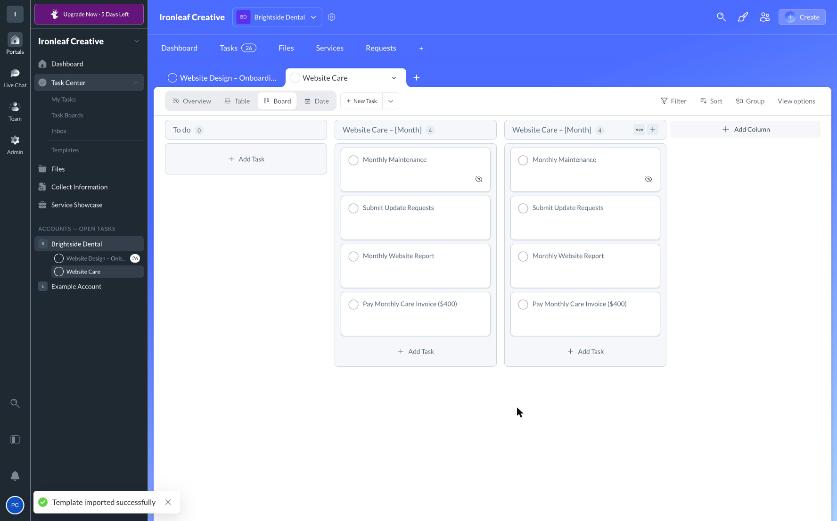
Re-running the monthly care template twice left two "Website Care – [Month]" columns side by side, with the placeholder text never replaced automatically, each month needs renaming by hand.
Dana's dashboard greets a brand-new client with an empty services storefront and a cheerful "All caught up!" message, because nothing is formally assigned to her, while 23 real tasks sit waiting. A real client would be stuck without written instructions typed into every single task description, since nothing in the product points her toward what to actually do next.
A Few Stranger Findings
A handful of details that didn't affect the grade but are worth knowing before you build in Sydnee:
Our Verdict on Sydnee
Sydnee is a clean, inexpensive client portal. Its conditional forms, task templates, and task visibility are genuinely good, the client side works well on a phone, and the project skeleton went up faster than expected. It falls short as a website-onboarding platform specifically: it can't collect a signature on a contract, can't bill or take a deposit, and can't put the form, scheduler, or staging site inside the task that asks for it. Chasing, proofing, and approval are all left to manual work. Good for coordinating the work itself, not for closing and running a paid, signed project end to end.
.svg)

Sydnee has the cleanest mobile experience we tested, but forms and tasks live separately, so a client's dashboard can say all caught up while real work is still outstanding.
Head-to-head: LaunchBay vs. Sydnee →How Sydnee Compares
Sydnee finished 4th of 7 in our full roundup. Here's how it stacks up against the tool that finished 1st.
See the full 7-tool scorecard for how every tool compares, or the LaunchBay vs. Sydnee page for a deeper head-to-head.


Get back to the work you're best at.
LaunchBay's AI-powered client portal handles the collecting, reminding, and following up, so your team spends less time chasing clients and more time delivering.
Ready to stop chasing?