.svg)


AI for customer onboarding and implementation
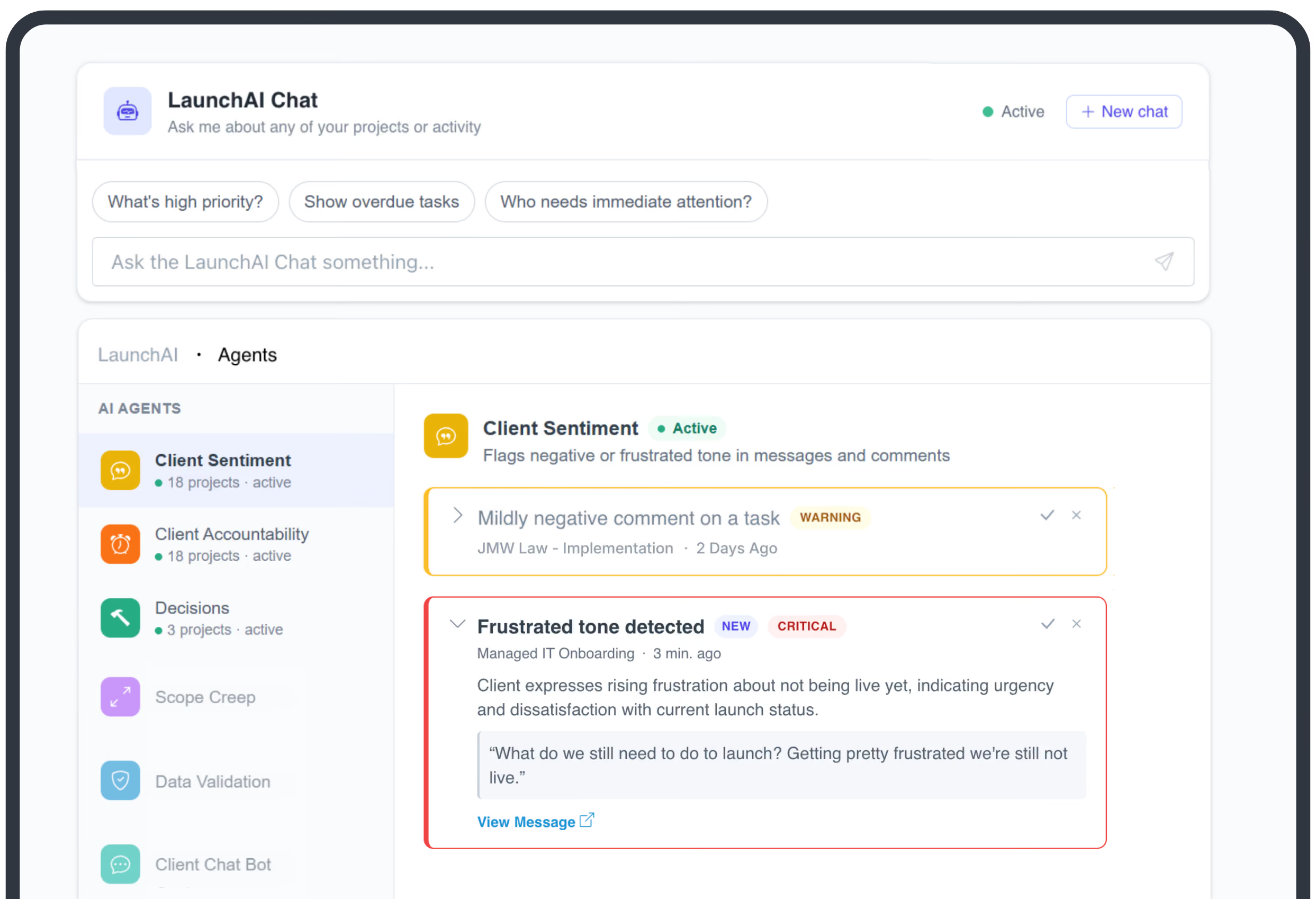
Turn every closed deal into a successful activation
Full onboarding visibility
Real-time health on every implementation. Ask LaunchAI about any account and get an answer, no status meeting required.
Faster to first value
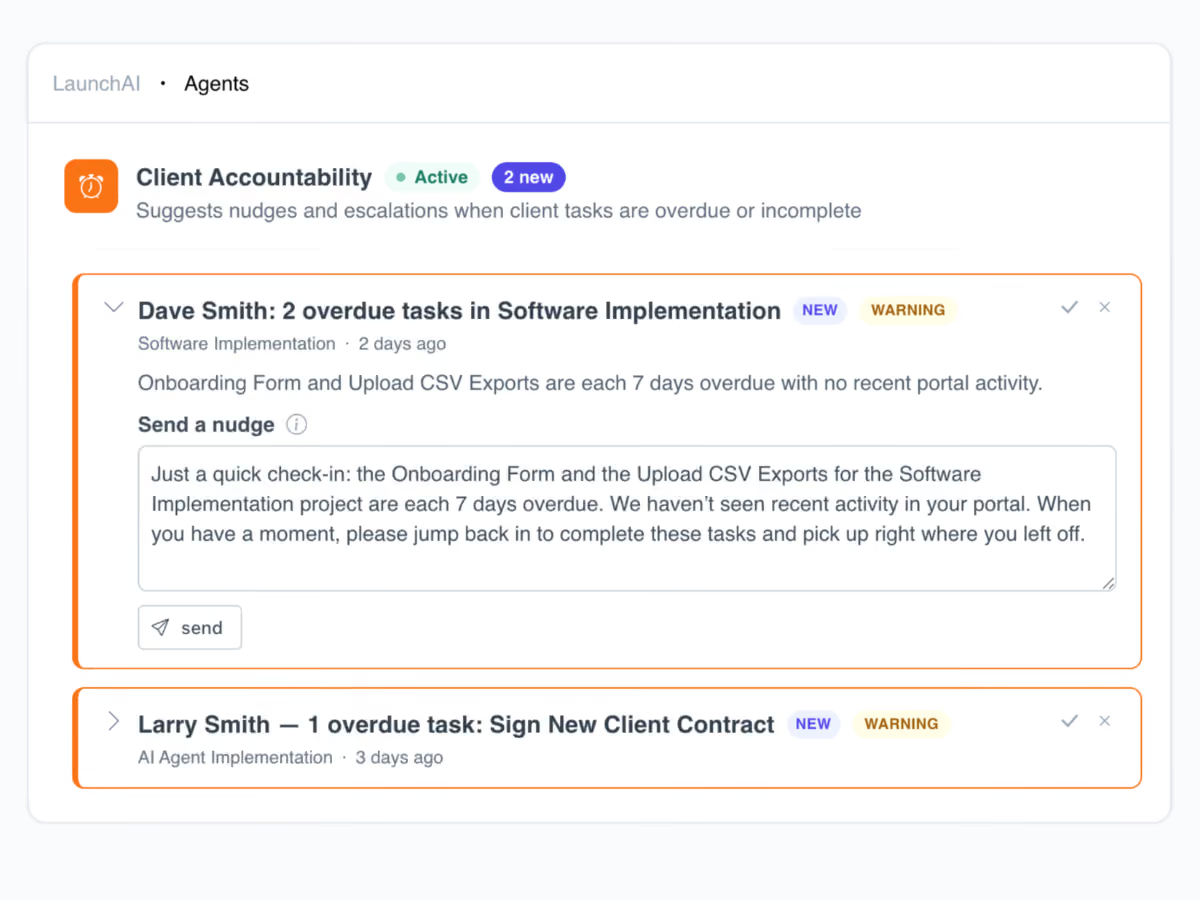
Waiting on contracts, forms, and files is what delays value. LaunchAI tracks what's outstanding and nudges the right person before the date slips.
Prevent customer churn
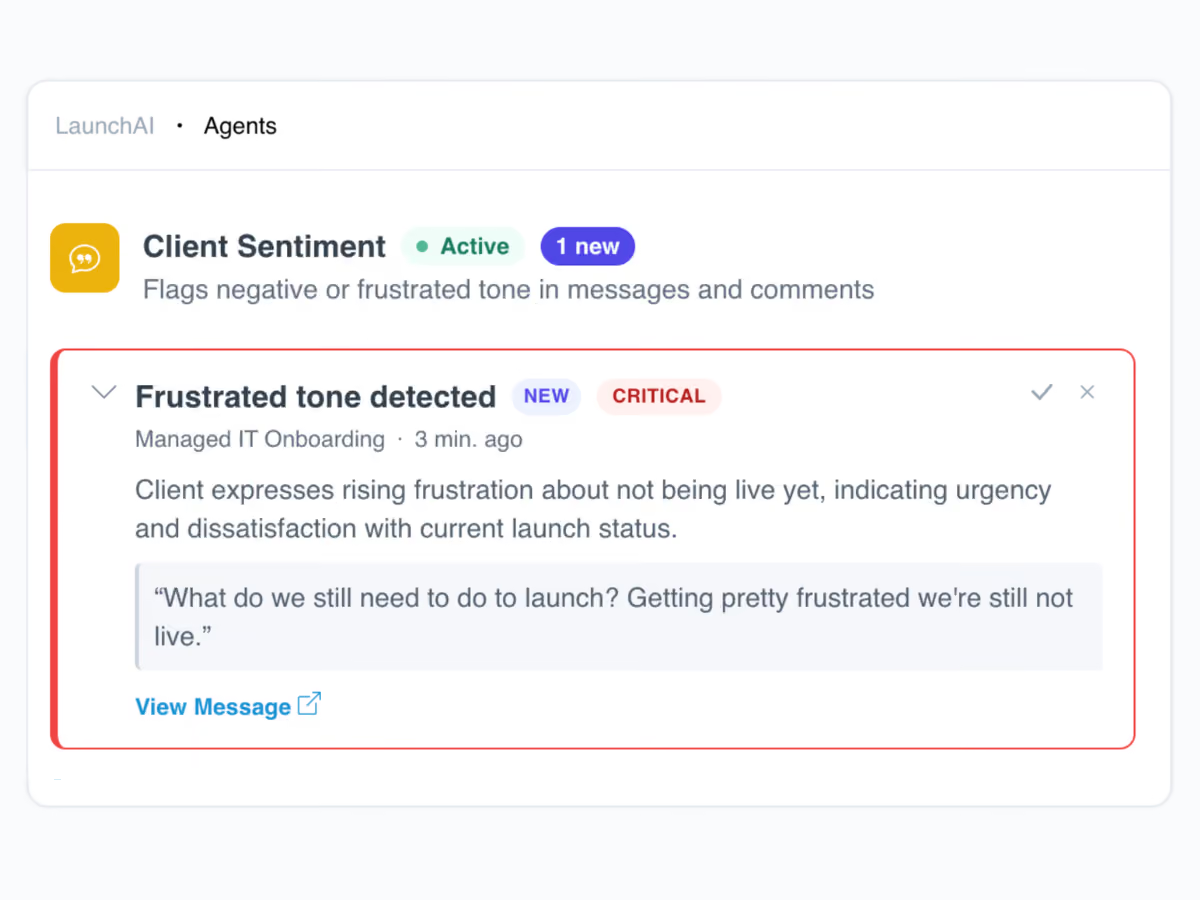
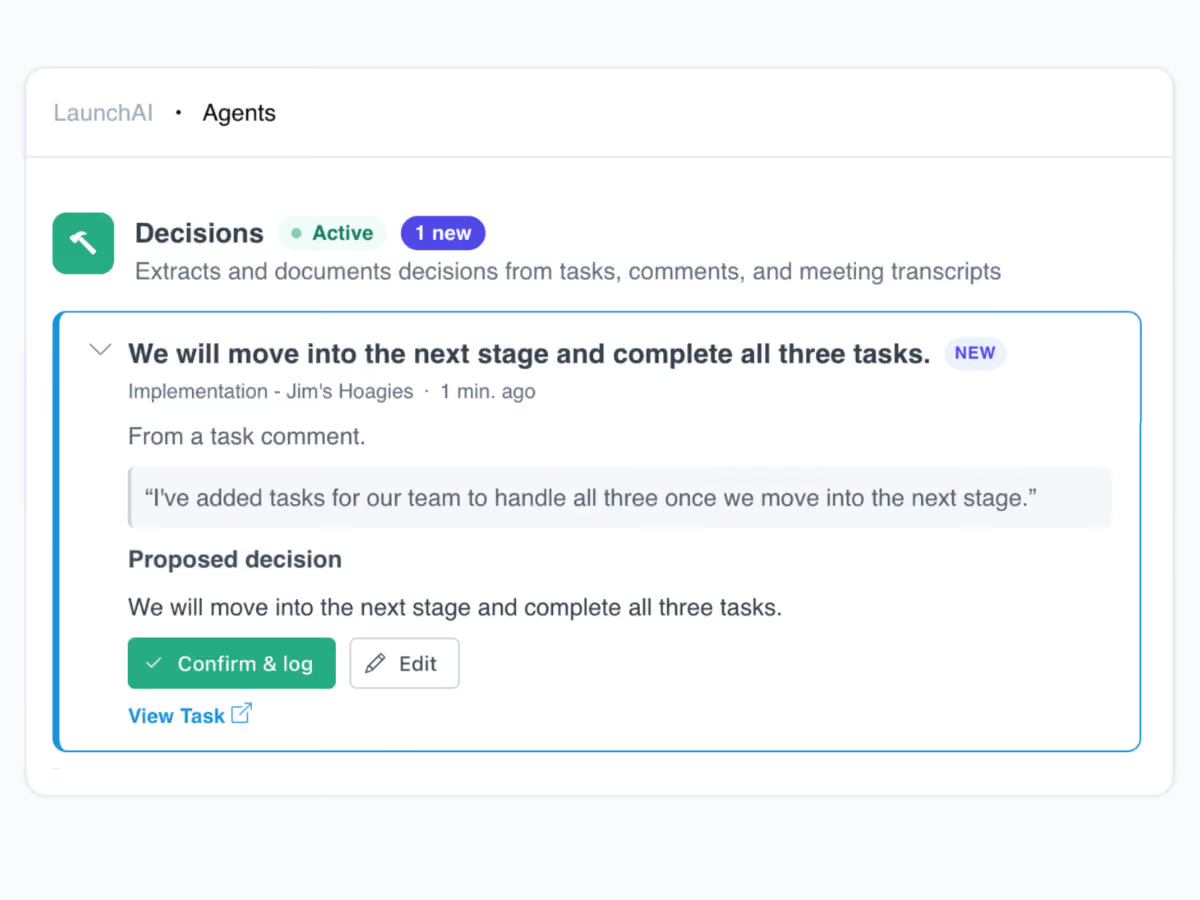
Agents watch every account for missing information, overdue work, and customer frustration, then draft the next step for you to approve.
AI agents ensure no at-risk account goes unseen
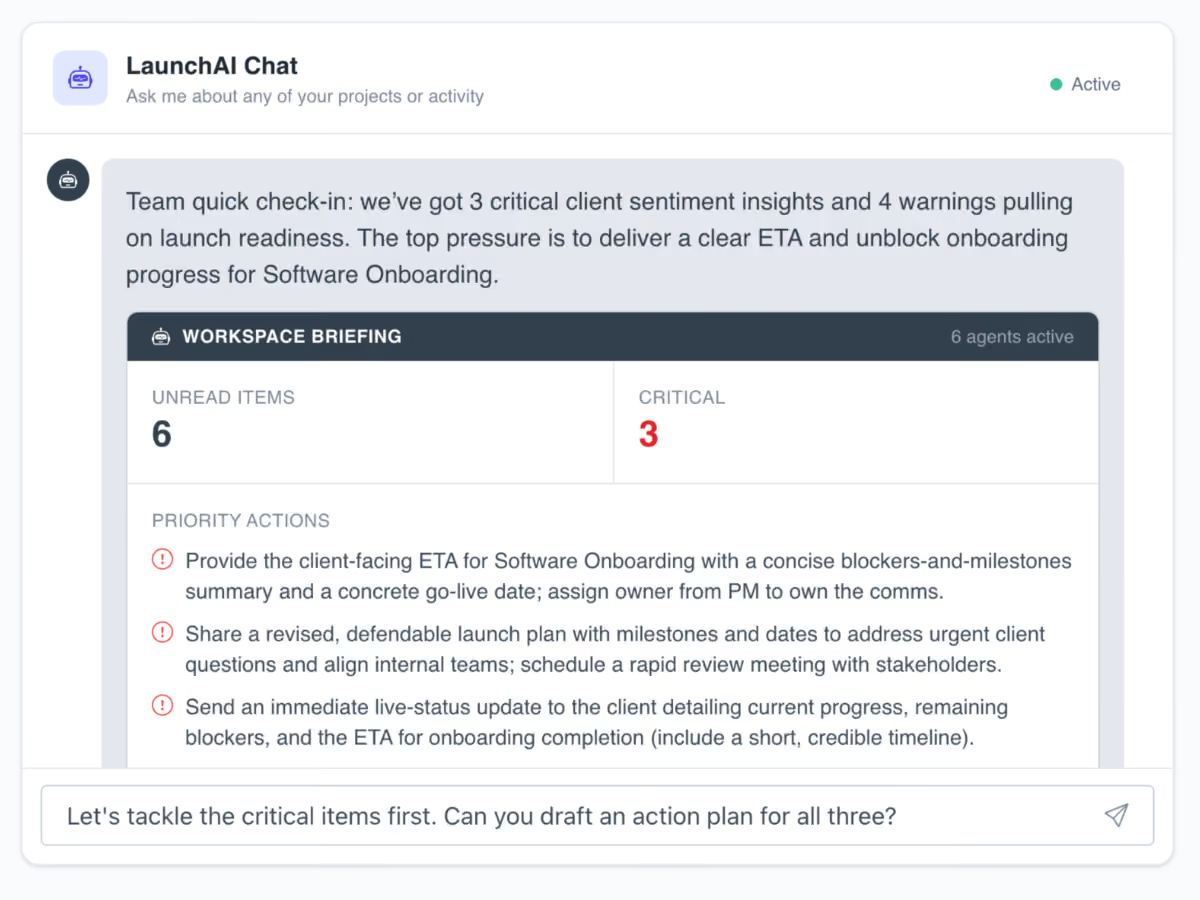
Get customers to value, without the guesswork
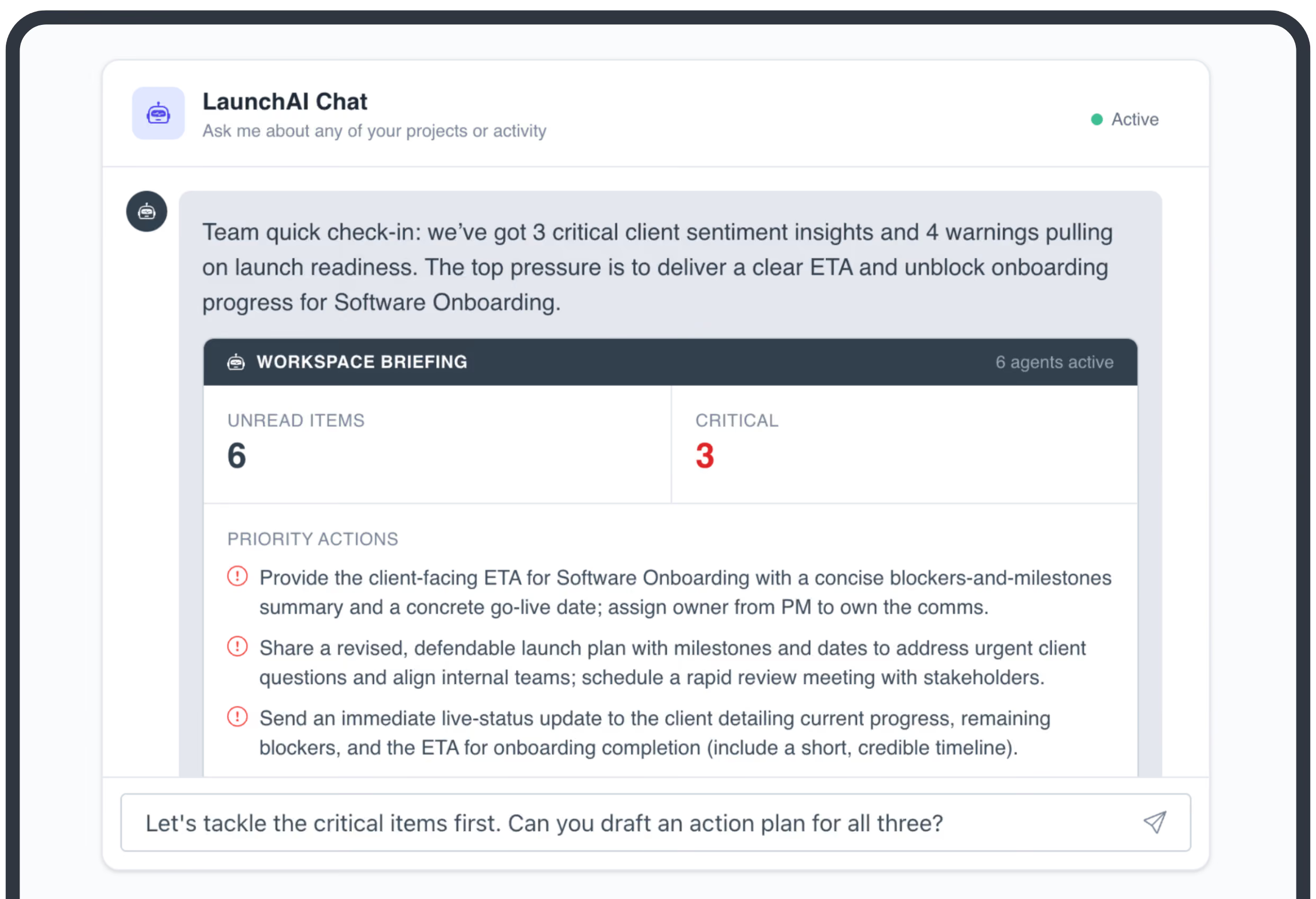
Catch what's slipping before it costs you the account
Agents run across every implementation, watching for at-risk signals, overdue work, and decisions as they happen. LaunchAI Chat opens each morning with what needs you first.
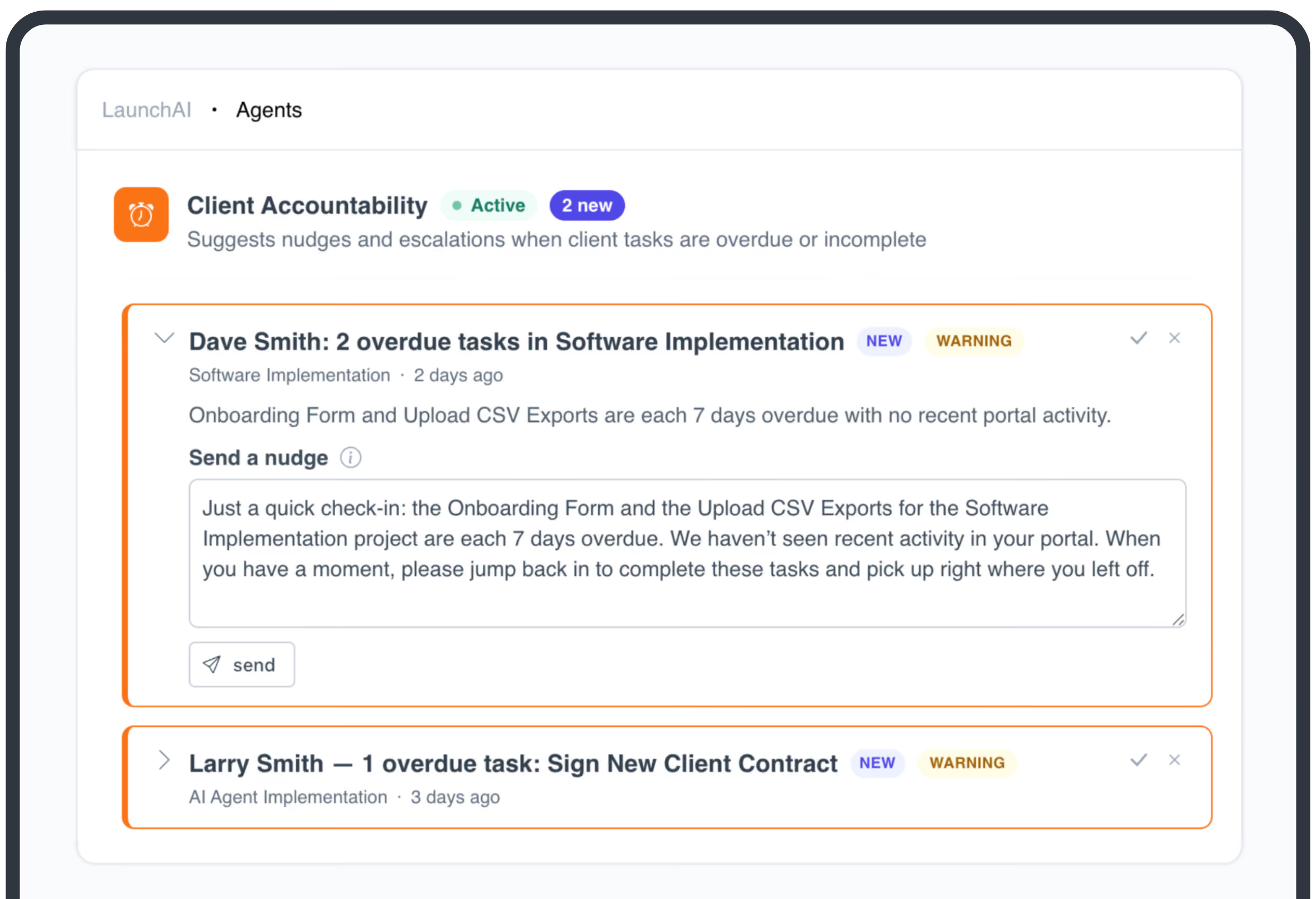
Nothing reaches a customer without your approval
LaunchAI drafts the follow-up. You review, edit if you want, and send in one click. The customer gets a clear ask and one link back to their portal, no login required.
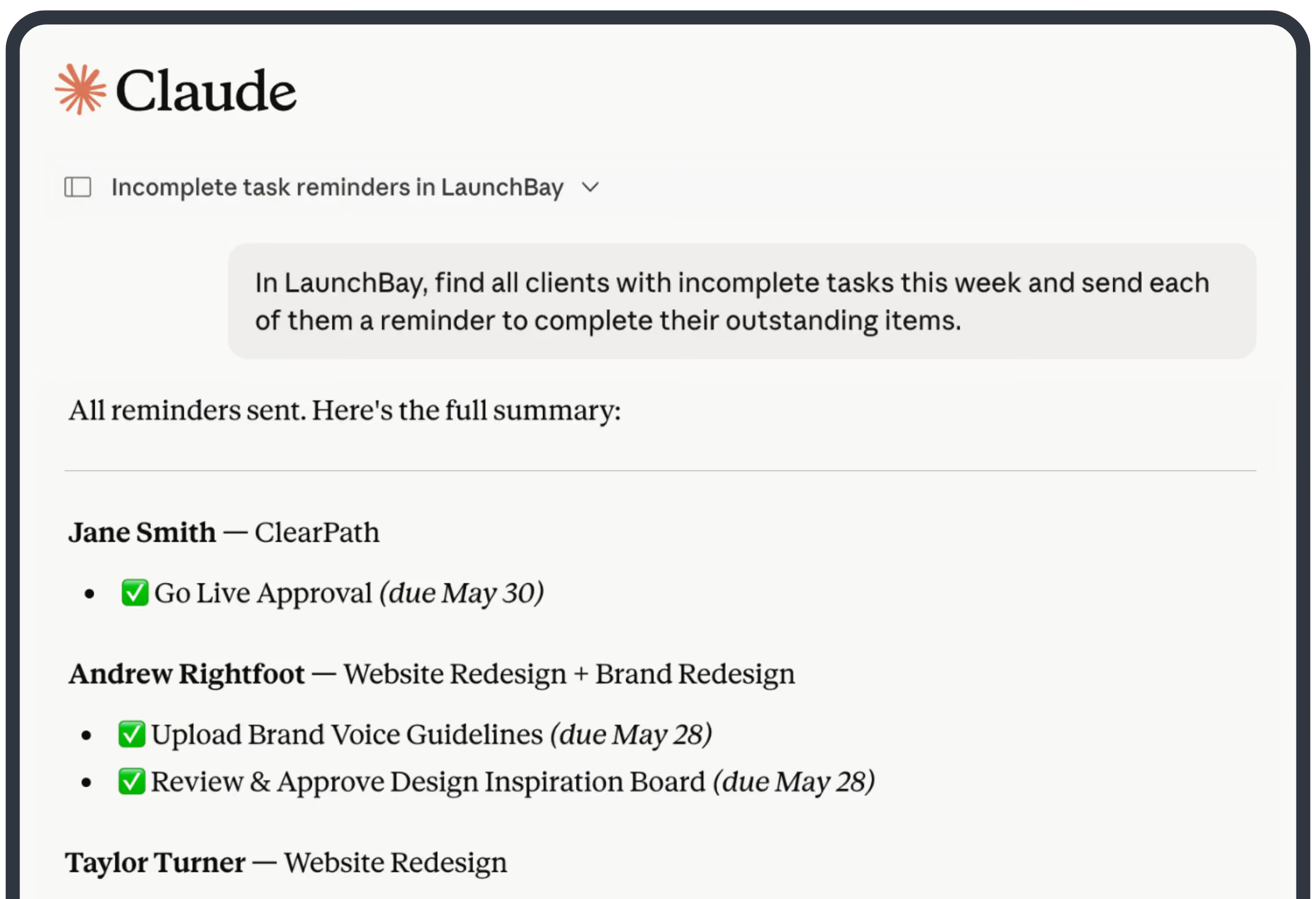
Run LaunchAI from Claude, ChatGPT, and More
Connect any MCP-compatible assistant to LaunchBay's MCP Connector. Find tasks, pull health scores, and send approved nudges from the chat you already work in.
Build full onboarding workflows in minutes
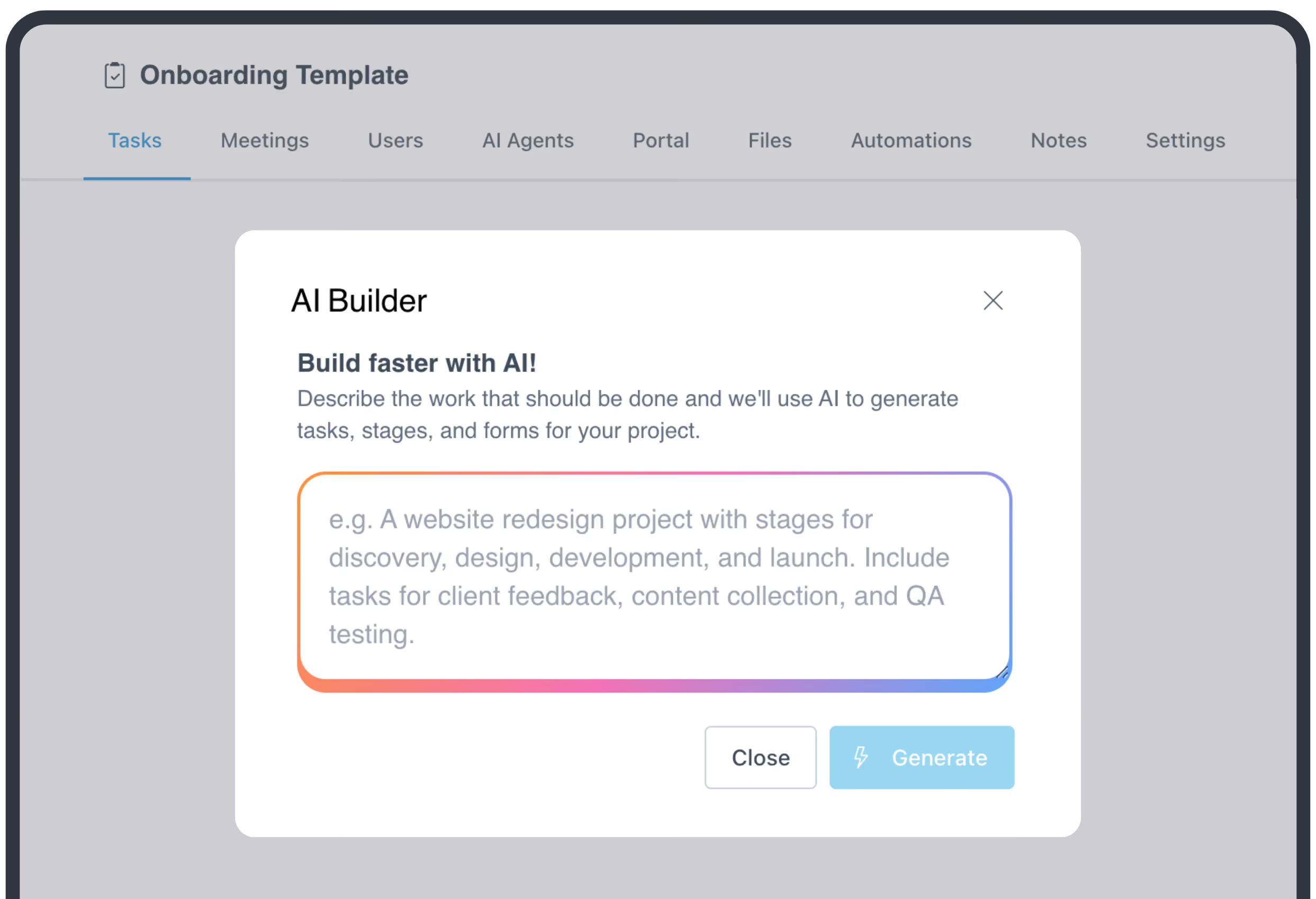
Describe the onboarding you run and LaunchAI builds it. Our project builder generates the stages and tasks, while the form builder turns a prompt into a customer intake form wired into the workflow.
Take command of every customer onboarding.
One platform to run, monitor, and unblock every customer onboarding.
Keep exploring LaunchBay's features
Client Portals
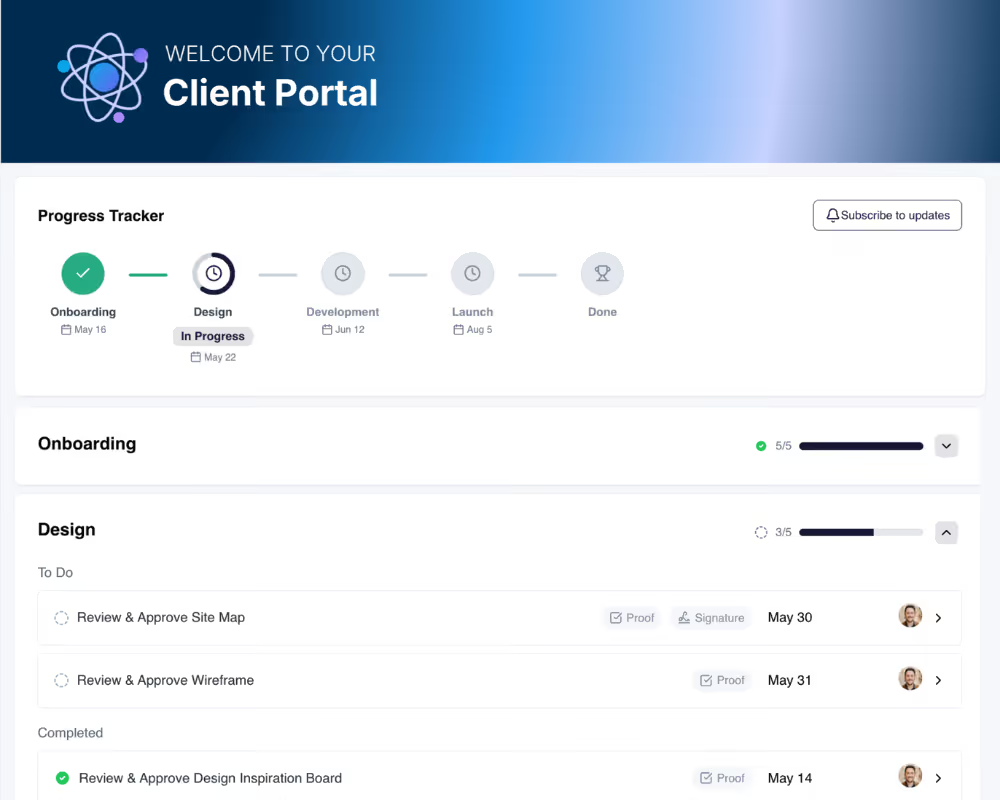
Give every customer a branded, loginless workspace they access with one magic link. No account, no password, just a single hub for tasks, status updates, and communication.
Project Templates
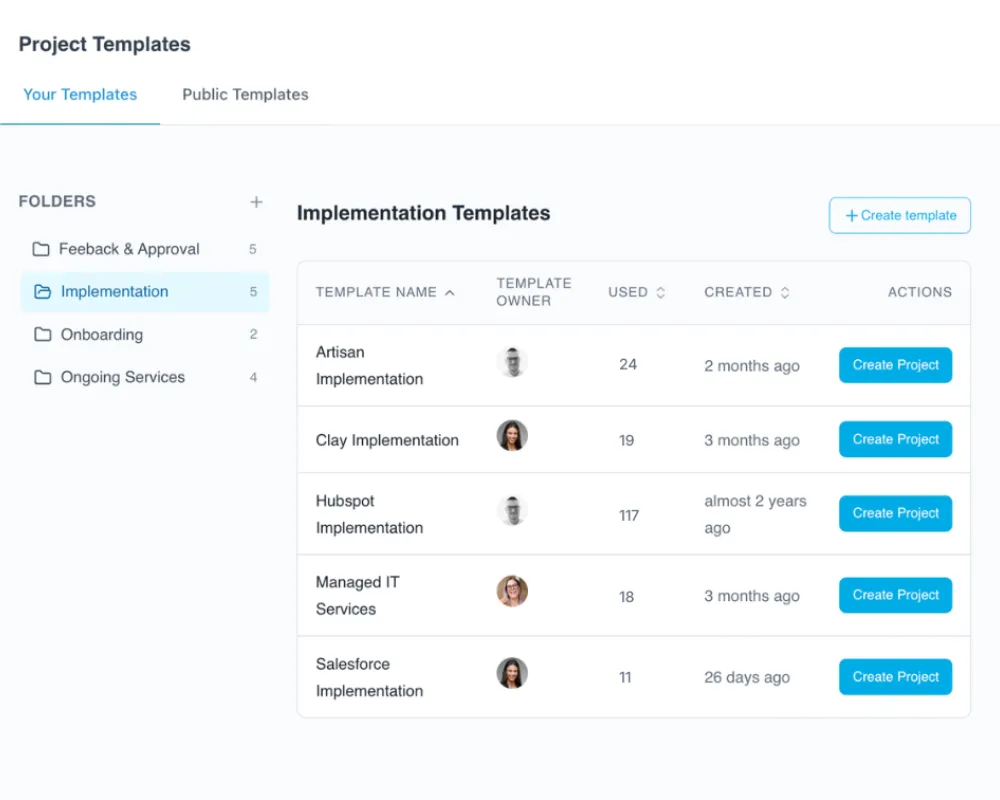
Build a workflow once and reuse it for every customer. Every new project spins up with the same proven stages, tasks, and structure, and adapts to each implementation.
Reporting & Visibility
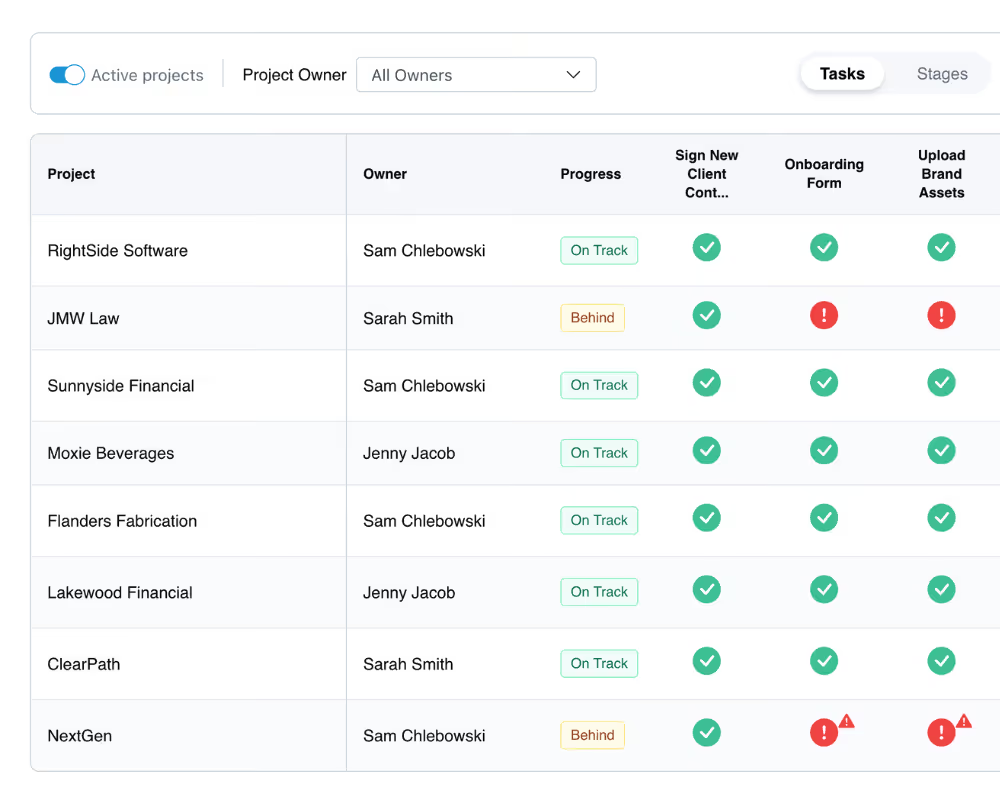
Reporting built for what onboarding and implementation teams actually need to know: which accounts are on track, which are behind, and what's holding each one up.
Frequently Asked Questions (FAQs)


Get back to the work you're best at.
LaunchBay's AI-powered client portal handles the collecting, reminding, and following up, so your team spends less time chasing clients and more time delivering.
Ready to stop chasing?