.svg)
Jan 2, 2026
10 Best Client Management Software Tools for 2026
By
Perry
.avif)
Endless emails, missed deadlines, and scattered communication. Sound familiar? These challenges can result in unhappy clients, lost revenue, and frustration amongst your team.
Before LaunchBay, my team at Brighter Vision onboarded 400+ new website clients every month and managed several thousand existing clients through our ongoing support services. To automate client onboarding, document collection, and ongoing communication at Brighter Vision, I tried dozens of tools to find a client management software solution that worked for us.
While tools like project management, CRM, and help desk software often call themselves "client management software," they often fall short of supporting a client's entire journey with your business.
The right tool for client management needs to go beyond basic project management, file sharing, and task tracking. It should have specialized features for onboarding clients, centralizing communication, and automating client emails & reminders to keep projects moving forward.
In this guide, I'll share the 10 best client management tools to help you deal with your biggest pain points, whether that's inefficient onboarding, low client engagement, or tedious project management tasks.
What Is Client Management Software?

Client management software is a tool that helps businesses stay organized by organizing client interactions throughout the customer journey. It automates onboarding, keeps communication in one place, and tracks tasks and deadlines. With the right tool, you reduce back-and-forth and deliver a better client experience.
These tools are especially valuable for businesses that regularly interact with clients, and even more so for those managing client relationships at scale.
Some key features include:
- Collaboration tools: Allow teams and clients to work together in real-time by sharing files, feedback, and updates in a unified space.
- Progress tracking: Enable both teams and clients to track project milestones and see real-time updates on progress.
- Personalized client dashboards: Provide each client with a customized dashboard where they can view tasks, timelines, and project details specific to their work.
- Time-saving automation: From automating task assignments to sending reminders and notifications, these tools handle repetitive tasks so your team can focus on what matters most.
- Analytics and reporting: Track project performance, client engagement, and other key metrics.
- Secure file sharing: Easily exchange sensitive documents with clients in a secure environment.
The Best Client Management Software (10 Tools)
Finding the right client management software can feel overwhelming with so many options out there.
But don’t worry, we've picked the top tools for you to compare below:
1. LaunchBay
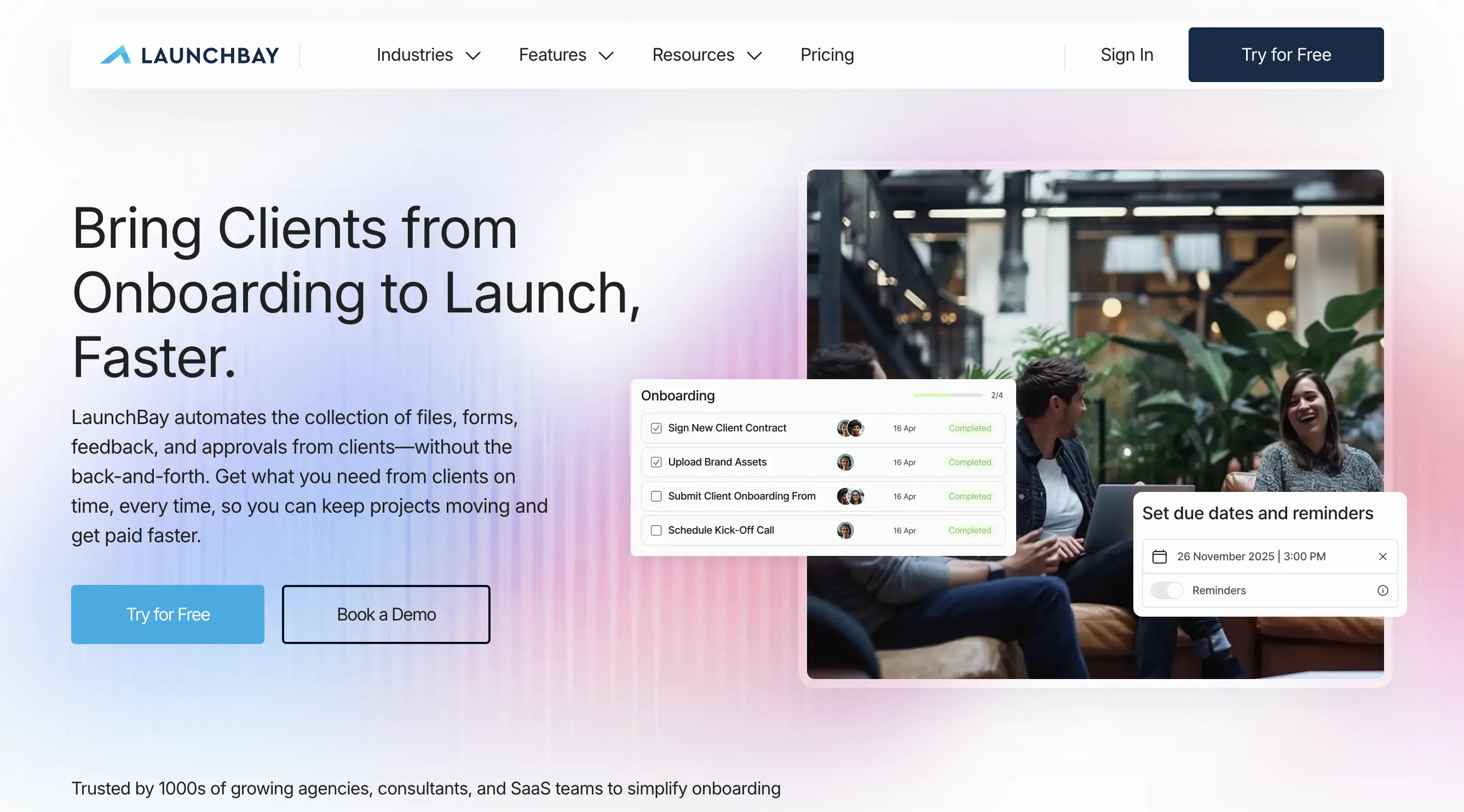
LaunchBay brings together automated workflows, file sharing, e-signatures, and client communication. It’s designed specifically for client-facing work, helping you onboard faster, communicate more efficiently, and run your client project management in white-label portals.
Key features
- White-labeled portals: Fully customize portals to your business's brand. Send emails from your own address and set up a custom domain for a professional, on-brand client experience.
- Custom app and website embeds: Add live calendars, dashboards, or other tools directly into client portals as embeds, so clients can schedule appointments, make payments, and more without leaving their portal.
- Zapier integration: Connect LaunchBay to 7,000+ apps via Zapier to sync data and trigger workflows across your existing stack.
- Loginless access: Simple and secure. Clients access their portals by clicking a magic link sent to their email. No account or login required.
- Task Composer: Attach intake forms, e-sign contracts, file requests, invoices, and deliverable approvals to any task. LaunchBay automatically notifies clients of what's needed and sends automated reminders, replacing back-and-forth email.
- Project progress tracker: Clients monitor milestones to understand project status and what's required of them to move to the next stage.
- Built-in automation builder: Trigger-based automations (for example, a closed HubSpot deal automatically creates a project, invites the client, and assigns tasks) that remove manual setup work.
- Project templates + AI Form & Project Builder: Generate full project templates and intake forms from a short prompt, or start from pre-built templates.
- Projects dashboard: Real-time status, activity, and health across every project your team manages, in one centralized view.
- LaunchAI Chat: A chat interface for interacting with your LaunchBay data and getting answers about project status.
- AI Agents: Monitoring agents that watch every active project in the background and flag what needs attention, including Client Sentiment and Client Accountability.
- MCP Connector: Native Model Context Protocol integration lets AI assistants like Claude act directly inside LaunchBay projects.
Pricing
Free Trial: Available to test the platform before committing. Start here.
Essentials Plan: $19/team member/month, billed annually (or $29/month billed monthly). No team member minimum.
Includes a branded client portal, unlimited projects and clients, magic links for portal access, intake forms, AI Form & Project Builder, invoicing and payments, and digital contracts.
Standard Plan: $49/team member/month, billed annually (or $59/month billed monthly). No team member minimum.
Includes everything in Essentials, plus automations, Zapier integration, Slack integration, client requests, recurring tasks, time tracking, meetings, project custom fields, and reporting.
Premium Plan: $69/team member/month, billed annually (or $79/month billed monthly). Minimum of 3 team members.
Includes everything in Standard, plus a white-labeled client portal, removal of "Powered by LaunchBay" branding, a custom sending domain, password-protected portals, HubSpot integration, MCP Connector, LaunchAI Chat, and AI Agents.
See the full breakdown on the LaunchBay pricing page.
Best for
LaunchBay is built for software companies, customer success teams, and implementation teams running structured customer onboarding, as well as agencies and consultants managing client work, all of whom are struggling with:
- Manual, back-and-forth onboarding processes that slow down time to value.
- Scattered communication that makes it hard to keep projects on track.
- Lack of visibility into which clients are stalled, at risk, or need attention.
- AI tooling that's bolted on rather than built into the actual workflow.
Software companies, CS teams, and implementation teams get a platform that grows onboarding capacity without adding headcount, with AI agents watching every account and an MCP Connector that plugs directly into their existing AI workflows.
Agencies and consultants get a branded, loginless client experience that replaces email chaos with one clear hub for files, contracts, invoices, and approvals, without the overhead of stitching together five separate tools.
Reviews
Rating: ★★★★☆ 4.6/5 from 59 reviews on G2 (as of September 2026)
“Before, we could only take on 5 clients because we were using email, spreadsheets, and constantly chasing people down. Thanks to LaunchBay, we can handle 20.”
Dr. Sarah Wilson, CEO & President, Canadian Safety Group
“LaunchBay client portals give us a level of credibility our competitors don't have. Our biggest clients have started referring even bigger clients, and it's a direct result of our client portal experience.”
Mariah Gates, CEO, Accelerated Automation
2. Moxo

Moxo is a client management system designed to simplify customer, vendor, and partner interactions. Its focus on data security and compliance makes it a strong choice for industries with strict regulatory requirements.
Key features
- Client & management portals: Create secure, interactive workspaces for clients, vendors, and partners.
- Configurable workflows: Automate multi-step processes to reduce manual tasks.
- Integrated collaboration: Facilitate communication through messaging, video conferencing, and document sharing.
- Dedicated client workspaces: Provide clients with personalized spaces for project management.
- Bank-grade compliance: Ensure data security with high-level compliance standards.
Pricing
Moxo offers customized pricing based on specific business needs.
Best for
Moxo is suitable for businesses that need strong security features. However, it may not be ideal for organizations that prioritize loginless access for clients or require advanced integration capabilities with other tools.
Reviews
Users appreciate Moxo's comprehensive feature set and security measures. Some have mentioned a desire for more intuitive interfaces and additional integration options.
3. Assembly
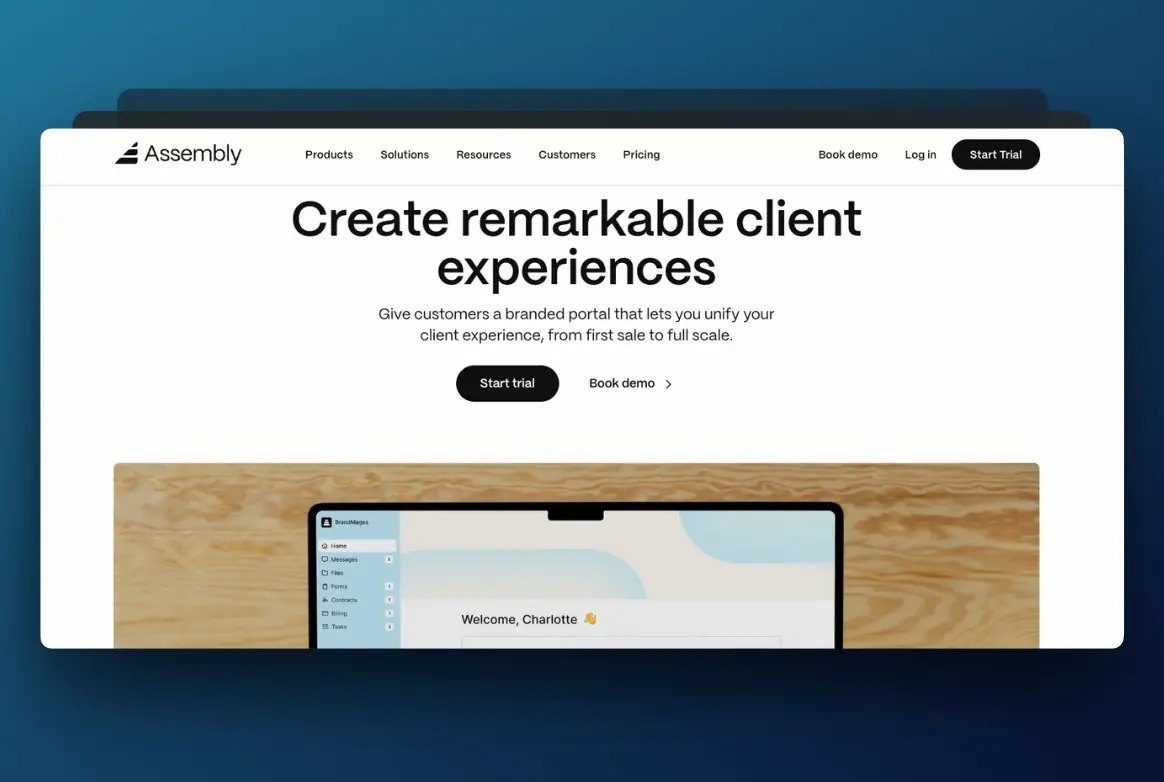
Assembly is a client portal tool built for service-based businesses that want to simplify how they work with clients. It offers a centralized platform for managing client interactions and helps businesses create a more organized workflow.
Key features
- White-labeled client portals: Customize portals with your branding.
- Integrated payments: Process payments securely and conveniently within the portal.
- Secure file sharing: Share and receive files with confidence.
- Client messaging: Keep all client communications in one organized location.
- Embeddable apps: Add third-party tools and services directly into the portal for connected workflows.
Pricing
- Free Plan: $0
Covers 5 active contacts and 1 internal user, with CRM, client experience, app builder, messaging, and billing and payments. - Starter Plan: $29/month billed annually
Raises the limit to 50 active contacts and adds API and MCP connector access. - Professional Plan: $99/month billed annually
Covers 500 active contacts and 3 internal users, and adds custom domains, an automation builder, and removal of the Assembly badge. - Advanced Plan: $499/month billed annually
Unlimited active contacts and 5 internal users, plus audit logs, enforced MFA, and HIPAA compliance with a BAA.
Pricing checked September 2026.
Best for
Assembly is great for service-based businesses that want to simplify client communication and payment processes in a centralized platform. However, if you’re dealing with complex workflows or need advanced task automation, it's not the most flexible option out there.
Reviews
Users appreciate Assembly's user-friendly interface and the ability to customize client portals. Some have noted a desire for more advanced automation options.
4. Kitchen.co

Kitchen.co is a client portal software designed to simplify communication and collaboration between agencies and their clients. It centralizes projects, tasks, messages, invoices, and files into a single platform.
Key features
- Client communication channels: Facilitate organized discussions with clients and team members.
- Kanban boards: Visualize project progress and manage tasks effectively using customizable boards.
- File management: Exchange and organize files with clients and team members in a centralized location.
- Invoicing & payments: Simplify billing processes with integrated invoicing and payment options.
- Integrations: Connect with tools like Google Drive, Dropbox, and accounting software.
Pricing
- Paid Plan: Starting at $29 per month, it offers advanced features and increased storage.
- Lifetime Plans: One-time payment options for long-term access.
Best for
Kitchen.co is ideal for agencies and creative professionals looking to manage client interactions and project workflows. However, it may not suit businesses that need deeper project-tracking dashboards or built-in templates for growing project volume.
Reviews
Users appreciate Kitchen.co’s focus on simplifying client communication. Some, however, have expressed a desire for more advanced customization options and deeper integrations.
5. HoneyBook

HoneyBook is an all-in-one client management platform tailored for creative entrepreneurs and freelancers.
Key features
- Invoicing & payments: Create and send invoices, accept online payments, and track financials in one place.
- Proposals & contracts: Generate professional proposals and contracts with e-signature capabilities.
- Client portal: Offer clients a dedicated space to view project details and invoices.
- Expense management: Track expenses and integrate with accounting software like QuickBooks.
Pricing
- Starter Plan: $19/month
Includes essential features like invoicing, proposals, and contracts; perfect for freelancers starting out.
- Essentials Plan: $39/month
Offers everything in the Starter Plan plus scheduling, expense tracking, and automations for growing businesses. - Premium Plan: $79/month
Adds advanced features like team collaboration, reporting, and priority support for larger teams.
Best for
HoneyBook is ideal for creative professionals and small business owners looking for a system to manage client interactions, projects, and finances. However, it lacks advanced features, like deeper project tracking or integration with custom workflows, which may not suit larger organizations or teams managing complex projects.
Reviews
Rating: ★★★★☆ (4.4/5 from 194 reviews on G2, as of September 2026)
Users appreciate HoneyBook's intuitive design. Some would prefer more advanced reporting capabilities.
6. Dubsado

Dubsado is a comprehensive business management solution built to help entrepreneurs and small business owners simplify their day-to-day operations. It brings everything you need, like managing clients, projects, and finances, into one place to keep things organized.
Key features
- Customizable form templates: Create branded contracts, lead capture forms, questionnaires, and proposals.
- Invoicing & payment plans: Generate invoices with flexible payment plans.
- Automated workflows: Automate routine tasks such as sending emails, completing tasks, and creating invoices to save time.
- Bookkeeping integration: Keep track of expenses and integrate with accounting software to maintain accurate financial records.
Pricing
- Starter Plan: $35/month; includes unlimited projects and clients, invoicing, and form and email templates.
- Premier Plan: $55/month; includes all Starter Plan features plus scheduling, automated workflows, public proposals, multiple lead capture forms, and Zapier integration.
Dubsado raised prices on December 1, 2025. Existing subscribers were grandfathered at the previous $20 and $40 rates. Pricing checked September 2026.
Best for
Dubsado is ideal for small to medium-sized businesses and freelancers who require a platform to manage client relationships. However, users have reported a steep learning curve during the initial setup.
Reviews
Rating: ★★★★☆ (4.3/5 from 74 reviews on G2, as of September 2026)
Users appreciate Dubsado's comprehensive features and customization options. Some have noted that the platform can be complex to set up and may require a longer learning period.
7. Ahsuite

Ahsuite is a simple, easy-to-use client portal tool that helps businesses stay organized. It’s known for making collaboration smoother by centralizing communication, document sharing, and tasks in one secure place.
Key features
- Customizable client portals: Create branded, white-label portals tailored to your business.
- Secure document sharing: Safely store and share files with clients.
- Task management: Assign and track tasks within the portal.
- Password management: Securely share and manage passwords with clients.
Pricing
- Grow Plan: $8/month; offers additional features for growing businesses.
- Professional Plan: $17/month; includes advanced features and network access.
- Agency Plan: $29/month; provides comprehensive features for agencies managing multiple clients.
Pricing checked September 2026.
Best for
Ahsuite is ideal for small businesses, freelancers, and agencies needing a secure and customizable platform. However, if you rely on many software integrations, it might feel a bit limited.
Reviews
Users appreciate Ahsuite's ability to customize client portals. Some would prefer more advanced automation options.
8. Sydnee

Sydnee is a white-label client portal tool that helps freelancers and small teams keep everything with their clients organized. It's known for its easy-to-use setup, and it lets you manage tasks, share files, and collect client requests all in one branded portal.
Key features
- Service showcase: Highlight additional services to clients within their portal to make upselling simple.
- White-label branding: Use your logo, colors, and domain to create a portal that looks yours.
- Tool integration: Add tools like Figma, Calendly, and Airtable right into the portal for easy access.
- Client requests: Gather client info and files with customizable forms.
Pricing
- Core Plan: $39.99/month for up to 2 team members; includes 100 client portals and 1 TB of file storage.
- Growth Plan: $99.99/month for teams of 3 to 24; includes 1,000 client portals and 3 TB of file storage.
- Power Team Plan: $249.99/month for 25+ team members; includes 10,000 client portals, 10 TB of file storage, and priority support.
Every plan includes API and Zapier access plus a custom domain, custom email, and white-labeling. Monthly rates shown; annual billing is also available. Pricing checked September 2026.
Best for
Sydnee is a great fit for freelancers and small teams who want a simple, branded way to collaborate with clients. But if you’re after advanced automation or a lot of integrations, you might need something with more depth.
Reviews
Users love how easy Sydnee makes it to keep client tasks and files organized. Some wish it had more automation options.
NOTE: The following options aren’t specifically designed as client management software and don’t include features like client portals or client-specific automations. However, their flexibility and customization options make them adaptable for managing client-related workflows.
9. Notion

Notion is an all-in-one workspace that combines note-taking, task management, and collaboration features. While not specifically designed as client management software, its flexibility allows users to manage client information and projects effectively. We cover the trade-offs in detail in our guide to using Notion as a client portal.
Key features
- Customizable databases: Create tailored databases to store client details, project timelines, and communication logs.
- Collaboration features: Share pages with clients or team members, assign tasks, and comment directly within documents.
- Project management: Use Kanban boards, calendars, and timelines to manage projects and track progress.
- Notion AI: Use its AI features to automate tasks, generate content, and boost productivity.
Pricing
- Plus Plan: $8 per user/month; offers unlimited file uploads and advanced permissions.
- Business Plan: $15 per user/month; includes SAML SSO and private team spaces.
- Enterprise Plan: Custom pricing; tailored for large organizations with advanced security needs.
Best for
Notion is ideal for businesses and individuals looking for a customizable platform to manage various aspects of their work, including client relationships. However, it has a learning curve to set up and optimize for client management purposes.
Reviews
Users appreciate Notion's flexibility and the ability to tailor it to their needs. Some have noted that the initial setup can be time-consuming.
10. Airtable

Airtable combines the familiar feel of spreadsheets with the advanced capabilities of a database. While it’s not built specifically for client management, its flexibility means you can customize it to handle client workflows, track projects, and keep everything organized.
Key features
- Customizable databases: Build your own system to manage client details, project timelines, and communication all in one place.
- Templates: Use pre-built templates for CRMs, project tracking, and client management to save time.
- Integration capabilities: Connect it with tools like Slack, Zoom, and others to keep your workflow smooth.
- Collaboration features: Share your workspaces, assign tasks, and chat directly in the platform.
Pricing
- Free Plan: $0; unlimited bases, 1,000 records per base, and up to 5 editors.
- Team Plan: $20 per seat/month billed annually ($24 billed monthly); 50,000 records per base and 25,000 automation runs.
- Business Plan: $45 per seat/month billed annually ($54 billed monthly); adds an admin panel, SAML single sign-on, and two-way sync.
- Enterprise Scale: Custom pricing for large organizations.
Pricing checked September 2026.
Best for
Airtable works well for businesses and teams that need something flexible to manage customer data and projects. But if you’re looking for a ready-to-go client management system, be prepared to spend some time setting it up to fit your needs.
Reviews
Users appreciate Airtable’s flexibility and how easy it is to customize. Some mention it takes a bit of time to set up and learn.
Which Client Management Software Is Best for You?
If you want to transform how smoothly your business runs, you have to choose the right client management solution.
It's not just about managing tasks. It's about solving the real pain points that slow you down.
LaunchBay is the best client management software for tackling inefficient onboarding, messy communication, and low customer engagement.
With features like loginless client portals, automated onboarding, and easy project tracking, it keeps workflows simple and everything on track, without the usual back-and-forth.


Get back to the work you're best at.
LaunchBay's AI-powered client portal handles the collecting, reminding, and following up, so your team spends less time chasing clients and more time delivering.
Ready to stop chasing?