.svg)
Sep 14, 2026
Why You Need a Client Portal (and Why You Don't)
By
Zack Garbow
If you work in software or professional services, whether that's implementation, an agency, or consulting, you have watched this play out more times than you can count. You close a new deal. Everyone is excited. Someone rings a bell in Slack. And then, almost immediately, that brand new client is at risk, because client onboarding and implementation is hard.
Let us count the ways:
- Motivation drops the moment the contract is signed. The buyer was energized during the sales process. Now they have to gather assets, answer questions, and get their own team to participate. That energy fades fast.
- Collecting information over email is a mess. You need logins, brand files, a list of stakeholders, approval on a scope doc. All of it arrives in a dozen stacked email threads, half of them with the wrong people CC'd.
- Tracking several onboardings at once is confusing and error prone. Who is waiting on whom? Which kickoff is stalled? Which client asked for a status update yesterday and never got one?
The client ends up frustrated, confused, and impatient. Your relationship is strained before you've launched a single thing for them. That's no way to grow an account. In fact, it's one of the most reliable ways to churn one.
One potential fix for all of this is the client portal. This article covers what a client portal actually is, the different kinds (some of which make things worse), what the best ones do, who genuinely needs one, and who should skip it for now.
What is a client portal?
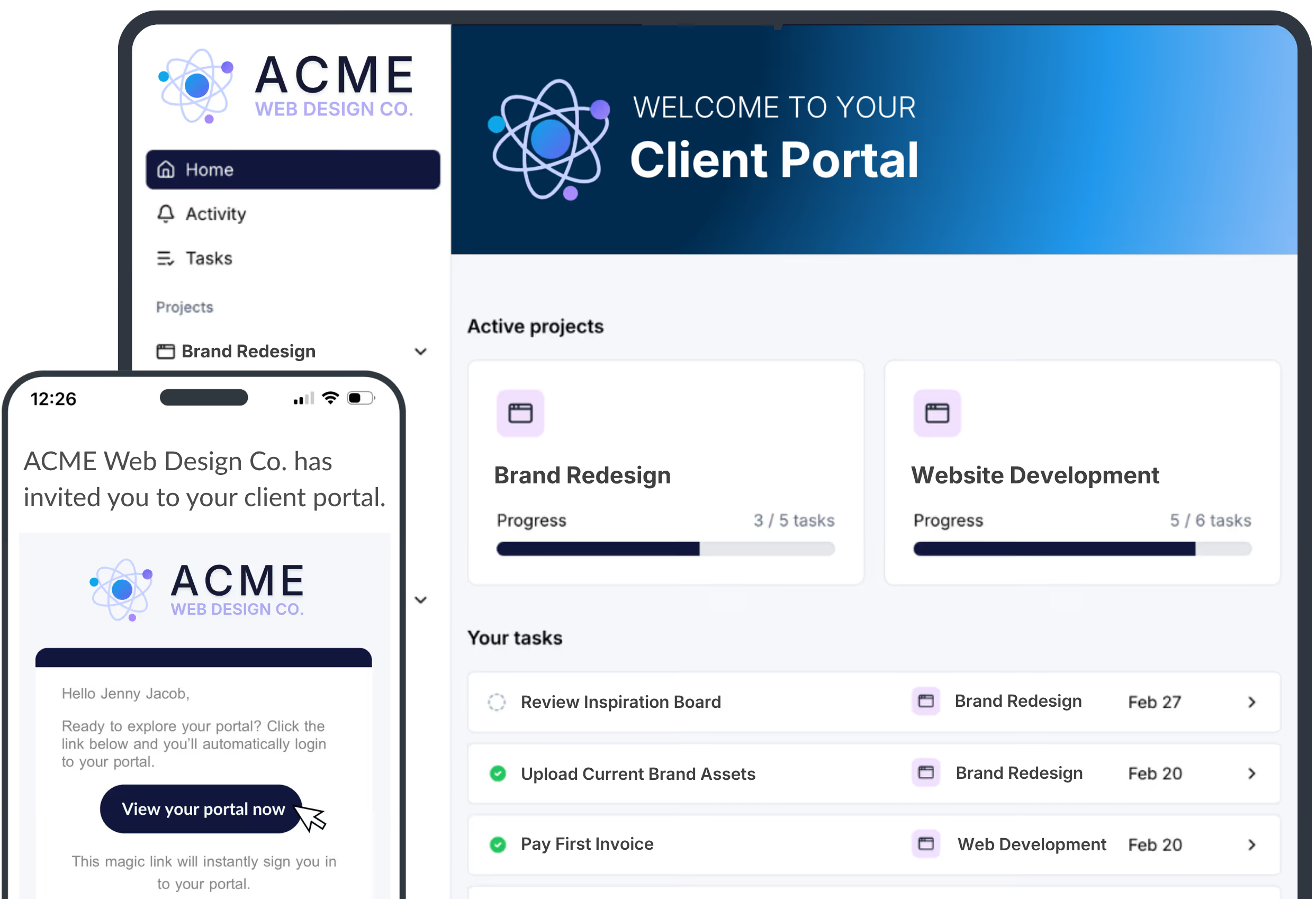
A client portal is a secure, branded space where your clients can see the status of their work with you, complete the tasks you need from them, share files and information, and communicate with your team, all in one place, instead of across email, spreadsheets, and shared drives.
Think of it as the client-facing half of your project management system. Your team has an internal view of every project. The client portal is the version of that view built for the person on the other side of the engagement: what's done, what's next, what you need from them, and how to get it to you.
Client portals show up under a lot of names, including customer portal, client dashboard, client onboarding portal, customer onboarding software, and client project management software. The label matters less than what the portal actually does, which is where things get interesting.
The four types of client portals
Not all client portals are the same tool. In practice they fall into four types, and the differences change whether the portal helps your clients or just adds another login for them to forget.
1. The configurable "hangout"
This is a shared space with a logo on it. Some pages, a file area, maybe a message board. You configure it, invite the client, and hope they check in. Think Notion or ClickUp pages, or a generic white-label portal product.
There's no structure pushing anyone toward the next step. The client has to remember it exists, log in, and figure out what they're supposed to do. Most don't.
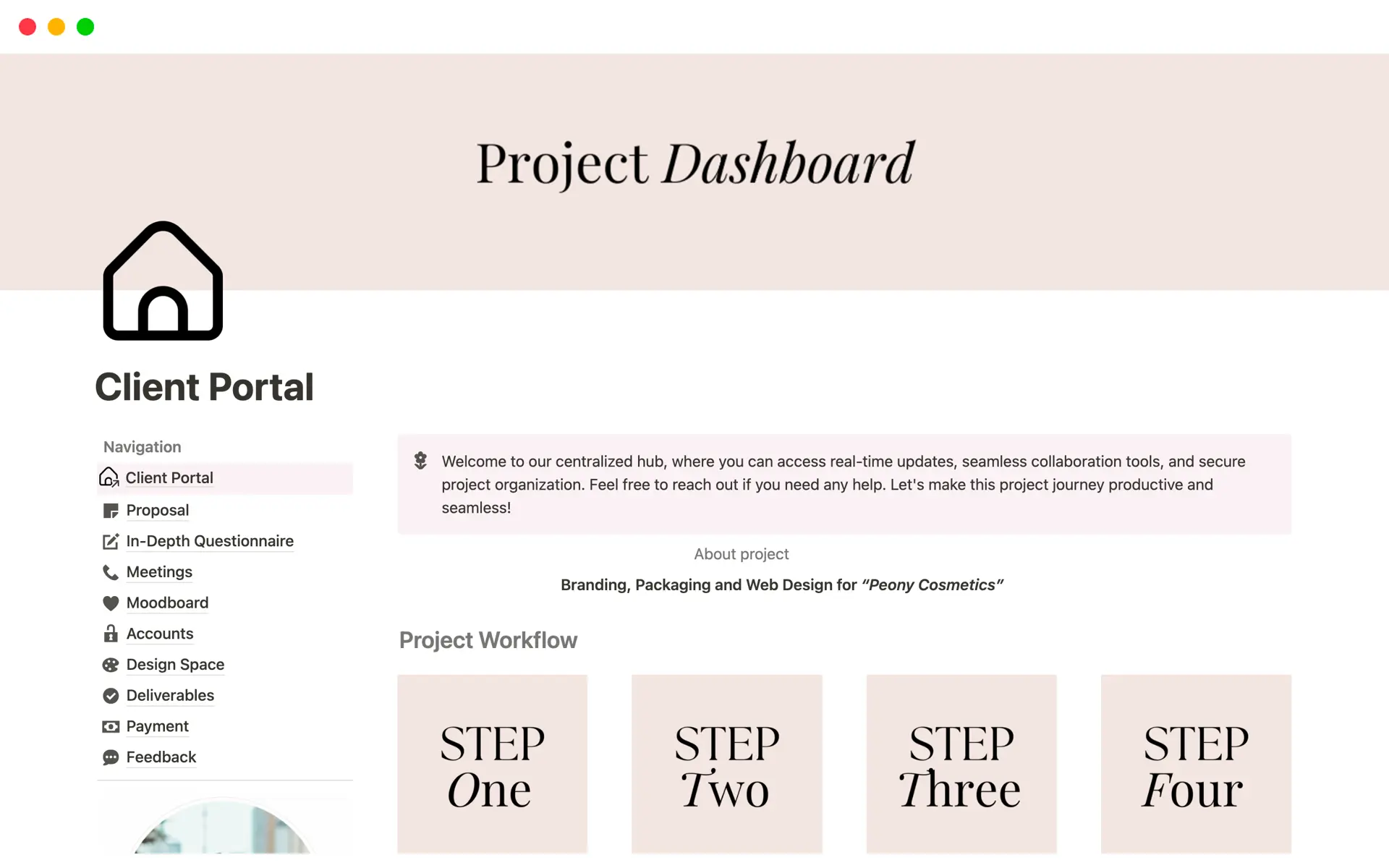
Examples: A shared Notion page or ClickUp doc, a Google Drive or Dropbox folder with the client's name on it, Basecamp used as a client project space, and dedicated white-label portals like Clinked, SuiteDash, and FuseBase that center on file sharing, messaging, and branded pages.
2. The portal with client-only tasks
This is a step up in that it gives the client a checklist: upload your logo, fill out this form, approve this document. It's clearer, and it does gather information more cleanly than email.
The problem is that it only shows half the project. Your team's work is invisible, so the client can't see progress, can't see dependencies, and still has to ask "where are we on this?" The portal becomes a form-collection tool rather than a shared view of the engagement.
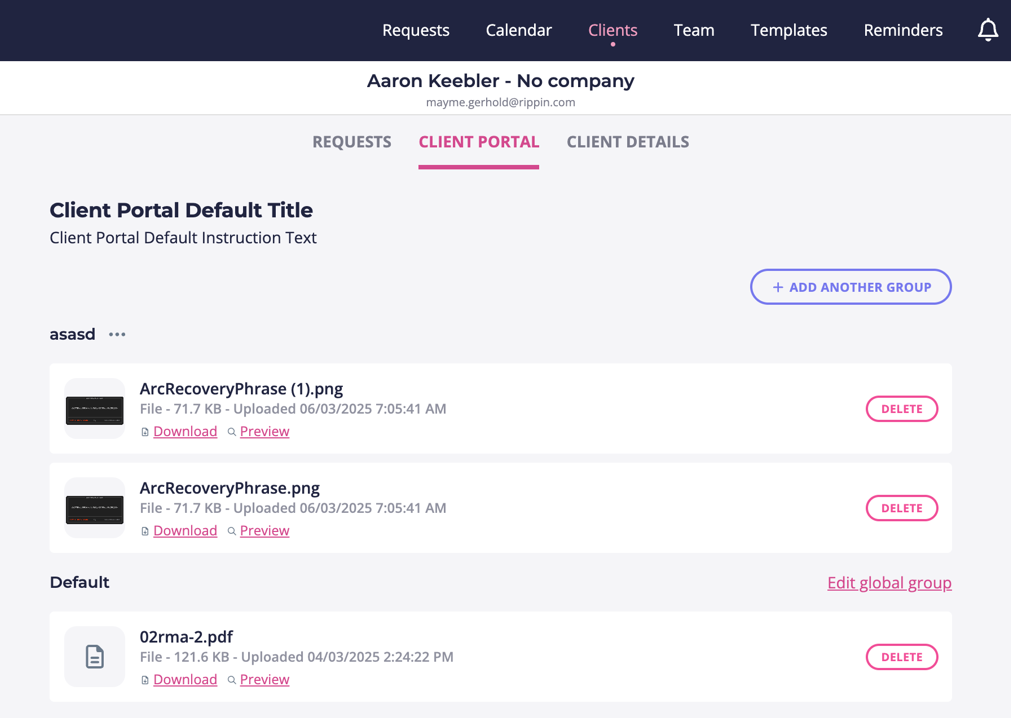
Examples: Content Snare for document and information collection, intake-and-invoicing tools like HoneyBook, Bonsai, and Dubsado that give clients forms and questionnaires to complete, and client-facing onboarding plans like Arrows and Dock, which are strong on the client's checklist but keep most of the team's delivery work in a separate system.
3. Team and client tasks together, with proper permissions
Here both sides of the work live in one project. Team tasks and client tasks sit in the same stages and timeline, with permissions controlling what the client sees and can act on. Client tasks are clearly marked as theirs. Team tasks show up as progress rather than noise.
This is where a client portal starts to solve the actual problem: the client always knows what's done, what's happening now, and what's blocked on them.
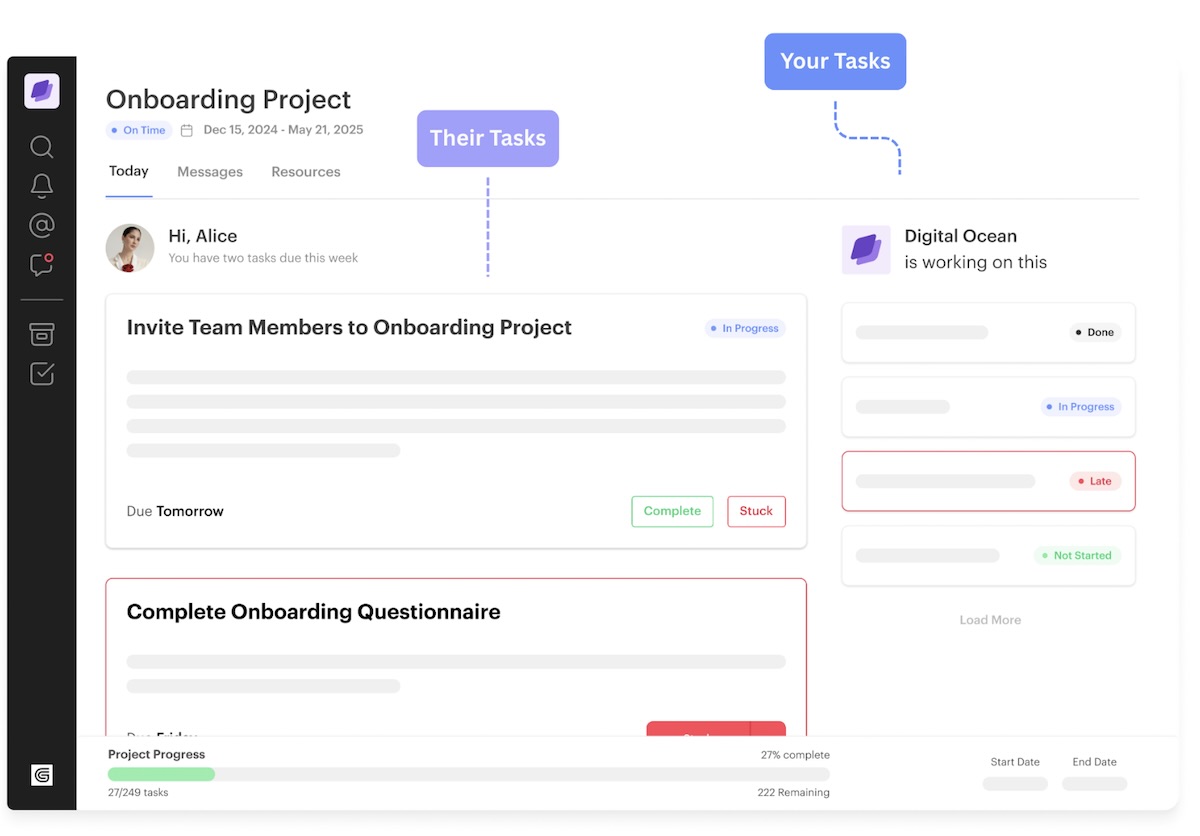
Examples: GUIDEcx and Rocketlane for software implementation teams, Moxo for structured client workflows, Teamwork with client users enabled, and general project tools like monday.com or Asana when a client is invited as a guest (workable, but permissions are coarse and clients still need an account).
4. AI-powered client portalsto keep projects moving
The newest generation adds an AI layer on top of a shared project. Instead of your team manually chasing overdue items, writing weekly status emails, and answering "any updates?" messages, AI agents do it. They nudge clients on stalled tasks, generate progress reports, summarize what happened across every active onboarding, and flag the projects at risk.
The portal stops being a place people have to visit and becomes a system that reaches out when it matters.
Examples: LaunchBay, where LaunchAI agents chase stalled client tasks, write progress reports, and monitor every active project; Rocketlane, which has added agentic AI on top of its implementation platform; and Valuecase, which pairs login-free client spaces with a built-in AI agent. Most of the tools in the first three categories have bolted on AI writing assistants, which is not the same thing. The test is whether the AI takes action on the project (nudging, reporting, flagging risk) or just helps you type faster.
Why the wrong client portal makes onboarding worse
Here's the uncomfortable truth. The first two types on that list often make the situation worse, not better.
A client portal that is just a place to go is one more thing your client has to remember. They probably won't. Now they aren't doing what they need to do, they are more confused than before, and they've stopped reading your emails because "everything's in the portal now."
Email is a bad tool for onboarding, but at least everybody knows how to use it. If your portal doesn't beat email on ease of access and clarity of next step, you've traded a familiar mess for an unfamiliar one.
What the best client portals have in common
The client portals that actually reduce churn and shorten time to launch share a specific set of traits. If you're evaluating client portal software, this is the checklist.
- Login-less magic links. Clients open a link from their email and land directly on the task. No password to create, no password to forget, no "reset my access" tickets. This single feature is the difference between a portal clients use and one they abandon.
- Full white-labeling. A logo and your brand colors are plenty in many cases. But custom domains and custom email sending infrastructure help the portal fully represent you and your brand.
- Overall progress tracking front and center. A clear progress bar or stage view answers "what's the status of this project?" before the client has to ask. That question is the single biggest source of back-and-forth in any onboarding.
- Both client and team work, clearly marked. Clients see what your team is doing and what they themselves owe. Labels make it obvious which is which. Nobody has to guess.
- Comments, chat, and collaboration in context. Questions about a task live on the task, not in a separate email thread that the wrong three people are copied on.
- Clear guidance on what to do next and how to do it. Every client task explains what's needed, why, and how to complete it. Instructions, examples, and file requirements live right there.
- Self-contained tasks. The client can complete the work inside the portal (fill the form, upload the file, approve the document) and move on with their day. No downloading a template, editing it, and emailing it back.
What you don't actually need in a client portal
Plenty of client portal features look impressive in a demo and create work for your team without helping the client. Watch for these.
- Endless customization and configuration. Custom fields for everything, custom content types, per-client layouts, dozens of toggles. Every dial is another thing to set up and maintain per project, and clients rarely notice any of it.
- Client-facing Gantt charts and dependency maps. Your team may need them. Your client needs to know what's done, what's next, and what's blocked on them. A timeline with forty bars answers none of those questions faster than a progress bar and a short task list.
- Complex role hierarchies. Admin, manager, contributor, viewer, guest, observer. In practice you mostly just need your team and the client. Every extra role is a permissions bug waiting to happen and a support ticket when a client can't see something.
- A dedicated mobile app for clients. Clients open the link from their email on whatever device they're holding. A portal that works in a mobile browser covers this. Nobody is installing an app for one vendor.
- Built-in knowledge bases and resource libraries. Clients don't browse documentation. They need the instructions for the task in front of them, attached to that task. A library of articles is where help content goes to be ignored.
- Gamification, badges, and scores.
In short, the best client portals are the ones that are easy to understand, easy to use, and quick to get the client task completed.
Who needs a client portal?
A client portal earns its keep when you have recurring, multi-step client work that depends on the client doing things. That describes a lot of businesses:
- Software implementation and onboarding teams. Every new client goes through the same stages, needs to provide the same information, and stalls in the same places. A portal turns that into a repeatable, visible process.
- Agencies running concurrent client projects. Website builds, marketing campaigns, brand work. Each depends on client assets and approvals, and juggling several at once over email is where deadlines die.
- Consultants and fractional operators with ongoing engagements. Discovery questionnaires, deliverable reviews, monthly check-ins. A portal keeps the whole engagement history in one place for both sides.
- Professional services firms with intake-heavy work. Accounting, legal, financial planning, insurance. Anyone who spends the first weeks of an engagement collecting documents.
- Any team that hears "what's the status?" more than once a week. If status questions are a meaningful share of your inbox, a portal with progress tracking pays for itself in time alone.
The common thread: you run the same process across many clients, that process requires client action, and delays on the client side directly delay revenue or renewal.
Who doesn't need a client portal (yet)
Not everybody needs one. For some teams, a client portal is a premature optimization that adds setup work before there's a process worth systematizing.
- You have fewer than a handful of active clients. With two or three engagements, a shared doc and a weekly call work fine. The overhead of setting up a portal exceeds the coordination cost it removes.
- Your work is one-off and highly bespoke. If no two projects share stages or requirements, you can't build a repeatable onboarding, and a portal has nothing to structure.
- Your clients rarely need to do anything. If the engagement is mostly you delivering with little client input, a status email or simple dashboard covers it.
- You haven't defined your process yet. A portal makes a good process visible. It also makes a chaotic process visible. If you're still figuring out your stages, fix that first.
- Your clients are internal or already live in your tools. If your "clients" are other teams in your company using the same Slack and project tool, you don't need a separate portal layer.
If you don't yet need a client portal, you can probably get by with a simple client tracking spreadsheet. We built a free one that handles stages, owners, and due dates across multiple clients. Grab the free client tracking spreadsheet here. Curious what running onboarding on spreadsheets is actually costing you once you outgrow this stage? See the hidden costs.
Which tool fits you: spreadsheet, basic client portal, or LaunchBay?
Answer three quick questions and we'll point you at the right level of tooling for where your business is today. (The interactive version is below. If it doesn't load, the same logic is written out underneath it.)
How the client portal fit quiz works
Question 1: How many client projects or onboardings do you have active at once?
- 1 to 3
- 4 to 10
- More than 10
Question 2: How much of your process depends on the client completing tasks (forms, uploads, approvals)?
- Very little, we mostly deliver
- Some, a few items per project
- A lot, projects stall without client action
Question 3: How much time does your team spend on status updates and chasing clients each week?
- Under an hour
- A few hours
- It's a real part of someone's job
Results:
- Mostly first answers: use the free spreadsheet. You have a small number of clients and light coordination needs. A well-organized tracker keeps you on top of it without adding a tool. Get the client tracking spreadsheet.
- Mostly second answers: a basic client portal will do. You have enough volume that email is getting messy, but the process is still simple. A lightweight portal with client tasks and magic-link access covers the gap.
- Mostly third answers: you need LaunchBay. You're running many concurrent projects, they depend heavily on client action, and chasing status is eating real hours. You need team and client work in one project, progress tracking clients can see, and AI agents that keep things moving without your team manually following up. See how LaunchBay works.
Frequently asked questions about client portals
Ready to stop chasing clients through email? See how LaunchBay keeps client work moving.


Get back to the work you're best at.
LaunchBay's AI-powered client portal handles the collecting, reminding, and following up, so your team spends less time chasing clients and more time delivering.
Ready to stop chasing?