

Automated client onboarding software that scales with your team
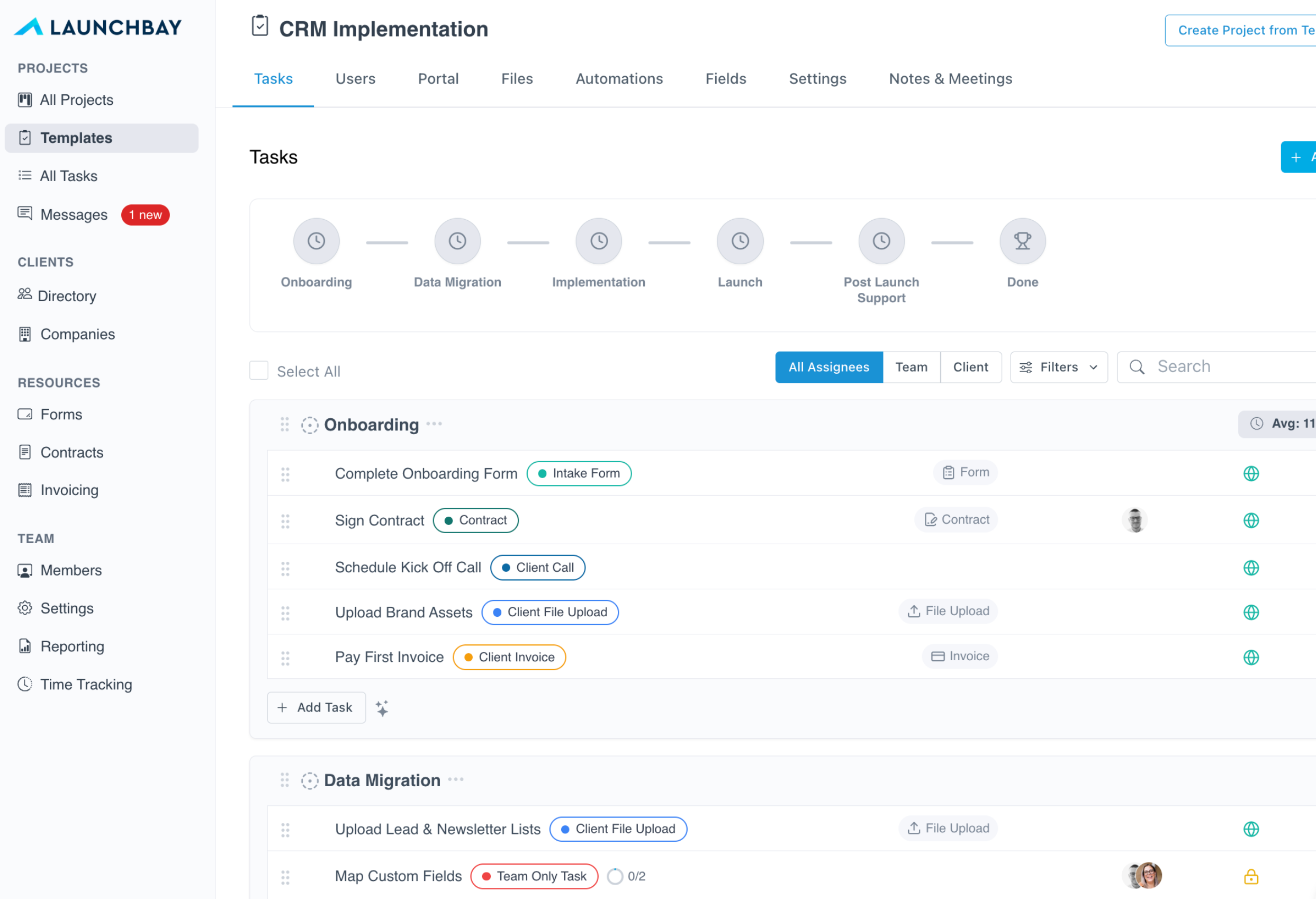
LaunchBay replaces messy spreadsheets, endless follow-ups, and manual checklists with a white-labeled, loginless onboarding platform. Clients get a branded portal with tasks, forms, contracts, and real-time progress tracking. Your team gets hours back every week.
Powering 20,000+ client projects every month
LaunchBayClient Onboarding Automation Platform

Everything you need to onboard clients faster

White-labeled client portals

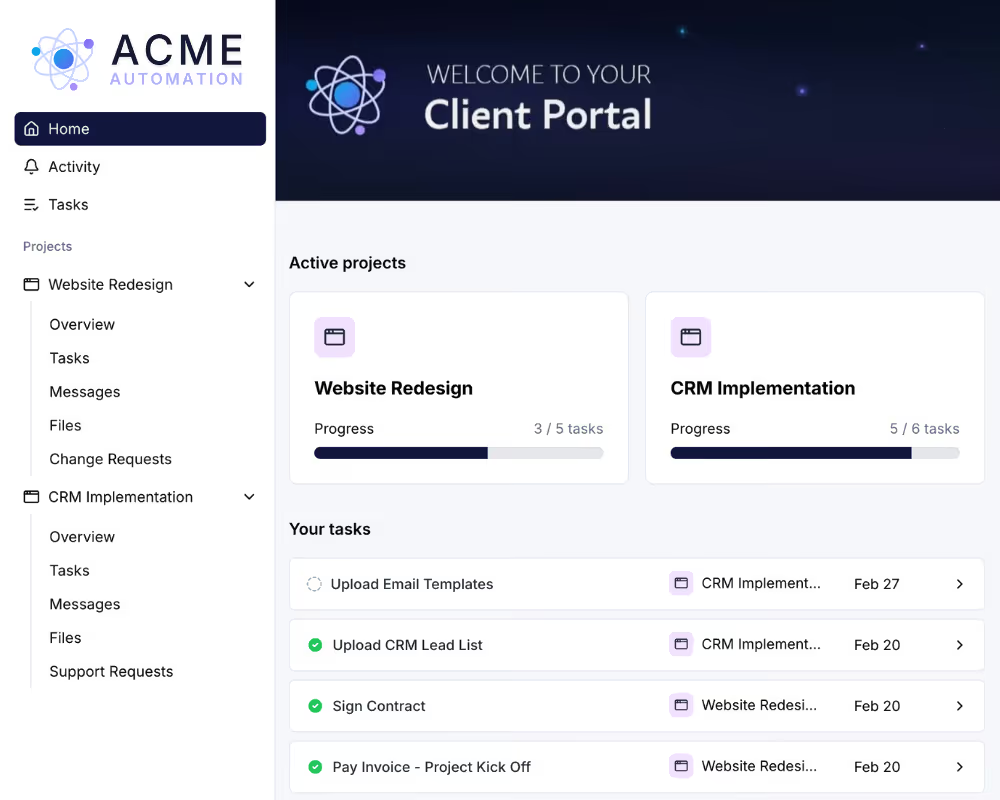
Every client gets a branded, loginless portal where they complete tasks, upload files, sign contracts, and track progress via a secure magic link.

Automated reminders & follow-ups

Stop chasing clients over email. LaunchBay sends automated task reminders and deadline notifications so onboarding keeps moving without manual follow-up.

Reusable project templates

Build your onboarding process once and launch it for every new client. Templates auto-generate tasks, stages, portal pages, and automations in minutes.

Forms, contracts & e-signatures

Collect intake data, gather signatures, and close agreements inside the portal. Build custom forms with AI or turn existing PDFs into signable contracts.

Unified inbox for client messages

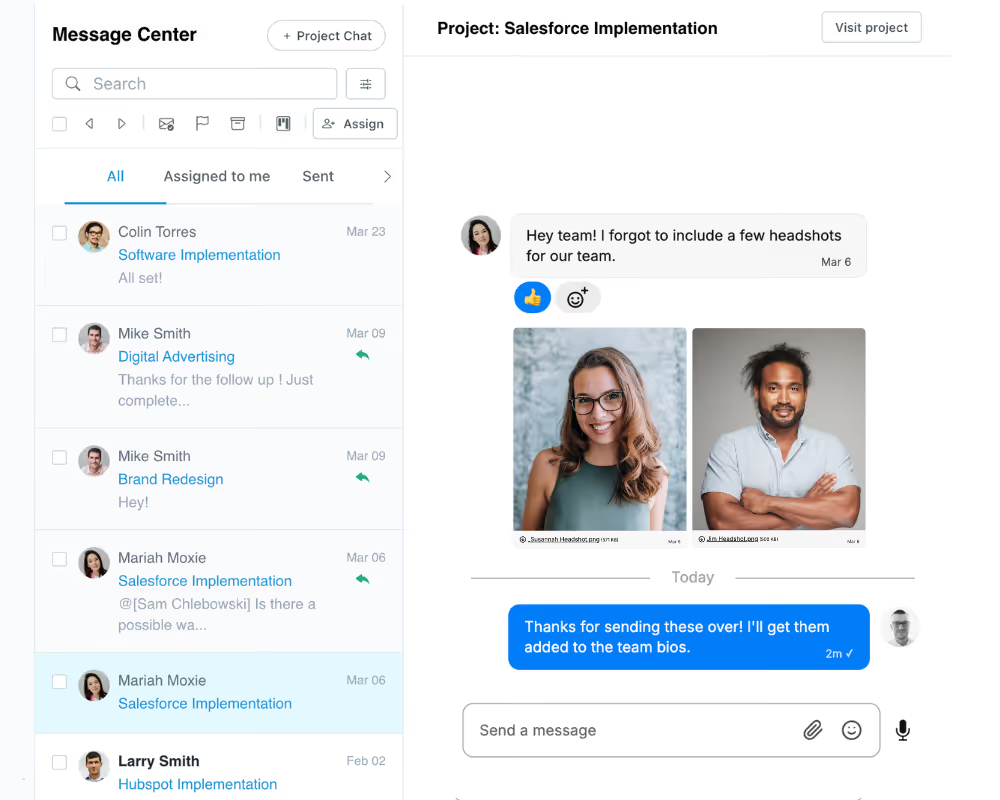
Every client message and task comment lands in one shared inbox. Use internal notes and @mentions to collaborate behind the scenes before replying.

Real-time progress tracking

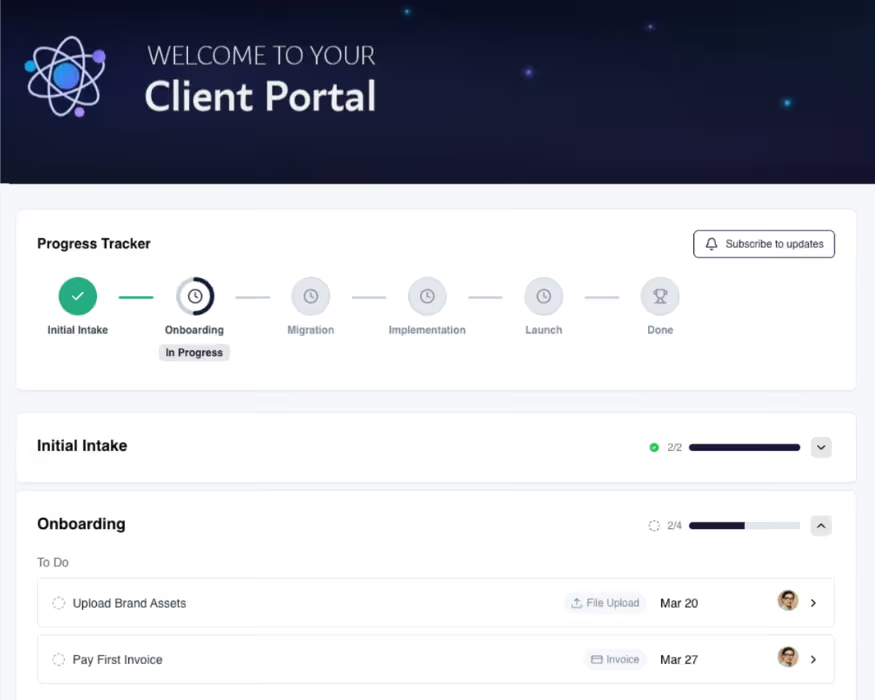
Clients see exactly where their onboarding stands with a visual progress tracker. Your team surfaces blockers early and acts before delays turn into churn.

Scale your client base without scaling your headcount

Centralize everything clients need for onboarding

Intake forms, implementation files, contracts, and invoices all live in one branded portal. Clients complete everything from a single workspace, and your team gets what they need to launch faster with zero back-and-forth.
Try LaunchBay for Free

Automate follow-ups and task tracking

Stop chasing clients and updating spreadsheets. LaunchBay keeps everyone on track with automated reminders, status updates, and deadline visibility. When clients complete a step, the next one triggers automatically.

Try LaunchBay for Free

Accelerate time-to-value with real-time visibility

Clients know exactly what's next in their onboarding journey through a visual progress tracker and activity feed. Reduce support overhead, surface blockers early, and help your CS team focus on delivering outcomes instead of sending reminders.

Try LaunchBay for Free

Keep exploring LaunchBay's features

Client Portals

Give every client a branded, loginless portal where they upload files, complete tasks, approve deliverables, and track project progress in real time.
Learn more

Unified Inbox

Manage every client conversation from one shared inbox with internal notes, @mentions, and AI-assisted replies. Convert messages to tasks in one click.
Learn more

Automations

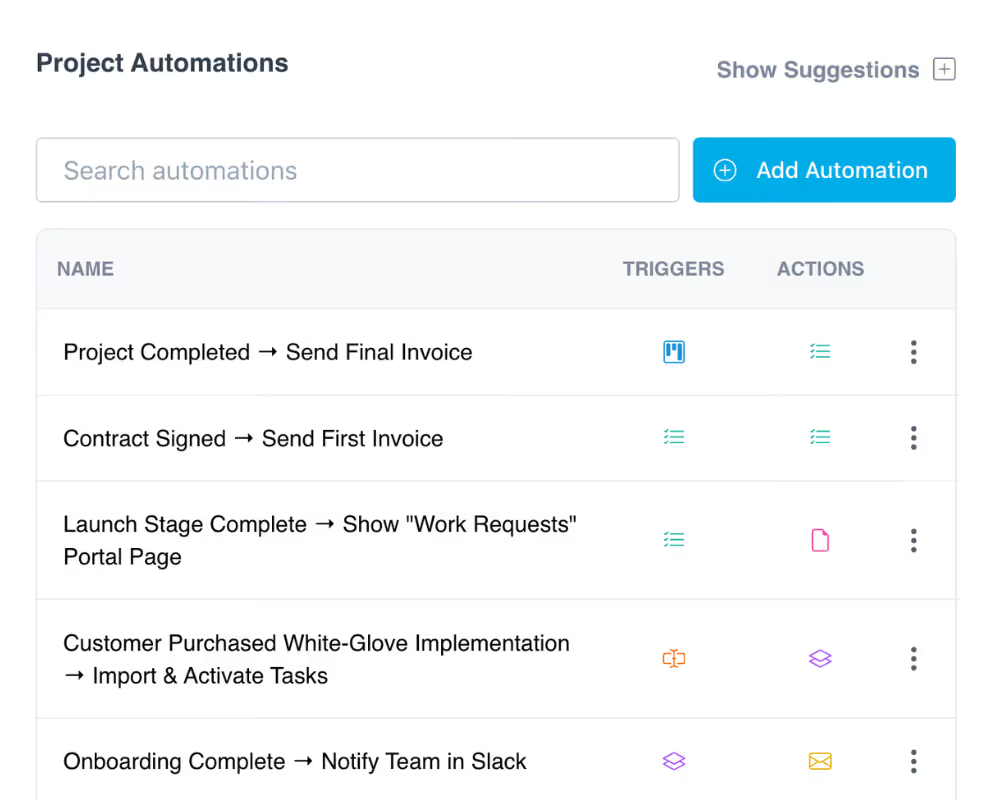
Trigger tasks, messages, and workflows automatically when deals close or milestones are reached. Keep onboarding moving even when your team is offline.

Learn more

Frequently Asked Questions (FAQs)

What is client onboarding and why is it important for our business?
Client onboarding is the process of guiding a new client from signed deal to fully up and running, including information gathering, setup, and alignment between your team and the client. It's critical because it sets expectations, speeds up time-to-value, and directly impacts retention and satisfaction. For growing teams, good onboarding is the difference between scaling smoothly and drowning in manual work.
What should a good client onboarding checklist include?
A good onboarding checklist defines client responsibilities, internal handoffs, required information, milestones, and ownership so nothing falls through the cracks. In LaunchBay, this becomes a reusable project template that auto-generates tasks with due dates, forms, contracts, file requests, and automated reminders for every new client. Your team builds it once and runs it at scale.
How does LaunchBay help improve the client onboarding experience?
LaunchBay centralizes forms, signatures, payments, file collection, and communication into a single branded client portal. Clients access everything through a secure magic link with no login required. Automated reminders replace manual follow-ups. Clients see where they stand through a visual progress tracker. And your team manages all communication from one shared inbox.
How can we automate client onboarding workflows with LaunchBay?
LaunchBay lets you trigger tasks, reminders, messages, and next steps automatically based on client actions or onboarding milestones. When a deal closes in your CRM, a project can spin up automatically via Zapier or HubSpot integration. As clients submit forms or complete tasks, workflows advance without manual intervention, keeping onboarding on track even when your team is focused elsewhere.
Can LaunchBay integrate with our CRM and other tools?
Yes. LaunchBay offers a native HubSpot integration and connects to thousands of other tools through Zapier. Teams can trigger onboarding projects from CRM events, embed third-party apps directly in client portals, accept payments via Stripe, and sync data with internal systems.
How does LaunchBay handle client communication during onboarding?
LaunchBay includes a unified inbox where your team can manage all client messages and task comments across every onboarding project. Team members can add internal notes, @mention colleagues, and use AI to draft responses before replying. Clients receive notifications via email and can reply from their inbox or directly inside their portal.

Run client work the smarter way

Replace scattered tools with one platform for onboarding clients, coordinating work, and delivering a better client experience.
