October 9, 2026
Durations: See How Long Your Projects Really Take
Part of our 31 Customer Improvements series, where we ship one feature our customers asked for every day this month.
Know how long your projects really take
"How long does onboarding take?" Every prospect asks it, and most teams answer with a guess. It's one of the hardest questions in client onboarding. You know roughly how long a project should take. Knowing how long it actually takes, and where the time goes, is harder.
Until now, LaunchBay could show you where your active projects stand, but it couldn't show you how long finished projects took. Many of you asked for exactly that: "I want to know our real timelines so I can set better expectations with clients." So starting today, Reporting has a new Durations tab that shows how long your completed projects took from kickoff to finish.
What you'll see
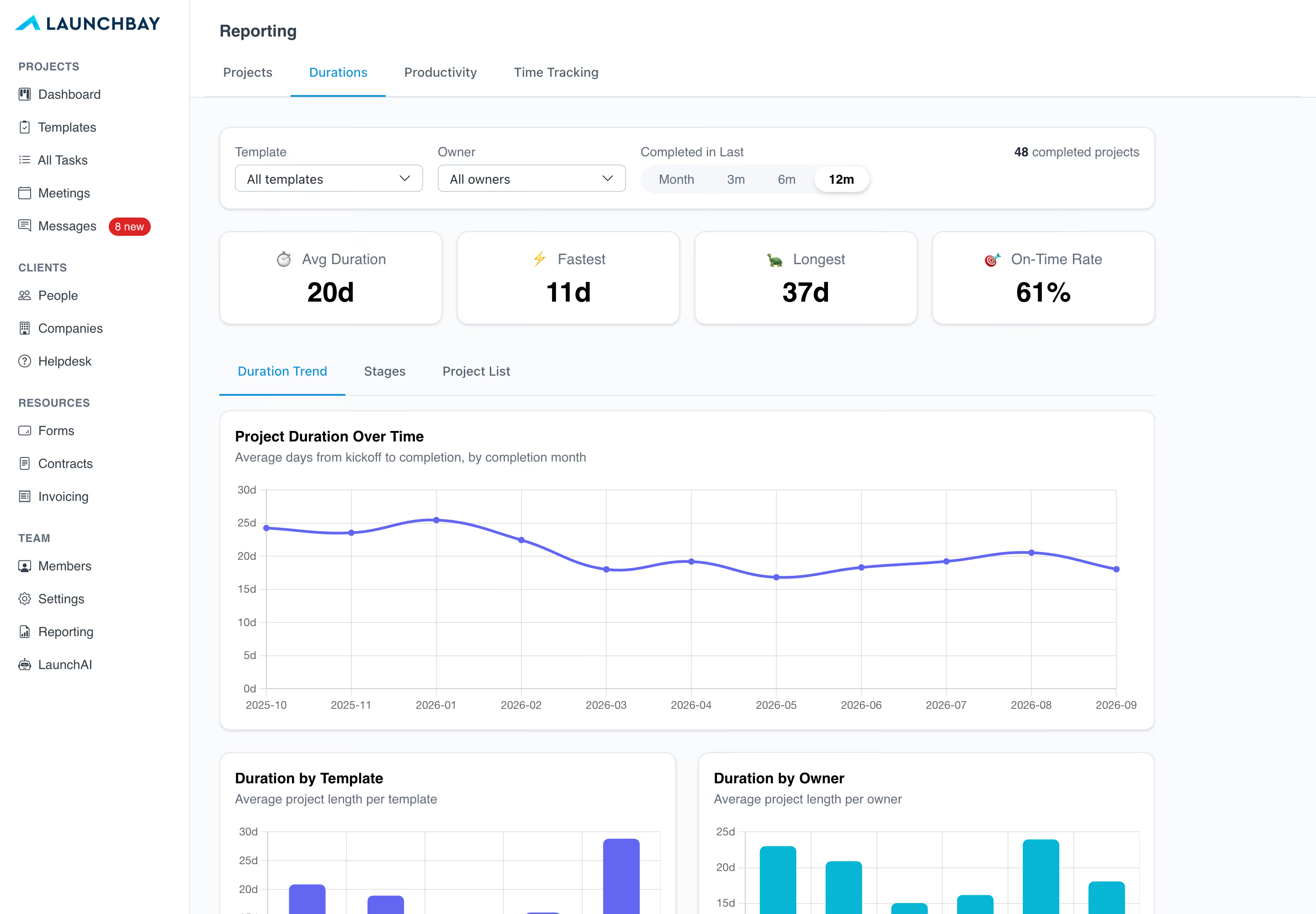
Durations analysis covers the projects you've completed in the last year. You can narrow it by template, by project owner, and to the last month, 3 months, 6 months or 12 months.
1. Headline numbers. Four cards across the top:
- Avg Duration: how long a project takes from start to finish, on average.
- Fastest and Longest: your quickest and slowest projects.
- On-Time Rate: the share of projects with a target end date that finished on or before it.
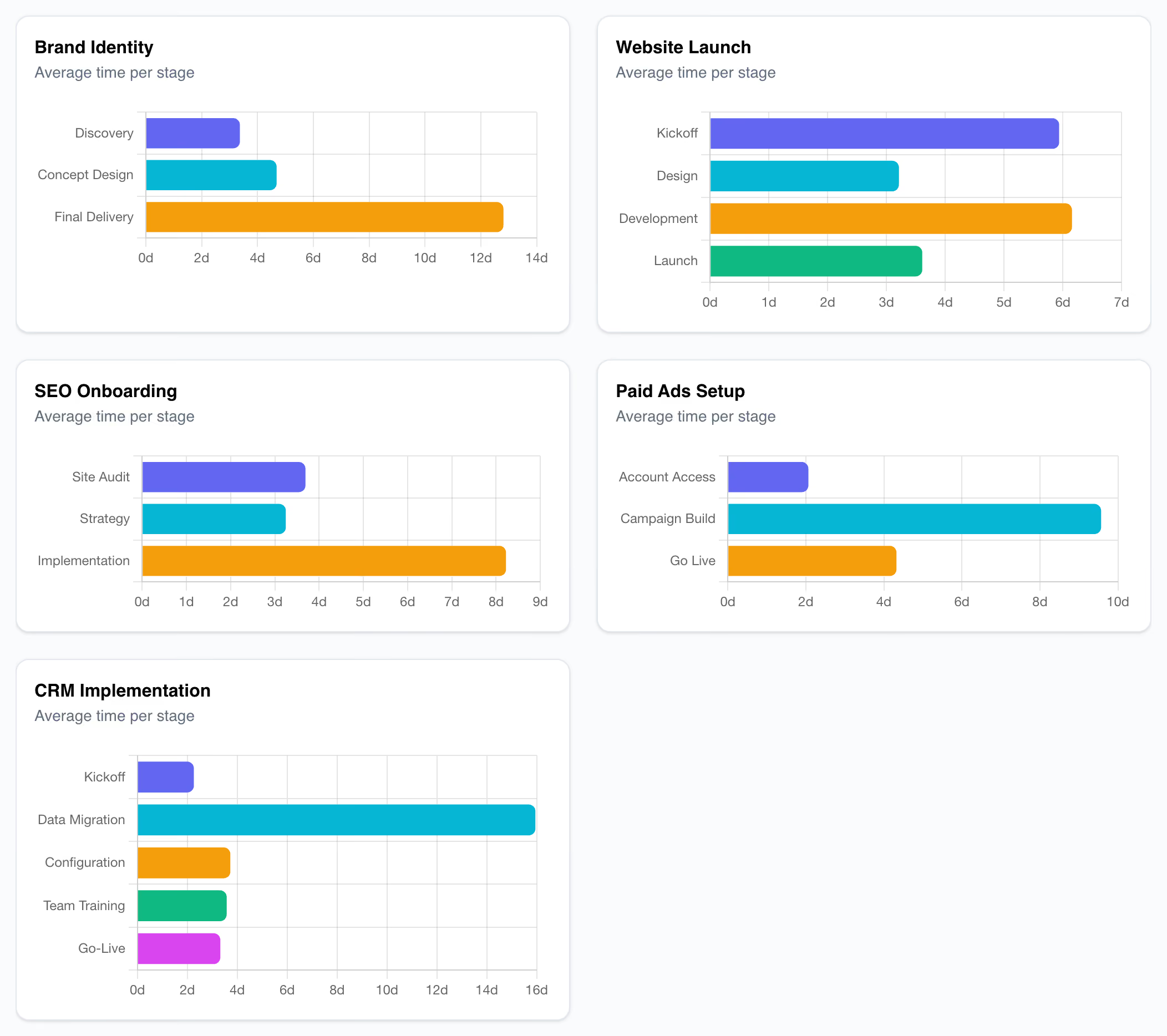
2. Duration Trend. A month-by-month chart of your average project length, so you can see whether you're getting faster. Next to it, two bar charts compare your average project length by template and by project owner.
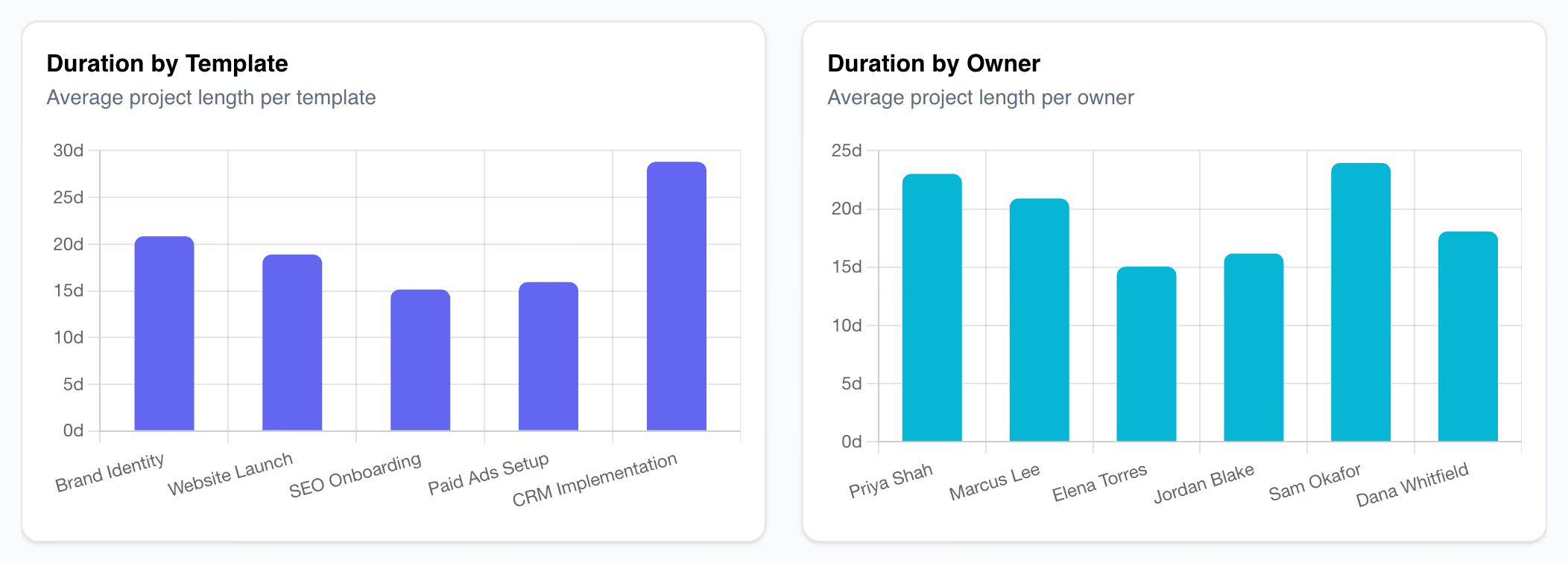
3. Stages. For each template, the average time spent in each stage. If kickoff takes two days and "Waiting on client content" takes three weeks, you'll see it here and know exactly where to push.
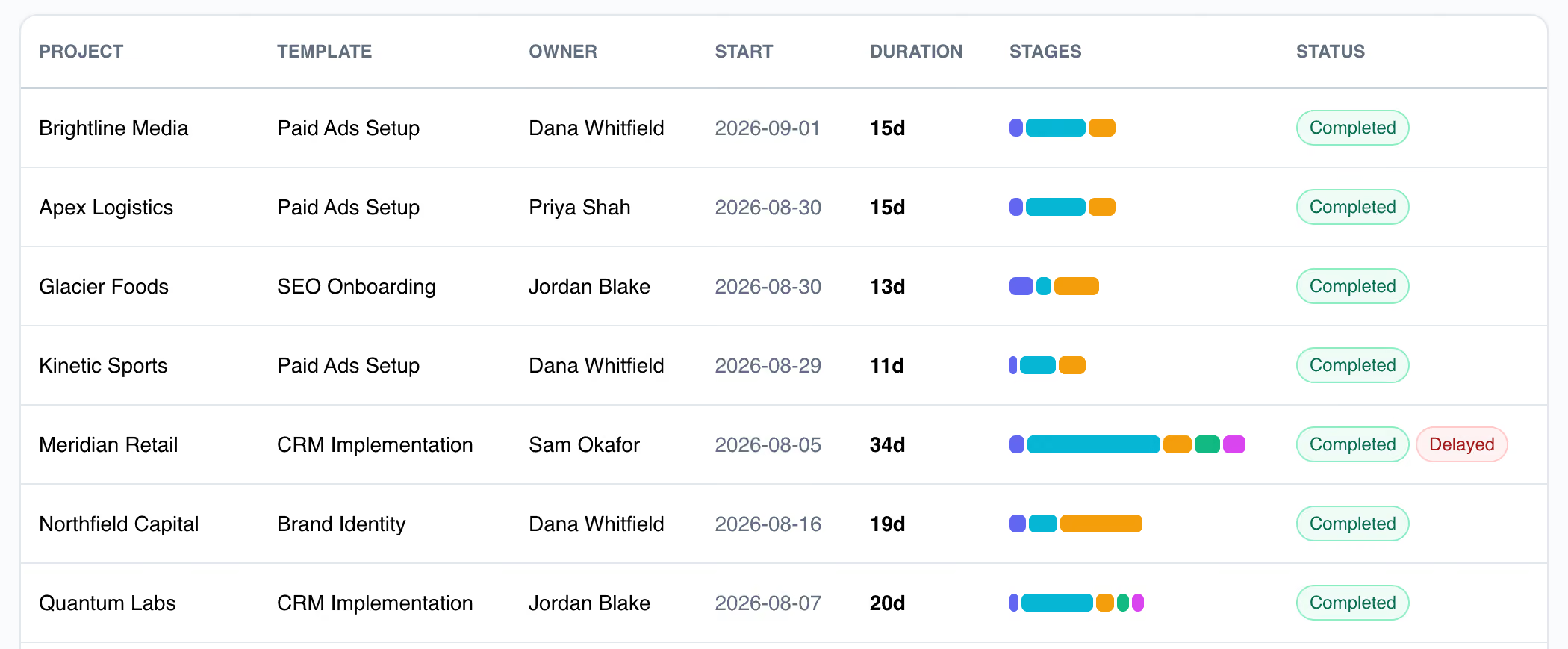
4. Project List. Every completed project, with its template, owner, start date and total duration. A bar split into colored segments, one per stage, shows where that project's time went. Projects that finished after their target end date get a Delayed tag, so late projects are easy to spot.
Why it matters
- Quote timelines you can stand behind. Give prospects a real number for every client implementation instead of a hopeful one.
- Find the bottleneck. The Stages view shows which part of the process slows projects down, whether it's your team or waiting on the client. If it's the client, try tightening your task reminder schedule or making next steps clearer in your client portal.
- Improve your templates. Compare project templates side by side, change your process, and watch the trend line to see if it worked.
- Balance the workload. See how project length varies by owner, and spot who might need support.
Available now
Durations is live today for teams on our Standard or Premium plan. There's nothing to set up. Go to Reporting → Durations and your completed projects are already there. Durations are measured from when a project kicked off to when it was completed.
Have an idea for the next feature? Reply to any of our emails or send it through the in-app chat. That's how this one got built.