.svg)
September 23, 2026
Customize Your Task Reminder Schedule
Automated reminders are one of the simplest ways to keep client onboarding from stalling. Today we're giving you more control over when those reminders go out.
The problem: one schedule doesn't fit every team
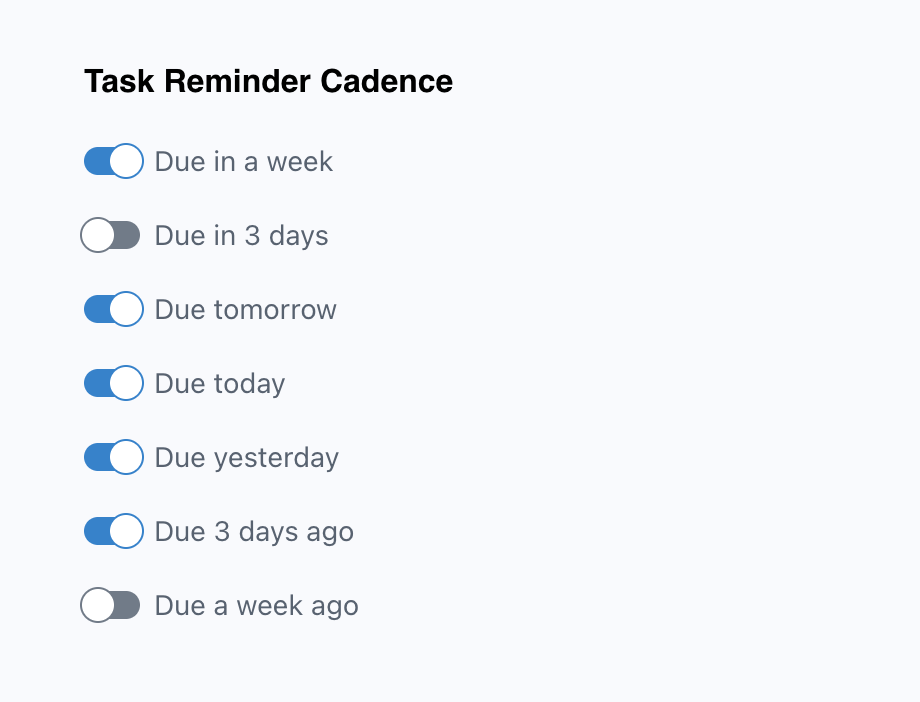
Since day one, LaunchBay has sent task reminder emails on a preset schedule: a week before the due date, the day before, the day of, and when a task is overdue. That schedule strikes a good balance between keeping tasks moving and flooding inboxes, and it works well for most teams.
Some customers, though, asked for more flexibility. Longer projects might need an earlier nudge, while others want a firmer follow-up once a task slips.
The solution: choose your own reminder intervals
You can now set your team's reminder schedule from seven intervals, and use as many or as few as you like. Along with the original four, new options include three days before a task is due and one week after.
Your current schedule stays the default, so nothing changes unless you want it to. To customize it:
- Go to your team settings and open the General tab.
- Remove any intervals you don't need.
- Add any new ones that fit your workflow.
Your new schedule applies across your projects, so clients get reminders timed to your process when they have tasks waiting in their client portal.
Try it out
Head to your team settings to set up your reminder schedule. Have feedback or ideas? Send them to hello@launchbay.com.

