

Client Portal Software for Client Onboarding & Collaboration

Most client portals collect dust. LaunchBay's collects signed contracts, paid invoices, and happy clients. Give every client a white-labeled portal where they can complete onboarding, sign contracts, pay invoices, share files, and see exactly where their project stands.
Powering 20,000+ client projects every month
LaunchBayClient Portal Software for B2B Teams

Everything your clients need. Nothing they have to figure out.

No login. No password. Just fast, one-click access

Clients click a secure magic link from any email notification and land directly in their portal. No account creation, no password, no app download required.

Looks like your brand, not a third-party platform

Add your logo, brand colors, custom domain, favicon, and header image. Remove all LaunchBay branding so the portal looks and feels like your own product.

Contracts signed in the portal. No DocuSign required

Send SOWs, service agreements, and proposals directly through your portal and let clients review and sign without leaving the workspace. One less tool to buy. One less link to send.

Get paid faster, on-time, and automatically

Send invoices and have clients pay in the same portal where your team delivers their work. No separate billing platform, no chasing payments, no awkward email reminders.

Approvals with a paper trail

Share deliverables for client review inside the portal. Clients annotate, leave feedback, and sign off. And you get a timestamped record of every approval, with no email threads to dig through later.

Messaging that doesn't live in your inbox

Every client portal has a built-in message center for project communication. Notifications, updates, and file attachments are organized by project and client, not buried in email.

How teams use LaunchBay's client portals

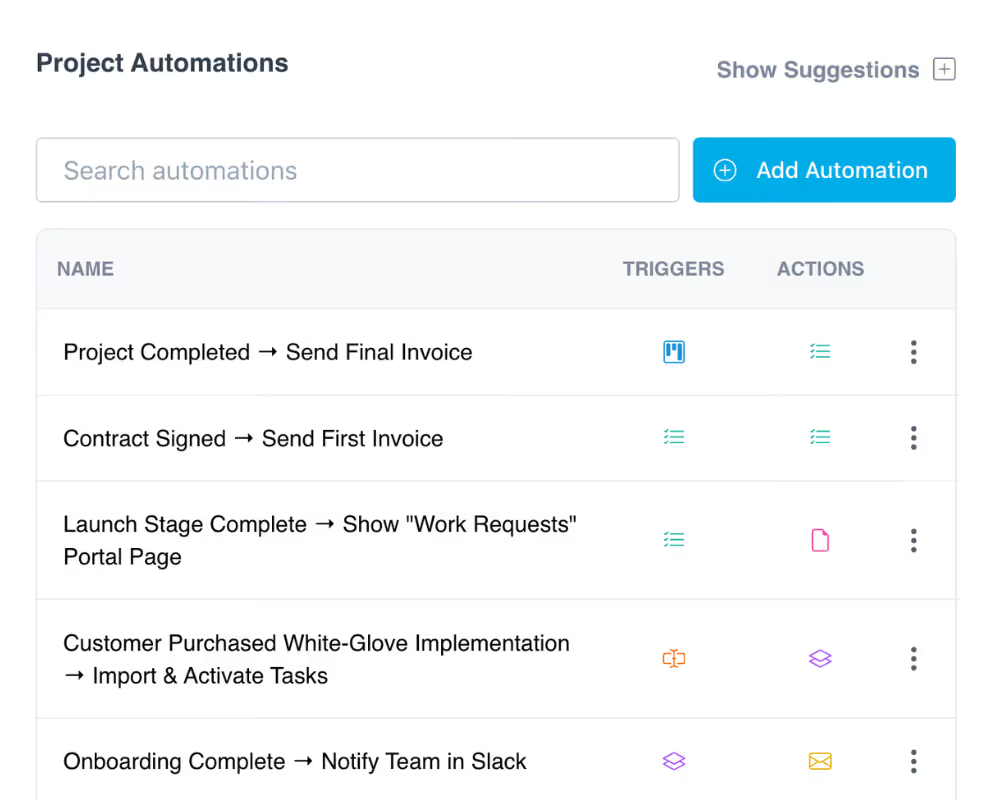
Automate client onboarding from day one

When a deal closes, trigger a portal automatically. Clients land in a branded workspace with their tasks, forms, contracts, and files ready to go. No manual setup, no scattered emails, and no delays getting started.
Try LaunchBay for Free

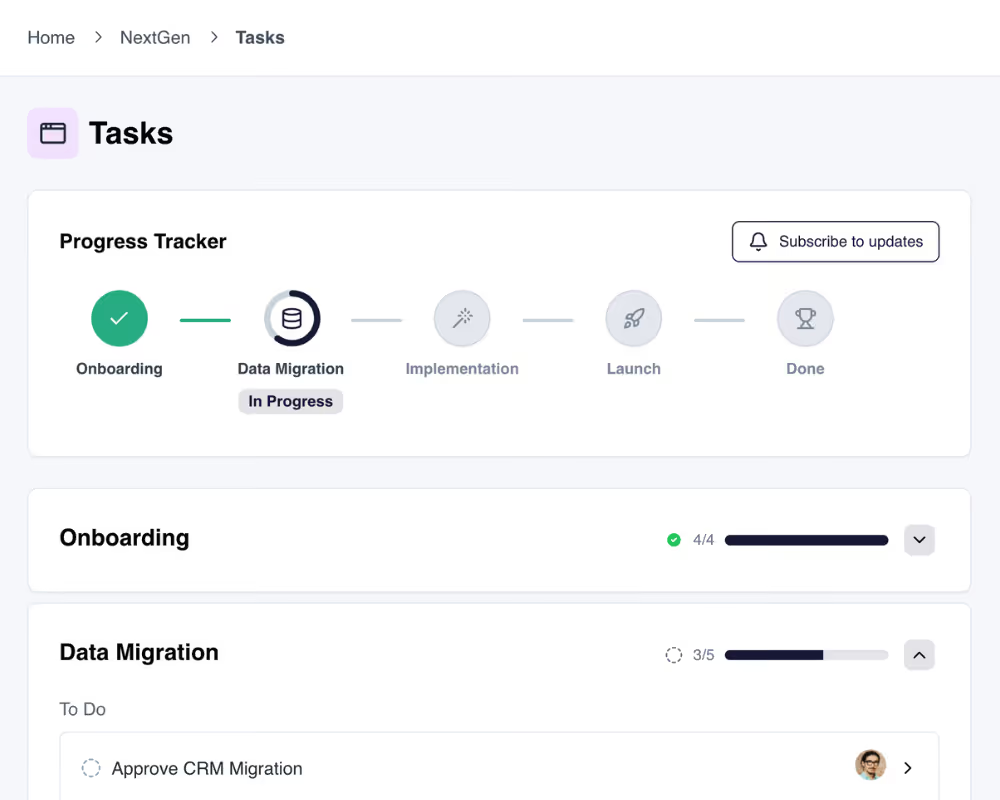
Give clients real-time project visibility

Clients see a progress tracker, activity feed, and task list inside their portal. They always know what's been completed, what's in progress, and what they need to do next. Your team spends less time on status updates and more time on delivery.
Try LaunchBay for Free

Tasks for clients and your team, all in one space

Assign tasks to clients, team members, or both. Attach forms, files, contracts, invoices, and checklists with due dates and automated reminders built in.

Try LaunchBay for Free

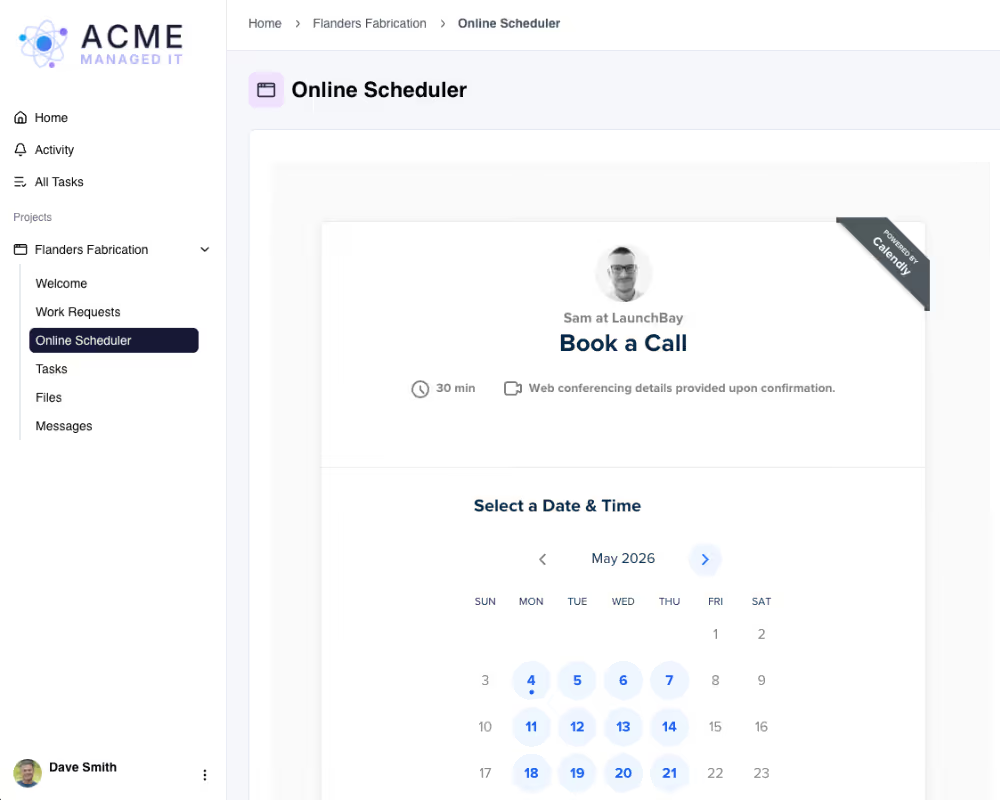
Embed your tools directly into client portals

Embed dashboards, forms, third-party tools, or any website directly inside your client portal. Create custom project pages tailored to each workflow or client.
Try LaunchBay for Free

Keep exploring LaunchBay's features

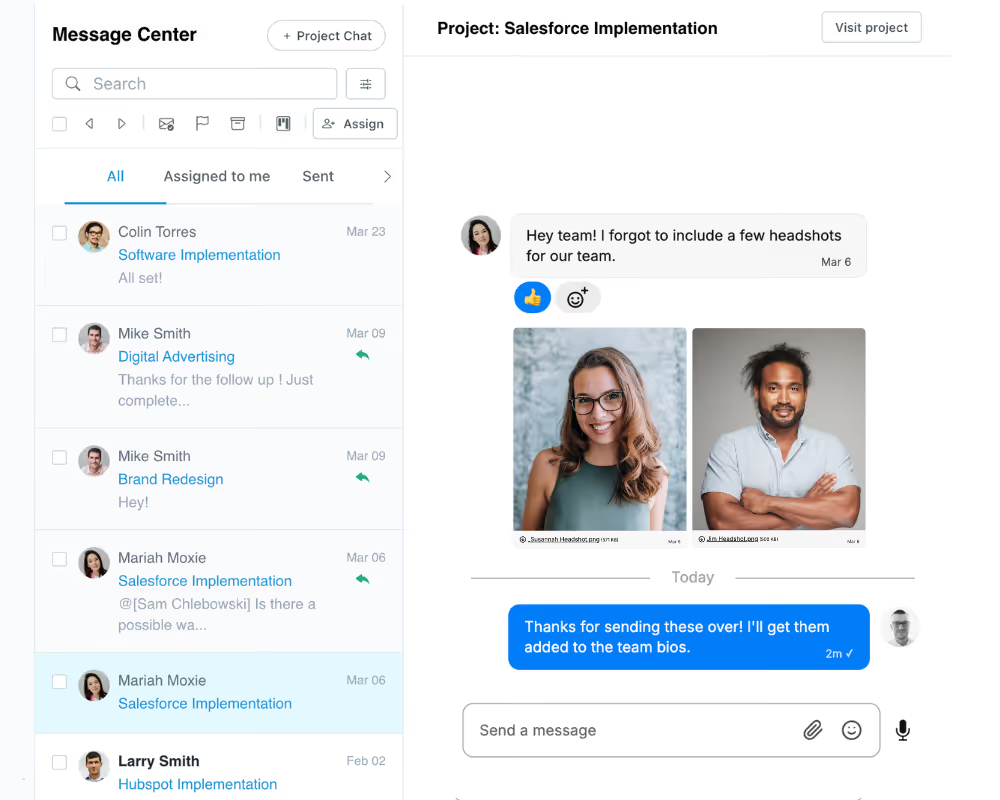
Unified Inbox

Manage every client conversation from one inbox. Internal notes, @mentions, and client-facing messages all tied to the right project.
Learn more

Automations

Pair your portals with automated workflows that trigger tasks, messages, and follow-ups when deals close or milestones are reached.

Learn more

Proofing

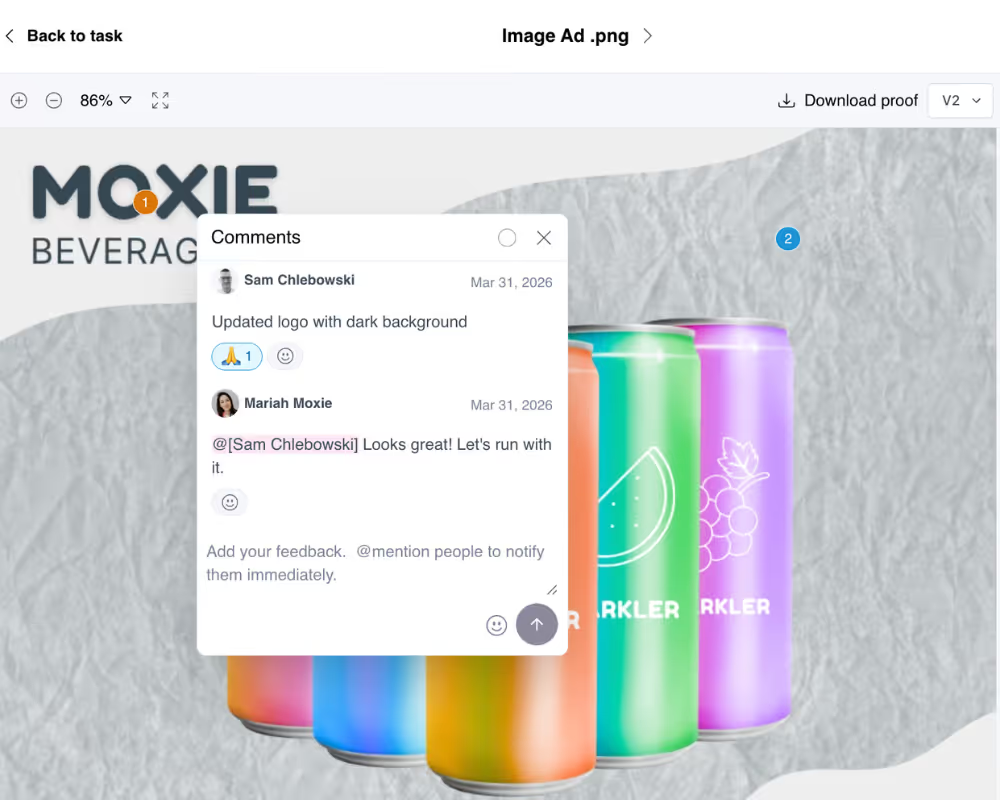
Let clients review, annotate, and approve images, PDFs, and videos visually inside their portal. Get sign-offs faster without email chains.

Learn more

Frequently Asked Questions (FAQs)

What is a client portal and how does it work in LaunchBay?
A client portal is a branded, self-service workspace where your clients can upload files, complete tasks, approve deliverables, view project progress, and communicate with your team. In LaunchBay, each portal is loginless by default, meaning clients access it through a secure magic link with no account or password required. Portals include built-in pages for Home, Activity, Tasks, Invoices, Files, and Messages, plus custom pages you can create for each project.
Do clients need to create an account or log in to access their portal?
No. By default, clients access their portal through a secure magic link sent via email. There's no account creation, no password, and no app download required. For teams that need additional security, LaunchBay also offers password-protected portals as an optional setting on the Premium plan.
Can I customize client portals with my own branding and domain?
Yes. All LaunchBay plans let you add your logo, brand colors, and company name to client portals and emails. On the Premium plan, you can also set up a fully custom domain (like clients.yourbusiness.com), upload a custom favicon and header image, send emails from your own business address, and remove all LaunchBay branding entirely.
What can clients do inside their LaunchBay portal?
Clients can view and complete assigned tasks, upload and download files, approve deliverables with visual annotations, send and receive messages, track project progress in real time, pay invoices, and access any custom portal pages you've created. Tasks support forms, contracts, checklists, and file uploads with due dates and automated reminders.
Can I create custom pages inside client portals?
Yes. Beyond the default portal pages, you can create fully custom project pages and embed dashboards, forms, third-party software, or any website directly inside the portal. Custom pages can be configured per project or per template, so you can tailor the portal experience to each client or workflow.
How is LaunchBay different from other client portals like Assembly or Moxo?
Most client portal tools are file repositories with a chat window. LaunchBay is a full client operations platform inside a portal. Tasks, automations, contracts, invoices, approvals, and communication are all connected to the workflow your team is already running. LaunchBay isn't a portal you bolt onto your business. It's the platform your business runs on.
Is there an option for password-protected client portals?
Yes. While LaunchBay uses loginless magic links by default for a frictionless client experience, teams on the Premium plan can enable password-protected portals. When enabled, clients set a password for their account and log in with their credentials instead of clicking a magic link. This is a global setting that applies to all portals in your account.

Run client work the smarter way

Replace scattered tools with one platform for onboarding clients, coordinating work, and delivering a better client experience.
