.svg)


Branded client portals that keep every project on track
.avif)
Everything your clients need in one portal
Loginless magic link access
Clients click a secure magic link from any email notification and land directly in their portal. No account creation, no password, no app download required.
Fully white-labeled
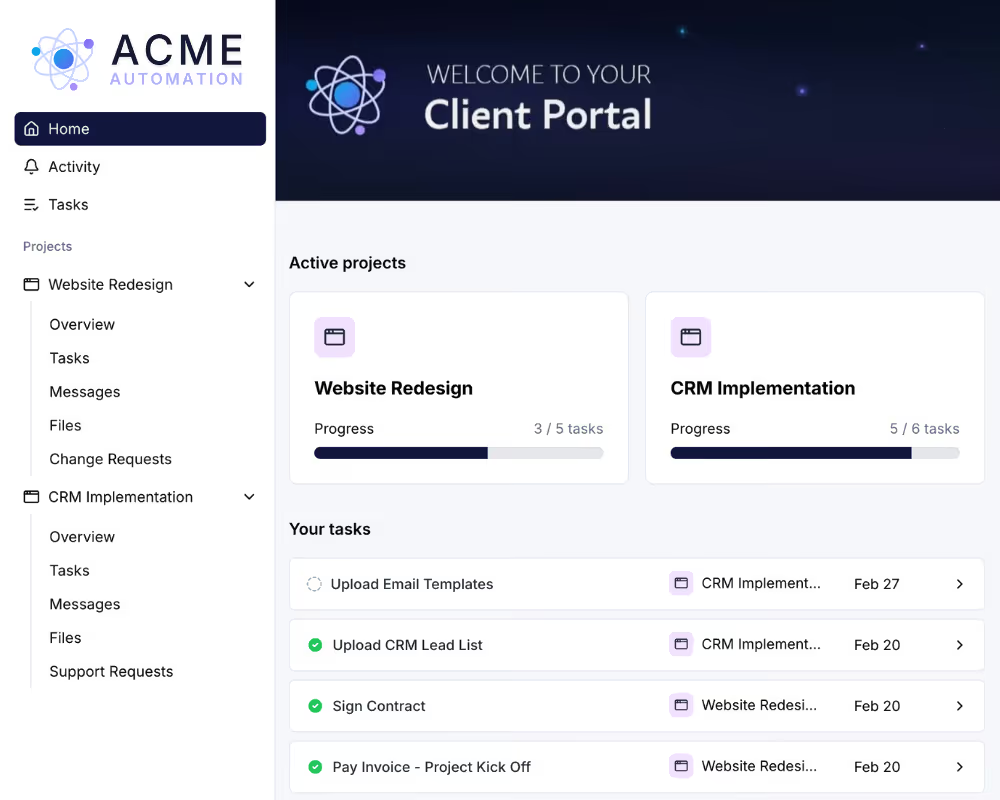
Add your logo, brand colors, custom domain, favicon, and header image. On the Premium plan, remove all LaunchBay branding so the portal looks and feels like your own product.
Portal tasks with dual assignment
Assign tasks to clients, team members, or both. Attach forms, files, contracts, invoices, and checklists with due dates and automated reminders built in.
Custom portal pages
Embed dashboards, forms, third-party tools, or any website directly inside your client portal. Create custom project pages tailored to each workflow or client.
Built-in progress tracker
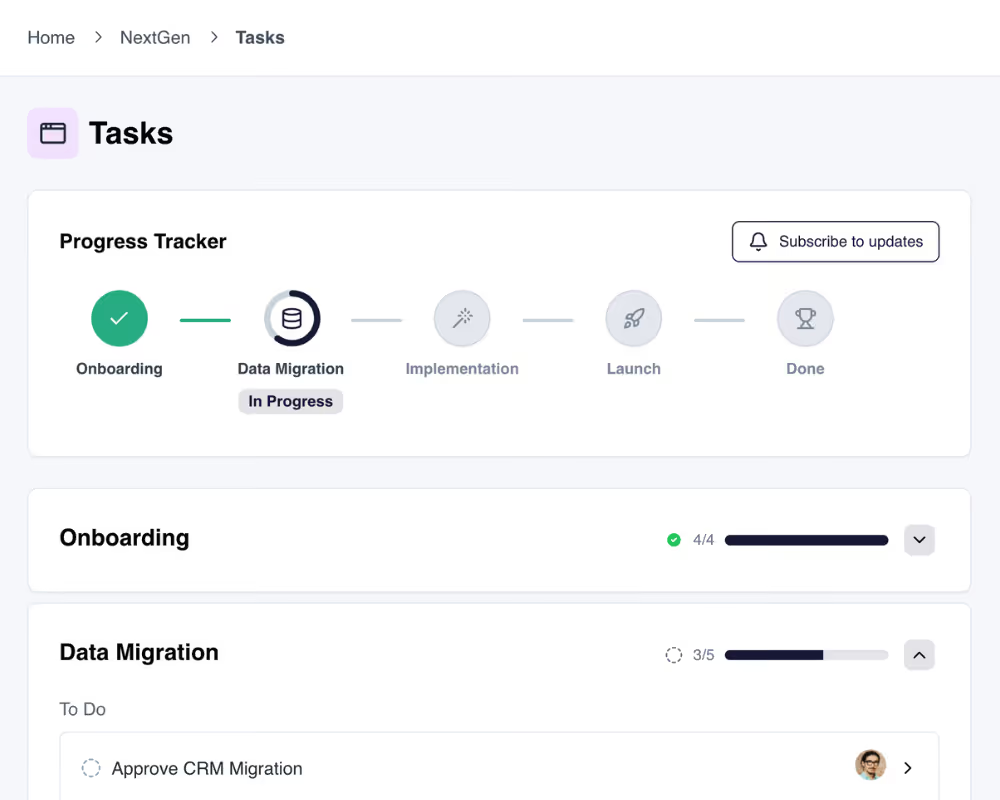
Every project includes a visual progress tracker clients can see in real time. They always know where things stand without asking your team for a status update.
Client request forms
Let clients submit requests directly through embedded portal forms. LaunchBay automatically creates a task and assigns it to the right person on your team.
How teams use LaunchBay's client portals
Automate client onboarding from day one
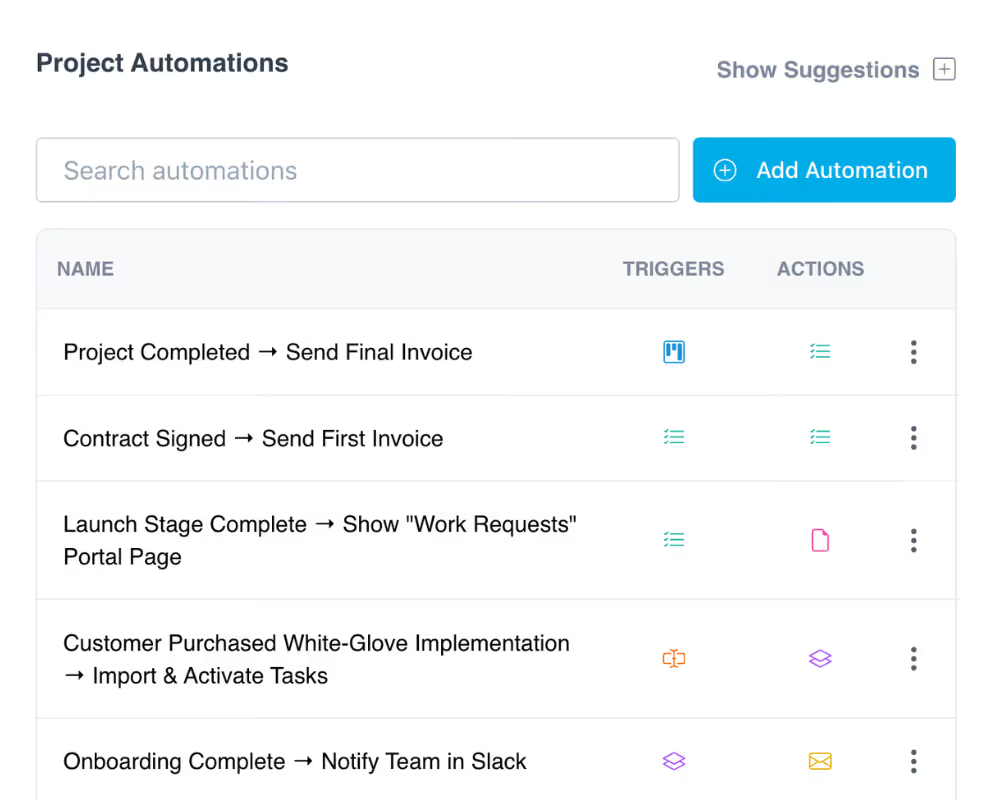
When a deal closes, trigger a portal automatically. Clients land in a branded workspace with their tasks, forms, contracts, and files ready to go. No manual setup, no scattered emails, and no delays getting started.
Give clients real-time project visibility
Clients see a progress tracker, activity feed, and task list inside their portal. They always know what's been completed, what's in progress, and what they need to do next. Your team spends less time on status updates and more time on delivery.
Make your portal look like your own product
With white-label settings, custom domains, branded emails, and personalized portal pages, clients interact with a platform that looks and feels like it was built by your team.
Keep exploring LaunchBay's features
Unified Inbox
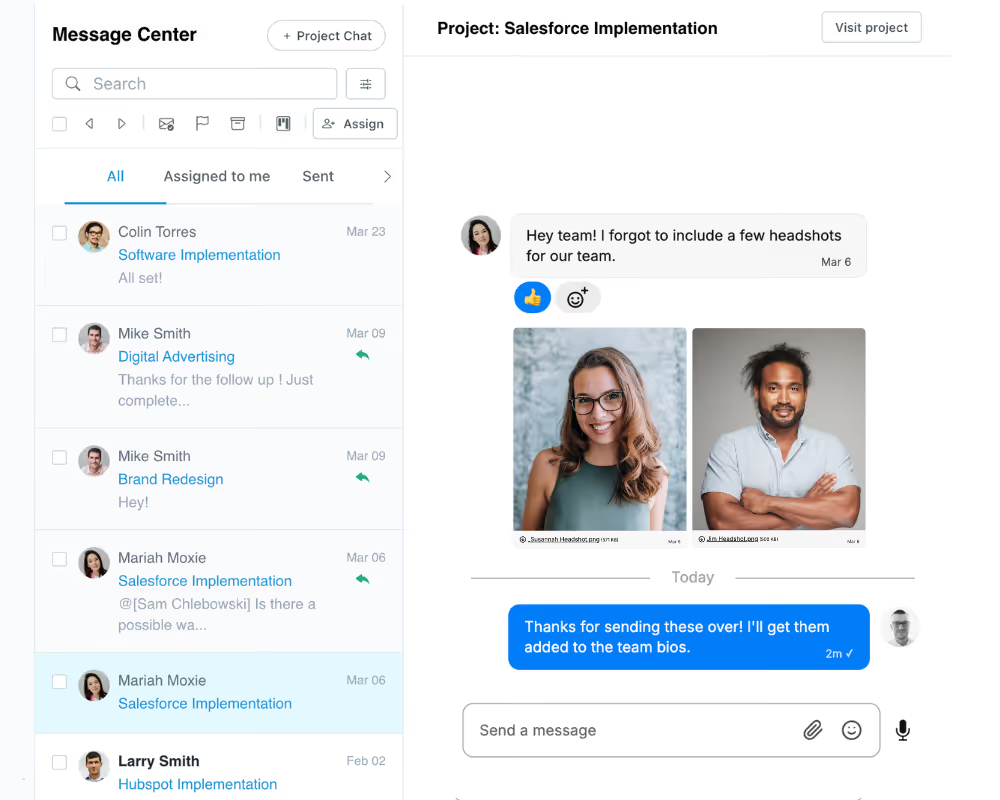
Manage every client conversation from one inbox. Internal notes, @mentions, and client-facing messages all tied to the right project.
Automations
Pair your portals with automated workflows that trigger tasks, messages, and follow-ups when deals close or milestones are reached.
Proofing
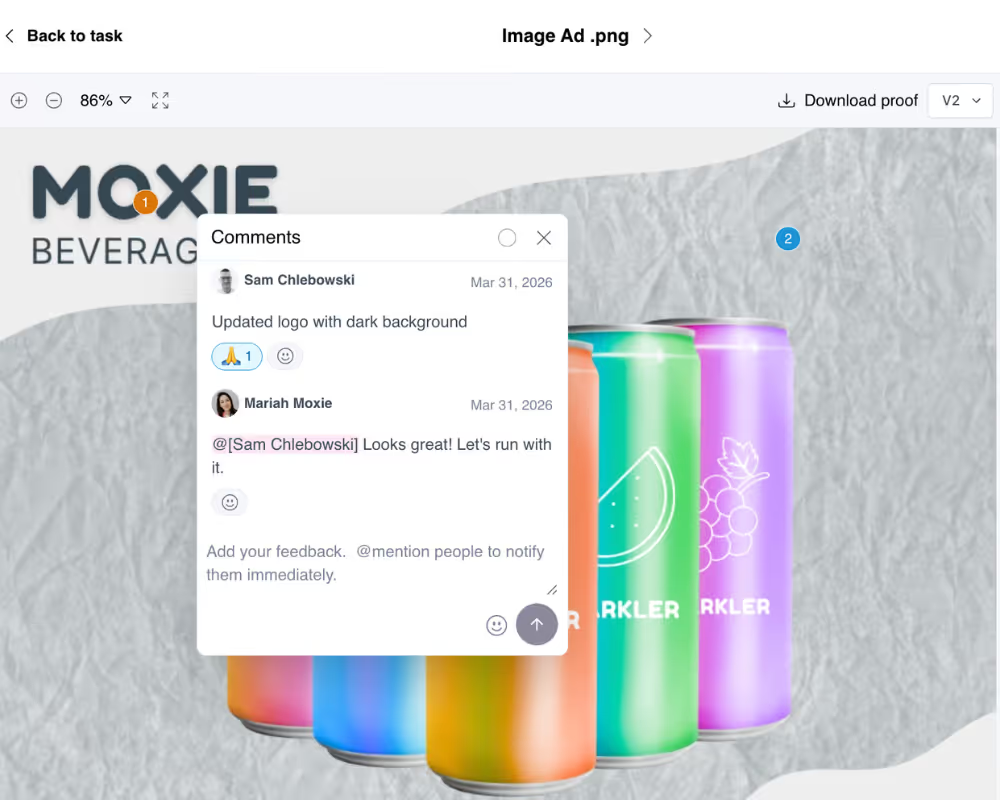
Let clients review, annotate, and approve images, PDFs, and videos visually inside their portal. Get sign-offs faster without email chains.