Oct 21, 2026
LaunchBay Client Portal Review: We Had Claude Build a Real Agency Onboarding in It
By
Sam Chlebowski
We put LaunchBay through the same test as six competitors: build a real 10-week website redesign onboarding for a dental practice client, using Claude on our own platform. Full disclosure: LaunchBay is our product. For fairness, we held it to the same brief and the same nine-category rubric as everyone else, and listed its weak spots the same way we listed theirs.
LaunchBay scored the only B in the roundup, the highest grade of any tool tested, with 16 of 20 required capabilities native. Its biggest miss was also the most telling: the AI form builder faked the one thing it was supposed to build.
This review is part of our Best Client Portal Software series, where we had Claude (Opus 5.5) build the same agency onboarding project in seven tools and graded each one on the same nine categories. See the full roundup and scorecard there.
LaunchBay's Client Portal Scorecard
LaunchBay covered 16 of the 20 required capabilities natively, the most of any tool we tested. It landed a B overall, the only grade above a C+ in the whole roundup, held back mainly by an AI form builder that faked conditional logic instead of building it for real.
What We Built, and What LaunchBay Got Right
We built the full spec: all 8 stages and 23 client tasks, a signed contract with an agency-signs-first signing order, the $6,000 deposit field, internal-only tasks hidden from the client, and a monthly care template. LaunchBay's AI task builder reproduced the entire 8-stage, 23-task structure word for word in about 25 seconds, the fastest task build of any tool in the test.
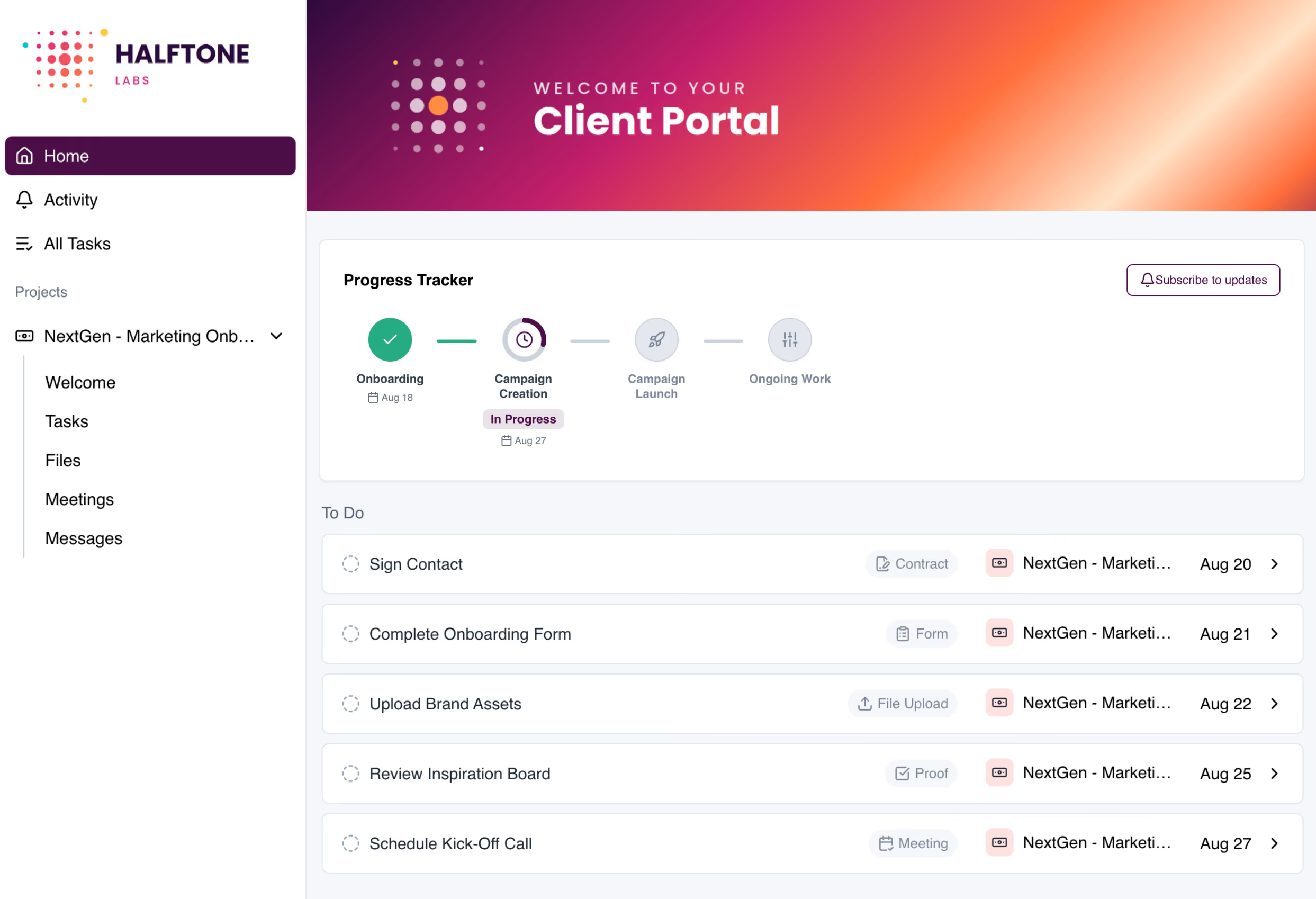
Three things stood out as genuinely good:
Where LaunchBay Breaks Down
LaunchBay's weak spots showed up in the parts the AI was supposed to handle on its own. Asked to build conditional logic into the intake forms, the AI form builder faked it: help text and fake repeating fields stood in for real conditions, and catching and fixing this ate about 55 of the 105-minute build, roughly half the total time.
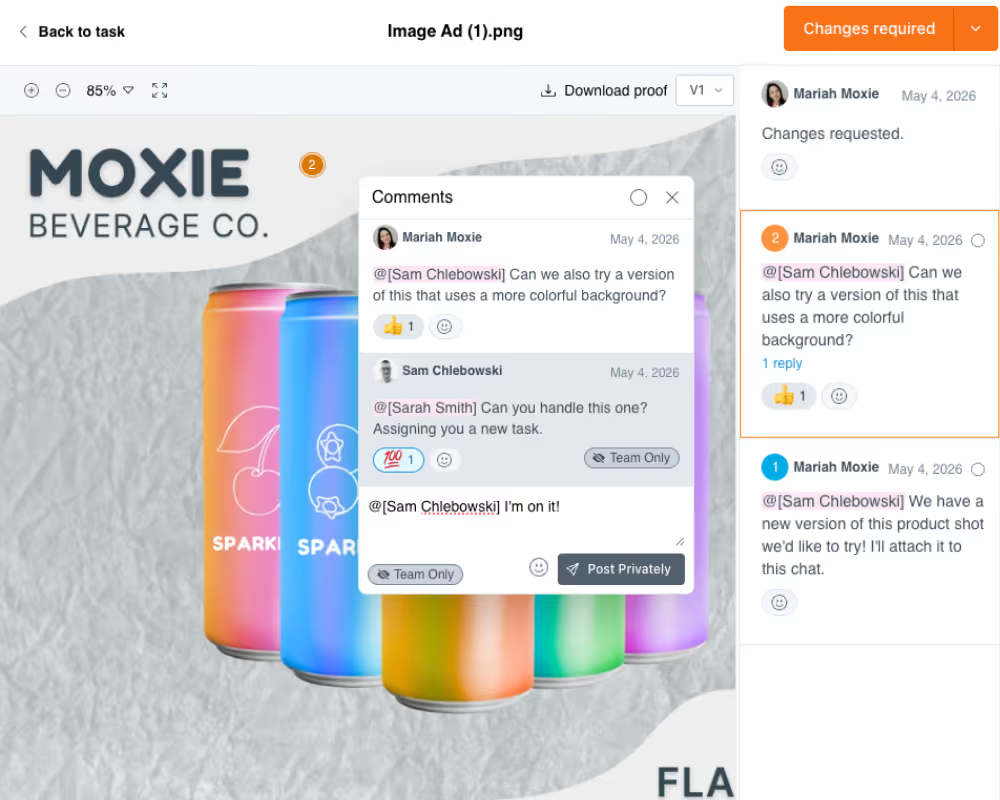
A few native capabilities also needed workarounds or a paid tier. Task dependencies require a paid plan, and stages can't repeat on their own, so the monthly care cycle needs a manual workaround rather than a native repeat. Stripe payments weren't connected during this build, and the proofing tool, while built in with pinned comments, version history, and team-only replies, wasn't exercised either, so neither capability was confirmed hands-on in this test.
A Few Stranger Findings
One detail that didn't affect the grade but is worth knowing before you build in LaunchBay:
Our Verdict on LaunchBay
LaunchBay finished first in this roundup, and for real reasons: it's the only tool with both an agency-signs-first contract and PDF e-signatures built in, internal tasks hide cleanly from the client, and nothing required a third-party tool to stitch the experience together. Its AI task builder is also the fastest we tested, rebuilding an entire 8-stage project in under 30 seconds. But that same AI builder faked conditional logic on the intake forms rather than building it, which cost half the build time to catch and fix, and a few native capabilities, like repeating stages and task dependencies, are still gated behind a paid tier or a manual workaround. The product held up under its own test. Its AI did not.
.svg)

LaunchBay scored highest in this test, but the AI form builder faked logic it should have built for real, and that's the fix we're prioritizing first.
Try LaunchBay free →How LaunchBay Compares
LaunchBay finished 1st of 7 in our full roundup. Here's how it stacks up against the tool that finished 2nd.
See the full 7-tool scorecard for how every tool compares, or the LaunchBay vs. Content Snare page for a deeper head-to-head.


Get back to the work you're best at.
LaunchBay's AI-powered client portal handles the collecting, reminding, and following up, so your team spends less time chasing clients and more time delivering.
Ready to stop chasing?