.svg)


Free Customer Onboarding Tracker
A free Google Sheets template that tracks every customer's onboarding in one place, built for small software teams, agencies, and consultants who are outgrowing sticky notes.
Why we build the customer onboarding tracker
If you're running customer onboarding or implementation out of a spreadsheet, you're not alone. It's usually the first tool teams reach for, and honestly, it works fine for a while.
But most teams eventually outgrow it. You end up juggling tabs for every customer, and it gets harder to answer a simple question: how's everything going right now? Tasks fall through the cracks. Customers start asking why their onboarding is taking so long. Someone forgets to follow up on a step, and now you're doing damage control instead of onboarding.
When you get to that point, the real fix is a dedicated customer onboarding platform. That's what we built LaunchBay for: a home base for onboarding and implementation where your team and your customers can both see what's happening, what's next, and who owns it.
That said, not every team is there yet. If you're onboarding a handful of customers per month and things are still (mostly) manageable, you probably don't need a full platform. You just need a better spreadsheet.
So we built one, and we're giving it away for free.
What's in the customer onboarding spreadsheet
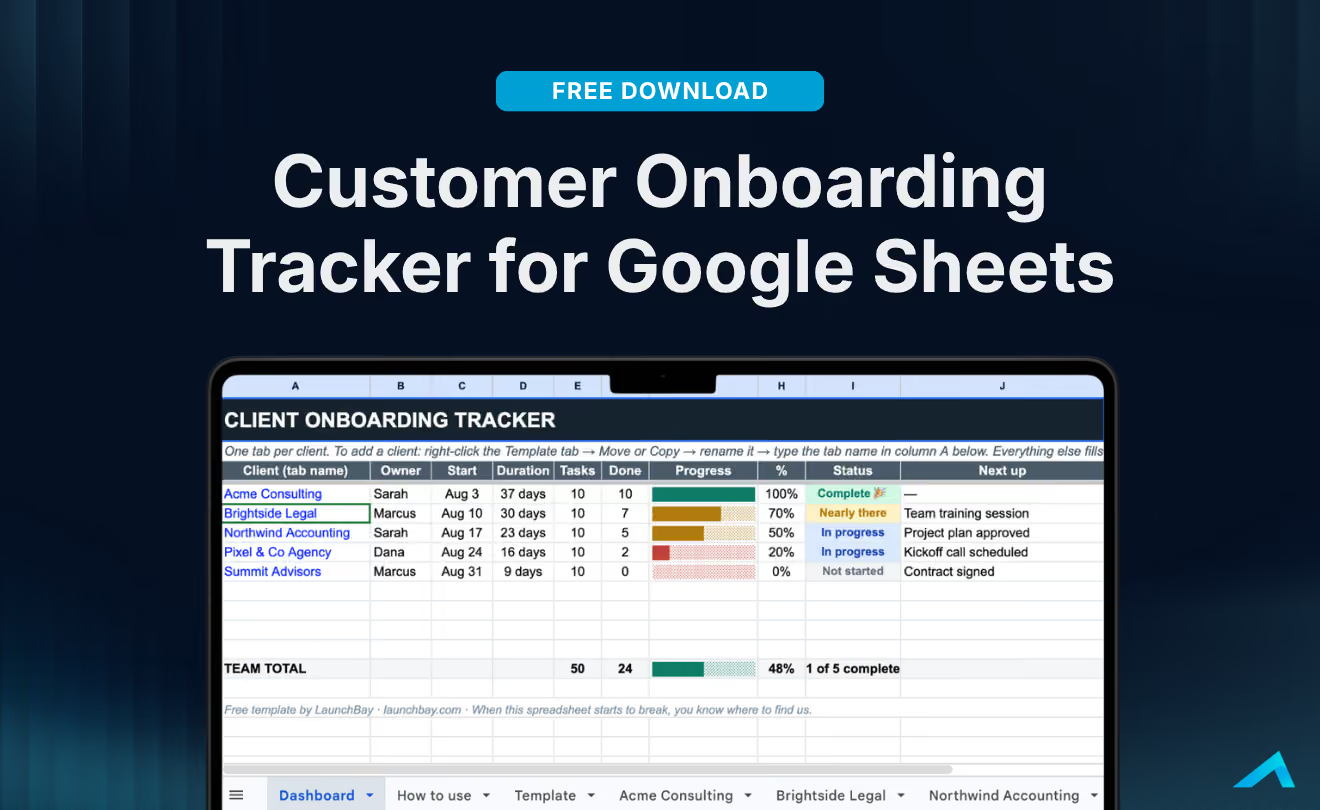
This isn't just a checklist template. It's a full customer onboarding tracker with a built-in dashboard, so you can see the status of every customer's onboarding in one place instead of hunting through a dozen open tabs.
Here's how it's laid out:
- A template tab where you define your onboarding process once: the stages, the tasks in each stage, and whatever else your team needs to track for a new customer.
- A tab per customer, copied from the template, where your team tracks that specific customer's progress through the process.
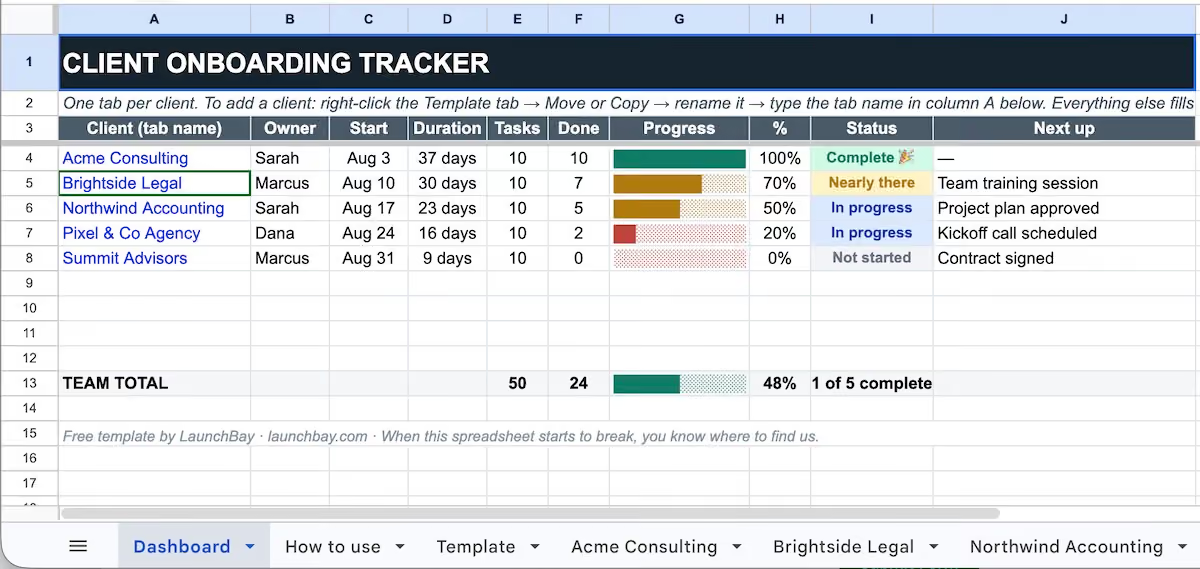
- A dashboard tab that pulls from every customer tab automatically and gives you a single view of where each customer stands, what's done, and what's next.
It's the same idea behind a lot of customer tracking spreadsheets people build for themselves, except we've already done the setup work, and it comes with the dashboard piece that most homemade versions are missing.
How to use it
- Go to the free customer onboarding spreadsheet and make a copy: either save it to your Google Drive or download it as a spreadsheet file.
- Set up your process in the Template tab. Lay out each stage of your onboarding or implementation, along with the tasks involved at every step. Do this once and you're set for every customer after.
- Create a new tab for each customer by copying the template, and use that tab to track their onboarding as it happens.
- Check the Dashboard tab whenever you want the full picture. It aggregates progress across every customer tab automatically, so you always know where things stand without opening a single customer sheet.
That's it. No setup beyond filling in your own process, and no formulas to maintain.
When you outgrow the spreadsheet
At some point, if things are going well, this spreadsheet will start to strain the same way your old one did. More customers and more tabs means more room for something to slip. When that happens that's usually the sign it's time for a real customer onboarding platform, one where your customers get their own portal and tasks with automatic updates so your team isn't stuck babysitting a spreadsheet.
That's exactly what LaunchBay is built for. But there's no rush. Use the free tracker for as long as it serves you, and when you're ready for more, we'll be here.


Get back to the work you're best at.
LaunchBay's AI-powered client portal handles the collecting, reminding, and following up, so your team spends less time chasing clients and more time delivering.
Ready to stop chasing?