.svg)
Dec 11, 2025
Built-In Invoicing, Enhanced File Proofing, AI Navigator, and More!
By
Sam Chlebowski
This month at LaunchBay (formerly Motion.io) was a big one. In addition to our rebrand, we rolled out several of our most requested and powerful new tools—from sending invoices directly inside LaunchBay to managing creative revisions with versioning, plus a smarter way to keep projects moving with AI Navigator.
Here’s what’s new this month 👇
- Native Invoicing: Send invoices, accept payments, and manage pricing directly inside LaunchBay.
- Enhanced File Proofing: Collect feedback and approvals on images, videos, and PDFs with side-by-side version comparison so your team and clients can clearly see what changed.
- AI Navigator: An AI-powered assistant that summarizes project status, recommends next actions, and highlights bottlenecks.
- Rebrand: To better reflect our mission, we’ve officially rebranded from Motion.io → LaunchBay.
- Plus: a collection of quality-of-life fixes across the message center, templates, tasks, and more.
Built-In Invoicing
Invoice follow-ups take a big chunk of your team’s time. Our biggest update this month eliminates that by letting you handle invoicing directly inside LaunchBay.
All you need to do is connect your Stripe account, and invoicing becomes part of the same workflow you already use to deliver projects. You can attach an invoice to any task, your client reviews it in the portal, and they can pay as they complete the task.
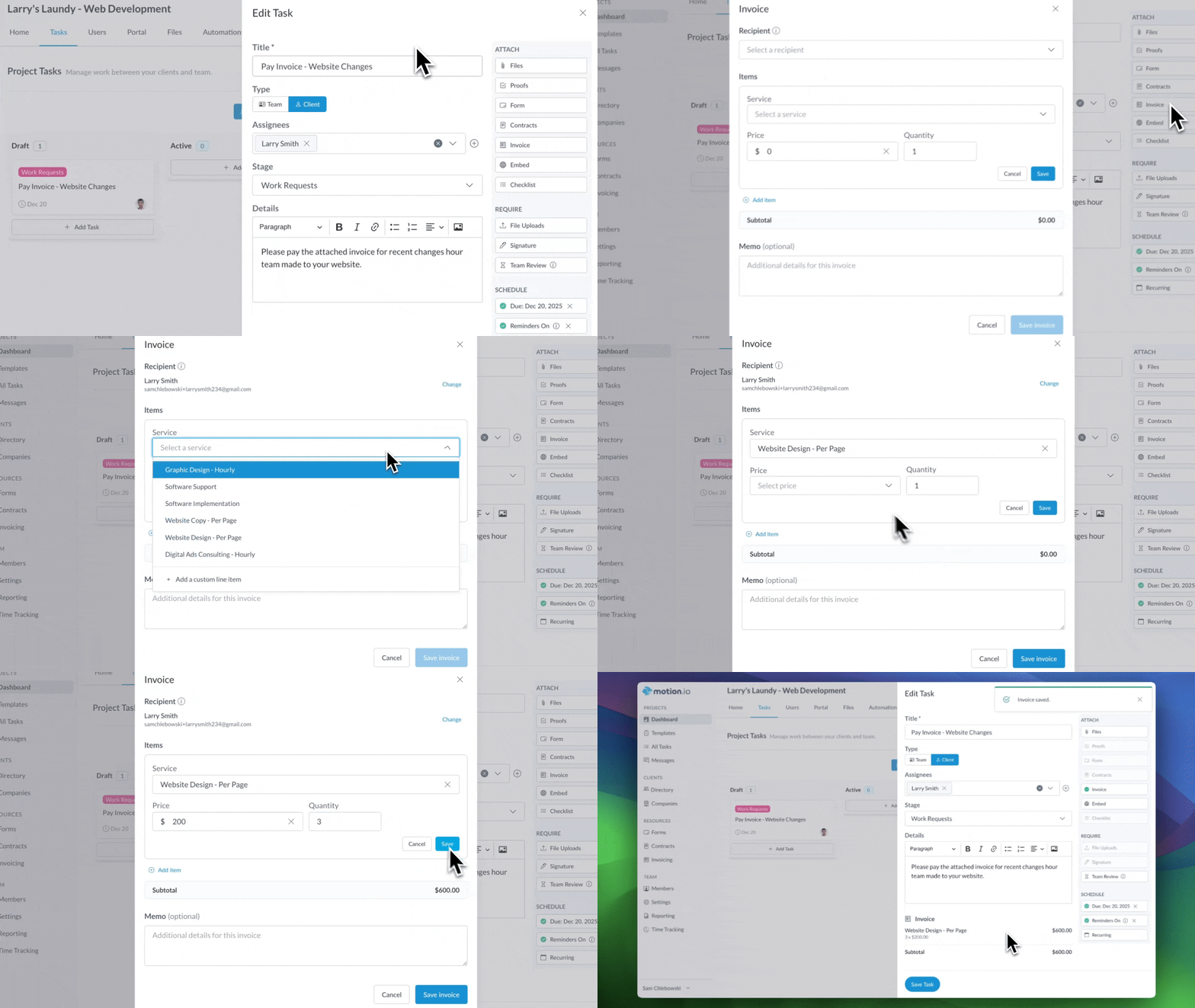
For businesses, this means:
- Payments happen inside the project, not in email threads. No more switching tools or reminding clients where to pay.
- Less follow-up, fewer delays. Clients encounter the invoice naturally as part of their to-do list, so payments don’t bottleneck progress.
- Clearer handoffs and smoother approval cycles. If a task needs payment before the next step begins, it’s now impossible to miss.
And because everything lives in the same place—tasks, client actions, and now billing—your team gets more visibility into where a project really stands. You’ll know instantly whether a deliverable is waiting on your team…or an unpaid invoice.
Enhanced File Proofing
Creative work often goes through multiple rounds of revisions, and keeping track of the “right” file can get messy fast. With our redesigned proofing interface, it’s now easier than ever for clients and team members to review, comment on, and approve the images, PDFs, and videos you share.
Our new Proof Versioning feature also allows you to upload V2, V3, V4, and beyond directly within an existing proofing task—keeping every revision organized in one place and eliminating the chaos of scattered files.
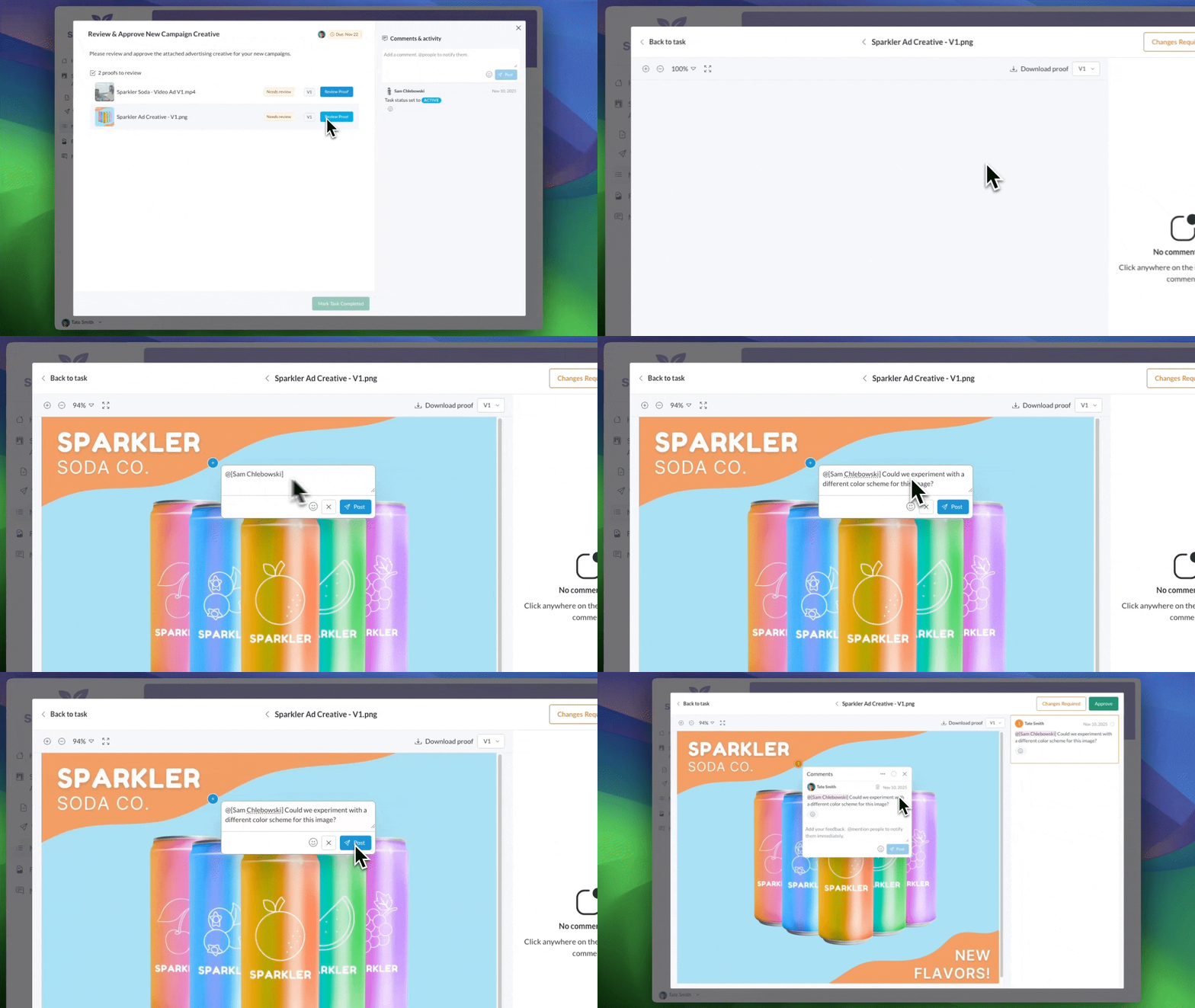
When a client requests changes, you simply open the task, click “Add new version,” and upload the updated file. LaunchBay automatically maintains the version history and keeps comments attached to the correct asset.
For any agency producing design work, ads, PDFs, video drafts, or brand assets, this makes review cycles faster and far easier to manage.
Want a quick walkthrough? Watch the video here 👇
AI Navigator
Have you ever opened a project and thought, “Okay… where are we actually at with this?”
AI Navigator gives you that answer instantly by giving you an instant, AI-generated snapshot of your project without digging through tasks, comments, or messages.
It scans the project you’re viewing (including task statuses, comments, client activity, and upcoming deadlines) and delivers an instant summary of where things stand.
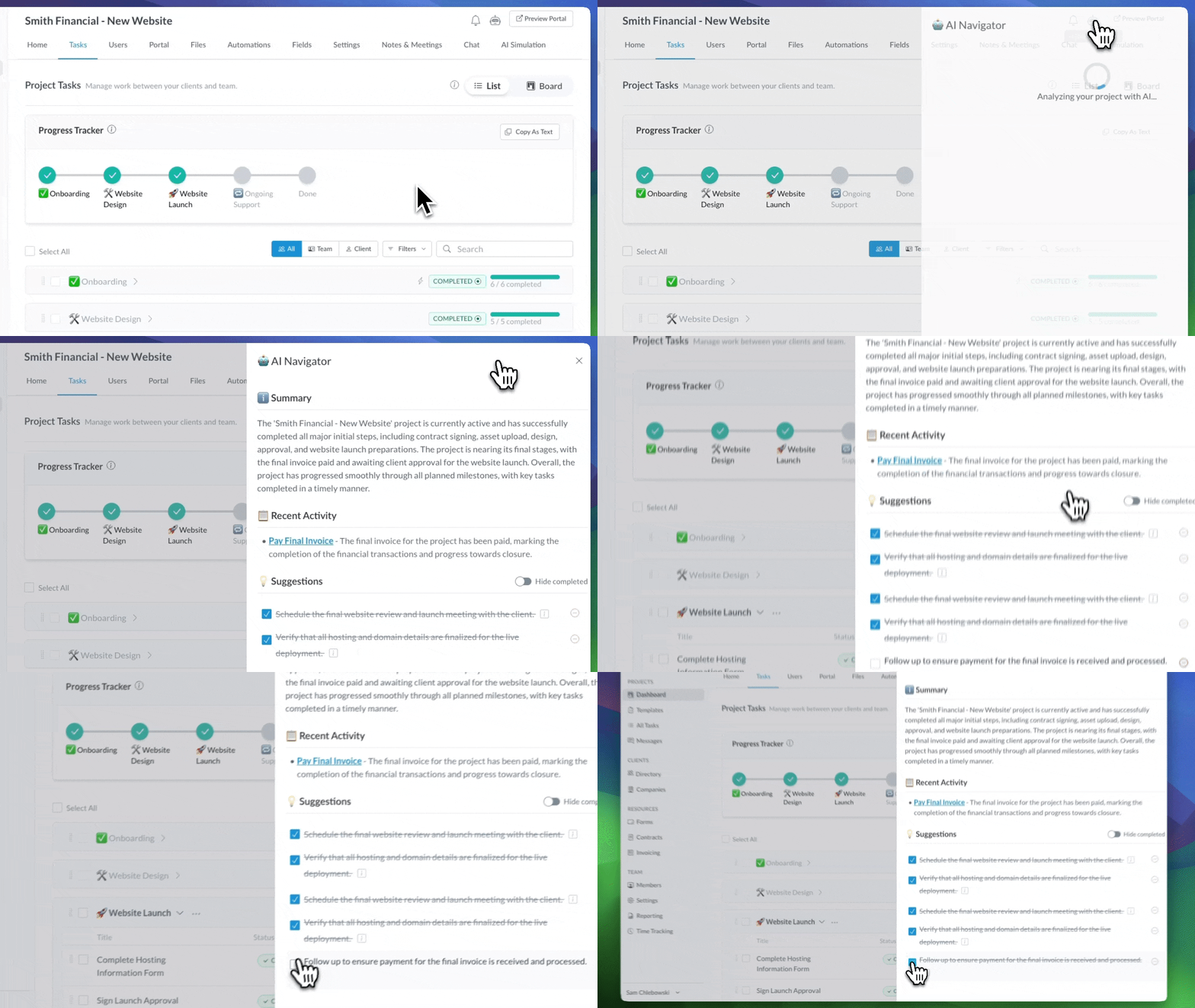
Alongside the summary, you’ll also see recommended next steps and insights based on recent activity.
This means:
- Faster daily stand-ups
- Easier prep before client check-ins
- Quicker context when jumping back into a project
- Earlier visibility into delays or communication gaps
*This feature is currently available on LaunchBay's Scale plan.
Rebrand: Motion.io is now LaunchBay
Over the last three years, as we grew and collaborated with more software companies and service businesses, we realized something important: onboarding isn’t just about managing tasks. It’s about launching successful, long-term partnerships.
Teams were tired of spreadsheet chaos, manual follow-ups, and bottlenecks that slowed down client delivery. They wanted to turn that chaos into clarity—and LaunchBay became the result of that evolution.
This wasn’t just a new logo. It was a promise to help you deliver a premium, branded onboarding experience that scales—without needing to hire more headcount just to keep up with admin work.
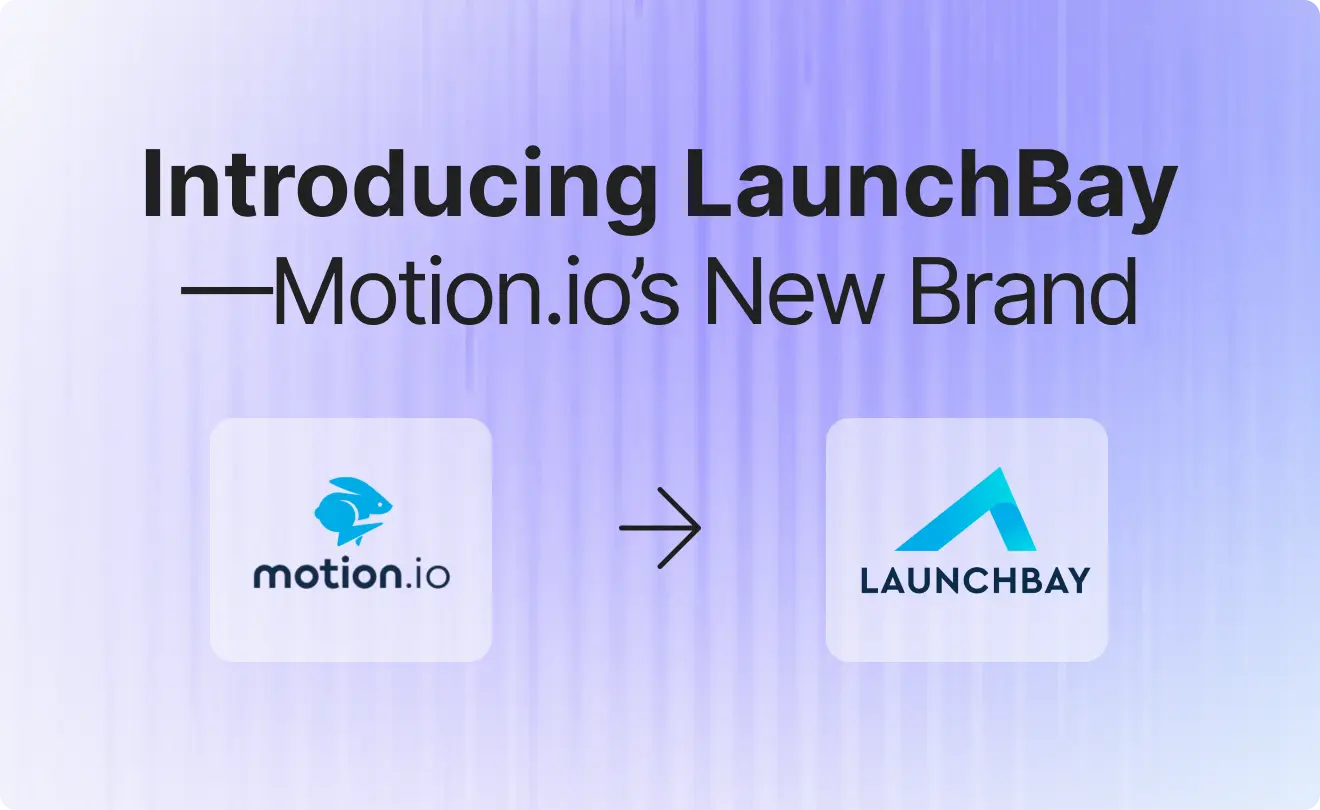
For current users: rest assured, the only thing that changed was the visual identity as Motion.io transitioned to LaunchBay across our website and app. Behind the scenes, the same team you know continues to operate LaunchBay, and nothing about how your team or clients use the platform was affected by the rebrand.
For more on the rebrand and what it means, read the Press Release.
Additional Features & Quality-of-Life Updates
This month also brings a couple of improvements that make forms and communication workflows easier to manage.
- Smarter Conditional Logic for Form Fields: Setting up conditional logic is now more intuitive. When the condition is based on a dropdown, checkbox, or radio button, you’ll see a list of available values to choose from, eliminating the need to type anything manually and reducing setup errors.
- Message Center Enhancements: Staying on top of conversations is now much simpler. A new “Unassigned” tab highlights messages that still need an owner, the “Not replied to” filter shows threads waiting on your team, and improved sorting helps you quickly find conversations where someone was @mentioned.
- Time Tracking: Time Tracking is now active for all Grow plan users. Previously, it was only accessible on the Scale plan—but no upgrade is required. If you’re currently subscribed to the Grow plan, Time Tracking is now live in your account.
- Notification Emails: Notification emails have been enhanced to dynamically adjust based on the recipient’s role in the project (for example, a team member’s permission level or whether a client has full or guest access), ensuring the information provided is as clear and relevant as possible.
That’s all for November’s release notes!
We ship improvements every week, so feel free to follow along in the LaunchBay Changelog.


Get back to the work you're best at.
LaunchBay's AI-powered client portal handles the collecting, reminding, and following up, so your team spends less time chasing clients and more time delivering.
Ready to stop chasing?