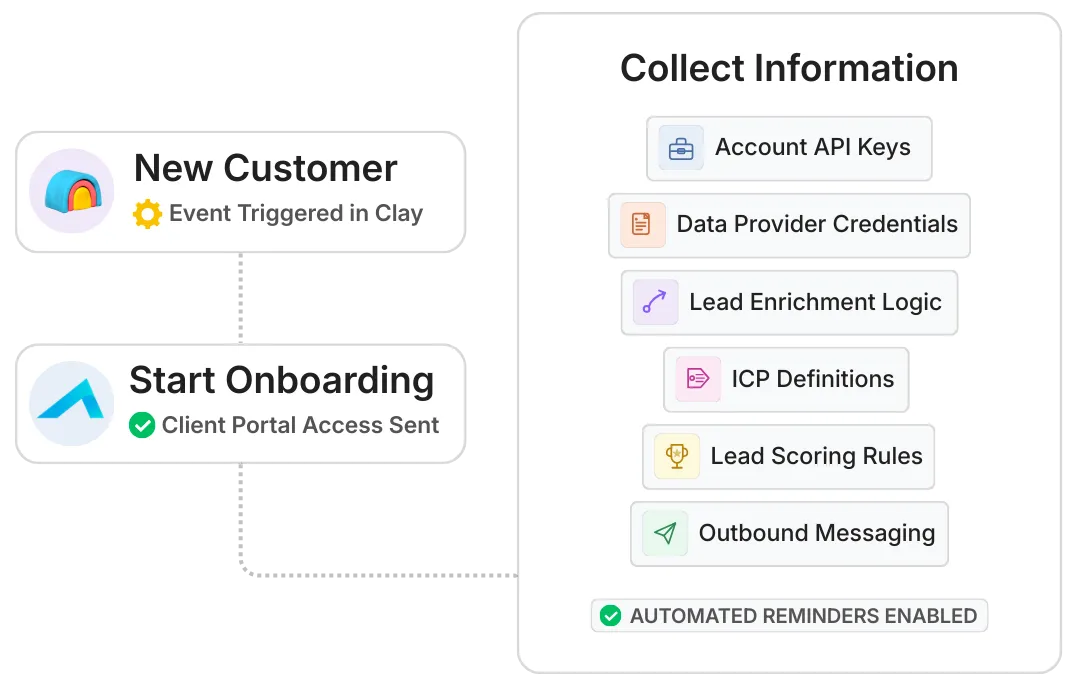
Keep clients engaged, informed, and impressed.

LaunchBay gives your clients a polished, branded portal where they can easily view progress, complete tasks, and stay aligned with your team - no more scattered emails or missed updates.

You’ll save hours every week while delivering a seamless, transparent experience that builds trust and retention.
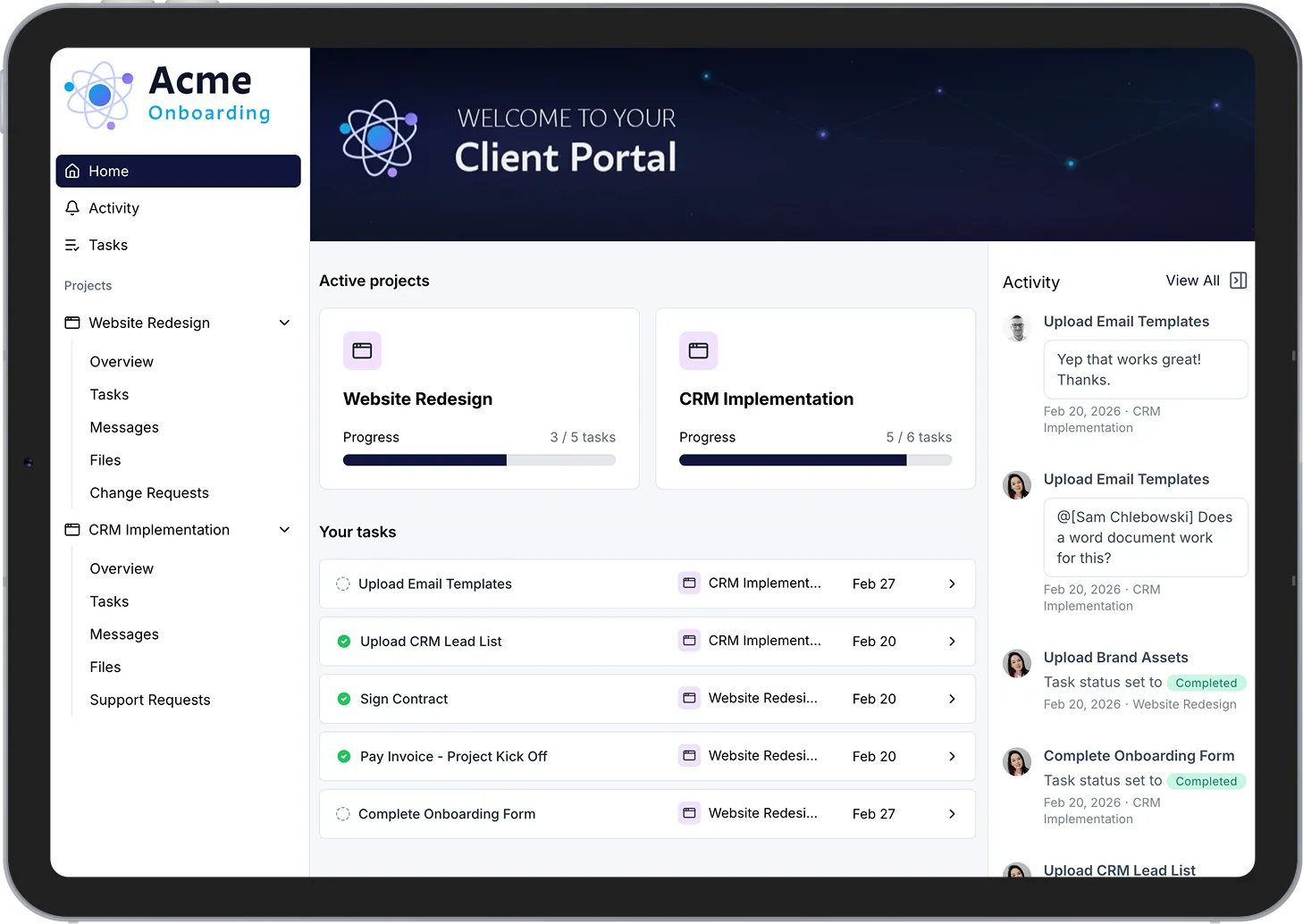
Implement client CRMs and launch faster
- standardized, client-facing, and scalable

Professional onboarding for teams who sell professional automation

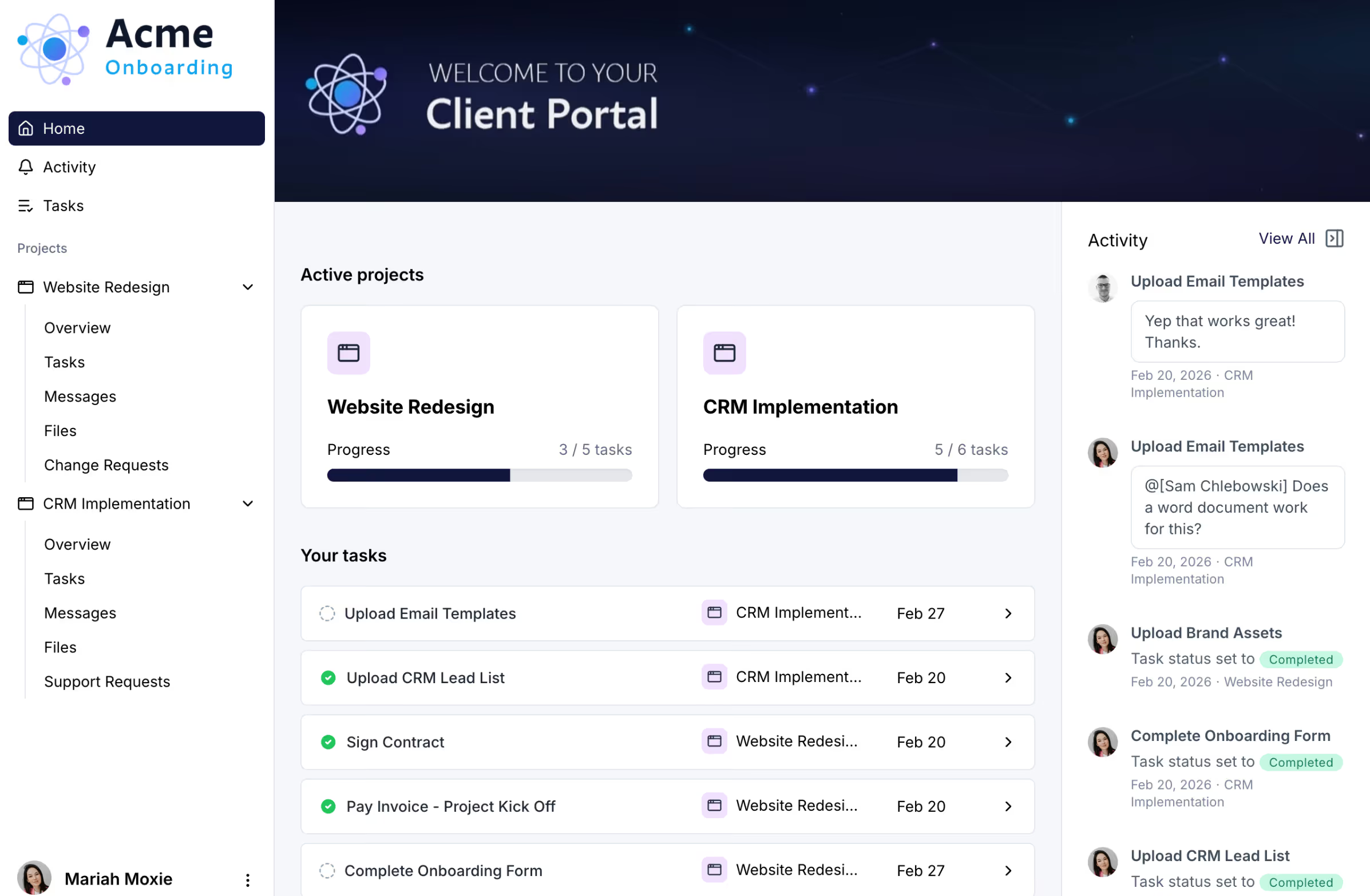
Customizable Portals

Assign tasks, share files, and connect to 1000s of other software tools to give customers access to everything they’ll need in loginless and fully white-labeled client portals.

Learn more

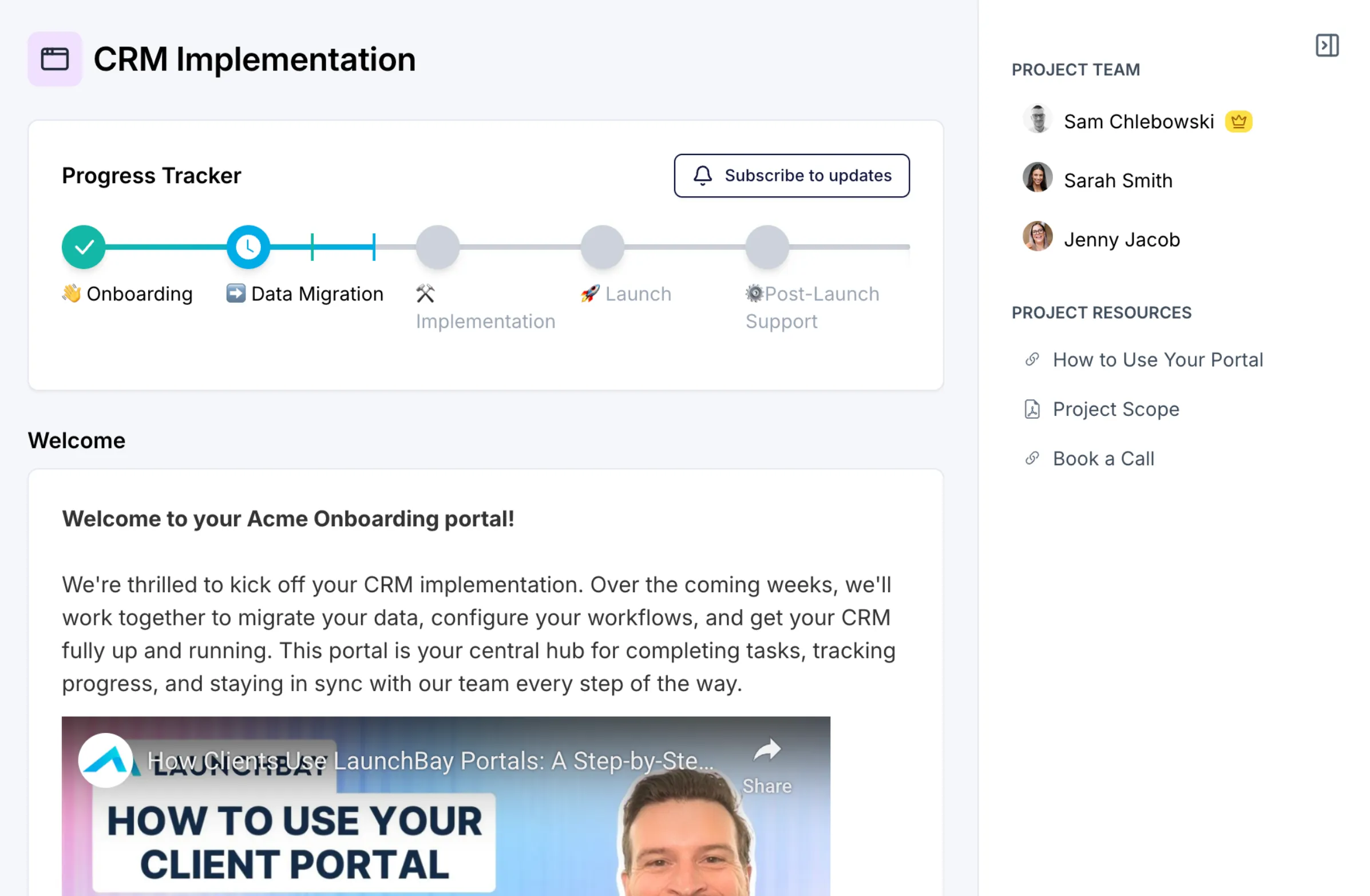
Project Progress Tracker

Provide customers with clear visibility into the status of their projects—from onboarding to offboarding—directly in their client portals.
Learn more

Contracts

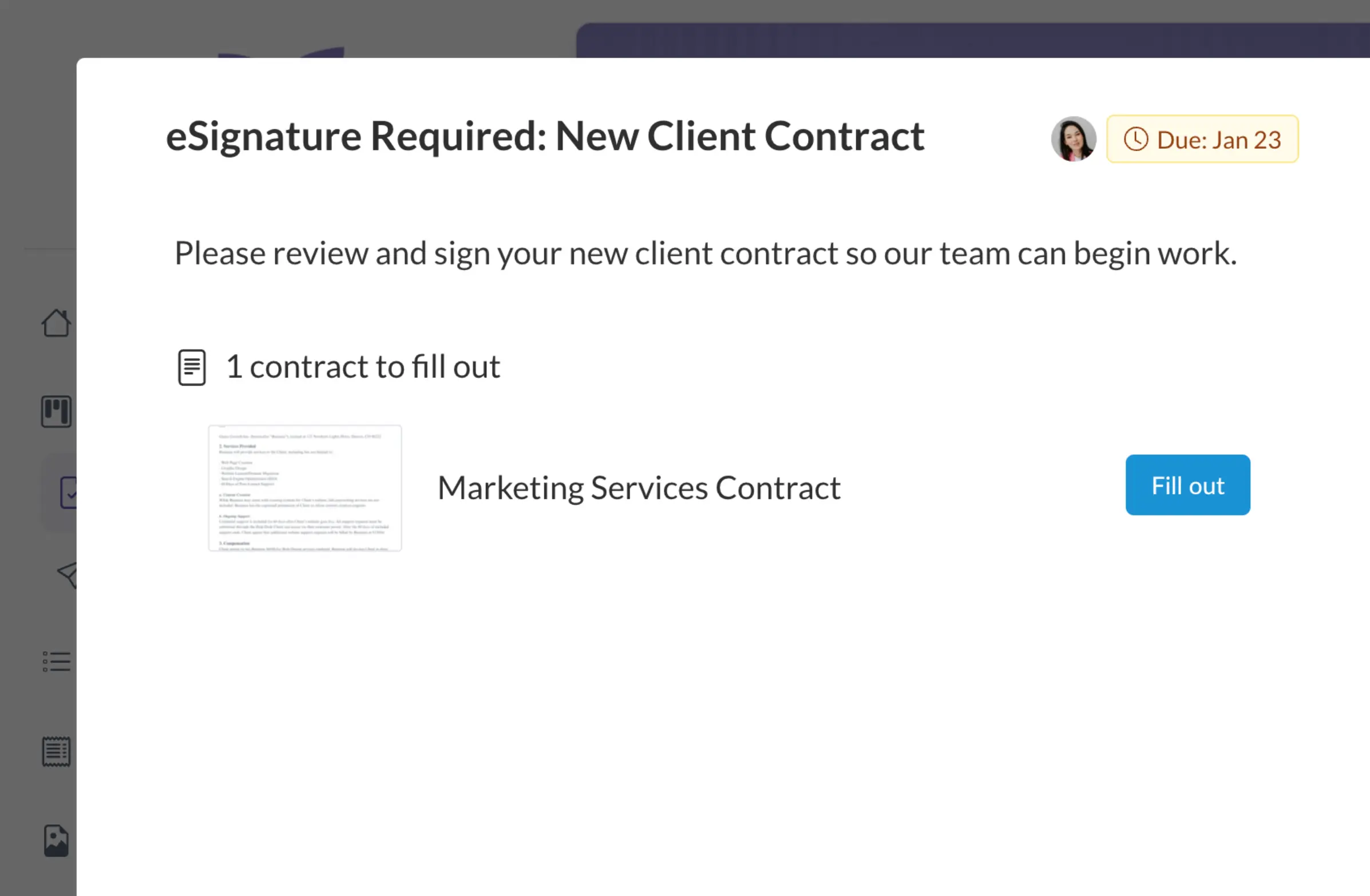
Stop juggling multiple platforms to manage client contracts. LaunchBay's electronic document signing provides a faster and more convenient way for clients to fill out, sign, and submit contracts and agreements.
Learn more

Integrations

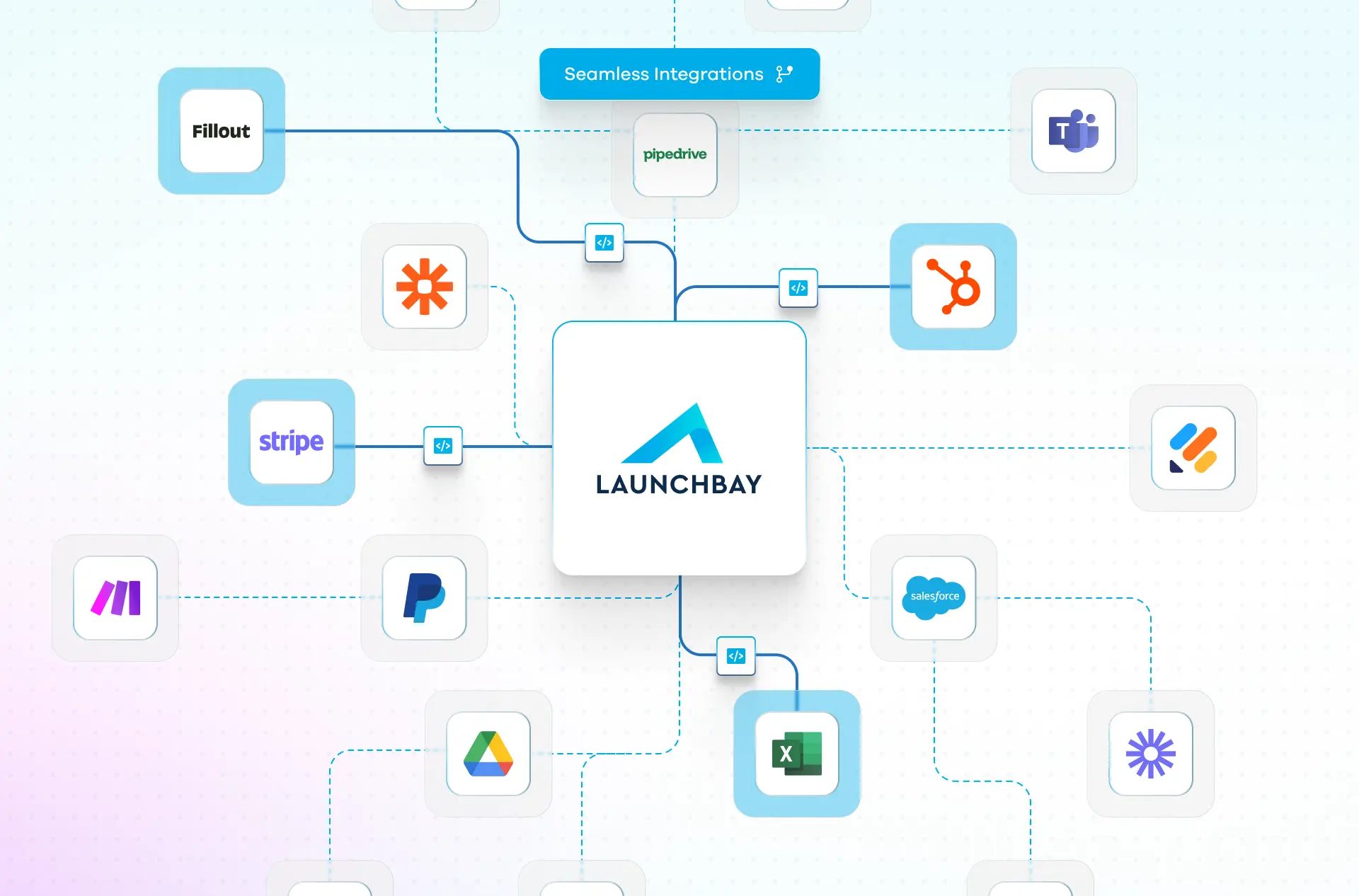
Connect the apps, tools, and software you already use to LaunchBay by adding them to pages and tasks that clients can access directly within their portals.
Learn more
“Before LaunchBay, we would spend over four hours per client tracking down onboarding information. Now, that entire process takes just 15 minutes—freeing up our team to focus on delivering value instead of chasing clients.”

Frequently Asked Questions (FAQs)

What is LaunchBay and how does it support CRM implementation projects?
LaunchBay is a client onboarding automation platform built for CRM implementation teams. It centralizes intake, data collection, task management, approvals, files, and communication into a single system so implementations run on a consistent, repeatable process instead of spreadsheets and email threads.
How does LaunchBay help standardize CRM implementations across clients?
LaunchBay allows CRM consultants to template their entire implementation workflow. Every client follows the same structured phases, tasks, and milestones, ensuring consistency across HubSpot, Salesforce, or other CRM projects while still allowing flexibility for client-specific requirements.
Can LaunchBay help collect CRM requirements, credentials, and data securely?
Yes. LaunchBay provides structured forms and secure uploads inside a client portal to collect CRM requirements, access credentials, data exports, and approvals. This ensures critical inputs are gathered early and stored in one system of record instead of scattered across tools.
Does LaunchBay provide client portals for CRM implementation clients?
Yes. LaunchBay includes fully white-labeled, loginless client portals that CRM implementation clients can access with a single click. Clients can complete tasks, submit information, review deliverables, and communicate with your team without needing separate accounts or navigating multiple tools.
Do client portals include a progress tracker for CRM implementations?
Yes. LaunchBay includes a built-in project progress tracker that shows clients exactly where they are in the CRM implementation process. Clients can view completed steps, upcoming milestones, and overall status in real-time, reducing status meetings and "where are we at" emails.
How does LaunchBay handle client feedback and approvals during CRM implementations?
LaunchBay centralizes feedback and approvals directly inside the client portal. Clients can comment on deliverables, review documentation, and approve assets in context. Automated reminders and workflow automation ensure approvals move forward without consultants chasing responses.
Can LaunchBay automate CRM onboarding and implementation workflows?
Yes. LaunchBay includes workflow automation that triggers tasks, reminders, approvals, and handoffs based on CRM deal stages or project progress. This ensures every implementation follows the same high-quality process while eliminating repetitive manual coordination.
Does LaunchBay support time tracking and billing for CRM implementation work?
Yes. LaunchBay includes built-in time tracking so CRM implementation teams can log time directly against projects and tasks. Time data can be tied to milestones and invoicing, helping firms accurately bill clients and monitor team utilization.
What reporting and visibility does LaunchBay provide for CRM implementation teams?
LaunchBay provides admin-level reporting and dashboards that show onboarding progress, project status, team productivity, and operational bottlenecks across all CRM implementations. This gives implementation leaders real-time visibility without manual reporting or micromanagement.
How does LaunchBay help CRM consultancies scale implementation capacity without hiring?
LaunchBay replaces fragmented tools and manual coordination with a single operating system for CRM implementations. By automating workflows, standardizing processes, and giving clients built-in visibility, teams can manage more concurrent projects without increasing headcount.

The smarter way to onboard clients

Replace scattered tools with one automated, branded platform built for visibility, consistency, and trust.