.svg)
Jul 10, 2026
LaunchAI Chat, AI Agents, and More!
By
Sam Chlebowski
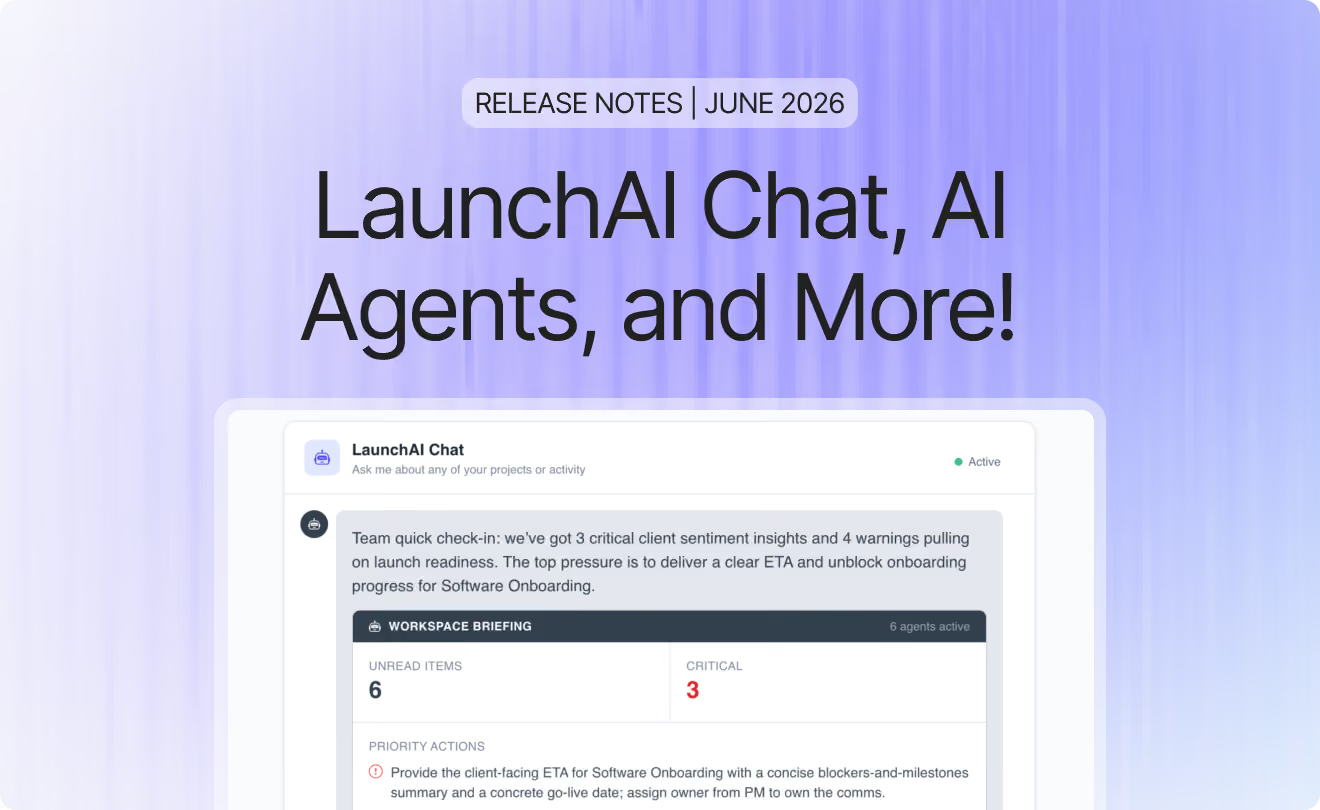
June was the month LaunchAI went from roadmap item to live product. Watching customers put LaunchAI Agents to work within the first week they shipped was one of the most rewarding things we've seen this year. We also shipped a rework of notifications based on direct customer feedback, a new way for customers to create tasks for your team from inside their portal, and a highly requested filter improvement to the Projects Dashboard.
- LaunchAI: Native AI agents and AI chat built directly into LaunchBay. Agents monitor every project in the background, surfacing what needs attention and drafting the next move. LaunchAI Chat gives you a chat-based interface with full access to your projects.
- Notification Improvements: A ground-up rework of how notifications work, based on direct customer feedback. Batching is now the default across the entire app, daily digests are consolidated into one email per day, and a new Needs Attention category surfaces only what requires your immediate action.
- Client Requests: Customers create tasks for your team right from their portal, the same way your team assigns tasks to them during onboarding. No form required.
- Default Filters: Set your default view once and it loads automatically every time you open the dashboard. No more reapplying filters after navigating away.
- Additional improvements and quality-of-life updates: MFA enforcement for teams and customers, task completion restricted to assignees, a Clients column in the All Tasks view, new MCP actions, a new Zapier action, and an improved project creation flow.
LaunchAI: AI that watches every project, surfaces what matters, and drafts the next move
LaunchAI is a new layer of AI built directly into LaunchBay. It has two parts that work independently or together.
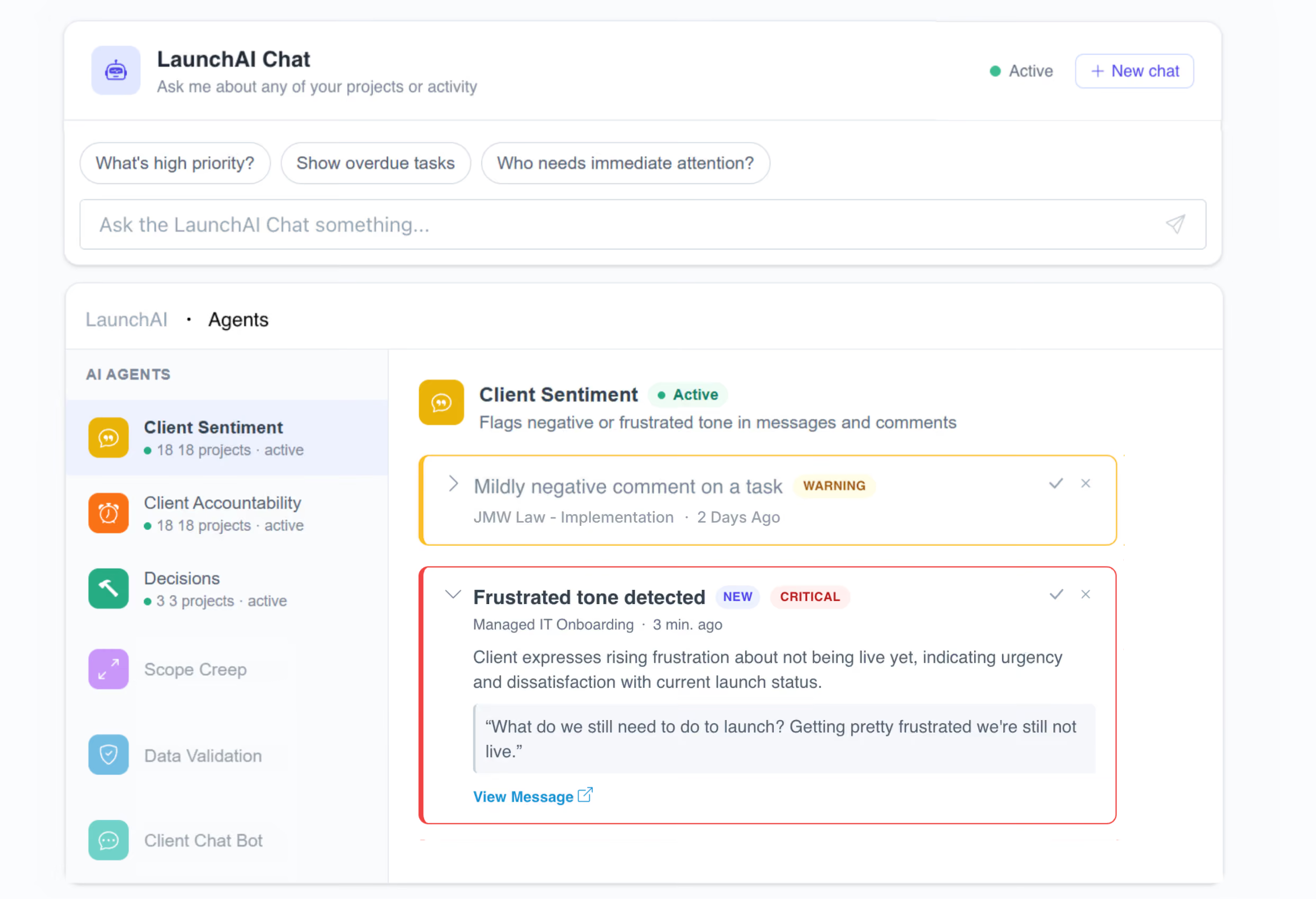
LaunchAI Chat gives you a chat-based interface with full access to your projects. Ask it what's blocked, what's overdue, or what needs attention across all your active work, and it surfaces the answer directly, no dashboard-hunting required.
AI Agents run in the background, monitoring every project and flagging what actually needs your attention. Three agents are live now:
- Client Sentiment detects frustrated tone in customer messages and flags it before it escalates.
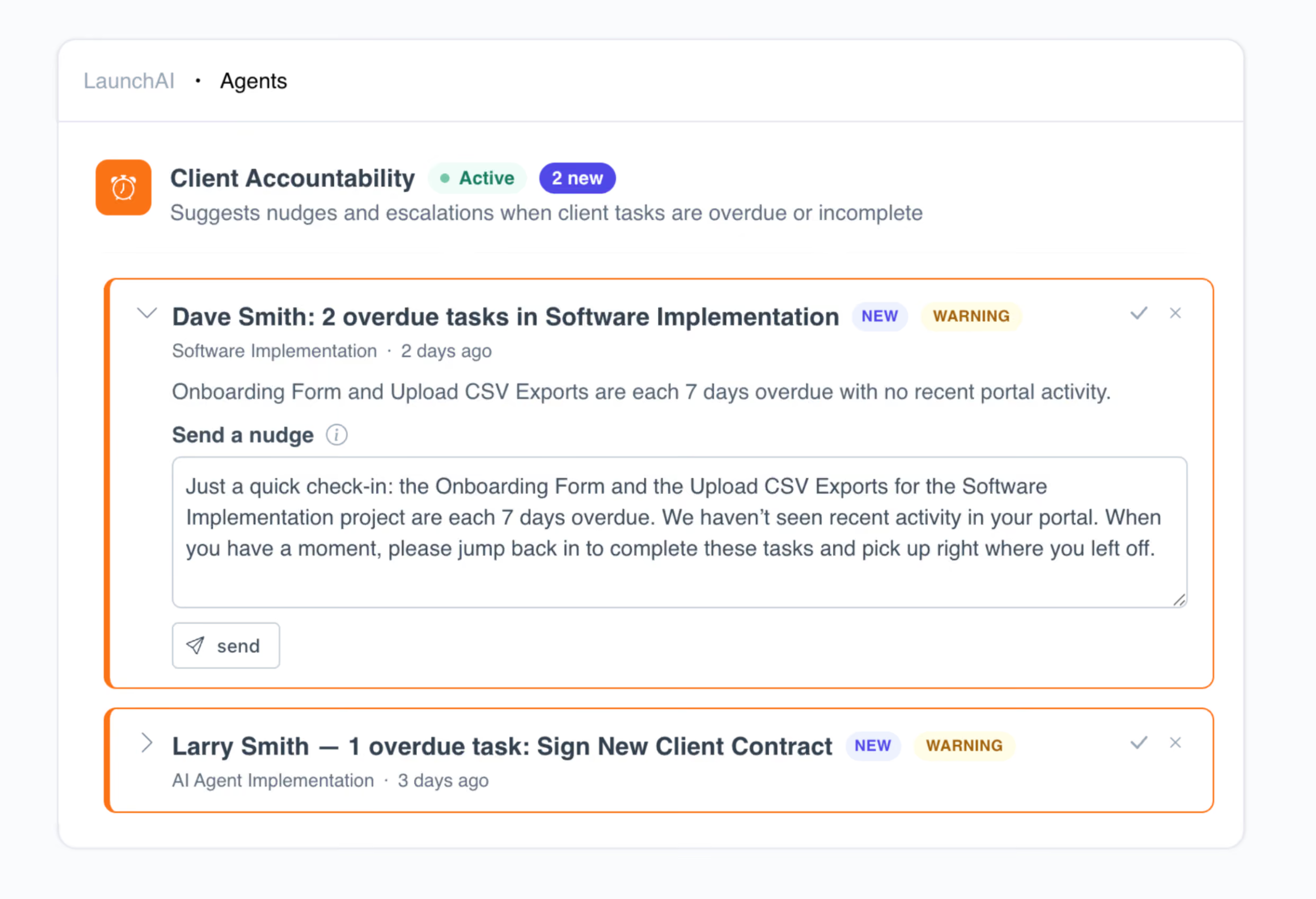
- Client Accountability surfaces overdue tasks and customers who've gone quiet.
- Decisions captures decisions mentioned in tasks, comments, and meeting transcripts so nothing gets buried.
Use LaunchAI Chat and AI Agents together or independently. Together, they help onboarding and implementation teams spot risk earlier, keep customers moving toward launch, and scale operations without adding headcount.
Learn more →
AI Nudges: One-click follow-ups, delivered to the customer's portal
When work stalls, LaunchAI drafts a nudge. Overdue task, contract waiting for signature, missing approval: the agent identifies the blocker and writes a follow-up you can send in one click. Edit the wording if you want, or send it as-is. The customer receives a customized email with a magic link straight to their portal, so they can take action without logging in.
AI Nudges are available in LaunchAI and via the LaunchBay MCP Connector.
Default Filters: Your default dashboard view, every time you open LaunchBay
Default Filters for the Projects Dashboard is one of the most-requested features we've shipped. You can now set a filter on the Projects Dashboard that loads automatically every time you visit, no reapplying after navigating away and back.
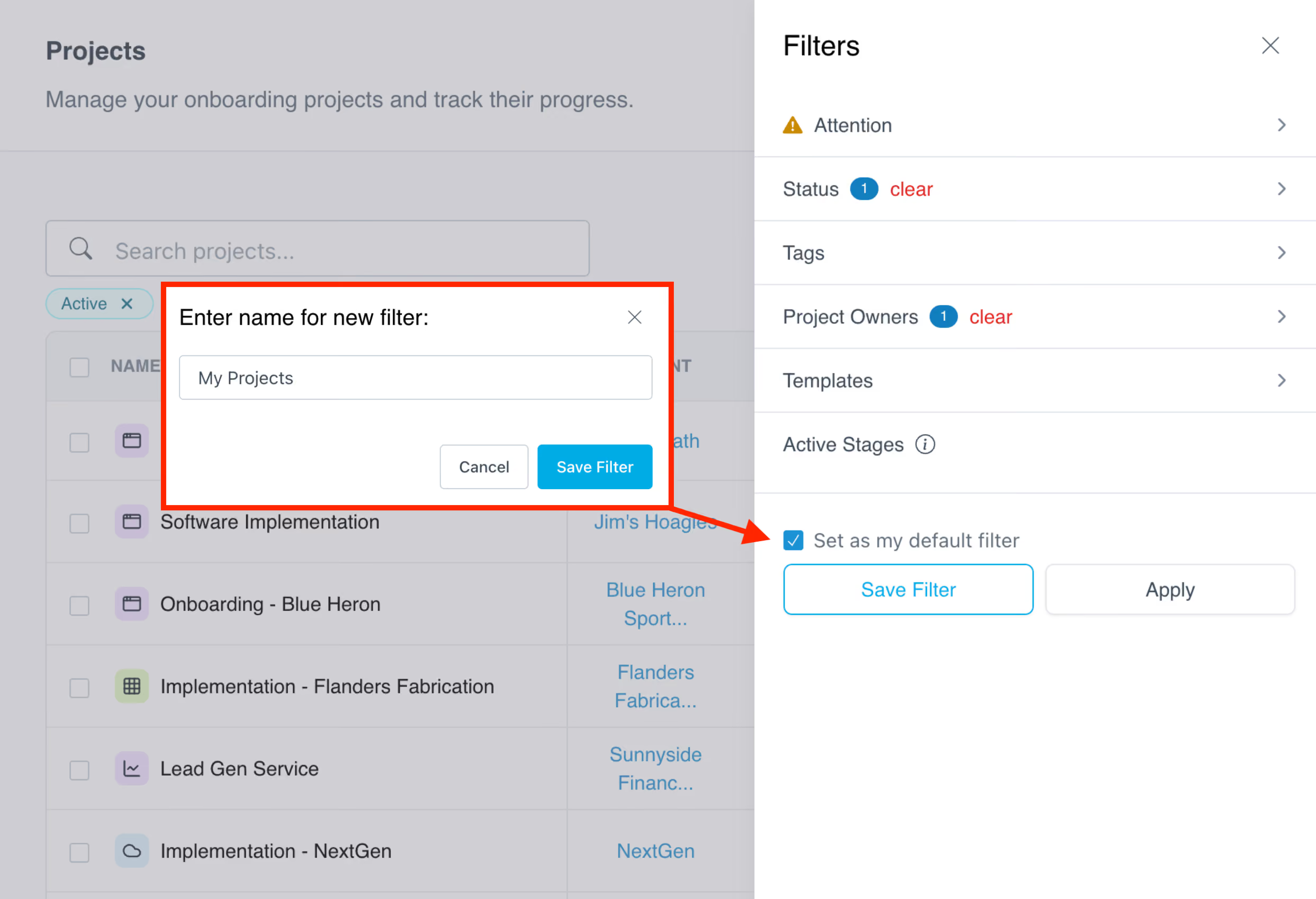
To set your default: apply the filters you want, check "Set as my default filter" at the bottom of the filter menu, and click "Save Filter." Your dashboard opens to that view from then on.
Client Requests: Customers create tasks for your team, right from their portal
Client Requests now lets customers create tasks for your team directly from the Tasks page of their portal, the same way your team assigns tasks to them during onboarding. Previously this required an embedded form. Now, enable "Allow Client Requests" from any stage's settings dropdown and customers get a simplified task builder, right in their portal.
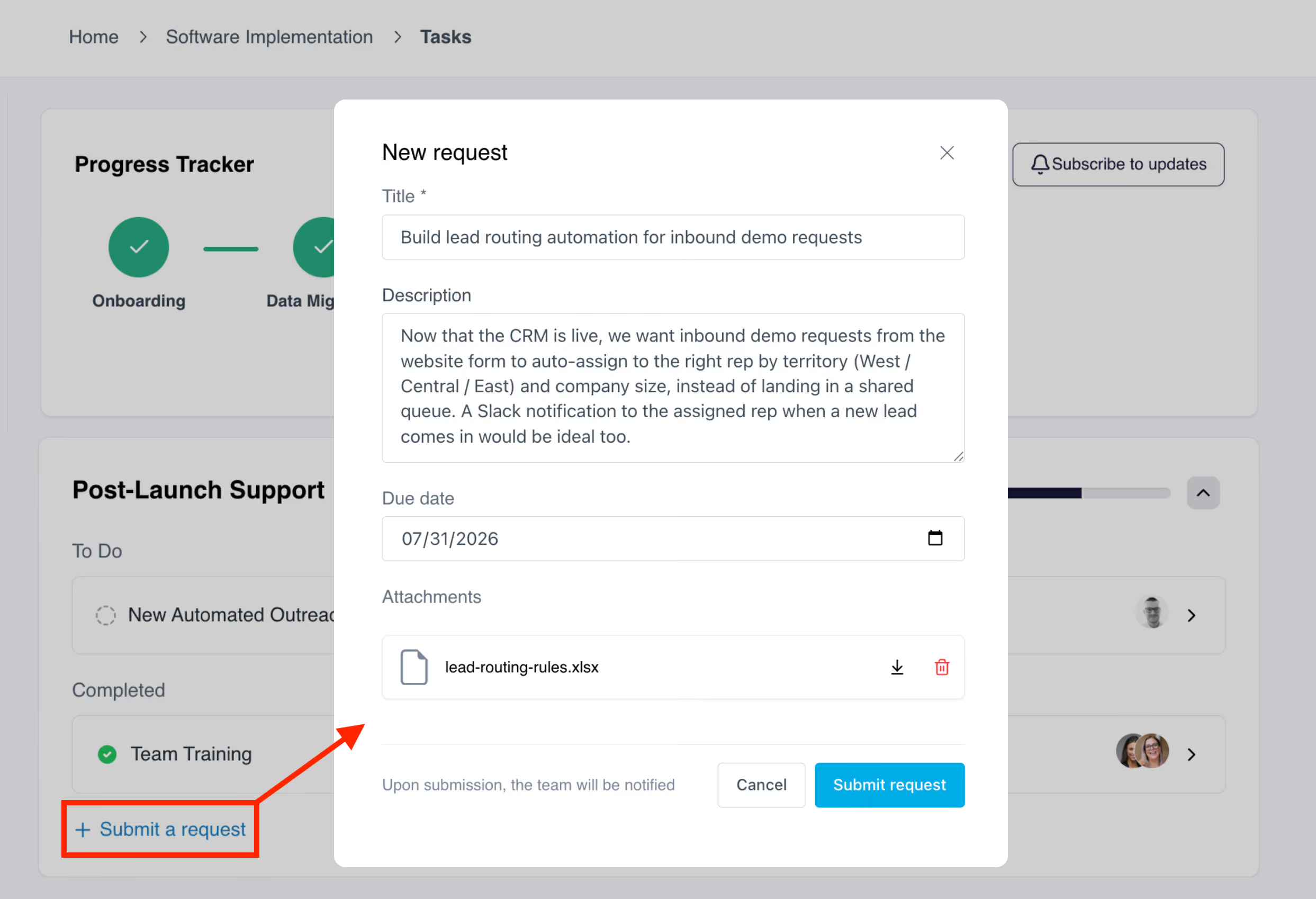
Admins choose which team member new requests get assigned to. You can also optionally hide a stage from the project progress tracker. This is particularly useful for ongoing services, post-implementation support, and any work that continues after the initial onboarding or activation phase.
Notification Improvements: Fewer emails, better signals
After speaking with dozens of customers about what they wanted to be notified about, how often, and when, we reworked notifications from the ground up. The core problem: teams and their customers were receiving multiple individual emails about related events (every task in a stage assigned at once, for example) rather than a single summary.
Notification batching is now the default across the entire app. Real-time emails group related events and send every couple of minutes, so a burst of activity arrives as one email instead of ten.
For team members, daily digests are consolidated into a single email per day covering activity across all your projects, rather than a separate digest per project.
We also released a new notification category: Needs Attention. This surfaces only the updates that require your immediate action: task assignments, @mentions, contract signatures required, and change requests. High-priority, action-required items, in one category.
Learn more about client notifications →
Learn more about team notifications →
Additional improvements and quality-of-life updates
- New MCP capabilities: Two new actions added in June: create project stages directly from AI chat, and assign due dates to tasks, whether they already exist in LaunchBay or are being created via AI chat. Both are available natively via LaunchAI Chat as well.
- Task completion restricted to assignees: Customers can no longer mark tasks complete from the portal unless they are assigned to that task, preventing unintended completions by the wrong person.
- Require MFA: Admins can now require multi-factor authentication for team members, customers, or both.
- Clients column in all tasks view: The "All Tasks" view now includes a Clients column to surface the person or company associated with each task.
- New Zapier action: Create Project Note: Create project notes automatically via Zapier.
- Improved project creation flow: The project creation modal is now a multi-step flow. Add customers, team members, field values, tags, a description, and a due date all at once, without leaving the flow.
That's everything we shipped in June. If you're running customer onboarding or implementation, LaunchBay is built for exactly that work: keeping projects on track, customers engaged, and your team focused on what actually matters.
To stay up to date on everything we ship, visit the LaunchBay Changelog.


Get back to the work you're best at.
LaunchBay's AI-powered client portal handles the collecting, reminding, and following up, so your team spends less time chasing clients and more time delivering.
Ready to stop chasing?