.svg)
Jun 25, 2026
Introducing LaunchAI: Your AI Chat and AI Agents, On Duty in Every Project
By
Sam Chlebowski
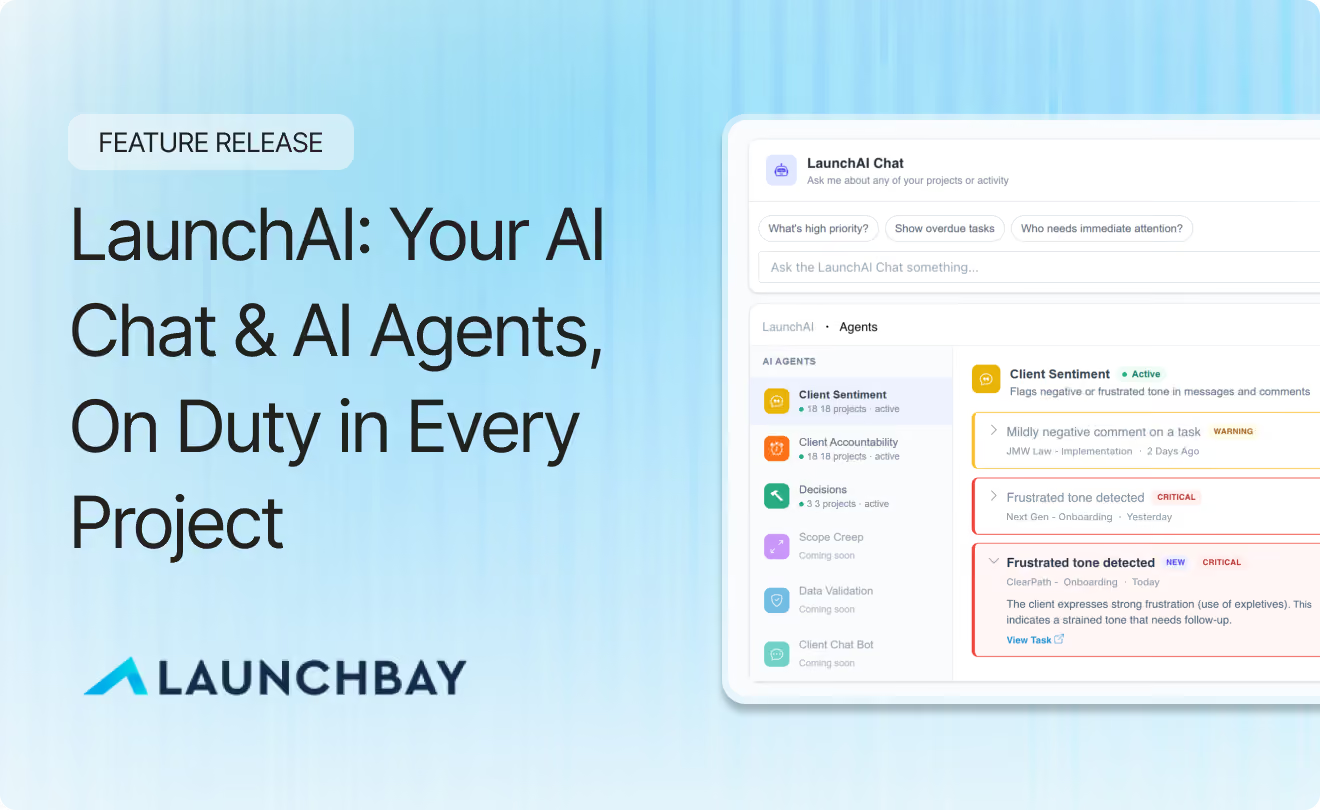
When we shipped the LaunchBay MCP connector, our users loved being able to ask Claude or ChatGPT about their projects, send customer reminders for overdue tasks blocking onboarding progress, and pull reports without opening the app. But a connected AI assistant is still reactive. You only get answers to the questions you think to ask.
LaunchAI changes that.
LaunchAI introduces in-app AI chat plus AI agents that monitor your projects in the background, surfacing risks, suggesting reminders, and helping you understand what needs immediate attention.
For onboarding and implementation teams, LaunchAI identifies and surfaces problems immediately, before they impact a launch date.
Why We Built It
When it comes to customer onboarding and implementation, the signals that point to delays are usually already there. They’re just scattered across email threads, spreadsheets, CRMs, project management tools, and other systems that weren’t built for onboarding.
By the time you notice the frustrated message, the customer who hasn't responded in nine days, or the onboarding that slipped because nobody followed up on an integration credentials request, the damage is already done.
We built LaunchAI to solve that problem.
Instead of asking implementation managers, onboarding specialists, and customer success teams to constantly hunt for risk signals, LaunchAI monitors every project automatically, surfaces what matters, and tells you where to focus before small issues become delayed launches or unhappy customers.
LaunchAI is like hiring someone to keep an eye on everything, but without the expense or headcount.
What Is LaunchAI?
LaunchAI is a layer of AI built directly into LaunchBay. It has two parts:
- LaunchAI Chat: Chat directly with LaunchAI Chat. It has access to your projects and gives you full visibility to surface blockers or issues via a chat-based interface.
- LaunchAI Agents: Always-on agents that monitor every project, surface what actually needs your attention, and draft the next move so nothing slips.
Use them together or independently. Together, they help onboarding and implementation teams spot risk earlier, keep customers moving toward launch, and scale operations without adding headcount.
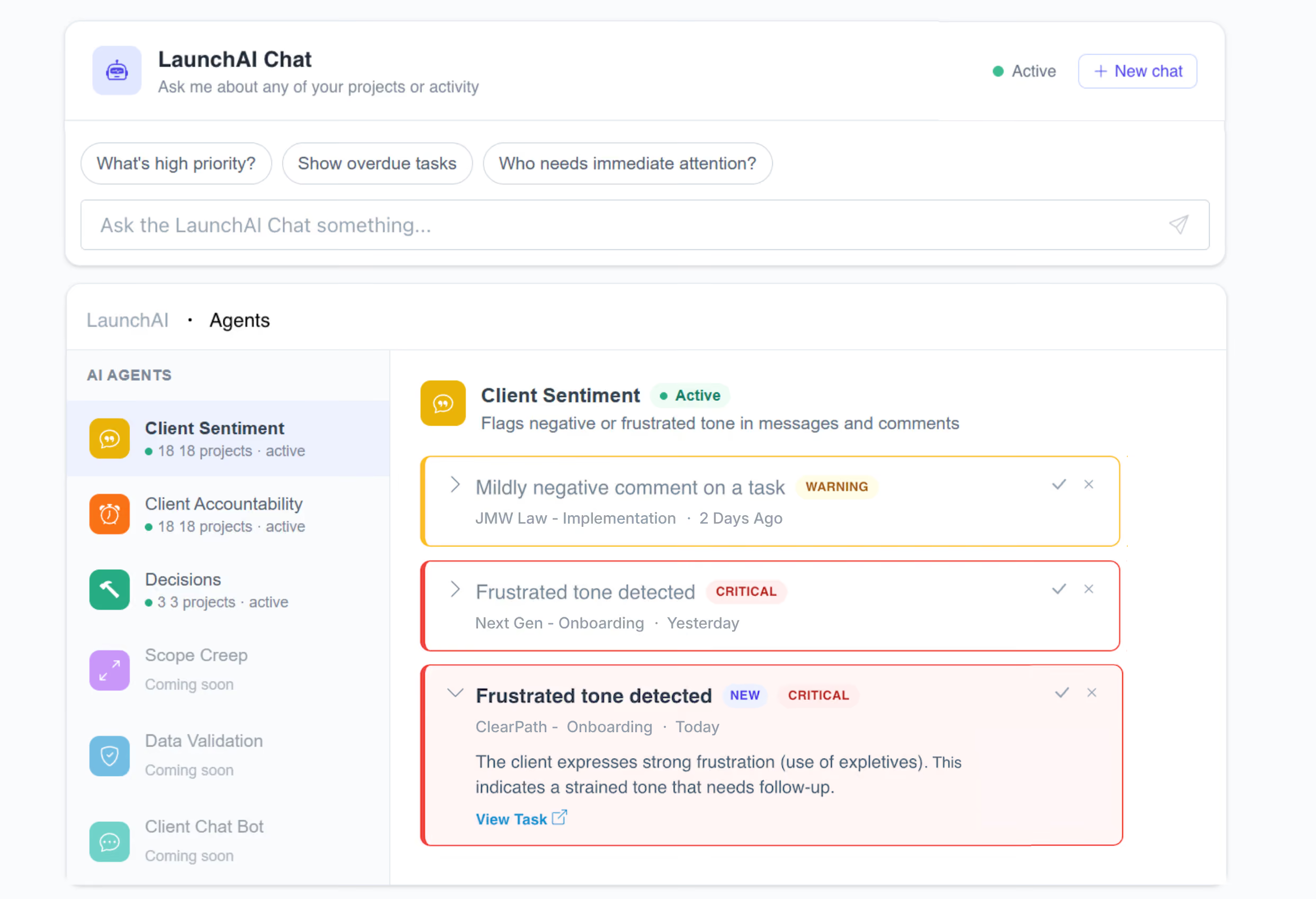
LaunchAI Chat
LaunchAI Chat is a chat assistant with access to every project in your workspace. Open it and you get a daily briefing: what's unread, what's critical, and what to do first. From there, you can ask follow-up questions, dig into specific projects or customers, or have LaunchAI Chat take action on your behalf, like sending a nudge to a customer whose onboarding has stalled.
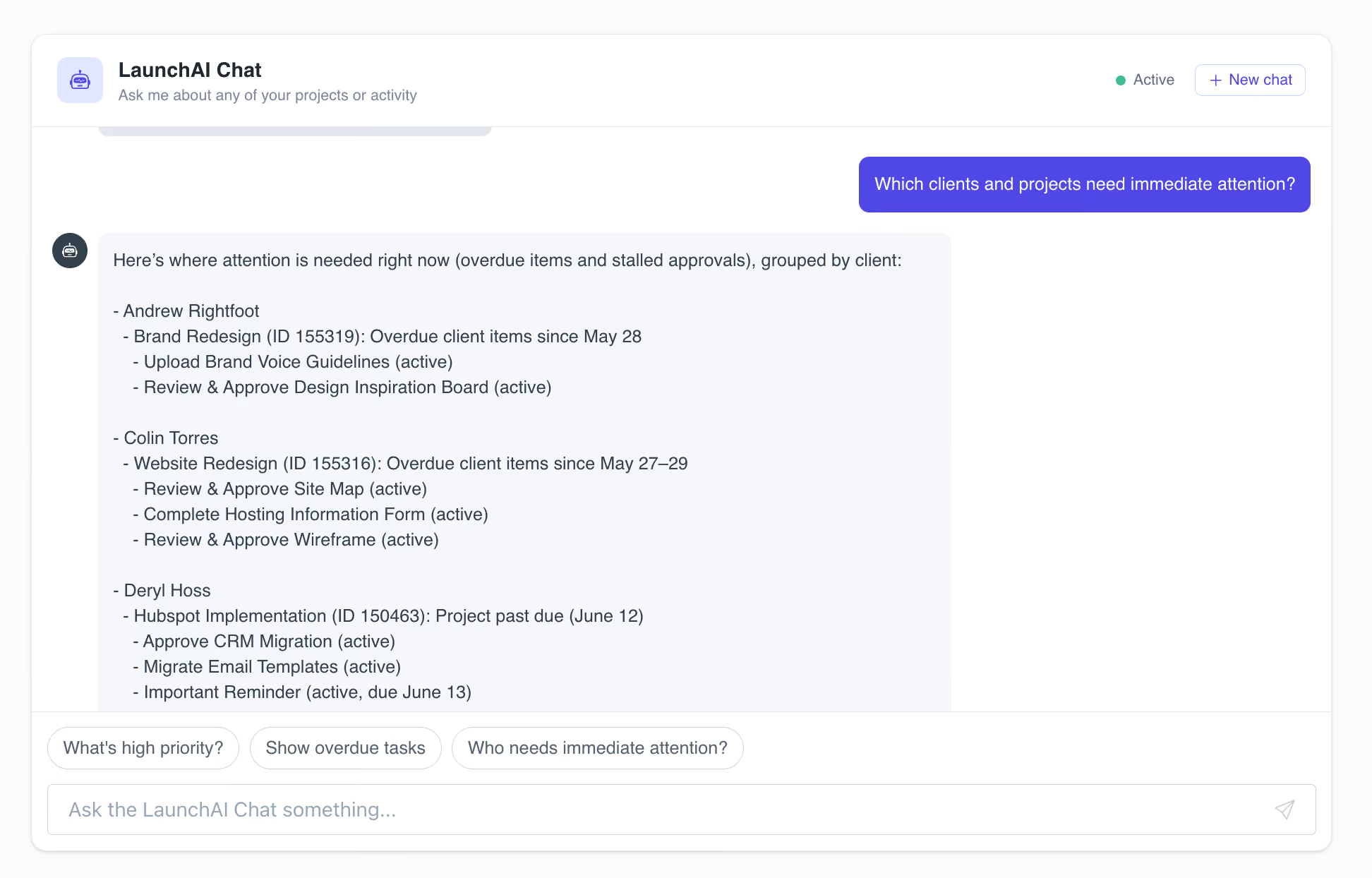
When AI agents are also active, their findings flow into LaunchAI Chat too, so you can ask questions that pull from agent signals.
LaunchAI Agents
LaunchAI Agents are always-on. Each agent is designed for a specific job, working in the background across every project it’s been added to, surfacing what needs your attention, and drafting the next move so nothing slips.
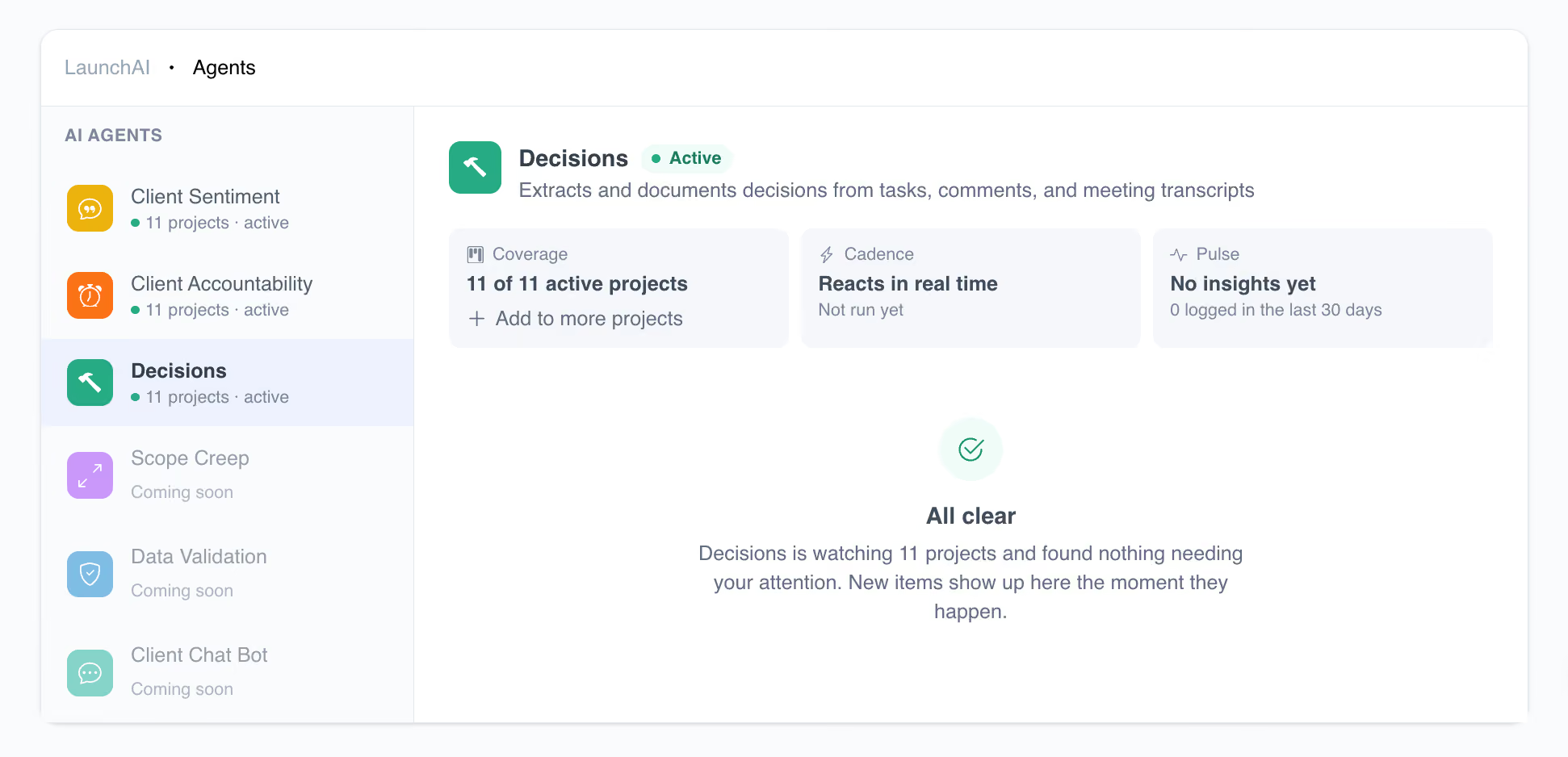
Three are live now, with more on the roadmap.
- Client Sentiment: Reads every comment and message across your projects, flagging frustrated tone before it escalates.
- Client Accountability: Watches for overdue tasks and drafts personalized nudges (e.g. reminders) you can send in one click.
- Decisions: Reads across tasks, comments, and meeting transcripts to capture project decisions so they don't get lost in scrollback.
Where Businesses Are Putting LaunchAI to Work
For onboarding and implementation teams, project health isn't just a project management problem. It's a revenue problem. The faster customers complete onboarding and launch successfully, the sooner they realize value from your product and the more likely they are to become long-term customers.
LaunchAI helps teams identify risks earlier, prioritize the right work, and keep customers moving toward launch.
Implementation Teams
- Surface stalled onboarding tasks before launch dates slip
- Automatically follow up on missing approvals, credentials, and questionnaires
- Keep customers moving toward go-live
Customer Success Teams
- Identify frustrated customers before they churn
- Prioritize at-risk accounts automatically
- Spend less time on inbox triage
Professional Services Teams
- Monitor dozens of active projects simultaneously
- Catch delays and customer blockers earlier
- Scale operations without additional project coordinators
Also Worth Knowing: AI Nudges
Nudges are one of the key ways LaunchAI takes action. When work stalls, like an overdue task, a contract waiting for signature, or a missing approval, LaunchAI drafts a nudge you can send to the customer in one click. Send it as-is, or customize the wording before sending. The customer gets a customized email with a magic link straight to their portal, so they can take action without logging in.
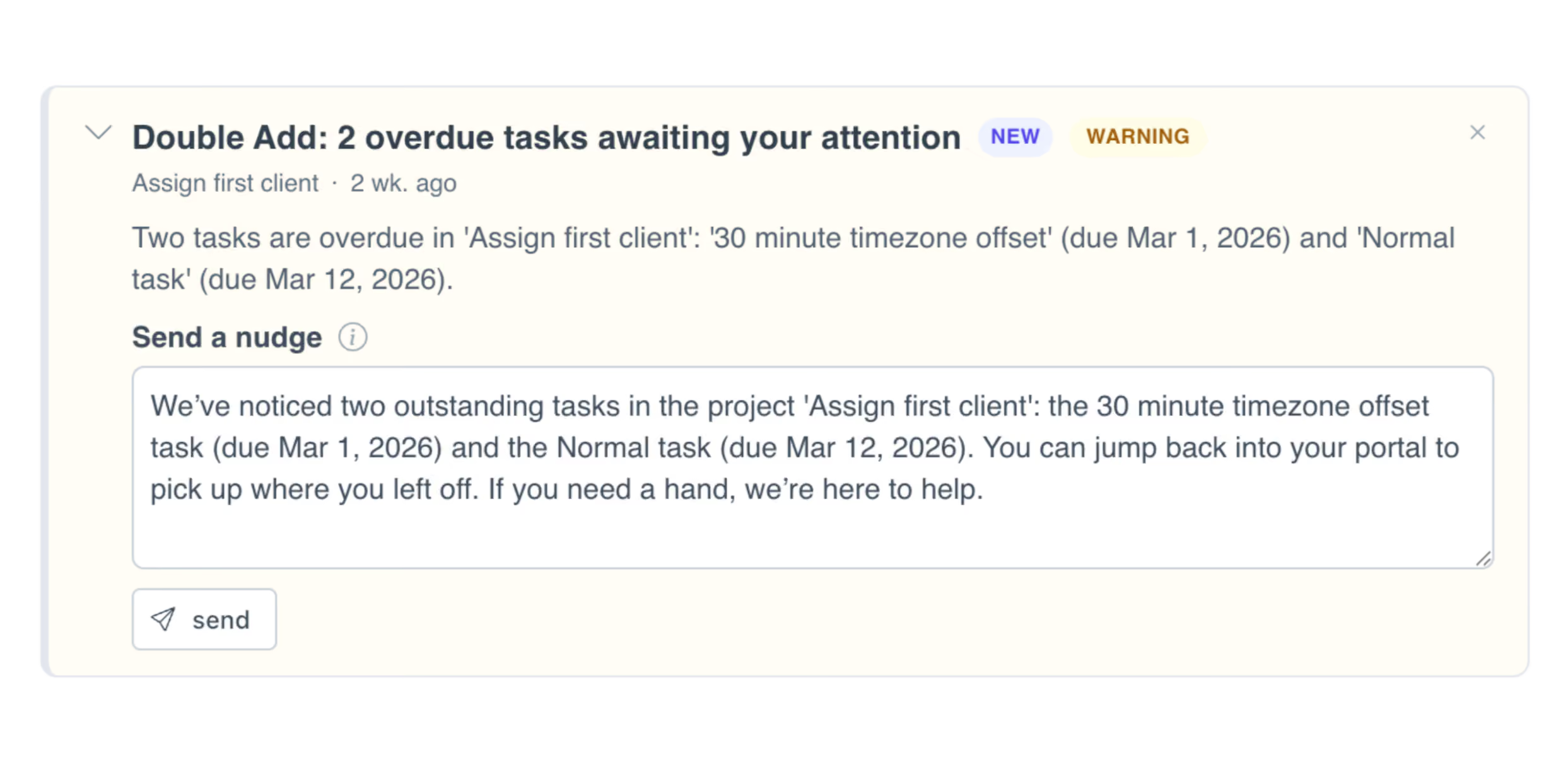
Nudges can be triggered automatically by the Client Accountability agent when it flags an issue, or by asking LaunchAI Chat to follow up on a specific task or customer. Either way, nothing gets sent without your approval.
These same AI-drafted, magic-link nudges are also available through the LaunchBay MCP connector. Ask Claude, ChatGPT, or any MCP-compatible assistant to send nudges to customers with overdue tasks and LaunchBay handles the drafting and delivery automatically.
Getting Started with LaunchAI
In your LaunchBay account, click into the LaunchAI tab from your sidebar.
Here, you can use LaunchAI Chat right away to ask questions about your projects, onboardings, and implementations. Since LaunchAI Chat already has access to your project context, you can ask things like which projects are falling behind, which customers may need attention, what you should prioritize today, or where work is getting stuck.
From the LaunchAI page, you can also enable LaunchAI Agents on the projects you want them to watch. Once active, agents begin working in the background to surface risks, flag important updates, and suggest next steps as they identify issues.
Together, LaunchAI Chat and LaunchAI Agents give you instant answers when you need them and proactive visibility when something needs your attention.
Need step-by-step instructions? Check out our full LaunchAI setup guide.
Ready to try out LaunchAI?
LaunchAI is available now in early access for all Premium plan subscribers. If you're on a Premium plan and don't see it in your account yet, email hello@launchbay.com and we'll enable it.
Not on LaunchBay yet?
Try LaunchBay free for 14 days, no credit card required.


Take command of every customer onboarding.
One platform to run, monitor, and manage every customer onboarding, with full visibility into every account.
Ready to stop wondering where things stand?