

Project management software built for client work
LaunchBay replaces the scattered tools and manual follow-ups slowing down your projects. Manage tasks, automate workflows, collect files and approvals, and give clients a branded portal to track their progress from contract to completion.
Powering 20,000+ client projects every month
LaunchBayProject Management for Client Delivery

Manage every client project from one platform

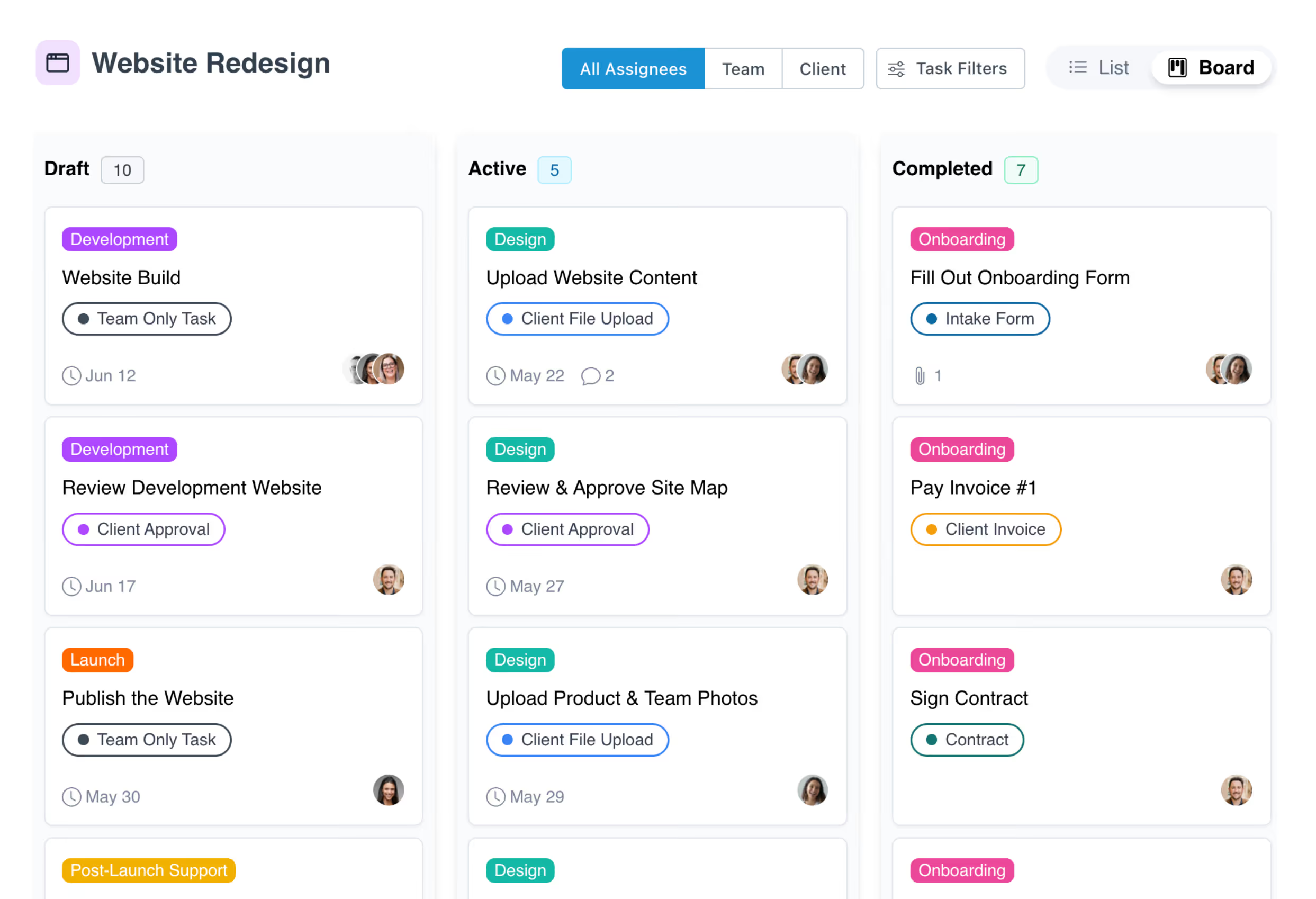
List view & Kanban board

Use List View to build and organize tasks into stages, then switch to Board View to manage live projects with drag-and-drop columns for Draft, Active, Completed, and Archived tasks.

Client & team task assignment

Assign tasks to clients, team members, or both. Attach forms, files, contracts, and invoices with due dates and automated reminders so nothing stalls your delivery.

Reusable project templates

Standardize delivery with templates that auto-generate tasks, stages, portal pages, and automations for every new project. Build once, launch every time.

Automated workflows & reminders

Trigger task assignments, follow-ups, and next steps automatically based on project milestones or client actions. Keep projects moving even when your team is offline.

Unified inbox for project communication

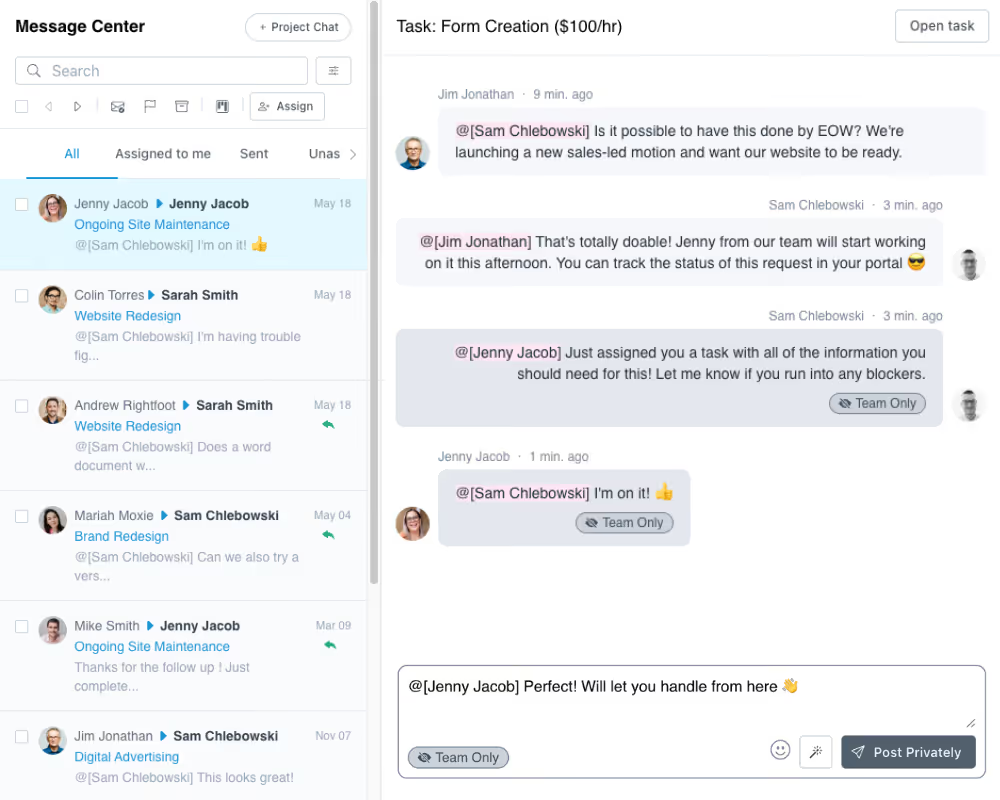
Every client message and task comment lands in one shared inbox tied to the right project. Collaborate with internal notes and @mentions before replying to clients.

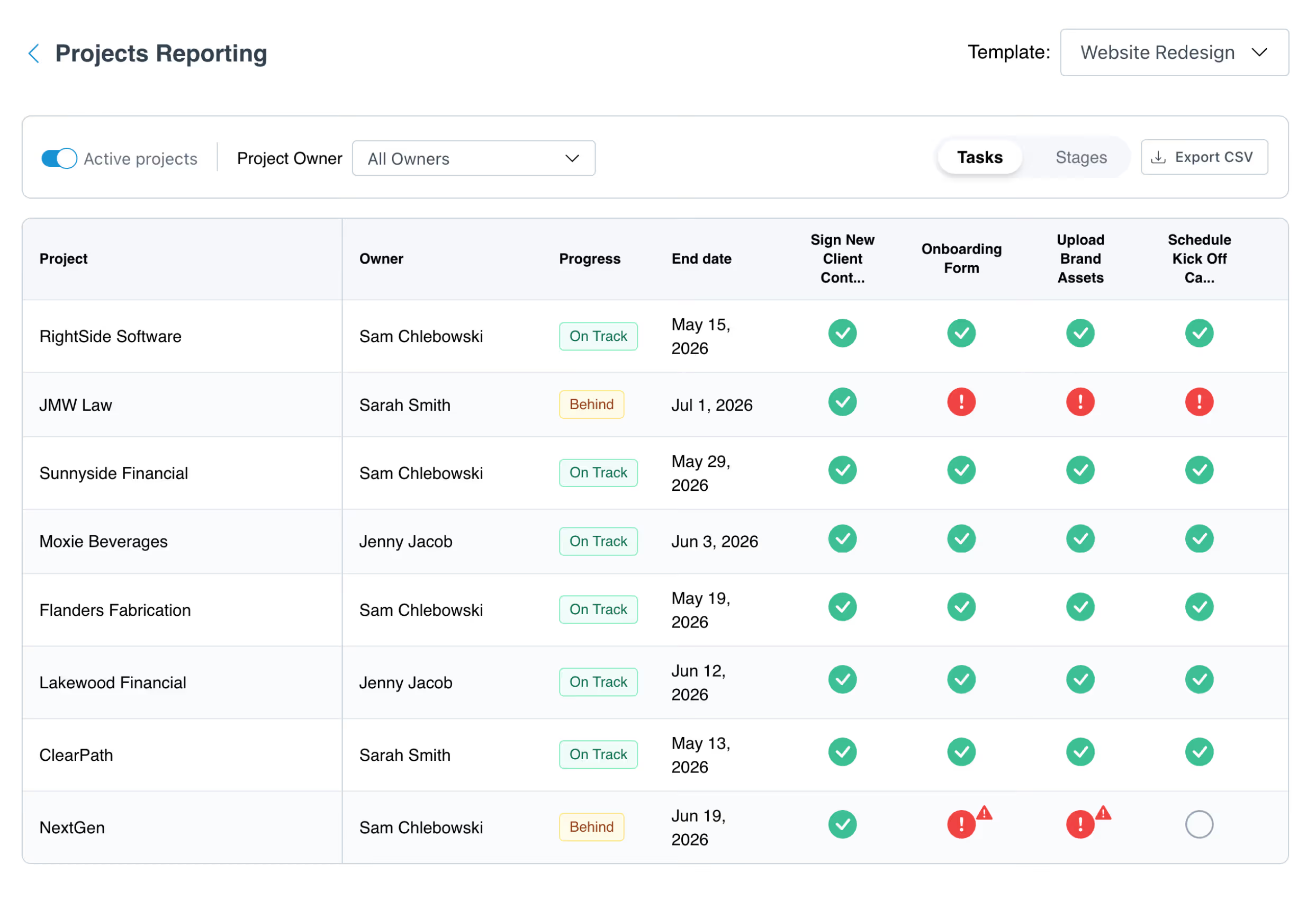
Project health scores & reporting

Spot at-risk projects instantly with auto-calculated health scores based on task completion, client engagement, and activity levels. Compare progress across projects with a template-based reporting matrix.

Scale your client delivery without drowning your team

Stay on top of every project without chasing anyone

Your Projects Dashboard gives you a centralized view of every active project with health scores, task progress bars, and activity badges. Filter by status, tags, templates, or stages, save your favorite views, and use bulk actions to manage projects at scale.
Try LaunchBay for Free

Automate the work that keeps projects moving

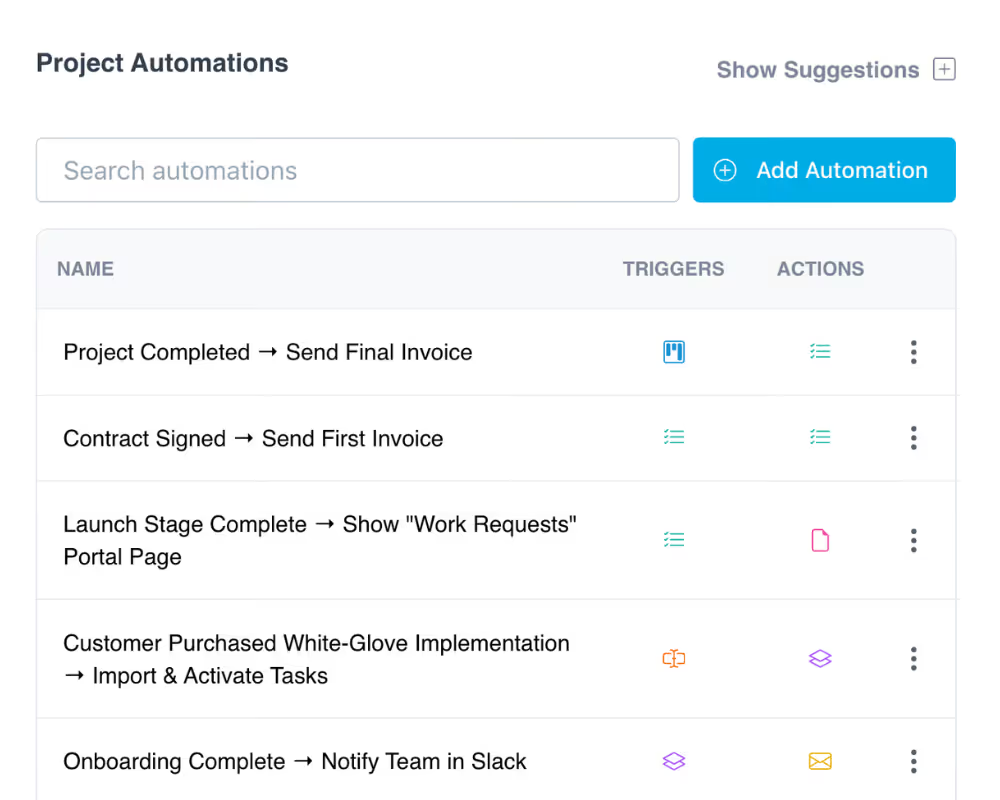
Stop relying on manual follow-ups. LaunchBay auto-assigns tasks, sends reminders, and triggers workflows the moment a deal closes or a milestone is reached. Your team focuses on delivering, not babysitting.

Try LaunchBay for Free

Give clients a premium project experience from day one

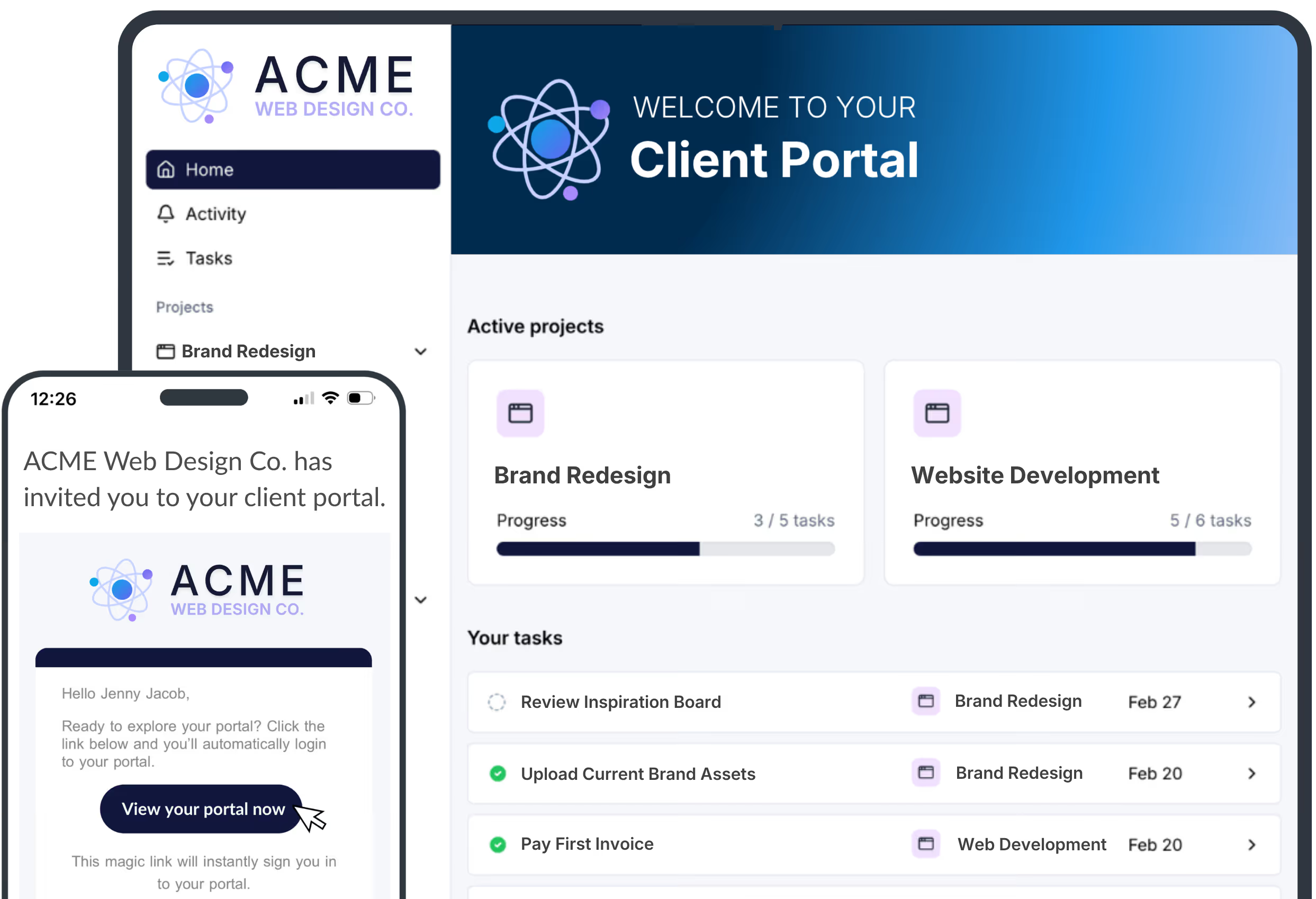
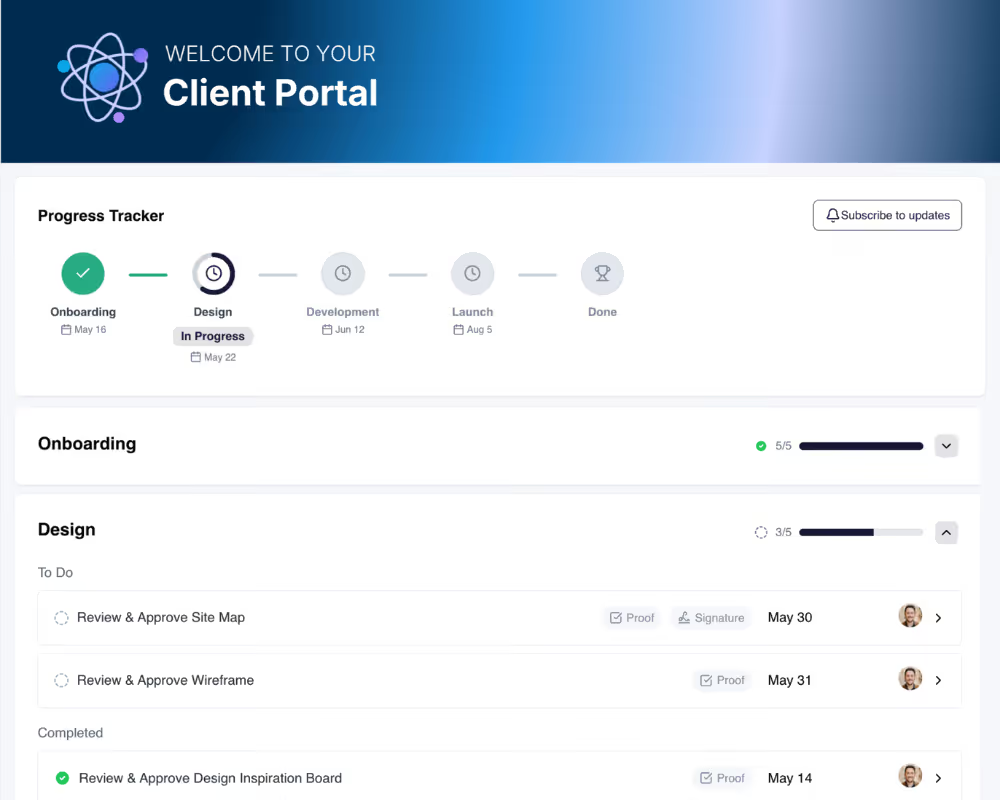
Clients get a branded, loginless portal where they complete tasks, upload files, approve deliverables, sign contracts, and track what's coming next. No clunky forms, no scattered emails, no confusing spreadsheets.
Try LaunchBay for Free

Keep exploring LaunchBay's features

Client Portals

Give every client a branded, loginless workspace where they complete tasks, upload files, approve deliverables, and track project progress in real time.
Learn more

Automations

Trigger tasks, messages, and workflows automatically when deals close or milestones are hit. Keep projects advancing without manual input from your team.
Learn more

Unified Inbox

Manage every client conversation from one shared inbox with internal notes, @mentions, and AI-assisted replies. Convert messages to tasks in one click.

Learn more

Frequently Asked Questions (FAQs)

What kind of project management does LaunchBay support?
LaunchBay is built specifically for client-facing project work. It combines Kanban boards, list views, task management, file collection, contracts, invoicing, and client communication into one platform. Unlike internal PM tools, every feature is designed to work for both your team and your clients.
How is LaunchBay different from Asana, Monday, or Basecamp?
Most PM tools are built for internal teams. LaunchBay is made for client work. Every project includes a branded, loginless portal where clients complete tasks, upload files, sign contracts, and track progress. Your team manages delivery and client experience from one platform instead of stitching together separate tools.
Can I automate task assignments and project workflows?
Yes. LaunchBay lets you trigger task assignments, reminders, messages, and next steps automatically based on project milestones, client actions, or CRM events via Zapier and HubSpot. Projects advance without manual intervention, even when your team is offline.
Do clients need to log in to track their project?
No. Clients access their project through a secure magic link sent via email. There's no account creation, no password, and no app download required. They can view tasks, upload files, track progress, and communicate with your team from any device.
Can I use templates to standardize how projects are delivered?
Yes. LaunchBay project templates let you define tasks, stages, portal pages, automations, and due date offsets once. Every new project created from a template launches with the full workflow ready to go, so delivery is consistent across every client.
How does LaunchBay handle client communication during projects?
LaunchBay includes a unified inbox where your team manages all client messages and task comments across every project. Team members can add internal notes, @mention colleagues, use AI to draft responses, and convert messages into tasks in one click. Clients communicate through their portal or email.
Does LaunchBay include project health scores and reporting?
Yes. Every project on your dashboard displays an auto-calculated health score based on task completion rate, client engagement, and recent activity. Color-coded indicators (green, yellow, red) let you spot at-risk projects at a glance. LaunchBay also includes a Project Progress reporting view that shows task completion across all projects created from the same template, making it easy to identify bottlenecks and compare progress side by side.

Run client work the smarter way

Replace scattered tools with one branded portal for onboarding clients, coordinating work, and delivering a better client experience.
