.svg)
October 19, 2026
Trigger Automations with Project Tags
.png)
Part of our 31 Customer Improvements series, where we ship one feature our customers asked for every day this month.
Project tags are a big part of client management. They tell your team who the client is, how much attention the project needs, and whether it’s on track. Starting today, they can also get the work moving. Add or remove a tag, and LaunchBay runs the automation you’ve tied to it.
What’s new
Project tag is now an automation trigger. Choose a tag, then choose whether the automation runs when that tag is added to the project or removed from it. It works just like the task tag trigger you may already use.
It doesn’t matter how the tag changes. The automation runs whether someone tags the project by hand, tags many projects at once from the project list, another automation changes the tag, or an AI assistant does it through the LaunchBay MCP.
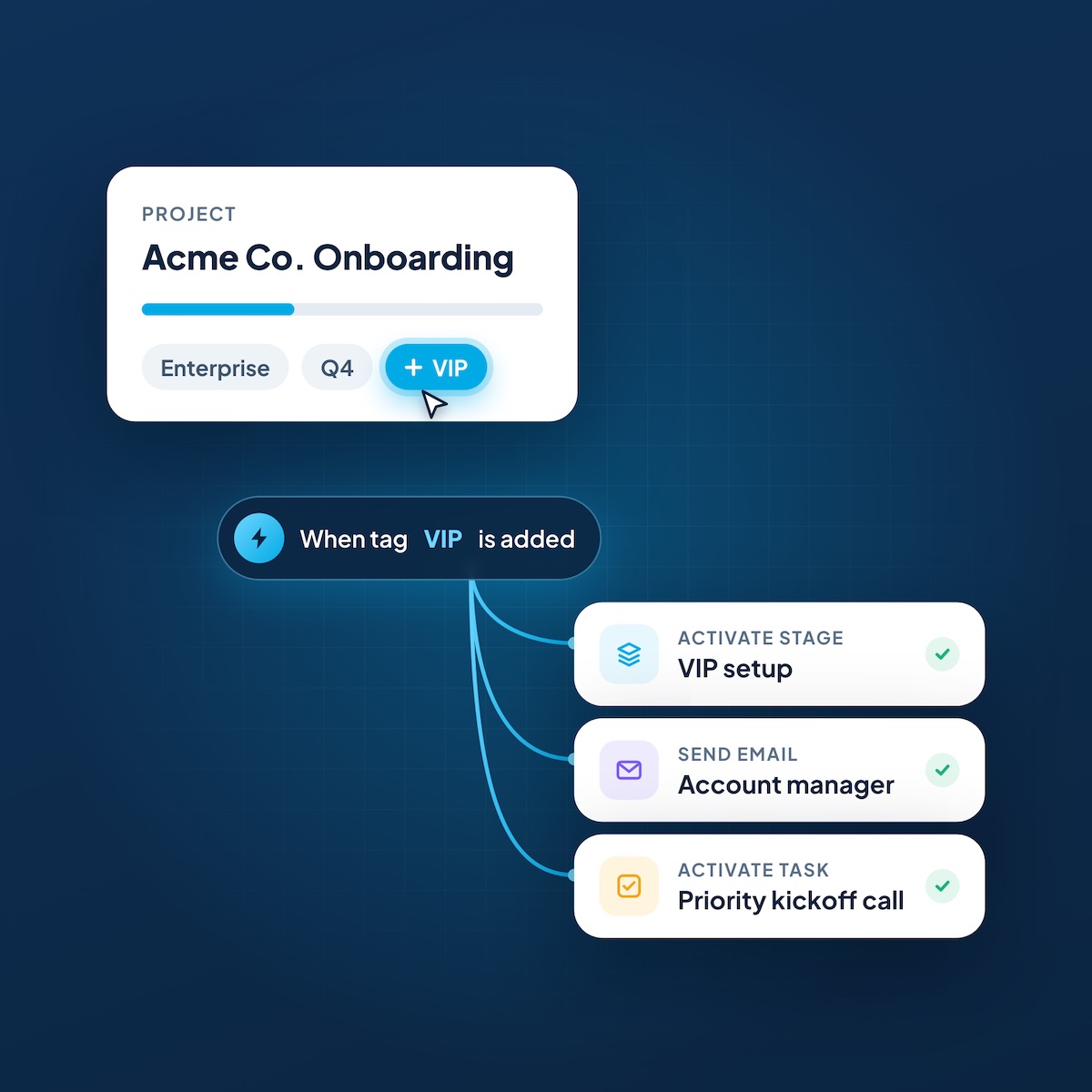
Ways to use it
Here are a few automations teams can build in a couple of minutes:
A tag trigger can run any automation action you already have: send an email, activate or archive tasks and stages, import from a template, show or hide client portal pages, and add or remove tags. You can also add a delay, like following up three days after a tag goes on.
How to set it up
- Open a project or template and go to Automations.
- Create a new automation and click Add Trigger.
- Choose Project tag as the trigger type, then pick the tag.
- Choose added to project or removed from project.
- Add your actions, plus a delay if you want one, and save.
For something you want on every project, set it up on a project template. Every project created from that template gets the automation, so every new client onboarding starts with your rules in place.
Good to know
- One tag trigger per automation. As with task tags, a project tag trigger can’t be combined with other triggers. To react to several tags, create one automation for each.
- Only real changes count. Adding a tag the project already has, or removing one it doesn’t have, won’t run anything.
- Chain automations. An automation that adds or removes a project tag can trigger another automation, so you can build simple multi-step flows. Just avoid two rules that undo each other, like one that removes a tag when it’s added and another that adds it back.
- Works with AI assistants. Through the LaunchBay MCP, your assistant can see your project tags and set up these automations for you.
Try it today
Project tag triggers are live for every team with automations. Open any project, add a trigger, and let your tags start the work. We’d love to hear what you build with it.

