.svg)
Aug 5, 2026
Project Roles, Task Dependencies, and More!
By
Sam Chlebowski
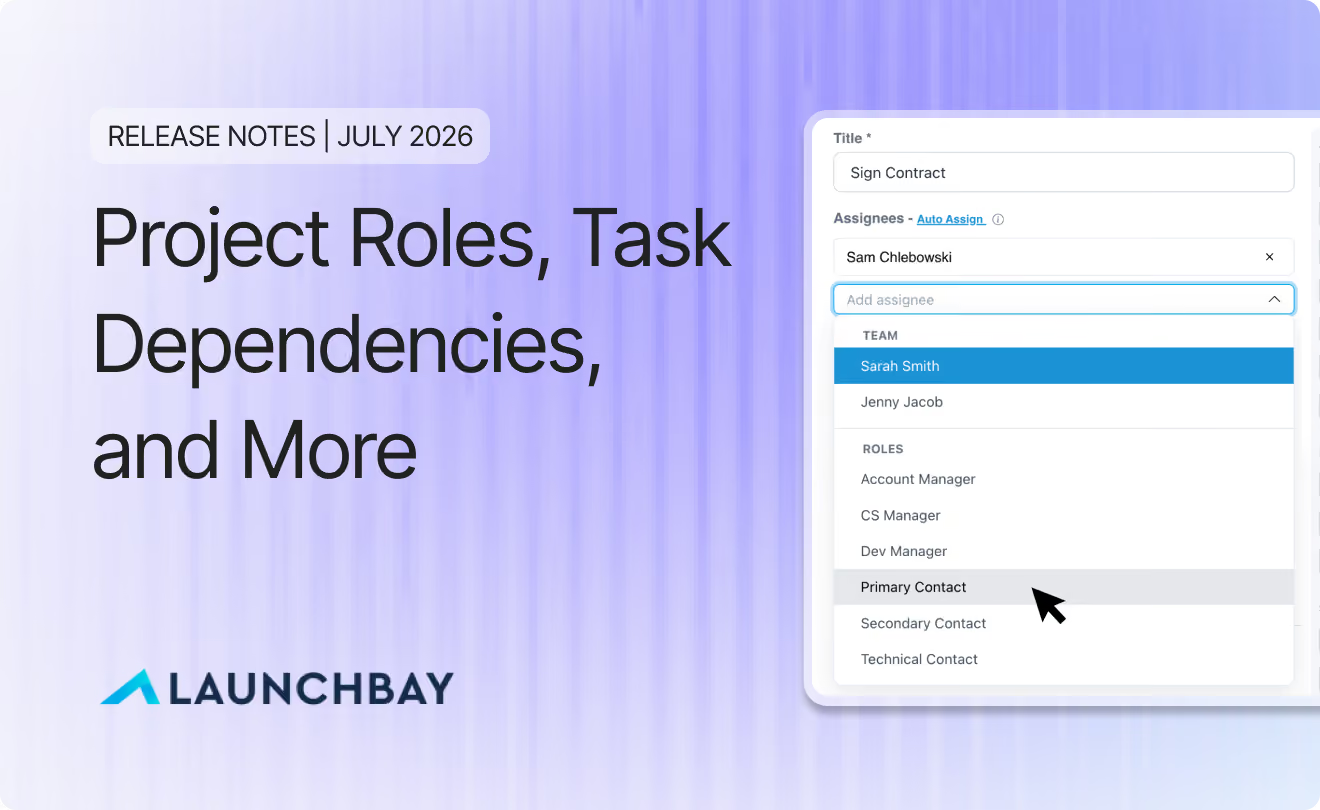
The new features have been coming in fast here at LaunchBay. Seriously. We've shipped new tools and capabilities for our MCP Connector every week for almost two months now, and we've also expanded our core product functionality in some big ways. Here's everything worth knowing from July.
- Project Roles: Assign placeholder roles, like Account Manager or Primary Contact, to tasks in a template, then map real people to those roles once per project. No more building a separate template for every combination of people involved.
- Task Dependencies: Configure tasks that unblock automatically as their prerequisites are completed, and pair them with "due in X days" so due dates track actual progress instead of the calendar.
- New MCP Tools: Nearly a dozen new tools added to the MCP Connector, from pulling health scores and decisions to creating tasks, projects, and forms straight from LaunchAI Chat or your connected AI assistant.
- Enhancements to Meetings: An All Meetings view shows every meeting across every project in one place, and follow-up tasks now get their own dedicated section, with LaunchAI suggesting next steps straight from an imported transcript.
- Additional improvements and quality-of-life updates: separate Zapier controls for sharing meeting summaries vs. transcripts, password reset links instead of temporary portal passwords, and tighter comment notifications for assigned clients.
Project Roles
Project templates run into a problem the moment you actually use them: the people involved change from project to project, even when their responsibilities don't. The owner or president at a company you're working with is always the one signing the contract, but who that person is changes with every customer. The same goes for your own team. You always want an account manager reviewing customer information and attending meetings, but which account manager gets assigned depends on the project.
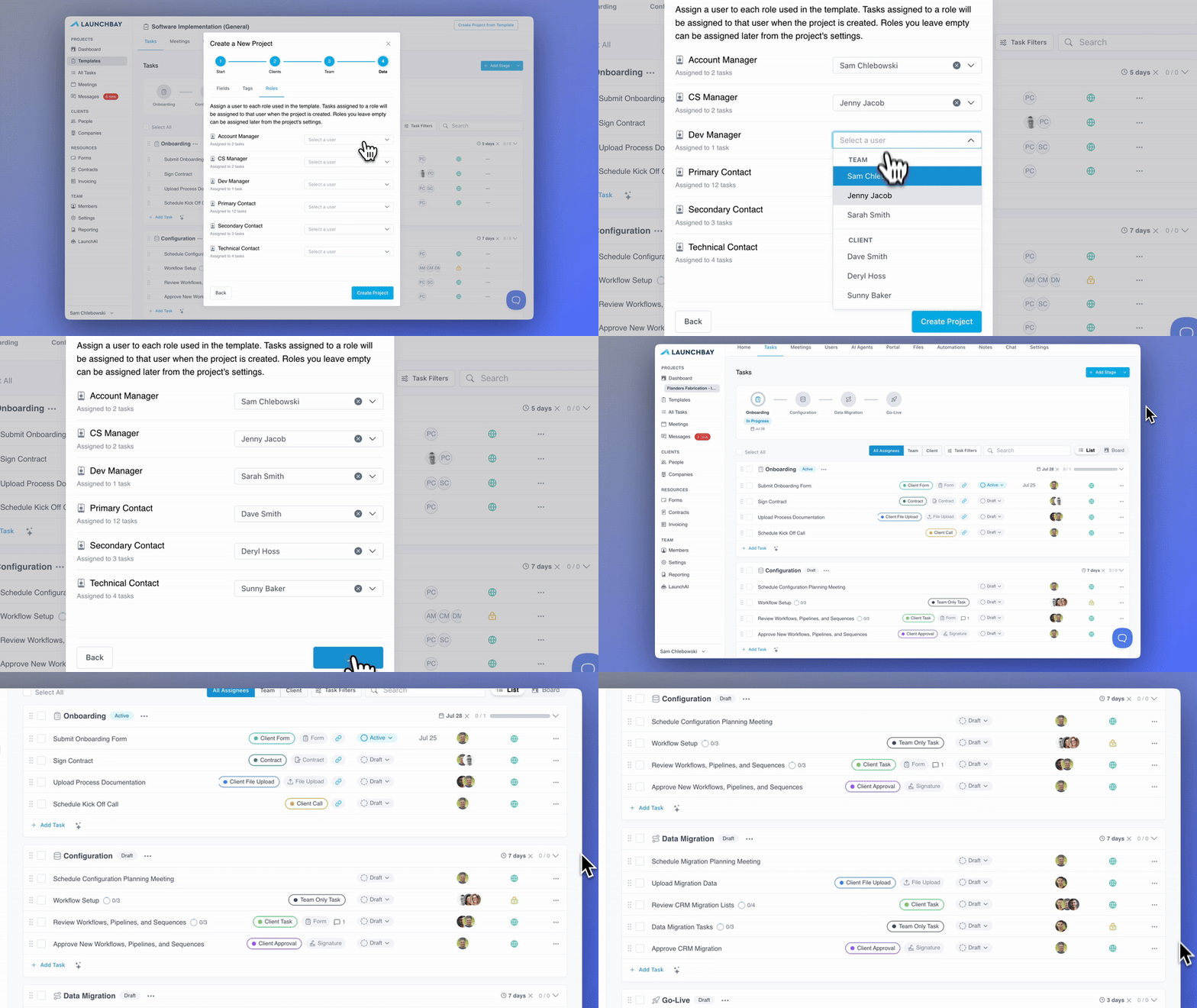
Previously, the only way to guarantee the right person landed on the right task was to build a separate template for every combination of people involved, which defeats the point of a reusable template. Project Roles fixes that: one template now adapts to each project instead of needing a variant for every combination.
Create roles like Account Manager or Primary Contact in your account settings, assign those placeholder roles to tasks in a template, then map real people to the roles once when you create the project. Every task tied to that role gets assigned automatically. Learn more →
Task Dependencies
Configure a task, or a group of tasks, that must be completed before other tasks can activate. Chain dependencies together to build a waterfall sequence, and use the new dependency map to see the full chain at a glance. Learn more →
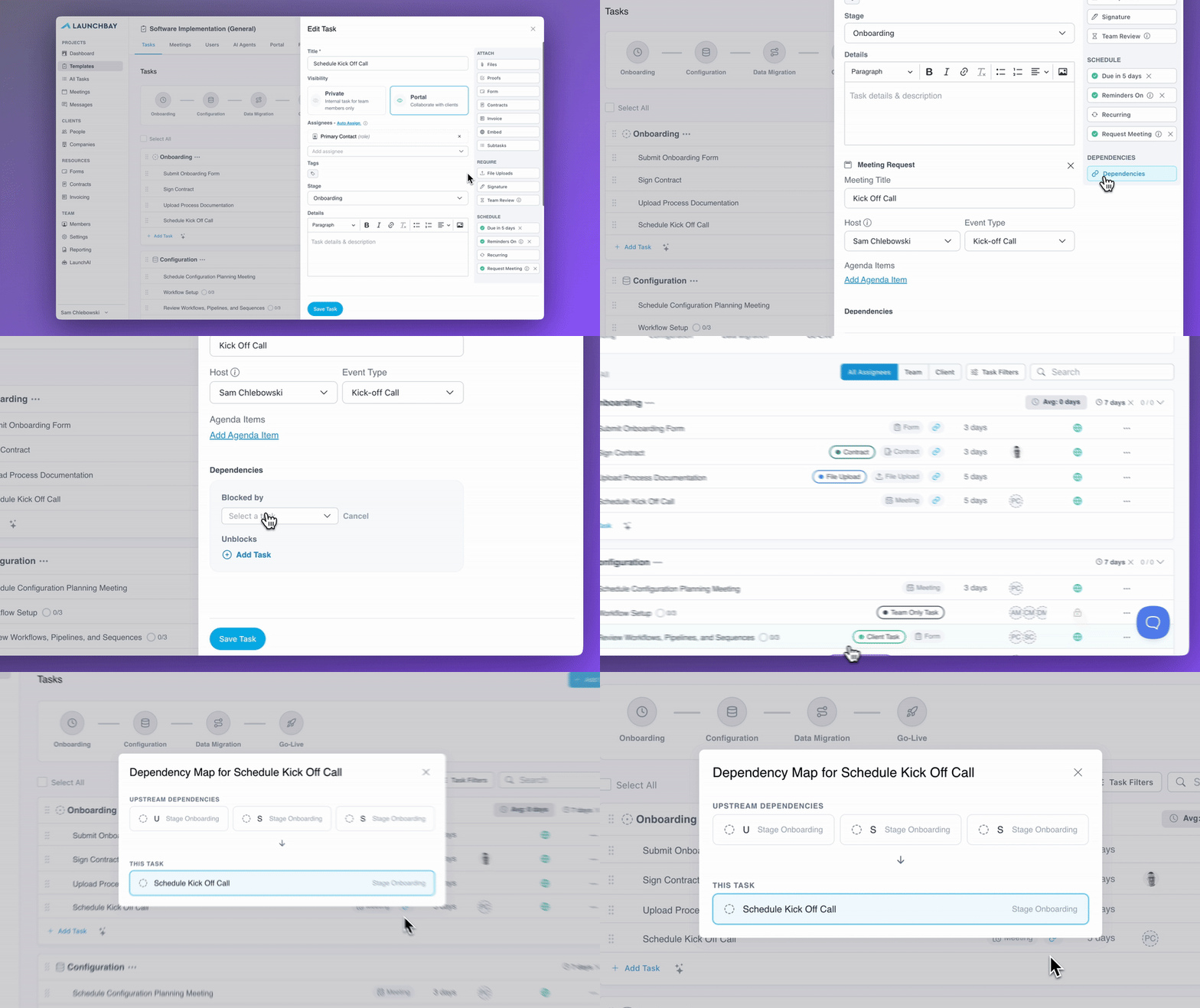
Pair dependencies with "due in X days," also new this month, and a task's due date is set relative to its activation instead of a fixed calendar date. Combine the two, and the next task activates the moment its prerequisite is completed, with its own due date calculated from that moment. Projects move at the pace work actually gets done, not a static timeline.
New MCP Tools
The MCP Connector got a lot more capable in July. We added nearly a dozen new tools, opening up dozens of new ways to use the Connector, available through LaunchAI Chat and connected AI assistants like Claude and ChatGPT:
- Retrieve customer form submission data, pull project health scores, and surface decisions captured by the Decisions AI Agent
- Responses now include a direct link back into LaunchBay, so you can jump straight into the task or project being discussed
- List templates and create new projects from them, add users to a project, archive tasks, and update tags on tasks and projects
- Attach a form to a task as part of creating it, attach a file to a task by URL, and retrieve files uploaded to tasks, whether from direct uploads or form submissions
- Pull the full version of a project's notes, not just create or update them
- Faster, smarter responses: paginated results, limits to avoid excessive tool calls, support for requesting multiple projects or tasks in a single call, and archived or completed projects excluded by default unless you ask for them
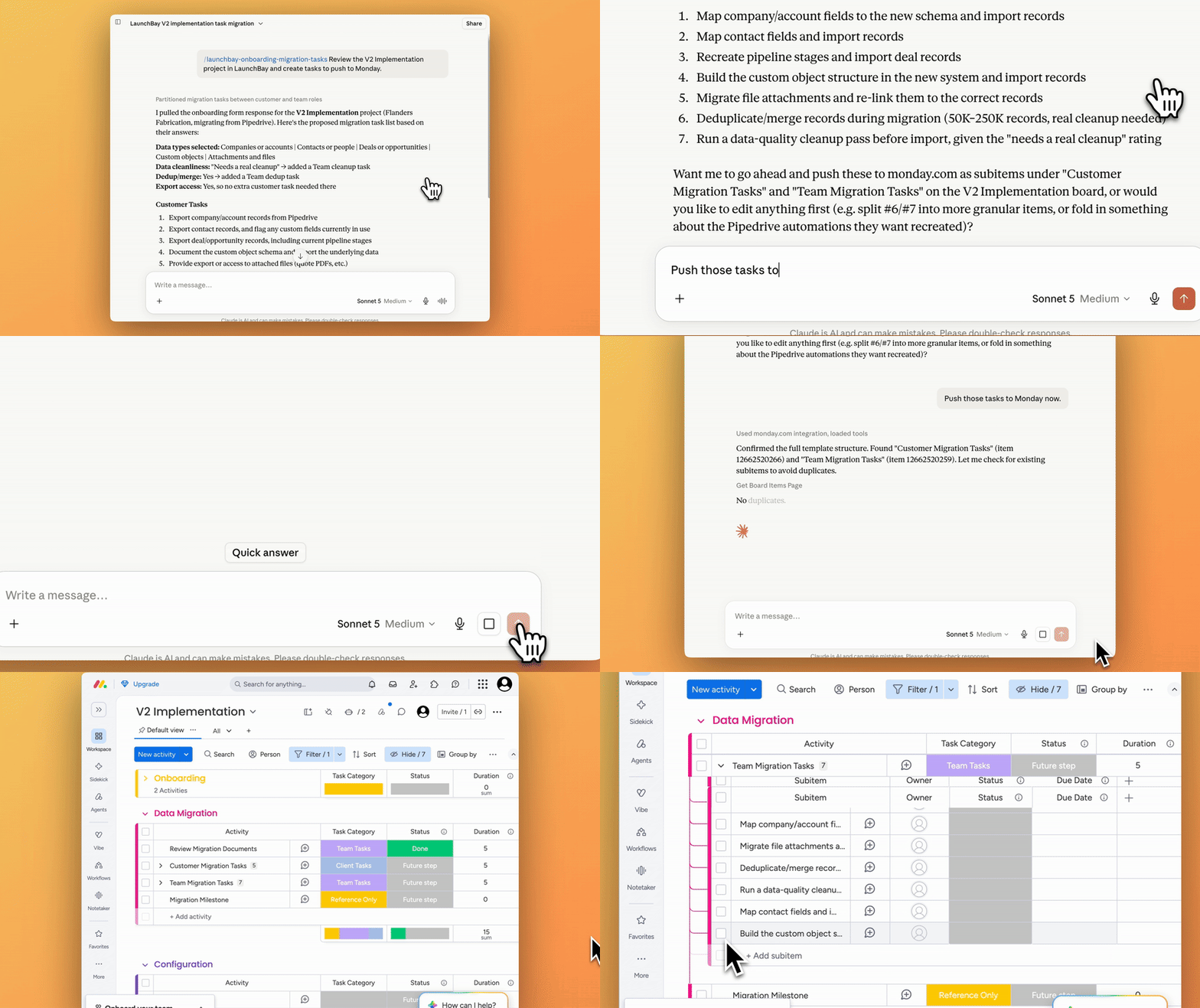
For a full list of MCP tools and abilities currently available, check out our knowledge base article.
Enhancements to Meetings
All Meetings View: every meeting, one place. The Meetings tab in your admin sidebar now shows every upcoming, scheduled, and yet-to-be-scheduled meeting across every project you're a member of.
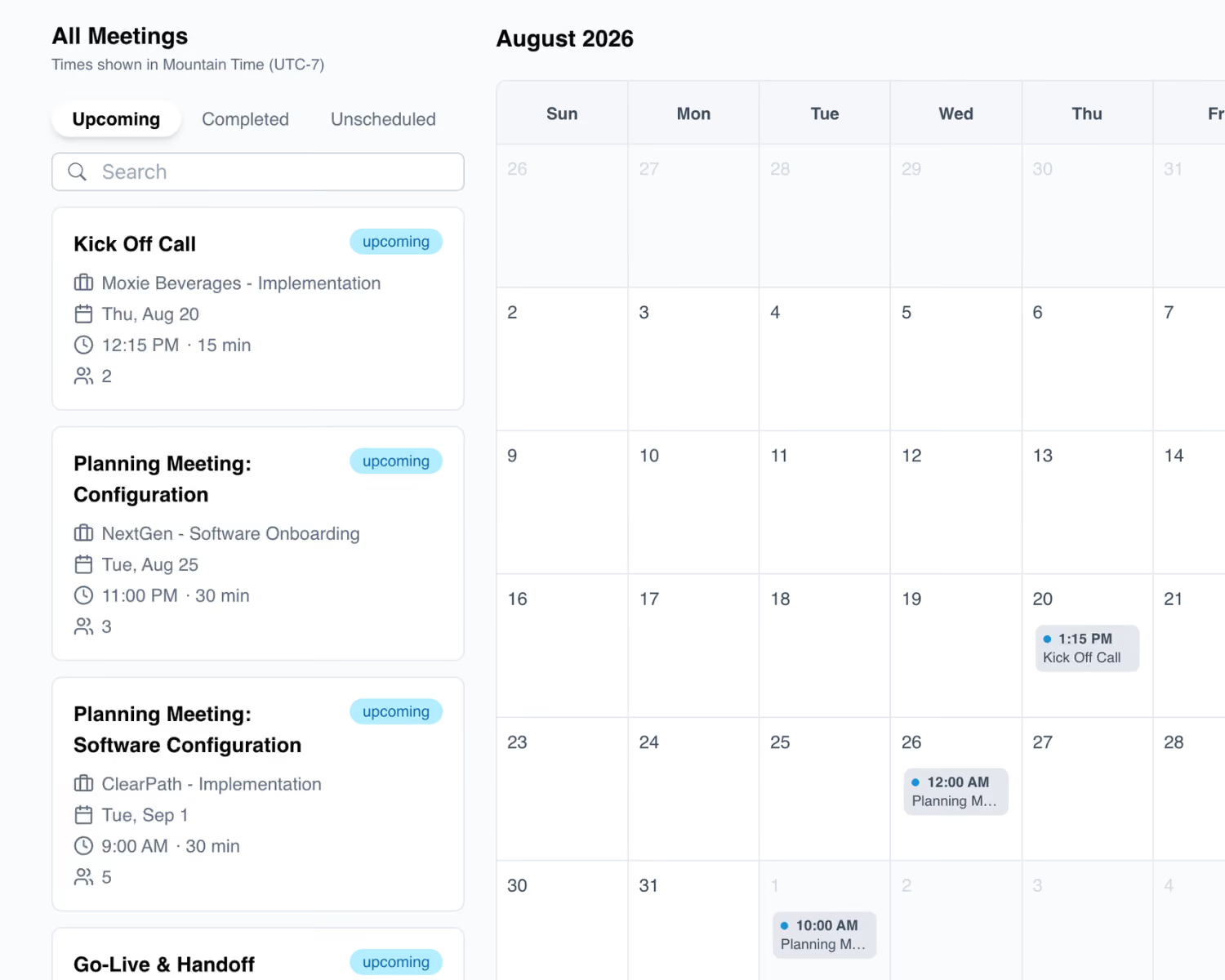
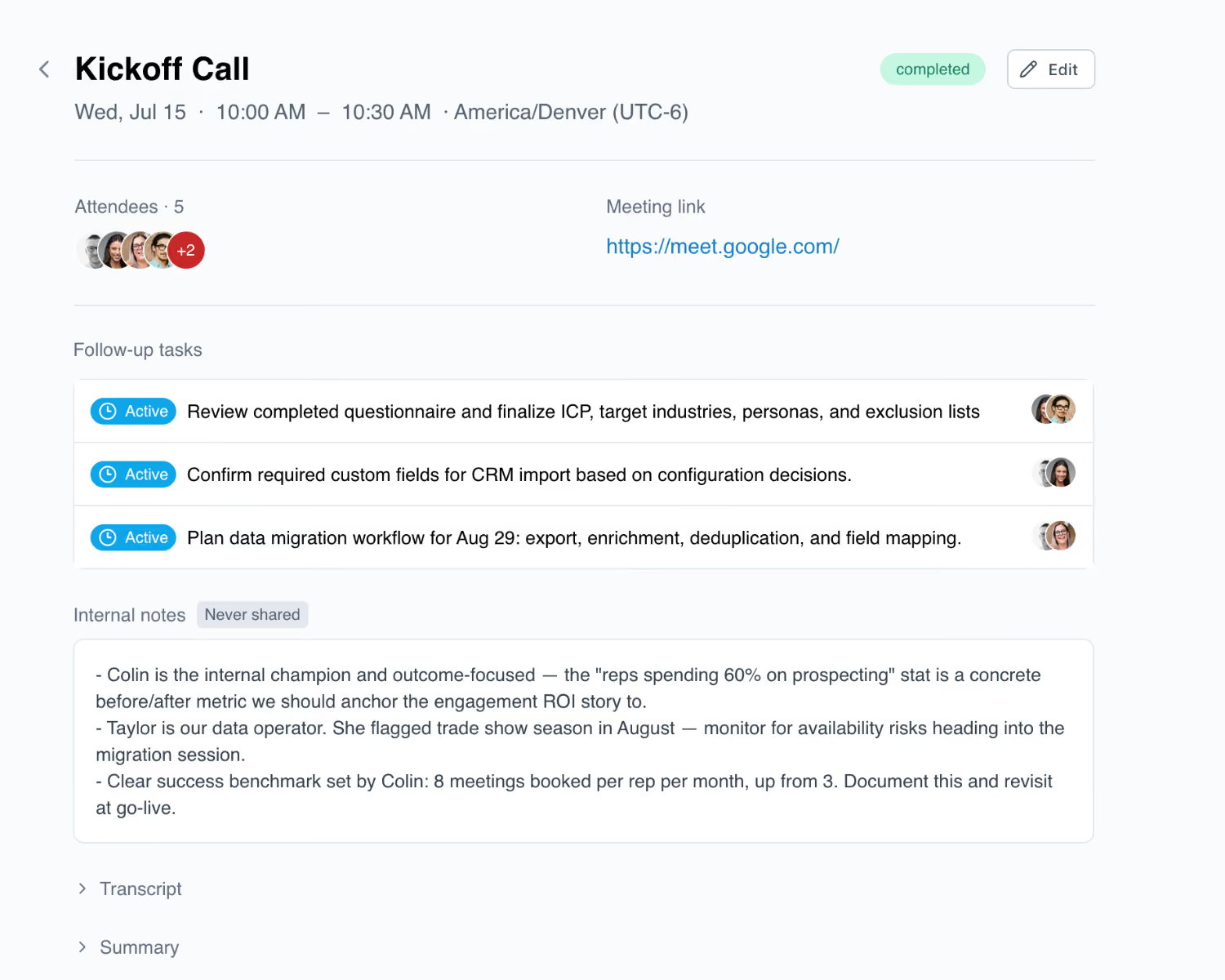
Follow-up tasks for meetings: meetings now include a dedicated section for follow-up tasks, separate from tasks attached to agenda items. Actions that come out of a call get added directly to the project's tasks page and client portal, with full context of what was discussed. Import a transcript, and LaunchAI will even suggest follow-up items you can create in a single click.
Additional Improvements & Quality-of-Life Updates
- File uploads live in task comments: Team members and clients can now upload files directly inside a task comment. This matters most for clients: a screenshot related to a task can go straight into that task's comment thread, no need to leave the task, dig through the Files page, or use a separate file upload task.
- Zapier enhancement: the create meeting and update meeting actions now have separate controls for sharing the meeting summary and the transcript to the client portal. Share one, both, or neither.
- Portal password enhancement: when enabled, clients now get a password reset link on first access instead of a temporary password.
- Notification improvements: clients now only receive comment notifications for tasks they're assigned to. Mentions in a comment thread still go out to clients added to the project, regardless of assignee status.
That's everything we shipped in July. If you're running customer onboarding or implementation, LaunchBay is built for exactly that work: keeping projects on track, customers engaged, and your team focused on what actually matters.
To stay up to date on everything we ship, visit the LaunchBay Changelog.
Get Started
Every feature above is live now. If something here sounds like it'd help and you don't see it in your account yet, email hello@launchbay.com and we'll get you sorted.
Not on LaunchBay yet?
Try LaunchBay free for 14 days. No credit card required.


Get back to the work you're best at.
LaunchBay's AI-powered client portal handles the collecting, reminding, and following up, so your team spends less time chasing clients and more time delivering.
Ready to stop chasing?