.svg)
Feb 4, 2026
Task Tags, Projects Dashboard Enhancements, and More!
By
Sam Chlebowski
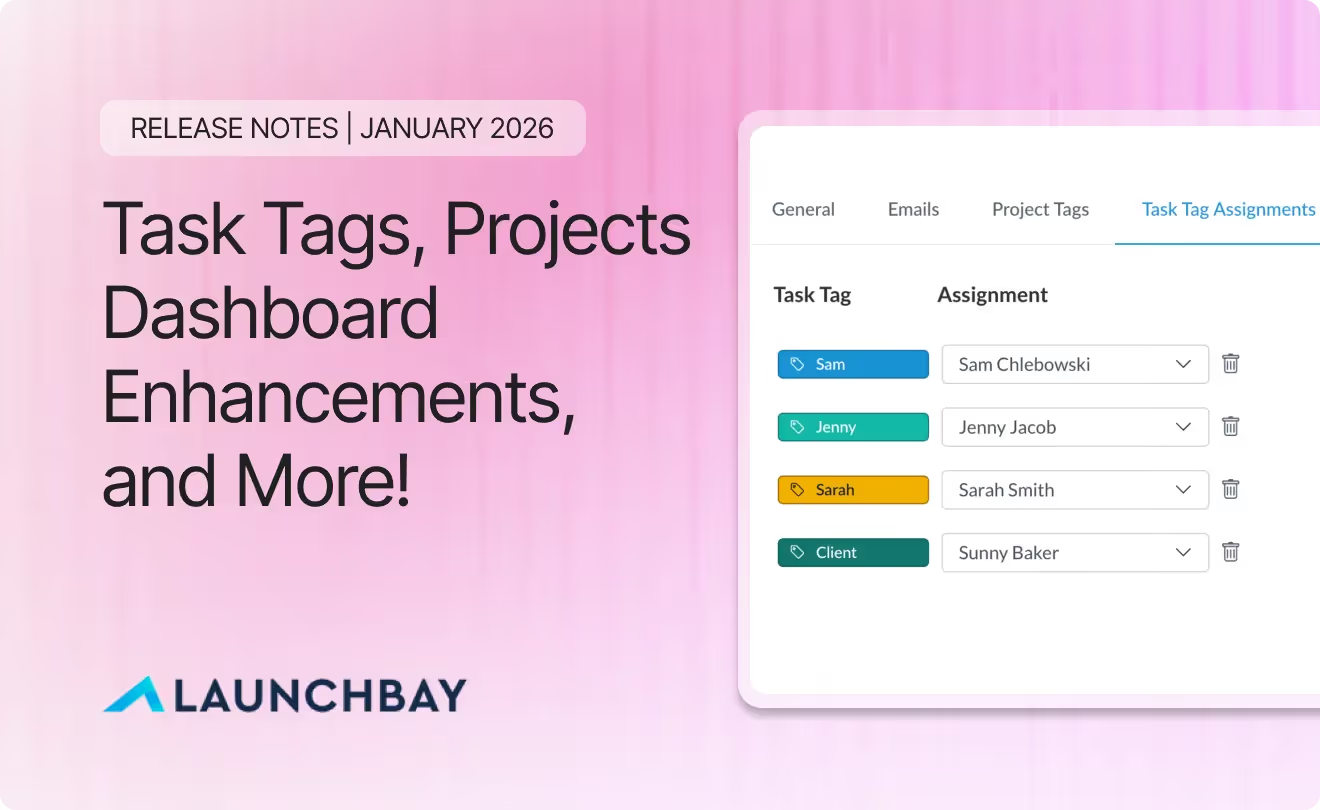
As LaunchBay continues to evolve, our January release is focused on helping teams operate with more clarity, control, and speed as work scales.
This month introduces new ways to intelligently organize and automate work, meaningful improvements to how projects and companies are managed, and continued refinements to the overall LaunchBay experience.
Here’s what’s included in the January 2026 release:
- Task Tags – A powerful new way to organize, automate, and route work using tags that align to your team’s processes
- Projects Dashboard Enhancements – Faster access to critical project and company information with a cleaner, more intuitive dashboard
- Improved User Management Design – A refreshed, modern UI for managing team members and users across projects and templates
- Additional Features and Quality-of-Life Updates – Smaller improvements that remove friction and make day-to-day work smoother
Below, we’ll walk through each update in detail.
Task Tags
Task Tags make it easier to organize, surface, and automate critical work using naming conventions that align to your team’s unique processes.
After creating Task Tags in your account settings, you can apply them at the template level and carry them through to tasks in active projects. This unlocks new ways to filter work, trigger automations, and assign ownership automatically as projects move forward.
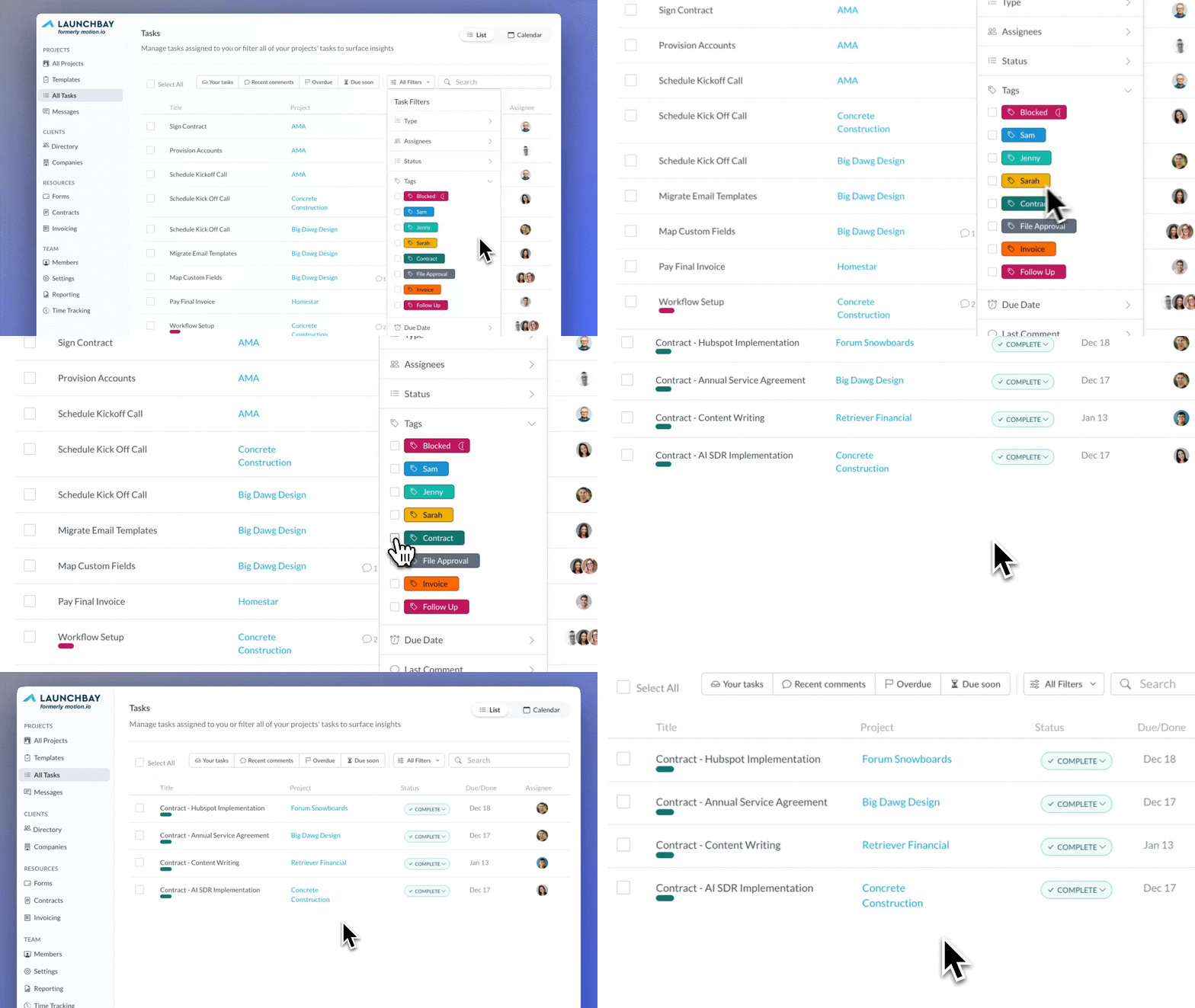
Filter Tasks by Tag
You can now filter tasks by tag in both the All Tasks view and within individual project task pages. Using the new Tags filter, LaunchBay will display only the tasks associated with the selected tag, making it faster to focus on specific types of work across projects.
This is especially useful for onboarding milestones, approvals, reviews, or any repeatable work that spans multiple projects.
Trigger Automations Using Task Tags
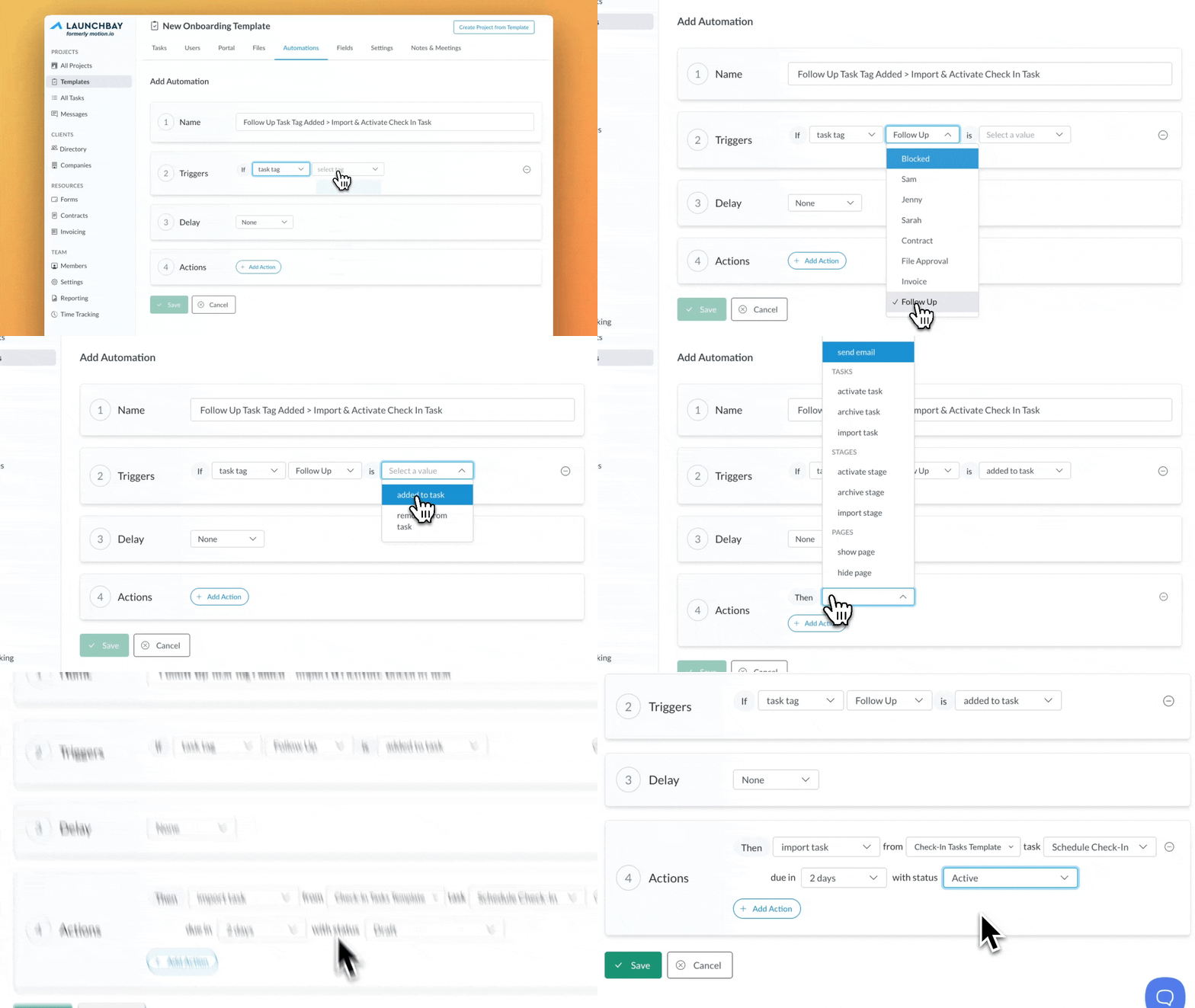
Task Tags can now act as automation triggers.
A new automation trigger allows workflows to run whenever a specific Task Tag is added or removed. This makes it possible to automatically activate tasks or stages, send notifications, and kick off downstream actions based on how work is progressing.
Task Tags now function as signals inside your system, not just labels.
Auto-Assign Tasks Using Tags
Within project and template settings, you can now define automatic task assignments based on tags. When a tag is applied to a task, LaunchBay can automatically assign that task to a specific team member or client added to the project.
This ensures work is routed to the right people without manual coordination.
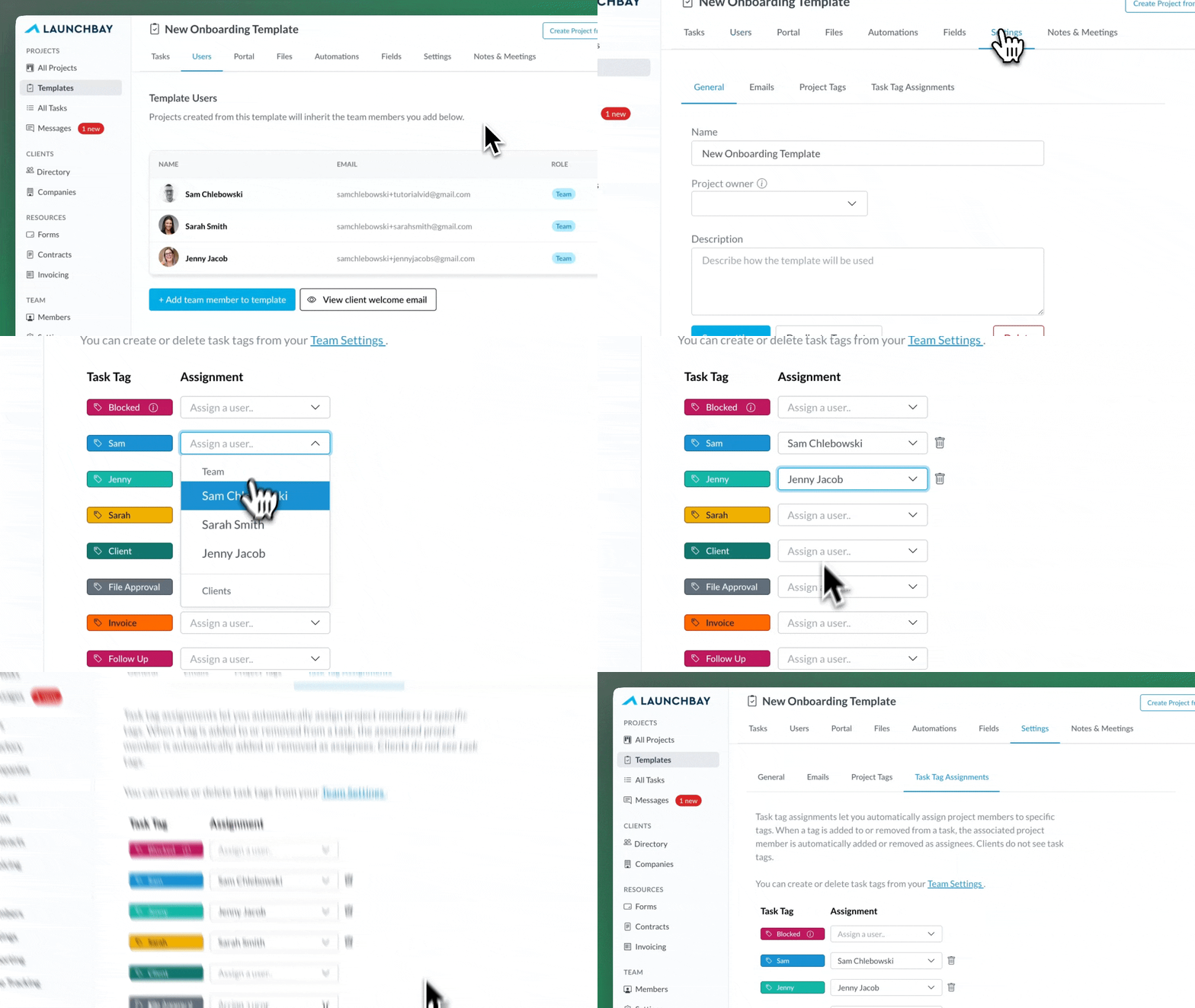
Note: Task Tag Assignments are available on the LaunchBay Scale plan.
Projects Dashboard Enhancements
This release includes major improvements to the Projects Dashboard, delivering a cleaner, more intuitive interface along with new functionality that helps teams find information faster as project volume grows.
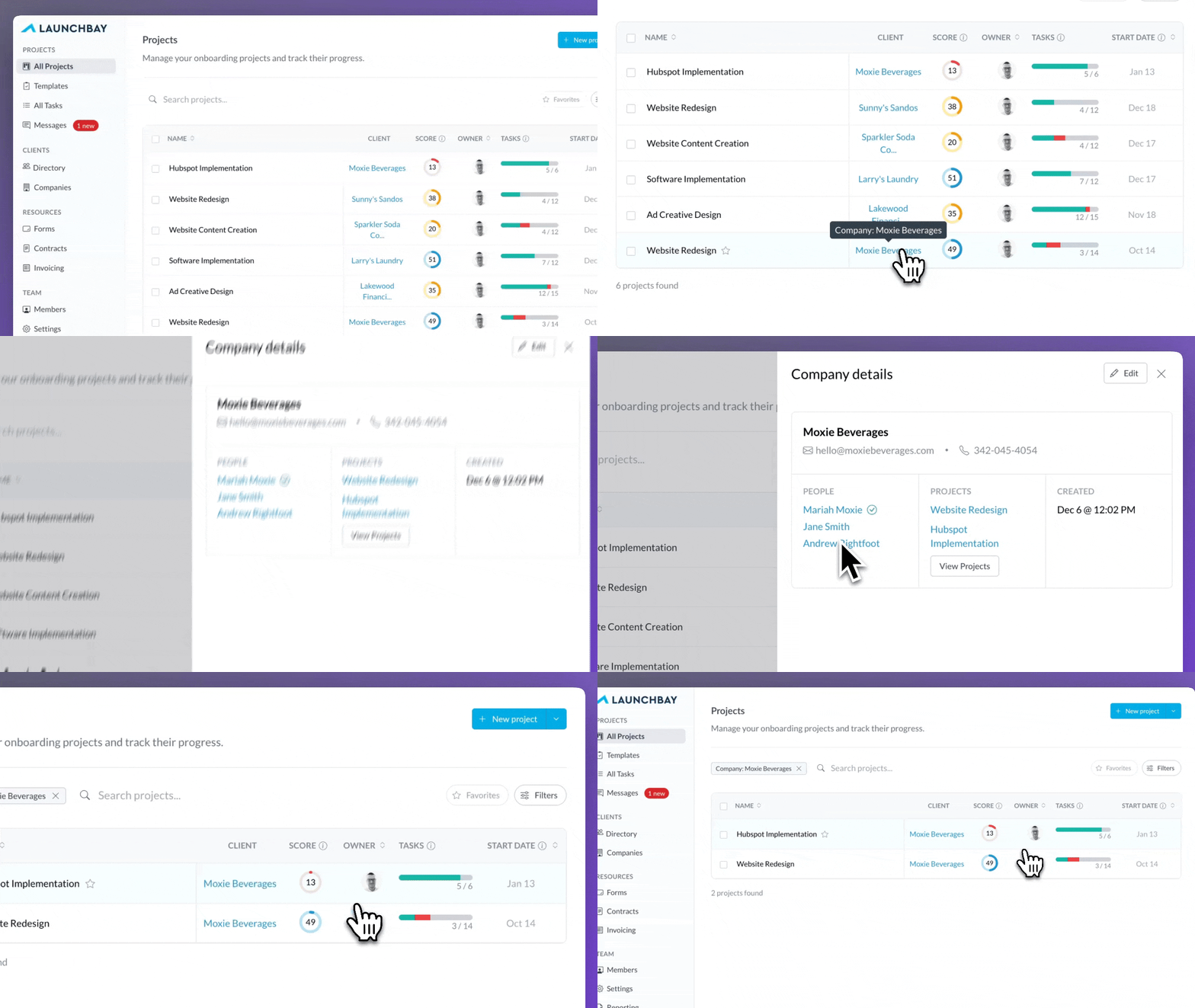
Companies in the Projects Dashboard
The Clients column in the Projects Dashboard now displays the company associated with each project. This makes it easier to see which work belongs to which organization at a glance and adds more day-to-day value to Companies across LaunchBay. Clicking a company name in the Clients column now opens a slide-out panel where you can view and edit the company’s people and projects without leaving the Projects Dashboard.
Filter Projects by Template
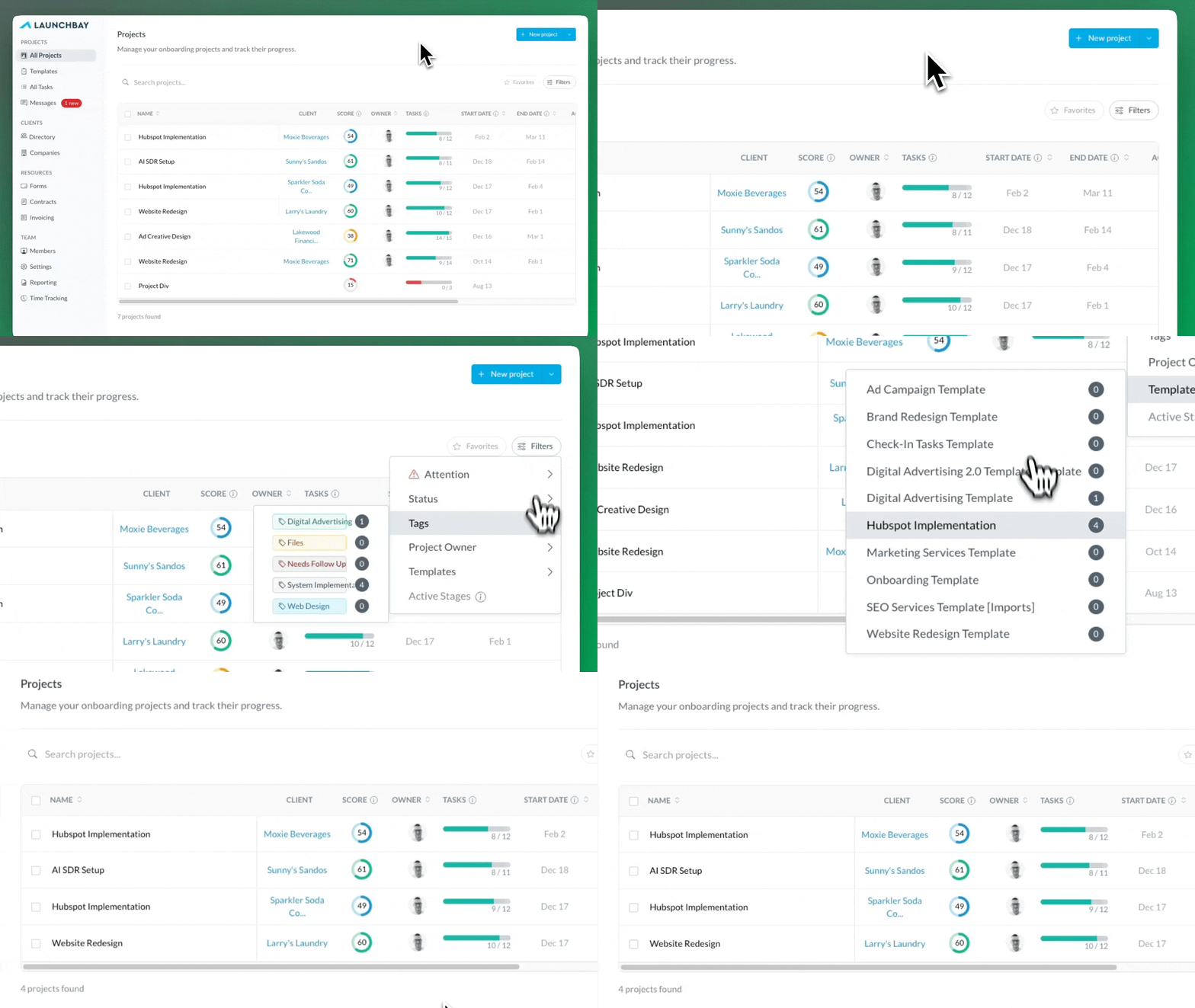
You can now filter projects by template directly from the Projects Dashboard. This makes it easier to navigate different types of work, maintain clarity across large project lists, and quickly focus on specific workflows.
Improved User Management Design
Alongside new functionality, we revisited several core views to make LaunchBay faster and more intuitive for both internal teams and clients.
This month, we refreshed the design of the Users page across projects and templates, as well as the Team page in Settings. The updated layouts are cleaner and more modern, making it easier to add users, manage access, and understand who is involved at each stage of work.
These changes reinforce a consistent, scalable experience as teams and client rosters grow.
Additional Features and Quality-of-Life Updates
January also includes a set of smaller improvements designed to make LaunchBay smoother and more efficient day to day.
- Visibility of All Projects for Account Admins: Team admins can now view all projects in the dashboard as read-only, even if they are not assigned. Admins are no longer automatically added to every new project, reducing unnecessary notifications while maintaining full visibility.
- Task Composer Adjustment: The comment visibility toggle has been removed for team-only tasks. With public and private comments now available, this option had become redundant, allowing us to simplify the interface and keep tasks focused on action.
- Search Improvements for Message Center: Message Center search now matches queries against the project associated with each message, making it easier to find relevant conversations.
- Feedback Annotation Export Performance Enhancements: Exporting feedback annotations for tasks with many attached files is now faster and more reliable, resolving timeouts that could occur on larger exports.
- Proofing Task Performance Enhancements: Maximum dimensions for video proofs have been increased so large video files display more clearly. Export performance for feedback annotations on proofing tasks has also been improved.
- Improvements to Invoice Tasks: Unsaved invoices can now be removed from tasks, providing more flexibility when creating invoice tasks in projects and templates. We also added direct links to projects from the task modal in the Invoices view, making it faster to access the right context.
Looking Ahead
That’s a wrap for LaunchBay’s January 2026 release notes!
As always, thank you for building with LaunchBay. We’re excited to keep shipping improvements that help you move faster, stay aligned, and deliver exceptional client experiences. To stay up to date on the new features and improvements we ship every week, visit the LaunchBay Changelog.


Get back to the work you're best at.
LaunchBay's AI-powered client portal handles the collecting, reminding, and following up, so your team spends less time chasing clients and more time delivering.
Ready to stop chasing?