Loginless portals your clients will actually use

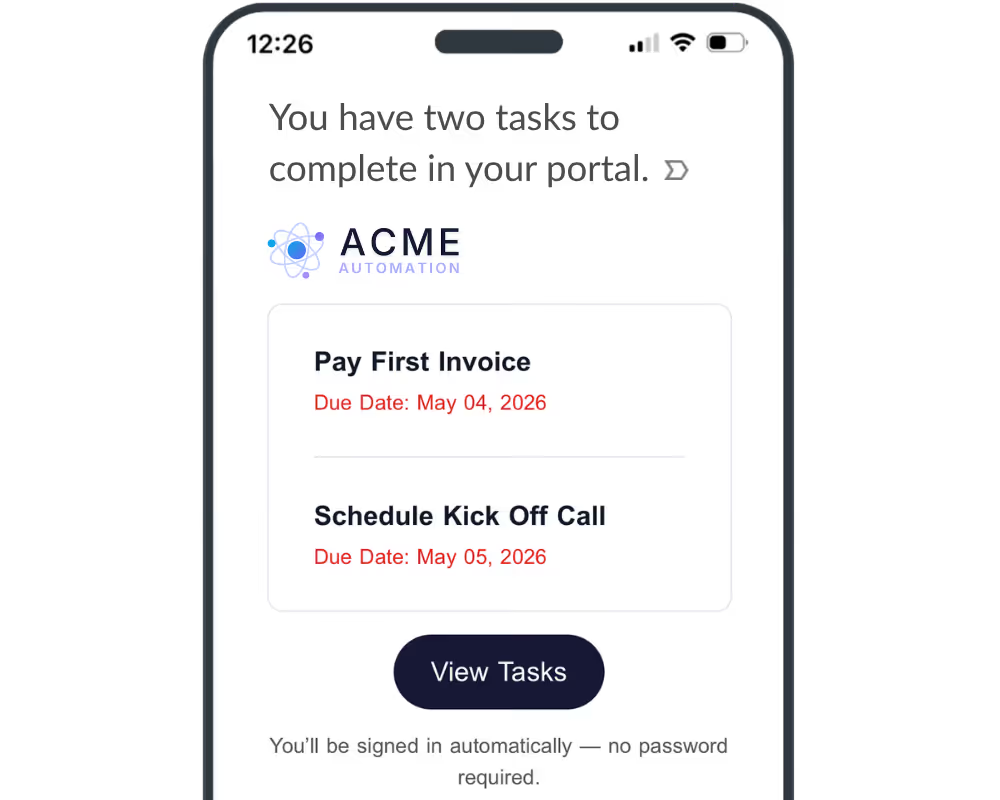
ClickUp, Monday, and Notion force clients to create accounts before they can do any work. LaunchBay doesn't. Every client gets a secure magic link that opens directly into their branded portal. No login. No password. Just a professional, premium, client portal experience.
Powering 20,000+ client projects every month
LaunchBayClient Portal Software for B2B Teams

Clients click a link. The portal does the rest.

Collect, share, and store files securely

Every file your client touches lives inside a branded, loginless portal. No shared drives, no email attachments, no hunting through threads to find the latest version. Everything is organized, accessible, and in one place.

Feedback and approvals, no email threads required

Share deliverables for client review directly inside their portal. Clients annotate, leave feedback, and sign off. You get a timestamped record of every approval with no email threads to dig through later.

Contracts and eSignatures, right inside the portal

Send SOWs, service agreements, and proposals directly through your portal and let clients review and sign without leaving the workspace. One less tool to buy. One less link to send.

Invoices paid right inside their portal

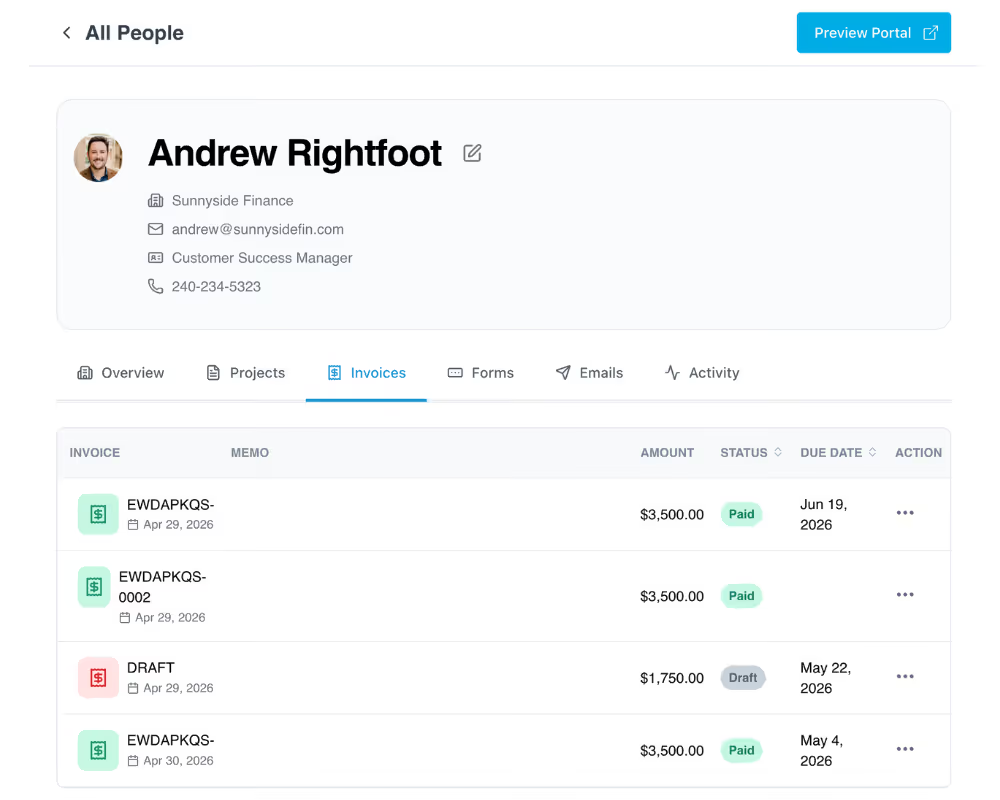
Send invoices and have clients pay in the same loginless portal they're already familiar with. Clients click a link and can pay instantly. No separate billing platform required.

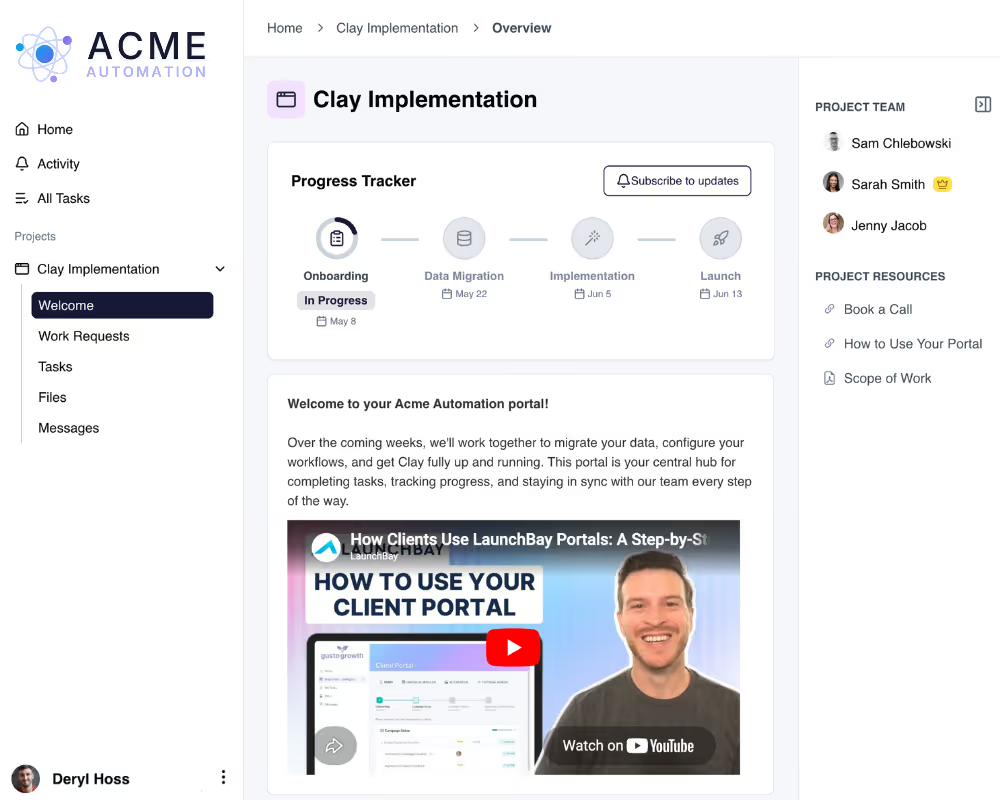
A poject progress tracker that updates clients automatically

Every time a task is completed, a milestone is hit, or a next step comes due, LaunchBay automatically updates clients right inside their portal. No manual status emails. No weekly check-in calls.

No more scattered emails and slack threads

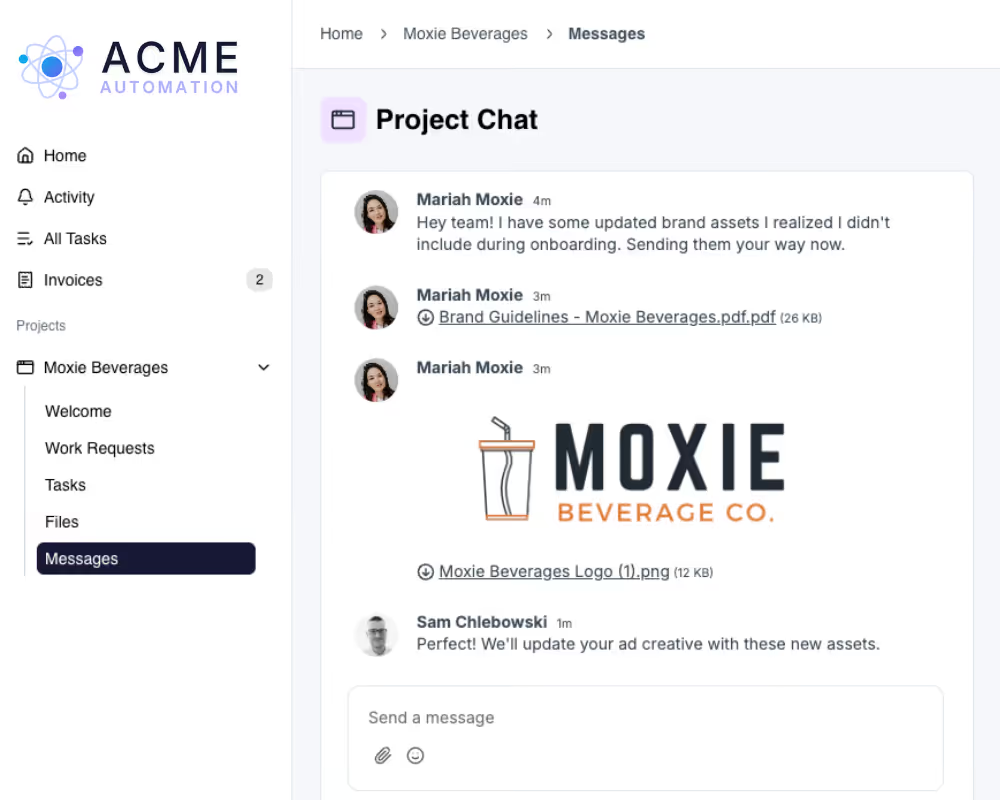
Every client portal has a built-in message center for project communication. Notifications, updates, and file attachments are organized by project and client, not buried in email.

What magic links make possible

Clients show up to a portal that's ready for them

When a deal closes, a portal spins up automatically. Clients get a magic link, click it, and land in a branded workspace with their tasks, contracts, and files already waiting. No account setup. No confusion about where to go.

Try LaunchBay for Free

Progress updates run on autopilot, no follow-ups required

Clients see a live progress tracker, activity feed, and task list inside their portal. They know what's been completed, what's in progress, and what they need to do next. Your team spends less time on status updates and more time on delivery.

Try LaunchBay for Free

Stop chasing clients to complete tasks

When clients have a form to submit, a contract to sign, a deliverable to approve, or an invoice to pay, LaunchBay sends automated reminders with a magic link to the exact task. Clients click once and complete it. Your team stops chasing.

Try LaunchBay for Free

Built-in chat that clients actually use

Clients ask questions, give feedback, and request new work directly inside their loginless portal. No new logins. No scattered email threads. No jumping between Slack, email, and project tools to piece together a conversation.

Try LaunchBay for Free

Keep exploring LaunchBay's features

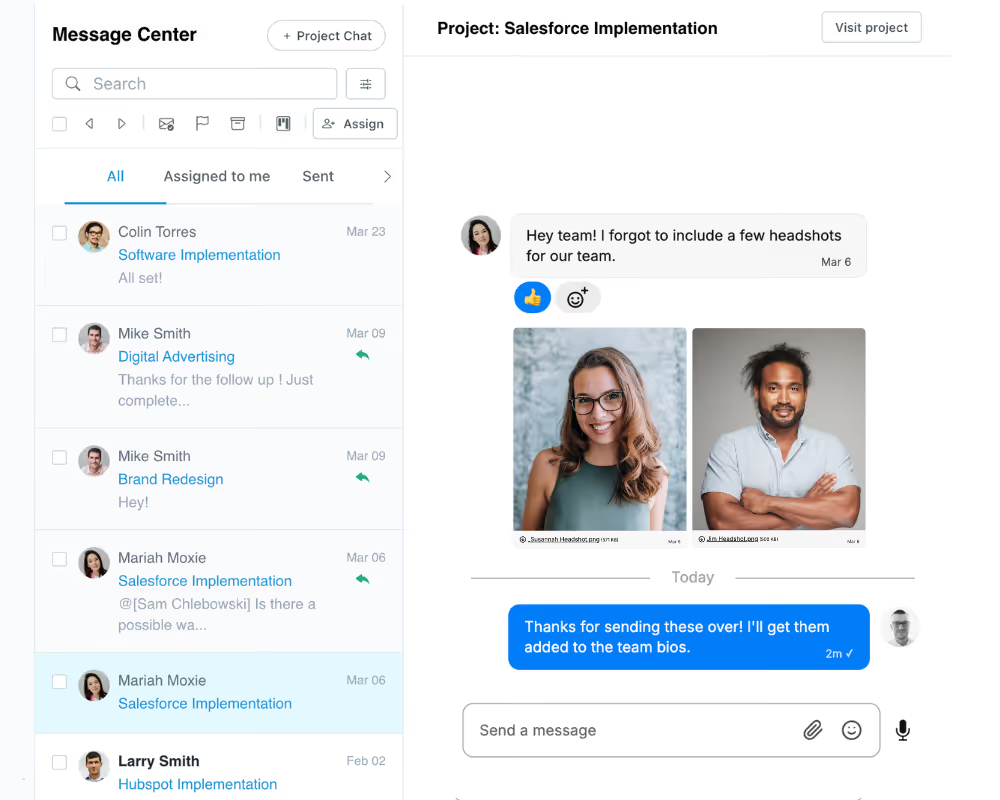
Unified Inbox

Manage every client conversation from one inbox. Internal notes, @mentions, and client-facing messages all tied to the right project.
Learn more

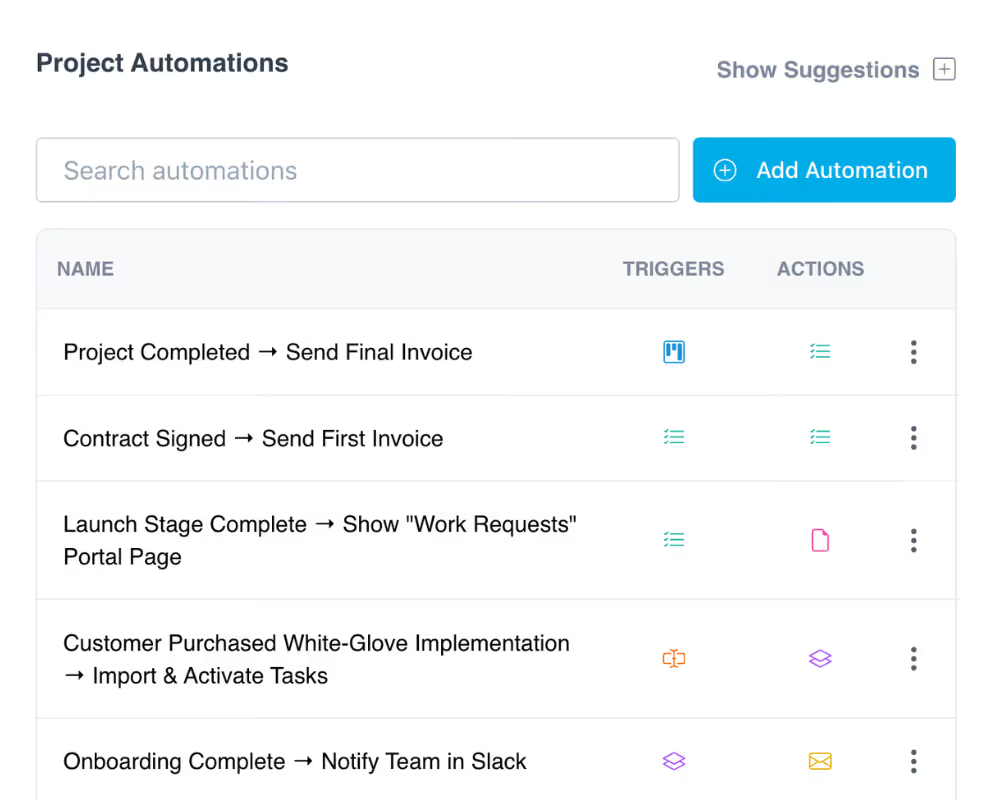
Automations

Pair your portals with automated workflows that trigger tasks, messages, and follow-ups when deals close or milestones are reached.
Learn more

Client Management

Keep a complete record of every client relationship. Track projects, files, email activity, and portal engagement — all in one place.

Learn more

Frequently Asked Questions (FAQs)

What is a magic link and how does it work in LaunchBay?
A magic link is a secure, one-click URL sent to your client via email that takes them directly into their portal with no login required. In LaunchBay, every client notification, task reminder, and portal invite includes a magic link. Clients click it and land instantly in their branded workspace. No account creation, no password, no app download. Magic links are how LaunchBay delivers a frictionless portal experience by default.
Do clients need to create an account or log in to access their portal?
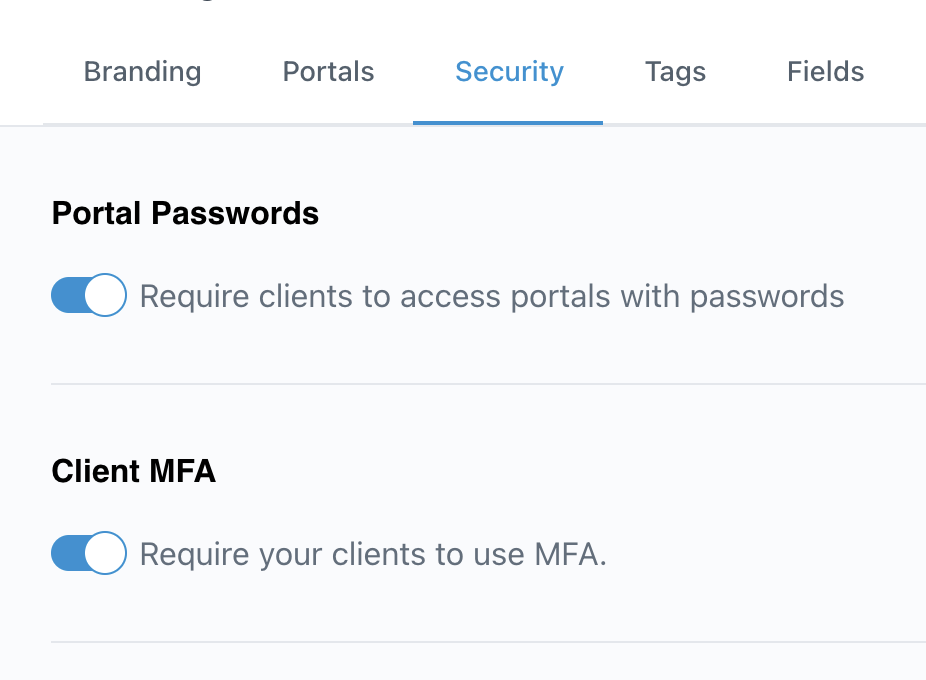
No. By default, clients access their portal through a secure magic link sent via email. There's no account creation, no password, and no app download required. Clients simply click the link and they're in. For teams that need additional security, LaunchBay also offers password-protected portals as an optional setting on the Premium plan.
Can I customize client portals with my own branding and domain?
Yes. All LaunchBay plans let you add your logo, brand colors, and company name to client portals and emails. On the Premium plan, you can also set up a fully custom domain (like clients.yourbusiness.com), upload a custom favicon and header image, send emails from your own business address, and remove all LaunchBay branding entirely.
What can clients do inside a LaunchBay magic link portal?
Everything. Without ever creating an account or setting a password, clients can complete tasks, upload and download files, approve deliverables with visual annotations, sign contracts, pay invoices, send and receive messages, and track project progress in real time. Every action happens inside their branded portal, accessed through a single magic link click.
Why do magic links lead to better client participation?
Tools like Notion, Monday, and ClickUp require clients to create accounts before they can do anything. That extra step creates friction, and friction kills participation. With magic links, there's nothing to figure out. Clients click a link and they're in. No forgotten passwords, no support requests, no clients ghosting you because they couldn't get access. The result is faster task completion, fewer delays, and a better experience for everyone.
How is LaunchBay different from Notion, Monday, or ClickUp for client work?
Notion, Monday, and ClickUp are built for internal teams. When you try to use them for client work, clients have to create accounts, navigate cluttered interfaces, and figure out what's relevant to them. LaunchBay is built specifically for client-facing work. Clients get a clean, branded, loginless portal that shows exactly what they need to do and nothing more. And on the back end, your team gets tasks, automations, contracts, invoices, and approvals all connected in one platform.
Is there an option for password-protected client portals?
Yes. While LaunchBay uses loginless magic links by default, teams on the Premium plan can enable password-protected portals. When enabled, clients set a password for their account and log in with their credentials instead of clicking a magic link. This is a global setting that applies to all portals in your account, so you can choose whichever access method works best for your clients.
Can I add a client portal login page to my website?
Yes. LaunchBay gives every account a Client Login Page URL that you can link to directly from your website. Add it to your top navigation as a "Client Login" menu item, or drop it behind a button on any page. When clients visit the link, they can access their portal instantly via magic link or with a password if you've enabled password-protected portals.

Run client work the smarter way

Replace scattered tools with one platform for onboarding clients, coordinating work, and delivering a better client experience.