.svg)
October 22, 2026
Tasks That Mark Themselves Complete
Part of our 31 Customer Improvements series, where we ship one feature our customers asked for every day this month.
Here’s a small thing that adds up. Your client signs the contract, then leaves. The task sits there marked “Active” because nobody clicked Mark Completed. The next step doesn’t start, the stage doesn’t move, and someone on your team has to notice and close it by hand.
Uploads and proofs have the same problem. A client uploads the last logo file or approves the final mockup in their client portal, assumes they’re done, and closes the tab. As far as LaunchBay knew, they weren’t done yet.
As of this release, LaunchBay handles both cases for you.
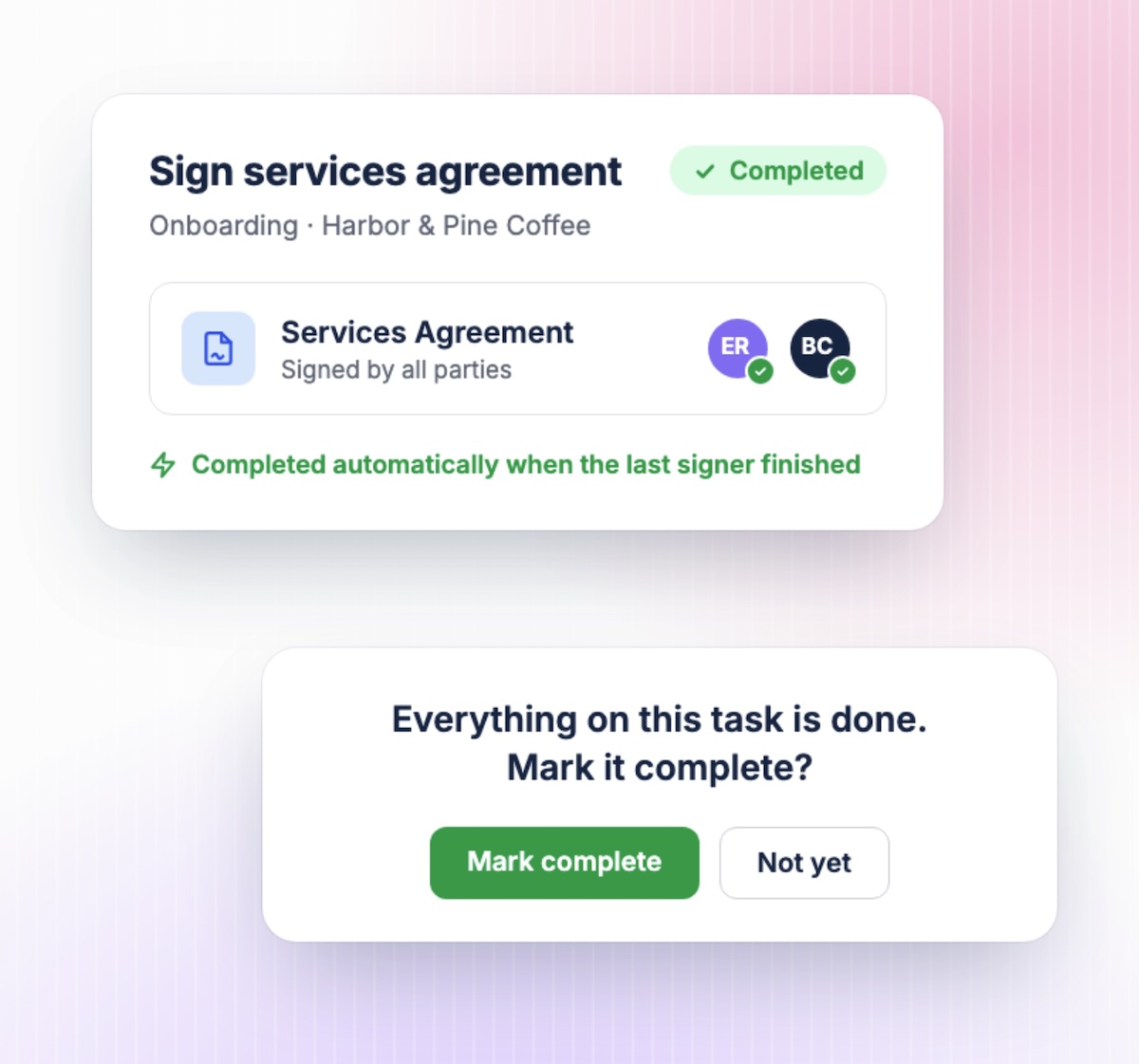
Contract tasks complete automatically
When the last person signs the last contract on a task, LaunchBay now marks the task complete. No extra click, no stale “Active” badge.
Because the task actually completes, everything downstream happens too:
- Dependent tasks start. Tasks waiting on this one unblock right away.
- Stages move forward. If this was the last open task in a stage, the stage completes, and if you use Import Stage automations, the next phase can kick off on its own.
- Automations fire. Any automation built on “task completed” runs as usual.
We only do this when the contract is the only thing the task asks for. If the task also has a form, file uploads, proofs, a signature request, an invoice, a meeting request, or subtasks, it stays open so your client can finish the rest. A task with two contracts waits until both are fully signed.
Two more details:
- Review steps still apply. If the task requires review, it goes to your reviewer instead of straight to complete, the same as if your client had clicked the button.
- Signing order is respected. If your contract has a signing order, the task completes once the final signer is done. Nobody waits on an assignee who has nothing left to do.
This works the same way paid invoices already do. Once the client has done the one thing the task asked for, the task is done.
Uploads and proofs: one click to finish
File uploads and proofs are a little different. Uploading files doesn’t always mean a client is finished. They might want to add another file or leave a comment first. So instead of closing the task on its own, LaunchBay now asks:
Everything on this task is done. Mark it complete?
Mark complete · Not yet
The prompt appears as soon as every file request has files in it, or every proof has been approved. If a task has both, the prompt waits until both are finished. If any proof has changes requested, there’s no prompt, because the task isn’t done and your team needs to review the feedback.
Choose Mark complete, and the task closes through the normal flow. Choose Not yet, and nothing changes. The Mark Completed button is still there whenever the client is ready.
The prompt only shows to people who can complete the task. With sequential assignees, it only shows to whoever’s turn it is. Tasks with a form, signature, or invoice skip the prompt, since they already finish through their own Submit, Sign, or Pay step.
Why this matters
Most client onboarding delays don’t come from clients refusing to do things. They come from small gaps: the client did the work, the system didn’t notice, and the project stalled while everyone assumed someone else had it.
Every task that closes on time is one less reminder for your team to send and one less “hey, did you see this?” for your client to read. And the next step in the project starts when it should, not when someone happens to check.
Available now
Contract auto-complete and the upload and proof prompts are live in every LaunchBay workspace. There’s nothing to turn on, and your existing projects and templates already use it.

