.svg)
October 12, 2026
Send Client File Uploads Straight to the Right Folder
.png)
Part of our 31 Customer Improvements series, where we ship one feature our customers asked for every day this month.
Getting files from clients is one of the slowest parts of client onboarding. Logos arrive as low-res JPGs, photos come in an email thread, and someone on your team ends up sorting everything into the right place by hand.
LaunchBay's "File Upload" tasks already handle the first part. You list exactly which files you need, like "Primary logo" or "Storefront photos," and set the allowed file types, maximum size, and even image dimensions for each, so clients upload the right thing the first time from their client portal.
Now LaunchBay handles the sorting too.
What's new: choose where each file goes
Each file in a File Upload task now has a Save to folder setting. Pick a folder, and when the client uploads that file, it lands right where it belongs. No downloading, renaming, or dragging files around afterward.
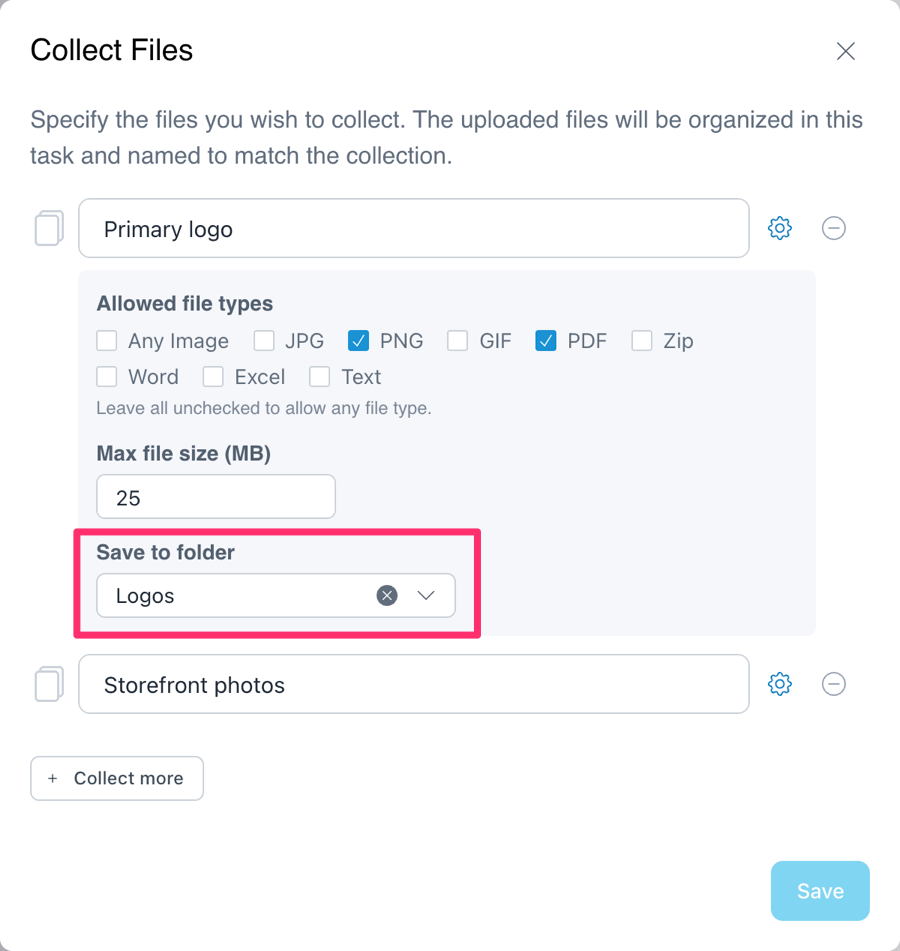
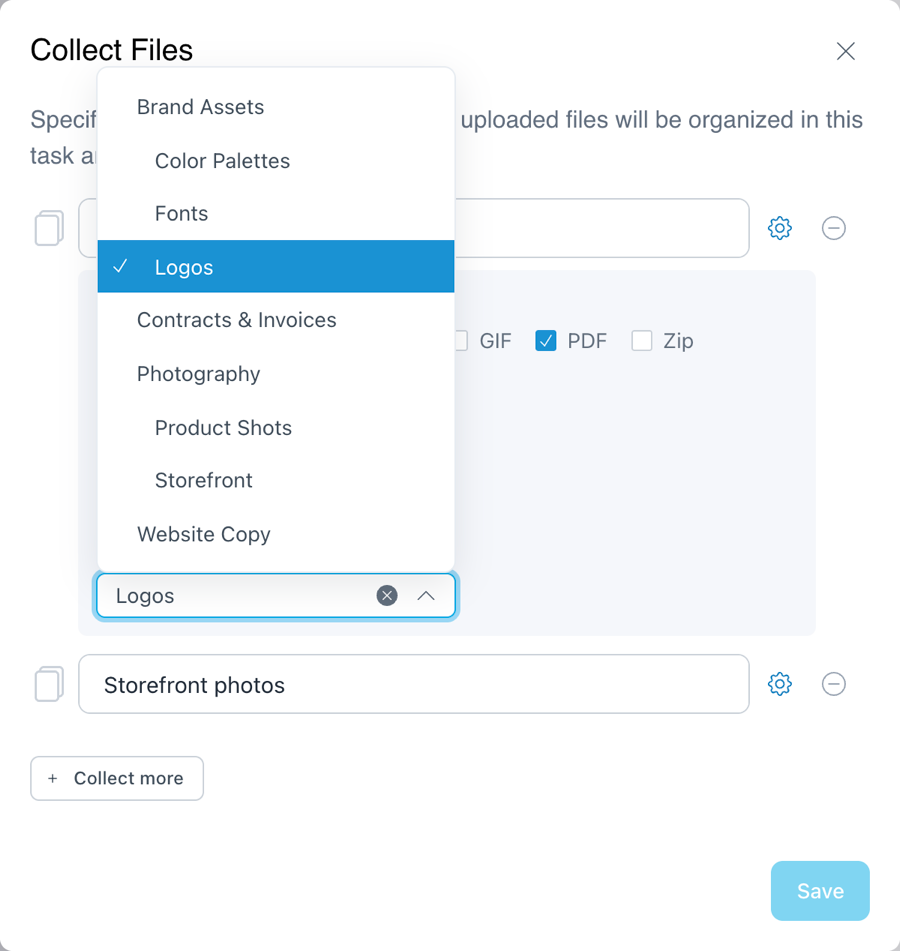
Folders can be nested, so you can be as specific as you need. Send the primary logo to Brand Assets › Logos, storefront photos to Photography › Storefront, and signed paperwork to Contracts & Invoices, all from a single task.
How to set it up
- Open a task and add or edit the File Uploads section.
- Click the gear icon next to the file you want to collect.
- Under Save to folder, choose a folder from the dropdown.
- Repeat for each file collection, then click Save.
Leave the setting empty, and files are saved the same way they are today. Your team always sees files in the folder you choose. If you want clients to see them there too, share the folder in their portal.
Set it once in your onboarding template and every new client's files sort themselves.
For the full walkthrough, see our help article on File Upload tasks.
Why it matters
Every file you collect is something your team needs to start the work, whether that's building a website, setting up an account, or launching a campaign. When those files land in the right place automatically, your team can find them and get started without hunting through uploads or chasing the client for a resend.
It's one more piece of client portal software that takes the busywork out of client work, and keeps your client management organized from the first upload.
Available now
Folder selection is live today in every File Upload task.
Have an idea for the next improvement? Reply to any of our emails or send it through the in-app chat. That's how this one got built.

