.svg)
October 17, 2026
More Ways to Filter Tasks in Your Projects
.png)
Part of our 31 Customer Improvements series, where we ship one feature our customers asked for every day this month.
On a busy client implementation, the question is rarely "what's in this project?" It's "what needs me right now?" Until now, the task filters inside a project had fewer options than the ones on All Tasks, so answering that question meant leaving the project.
Today, project task filters catch up.
Quick Filters
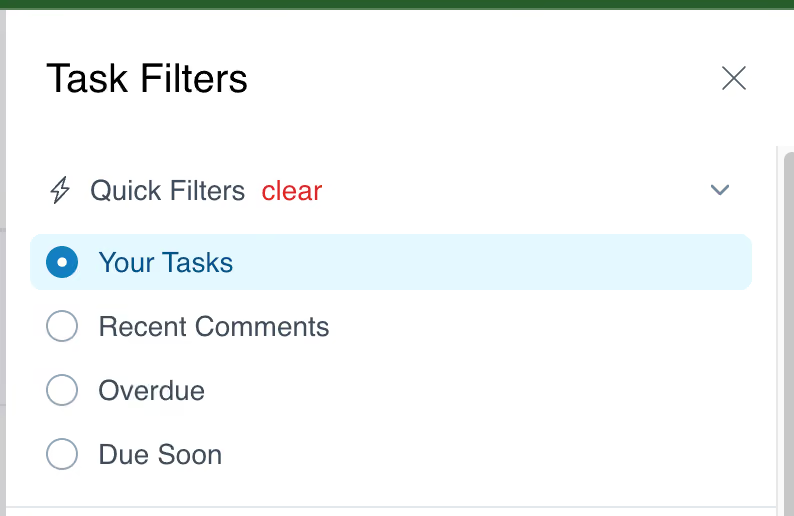
The project task view now has the same one-click Quick Filters as All Tasks:
- Your Tasks: everything assigned to you in this project.
- Recent Comments: tasks with new conversation, so you can catch up on client replies.
- Overdue: tasks past their due date.
- Due Soon: tasks due soon, so you can act before they slip.
Find unassigned tasks
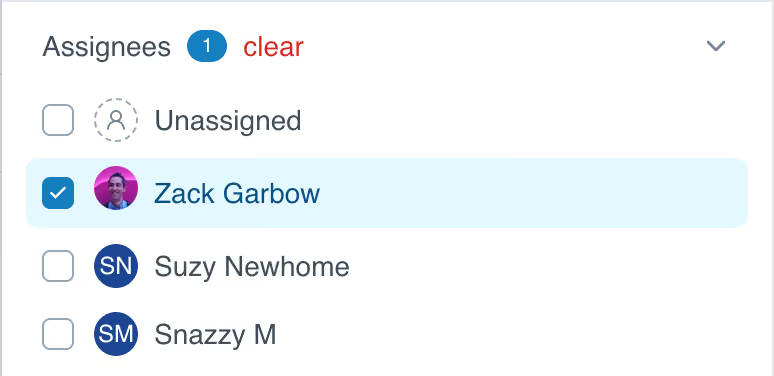
The Assignees filter now includes Unassigned, so you can spot tasks that nobody owns yet and hand them off before they stall.
Where to find it
Open any project, go to Tasks, and open the filter panel. The new filters work alongside the ones you already use, like Assignee Role, so you can narrow things down to exactly what you need, like overdue client tasks.
They pair well with Task Timeline, which lives in the same Tasks tab.
Have an idea for the next improvement? Reply to any of our emails or send it through the in-app chat. That's how this one got built.

