.svg)
October 29, 2026
Notes now keep your team in the loop
%20copy.png)
Part of our 31 Customer Improvements series, where we ship one feature our customers asked for every day this month.
Project notes used to be silent. You wrote a kickoff summary or a handoff checklist for a client implementation, and your teammates only found it if they went looking. Starting today, a new note notifies everyone on the project team, and you can @mention a teammate to pull them in directly.
@mention a teammate
Type @ anywhere in a note and pick a teammate from the list. The list shows the team members on the project, and it narrows as you type a name.
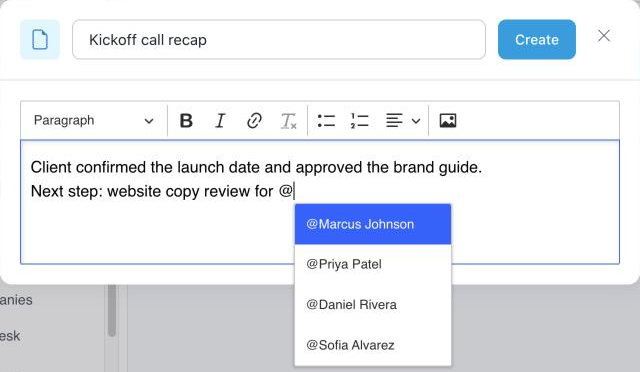
Mentions work when you create a note and when you edit one. When you edit a note, only teammates you newly mention get a notification, so nobody is pinged twice.
Email notifications that follow your settings
New notes are emailed to the project team based on each person’s Other Activities setting: immediately, in the daily digest, or never.
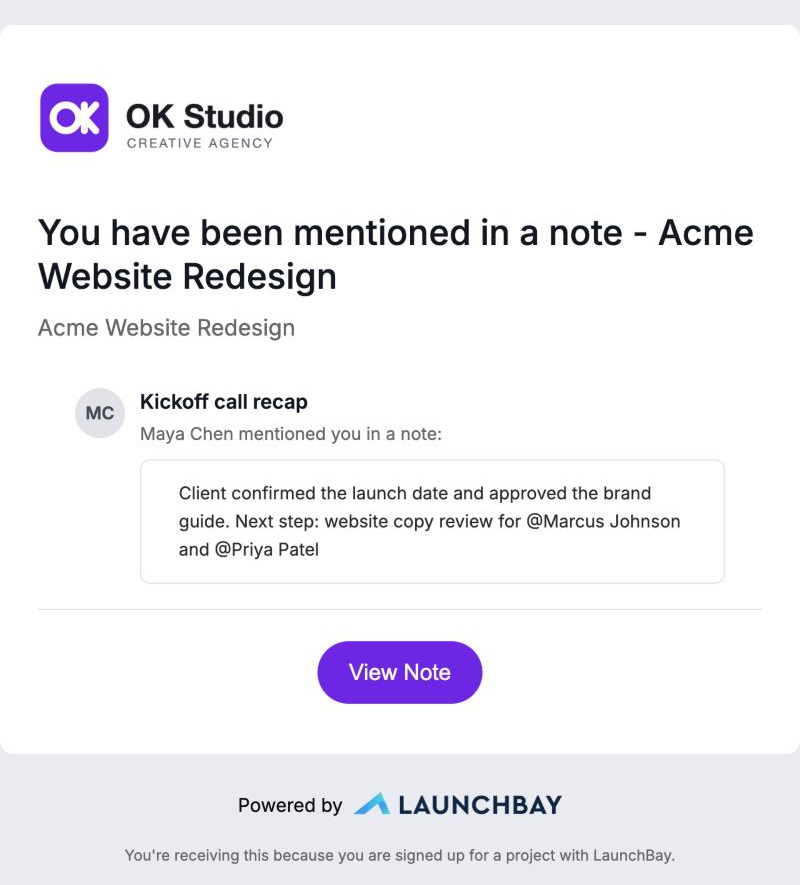
A mention is more direct. The mentioned teammate gets their own email right away, on top of the regular new-note email. It shows a preview of the note and a View Note button that opens it.
See who’s involved at a glance
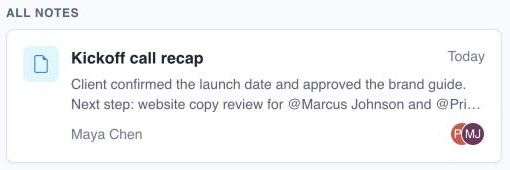
Every note on the Notes tab now shows avatars for the teammates it mentions, next to the author’s name. Scan the list to see who a handoff or decision involves without opening each note.
Good to know
- Notes stay internal. Clients never get note notifications and never see notes in their client portal, and only team members can be mentioned.
- You won’t notify yourself. The person who writes the note isn’t emailed about it.
- Editing is quiet. Changing a note doesn’t send another new-note email. Only teammates newly mentioned in the edit are notified.
- Templates don’t notify. Notes on project templates never send emails.
- You’re in control. Change how often you hear about new notes under Other Activities in your notification settings. To turn off mention emails for a project, set Needs Attention to Never for that project.
Notes also show up when you ask your AI assistant to catch you up on a project, so nothing written in a note gets lost.

