.svg)
October 16, 2026
Catch Up on Any Project with Your AI Assistant
.png)
Part of our 31 Customer Improvements series, where we ship one feature our customers asked for every day this month.
Your AI assistant can now catch you up on a project. Claude, ChatGPT, or any other assistant connected to the LaunchBay MCP, can read a project’s latest activity feed and summarize it for you. No more clicking through tasks and comment threads to work out what changed before a client call.
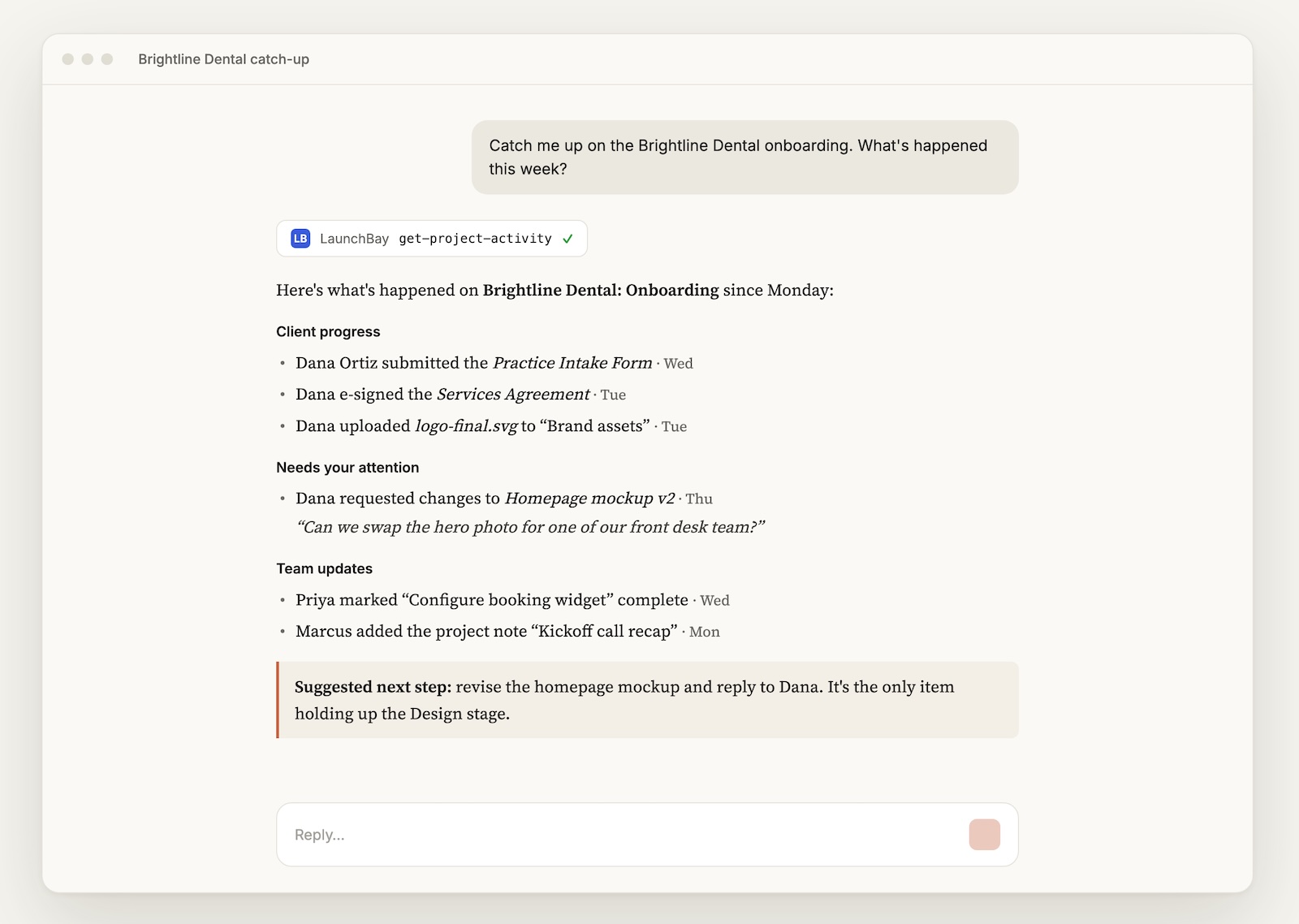
Just ask
- “What’s happened on the Acme onboarding project this week?”
- “Has the client uploaded anything since Monday?”
- “Catch me up on Brightline before my 2pm call.”
The assistant pulls the activity, newest first, and summarizes it for you.
What it covers
Each item shows who did it, when, and which task it relates to:
- Task updates: status changes, assignments, and completed subtasks
- Comments: with a short preview of what was said
- Files: uploads, new revisions, approvals, and change requests
- Forms and signatures: form submissions, e-signatures, and completed documents
- Project notes: notes that were added or edited
- Client touchpoints: client portal invites, reminder emails, nudges, and a client’s first portal login
That last group is especially useful during client onboarding. Ask “Has the client logged in yet?” and you’ll know whether to send a nudge or move on.
Narrow it down
By default, you get the 25 most recent items from the last 180 days. You can ask for up to 100 items, or only the activity since a specific date, like “since October 1st.”
Good to know
- Read-only. Looking at activity never changes anything on the project.
- Same permissions as the app. You only see activity on projects you can access in LaunchBay, and private comments follow the same visibility rules as the app.
- Team members only. As with all LaunchBay MCP tools, clients don’t have access.
Try it
If your assistant is already connected to LaunchBay, there’s nothing to set up. Just ask it what’s new on one of your projects. If not, follow our MCP setup guide to get connected.
It’s the fastest way to stay on top of client management across a busy portfolio. Ask once, and you’re caught up.

