.svg)
October 21, 2026
Keep completed projects visible in the client portal
.png)
Part of our 31 Customer Improvements series, where we ship one feature our customers asked for every day this month.
Finishing a project shouldn’t mean your client loses sight of it. Until now, a project dropped out of the client portal as soon as you marked it Completed. That kept the portal tidy, but clients sometimes need to come back for the final files, the signed documents, or the record of what was delivered.
What’s new
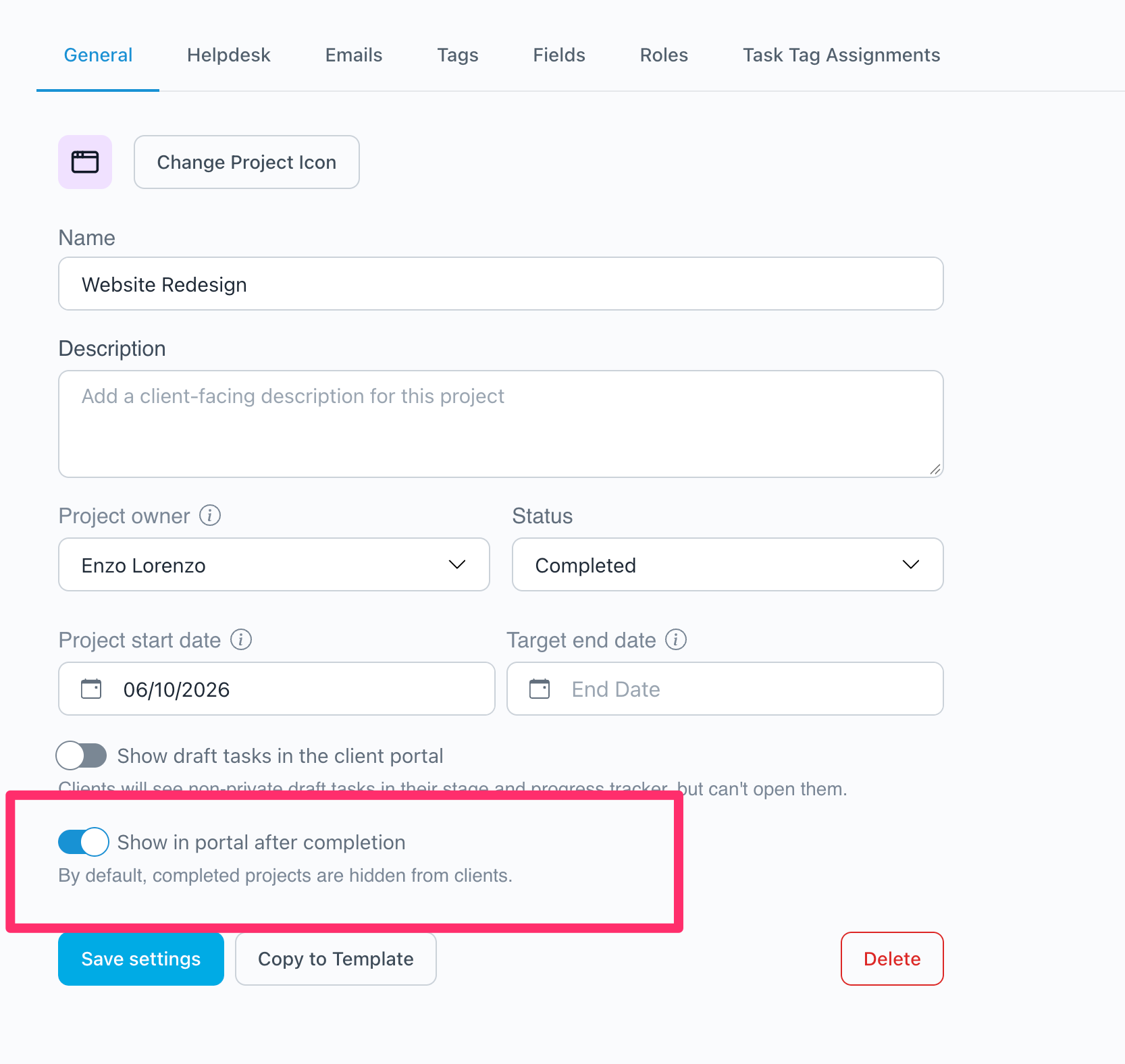
You can now choose, project by project, to keep a completed project visible in the client portal. Turn it on, and your client keeps the same access they had while the project was active, including every file you collected into folders along the way.
Nothing changes unless you turn it on. Completed projects stay hidden from clients by default, so your existing portals look exactly as they do today.
How to turn it on
- Open the project and go to Settings, then the General tab.
- Switch on Keep showing this project in the client portal once completed.
- Save your project settings.
You can turn it on before or after the project is completed. If the project is already completed, it reappears the next time your client opens their portal.
Want this for every project of a certain kind? Turn the setting on in the project template instead, and every new project created from that template starts with it switched on.
Good to know
- Completed projects sit at the bottom. Your client’s portal lists active projects first, then on-hold projects, then completed ones.
- Archived projects stay hidden. The setting only applies to projects marked Completed.
- Only the project’s own clients see it. Turning the setting on doesn’t add anyone to the project.

Why it matters
Good client management doesn’t end at delivery. When a client can find last year’s deliverables on their own, they don’t have to email you to ask, and they have one more reason to come back to your portal when the next project starts.

