.svg)
October 23, 2026
Smarter AI Forms: Conditional Logic and Repeating Groups
%20copy.avif)
Part of our 31 Customer Improvements series, where we ship one feature our customers asked for every day this month.
LaunchBay’s AI form builder now builds forms that respond to your client’s answers. Describe the form you need, and it sets up follow-up questions that only appear when they apply, plus sections clients can repeat for each person, product, or location.
Until now, the AI produced a flat list of questions. If one question depended on another, you had to wire up the logic yourself after the form was generated. That step is gone.
Questions that appear only when they matter
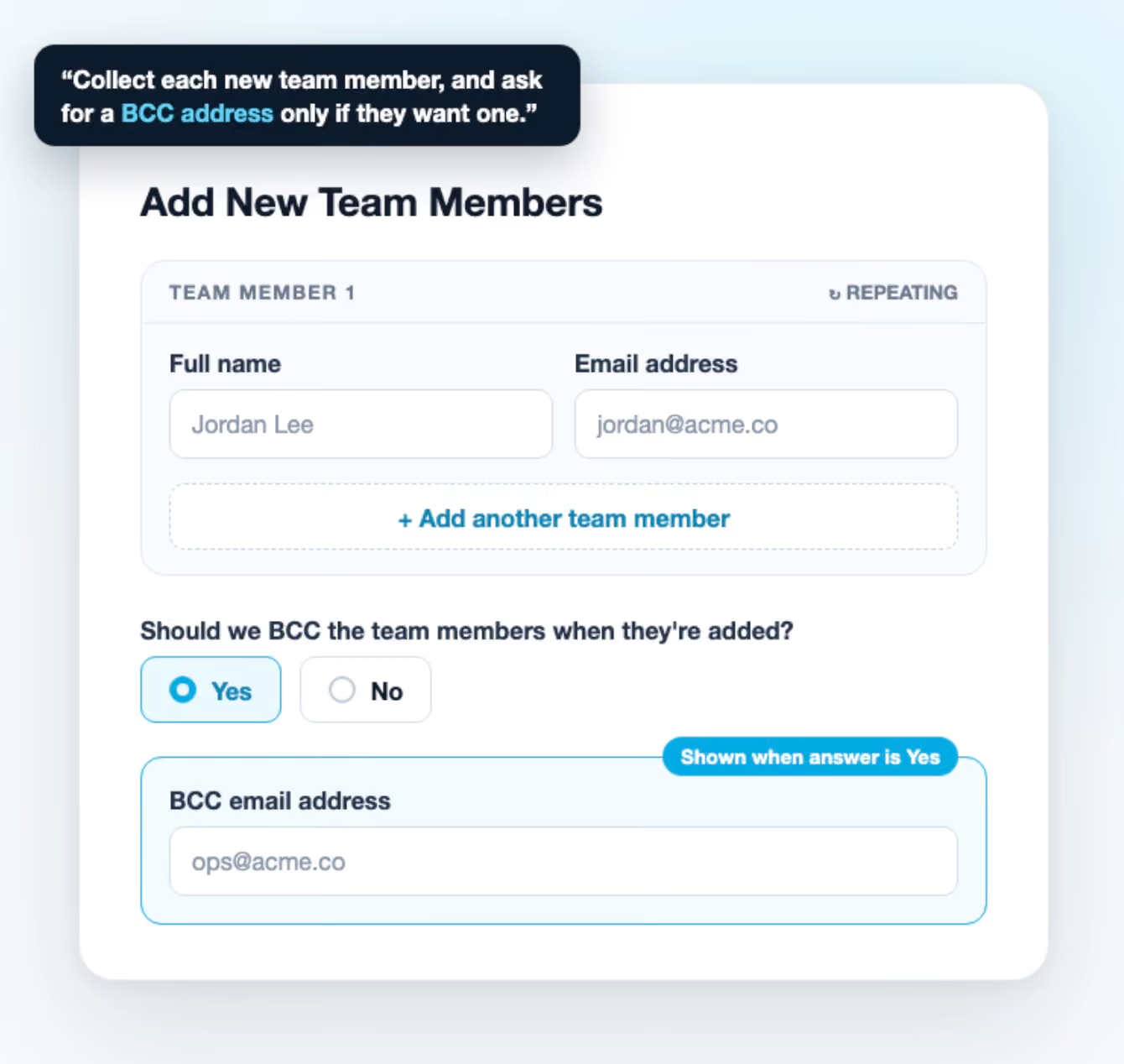
When your description includes a follow-up, like “if they want a testimonial, ask them to write one,” the AI now adds a real show/hide conditional rule. The follow-up stays hidden until the client picks the answer that triggers it.
These are the same rules you can build by hand. Open a field’s settings and choose Set conditions to see or change what the AI set up. Rules can check whether an earlier answer equals a value, doesn’t equal it, is empty, or is filled in.
Clients see only the questions that apply to them, so forms feel shorter and answers come back cleaner. That’s a real difference on long client onboarding questionnaires.
Repeating groups for lists of anything
Some questions need one answer per person or item: team members to invite, products to set up, office locations for a client implementation. The AI now recognizes these and builds a repeating group. Clients fill in the group once, then click Add another for each extra entry.
The AI also names each entry, so the button reads “Add another team member” instead of a generic label. You can rename it or turn repeating off in the group’s settings. In your client portal, each entry is numbered with its own remove button, thanks to the redesigned portal forms.
Groups that are easy to spot in the builder
We also cleaned up how groups look while you edit a form:
- Grouped fields sit in their own box, so you can tell what belongs to a group without hovering.
- The “Add another” button looks like it will on the live form. It’s inactive in the builder, and a tooltip explains that clients use it to add entries.
- Field controls show only for the field you’re on. Hovering over a group no longer lights up the drag and settings buttons on every field inside it.
Try it
Create a new form with AI and describe it the way you’d explain it to a colleague.

