.svg)
September 24, 2026
Show Draft Tasks in Your Client Portal
Every client implementation is a little different, and we want your client portal to be flexible enough to match how your team actually delivers work. Today's update gives you more control over what clients see, and when.
The problem: showing the plan without implying work has started
Several customers, including <X>, asked for a way to show clients tasks that aren't ready to start yet.
Until now, a task had to meet two conditions to appear in the portal: it had to be non-private, and it had to be in an active status. For many teams, though, "active" means "in progress." They want clients to see the full scope of upcoming work, but they don't want clients assuming that work has already begun.
The solution: draft tasks in the portal
A new project setting, Show draft tasks in client portal, lets you share upcoming work without marking it active.
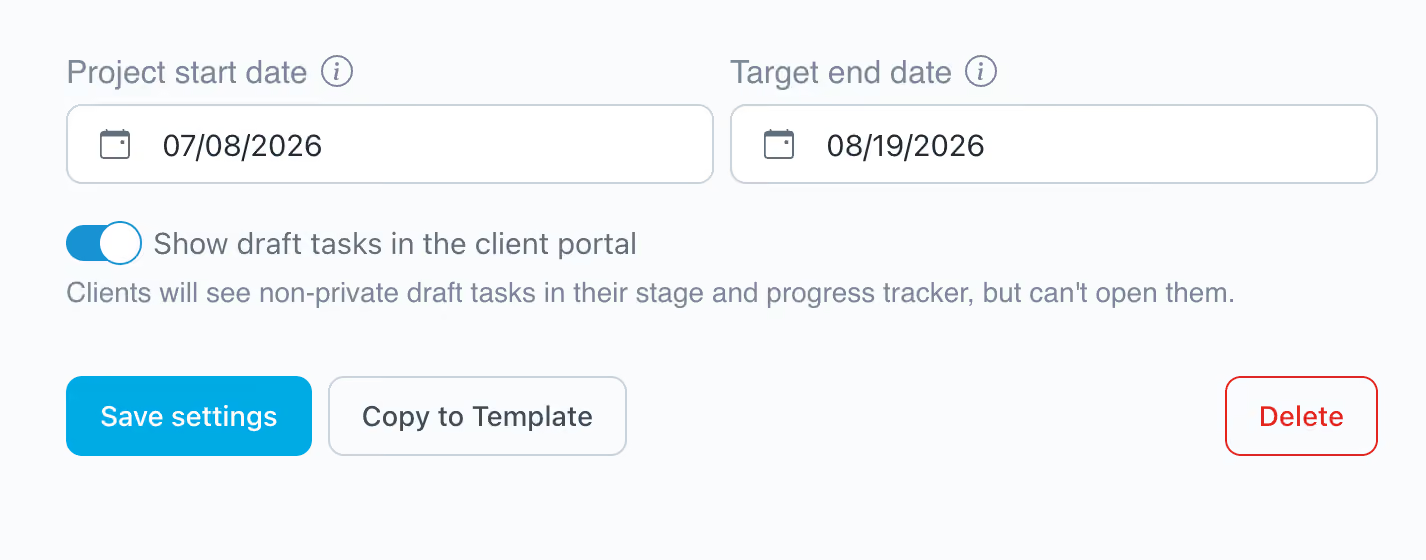
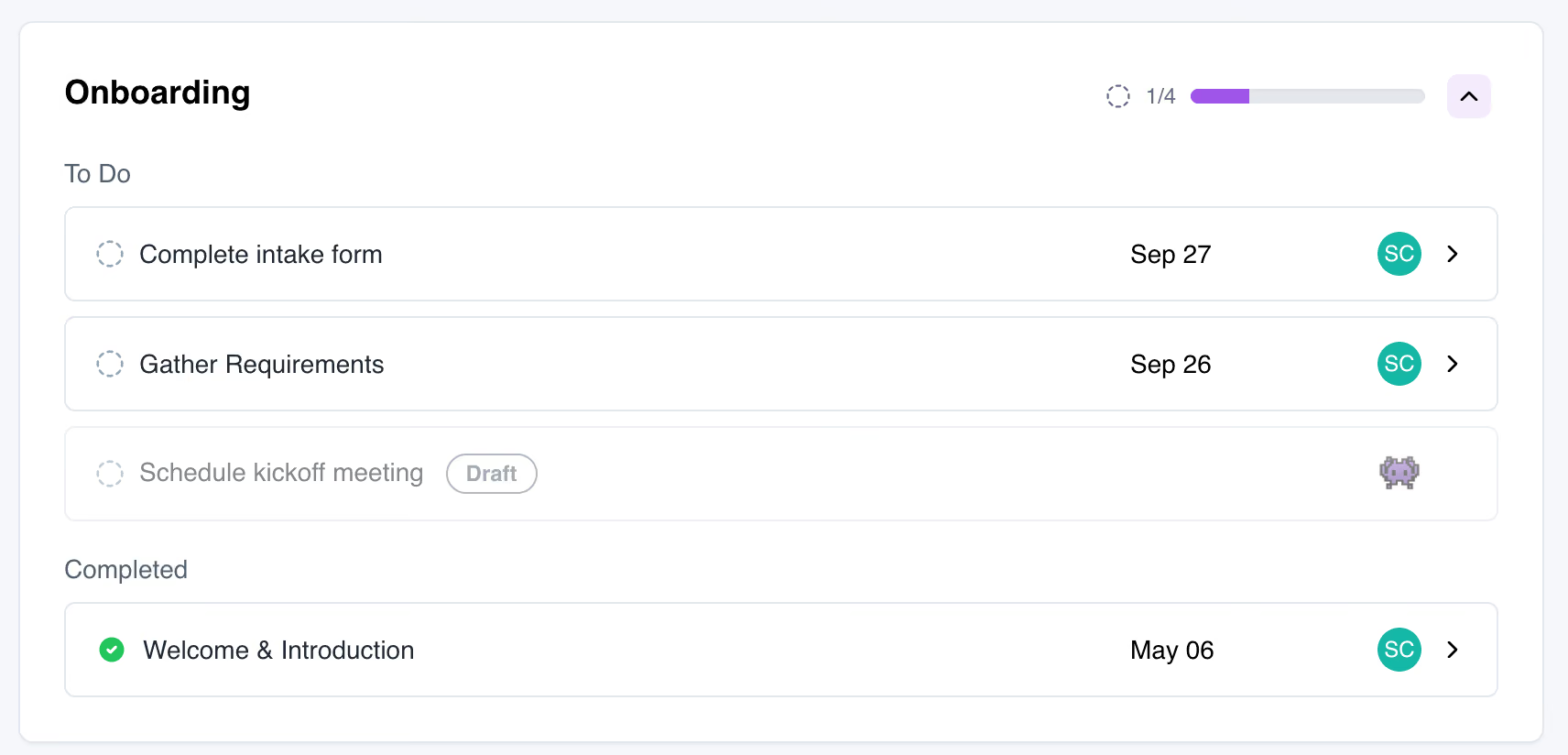
With the toggle on, any portal-visible task in draft status appears in the client's portal. This applies whether the task is assigned to the client or to your team. Draft tasks:
- Display with a Draft tag, so clients know the work hasn't started
- Can't be opened or worked on until you activate them
- Appear in the client's Progress Tracker stage, so the full timeline is visible from day one
Nothing changes by default. Your existing projects behave exactly as they do today unless you turn the setting on.
Example workflow
- Build quietly. Set up your project tasks with draft visibility turned off.
- Reveal the plan. When the plan is ready, flip the toggle so the client can see everything coming up.
- Activate as you go. Move each task to active when it's actually ready to be worked on.
Your clients get a clear view of what's ahead, and your team keeps control over when each step of client onboarding truly begins.
Try it out
You'll find the new toggle in your project settings. We'd love to hear how you use draft tasks in your workflows. Send your feedback and ideas to hello@launchbay.com.

